Hi, I extracted the executable but when I double click to launch it noting happens.
1 Like
I will take a look, I am running Windows, I will have a look in a Linux Mint VM for you.
1 Like
Nice, thanks!
1 Like
Are you using the latest version of Linux Mint?
Yes, I dual boot just few days ago. It is fresh install.
1 Like
Thank you. Linux Mint is currently installing in a VM.
1 Like
Try opening the extracted folder in terminal, then run the following commands, that should work:
chmod +X "Blender Launcher"

./"Blender Launcher"
1 Like
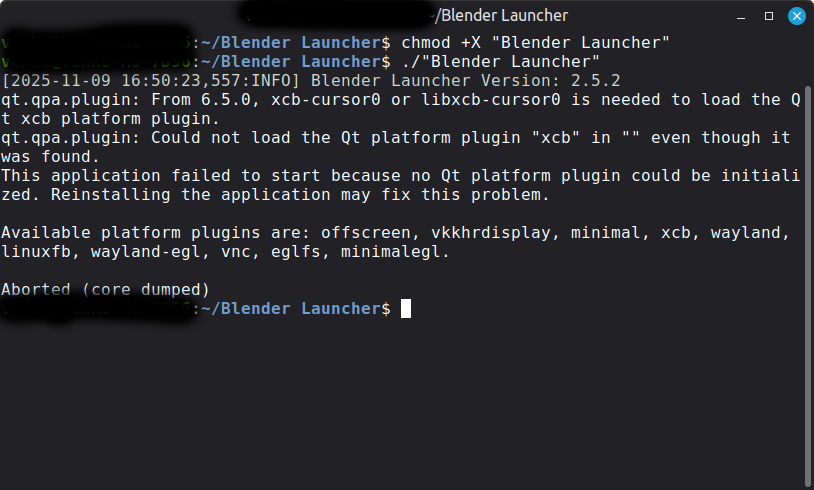
I can’t open it, nevermind. I first downloaded the first file in the github named “Linux.zip” before your response here, extracted it and there was a setup menu, I followed the instructions and nothing happened. Maybe something went wrong. When I type those two commands it says no file or folder named Blender Launcher.
1 Like
I would try starting again, go out to the GitHub and download the Ubuntu version (here is a direct link: https://github.com/Victor-IX/Blender-Launcher-V2/releases/download/v2.5.2/Blender_Launcher_v2.5.2_Ubuntu_x64.zip).
Then extract the ZIP folder by right clicking, after extracting the ZIP open the terminal to the extracted location. Then try running the commands.
1 Like
It is the same file, yes. I will try again. Thank you!
1 Like
1 Like
I have just been researching this, some people suggest running the following command and then trying again, I don’t know if this will help.
sudo apt-get install libxcb-icccm4 libxcb-image0 libxcb-keysyms1 libxcb-render-util0 libxcb-xinerama0
1 Like
Thanks @Withers99 for helping with that!
@Venko if you install libxcb-cursor0 it should solve the issue
sudo apt install libxcb-cursor0
3 Likes
That worked thanks!
1 Like
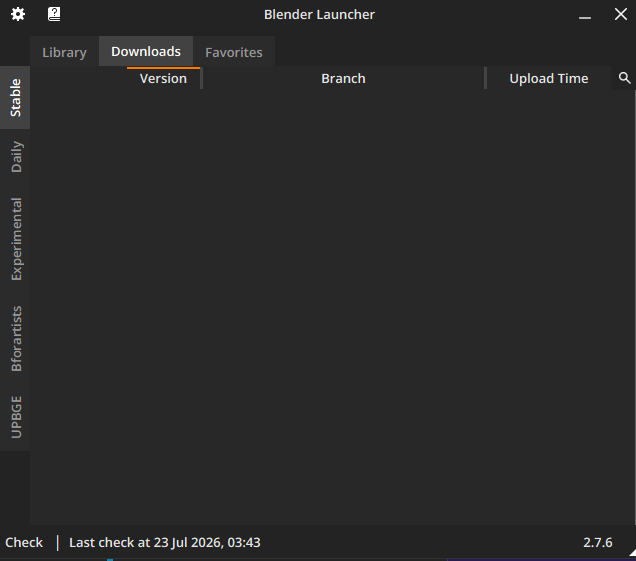
Stable Downloads list is empty. Can’t download 5.2 from there.
5.2 shows up in Daily Downloads
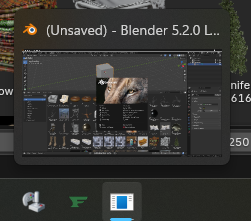
and when I launch 5.2 it does not have the blender logo on the taskbar icon
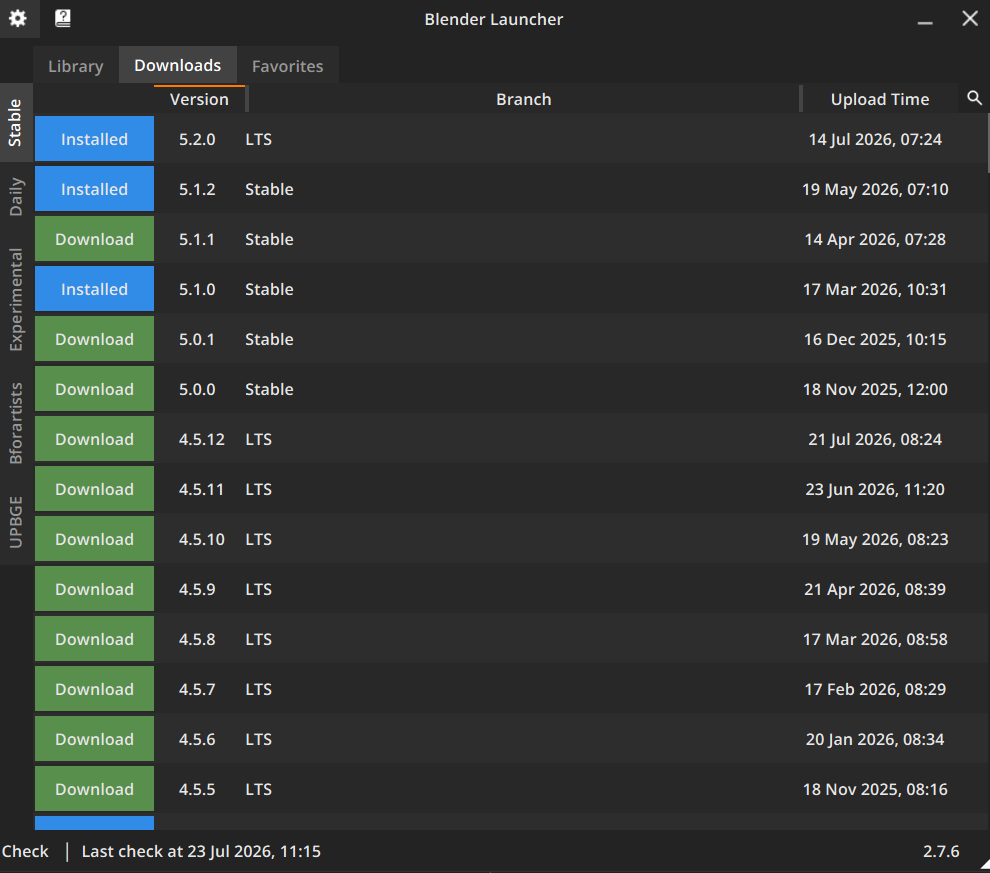
That’s interesting, I was just looking at my Blender Launcher and it seems to have all of the versions in the download list for stable. It might be because I have already downloaded 5.2.
Check Settings > Blender Builds > Minimum stable build
I set minimum to 5.2 and still nothing.
I don’t understand why this app relies on every instance of the app doing it’s own scraping. Couldn’t they have a web server scrape it once and then all the tens of thousands of apps refer to that 1 pre-scraped source of truth instead of constantly scraping the blender web server?
1 Like
It’s already what we are doing, you can see here the Blender Launcher’s own scraped data that all the users fetch: https://github.com/Victor-IX/Blender-Launcher-V2/blob/main/source/resources/api/stable_builds_api_windows.json.
Most builds are fetched from this file. If a new blender build was released and not yet added by our builder, it will fetch it directly from the blender server.
In your case, why you don’t see the blender version in the download tab can be related to multiple reasons. Can you send me your log file so that I can check what the issue is? I know that recently the Blender Foundation has changed some Cloudflare stuff and some requests get blocked for some users. I hope it’s not the case here.
1 Like
Have you tried setting it to e.g. 3.6? I had the same issue.