In basically every application I tried, a child transform of 0,0,0 places it on the parent with the rotation of the parent, because the transform panel is local:
I feel like Blender’s attitude towards local vs world space when it comes to parenting is one of the last stubborn remnants approaching “right click select” attitude when it comes to being directly user hostile and going against the rest of the industry in favor of some weird “technically correct” delusion…
Has anyone made an add-on which sorts this mess out and makes Blender child transforms actually understandable?
Here we see three seemingly different behaviors of children (with only one of them having an indicator that something is weird):
Top parent has child placed at same location, so child location is 0,0,0 in properties. Ok, fine that means properties are local.
Middle parent has child placed at world origin, and child location read 0,0,0 in properties. Ok, so that means its properties panel is global?
Bottom parent has child placed at same location, yet child location is 18,0,0 in properties. Ok, now I don’t know what the heck the properties panel indicates, because that’s neither global or local.
Blender has its own terrible mix of world/local location in its properties panel and I can’t understand how anyone but experienced Blender users can make heads or tails of that.
Oh i was reading your first post again and not looking too much about your investigations. It seems to me you are looking for a problem and not for a solution about what you want… IDK… and i may have also not completely understood your needs or why a child-object parented to the parent-object then the local position and rotating of the child should be something else than 0,0,0 / 0,0,0
So there are different posibilities to parent… and as far as i understood what you wanted this might be the suggested one… no need for me to get insane about the other posibilities… or discuss their usefulness
I dont believe any addon can solve all the nonsenses happened in parenting and transform panel.
Best option to make it more or less “readable” is to use parenting without inverse and dont touch “parent only” mode, or re-parenting each time after.
I just noticed this now… so Blender is able to understand and show the difference between global and local in one panel, but still hides it behind this obtuse implicit system that you have to memorize in the more commonly seen panel?
The “Local” coordinates are only visible and usefull in edit mode; the Object Properties always shows the “location” (, rotation, scale) of the object itself.
Clearing the parent with keep transformation active will add unwanted rotation values to the empty, it’s better to clear parent without the transforms first, and then re-parent after moving the empty to the location it should be in. This way the original rotation values are left intact
AH - additional info; the desination had a rather slight rotation (was like a degree, or less?) on 2 axes that I just assumed was a mistake. I set them to zero, which removed the Z wobble completely.
Yes, everyone in here is missing that slight rotation. It’s not a mistake and I want to keep it. No solution presented so far has allowed me to do that (unless I missed a step, which means that this is still very obtuse)…
The closest I’ve gotten is to clearing the parent so it gets put at the origin as suggested, and then parenting it again and clearing the parent inverse transform… only, it’s then rotated 90 degrees (since the empties are rotated compared to each other), but all of my attempts so far to rotate it correctly have resulted in what incredibly appears as a change in how the Z euler rotation keyframes are applied…
I’m sorry but you’re confusing what I said. Play the animation and observe how it looks. Now reparent from OLD to NEW and have it look exactly the same.
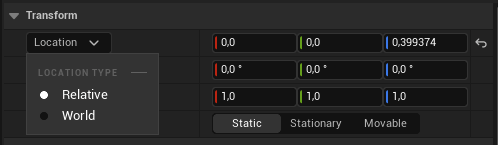
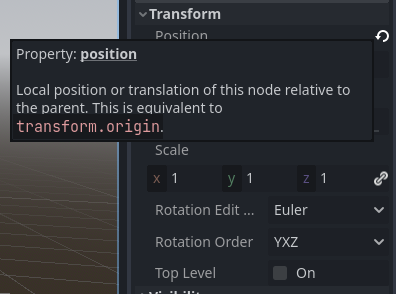

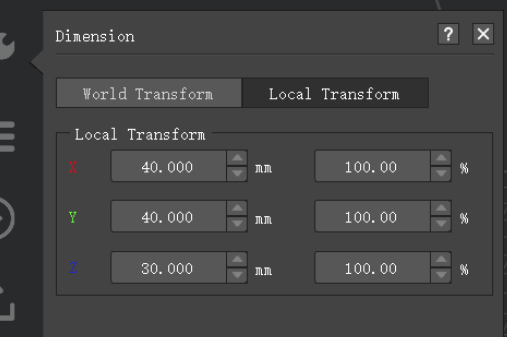



 Please look at the five different sceenshots from other 3D apps in my first post.


