A student created this scene. She animated the camera, but when she plays the animation the camera doesn’t move. I’m not sure why?
File
There is no keyframed data stored in the keyframes, or rather they are keyframed to the origin point…they are all copies of the first frame, therefore it won’t move…
Best to delete all the keyframes ( since trying to add location and rotation to existing keyframes is very difficult) and start adding new keyframes…starting at first frame add keyframe ( Location and rotation) then move the camera, move to new frame in timeline and add keyframe ( Location and rotation) and repeat for wanted animation…
The clock pendulum is working perfectly!
Thanks so much for this answer! How did the student apply keys only to the origin point of the camera?
I have no idea… Unless they didn’t understand that for this type of camera animation…they have to move the camera to a new location and then move to a new location on the timeline and then set Keyframe.
It is lucky that it is an easy fix.
Thanks, I taught her how to animate the camera, been doing this for years. This problem never came up and I’m trying to avoid it in the future.
Yeah, with-out seeing what she actually did, I can’t tell from the file, but sounds like you have a handle on things!
Hope all goes well…Glad to hear this is being shared with the young ones!
Happy Blending!
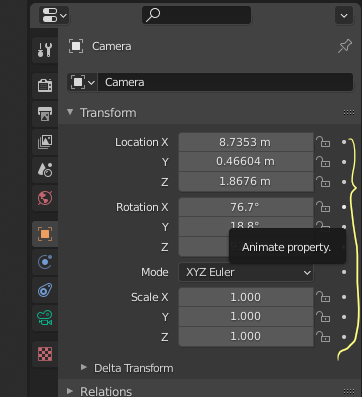
Note:…It felt to me that they might have pressed the Camera Animation Dots in Object Properties… before actually moving the camera…???
Helpful, thanks.