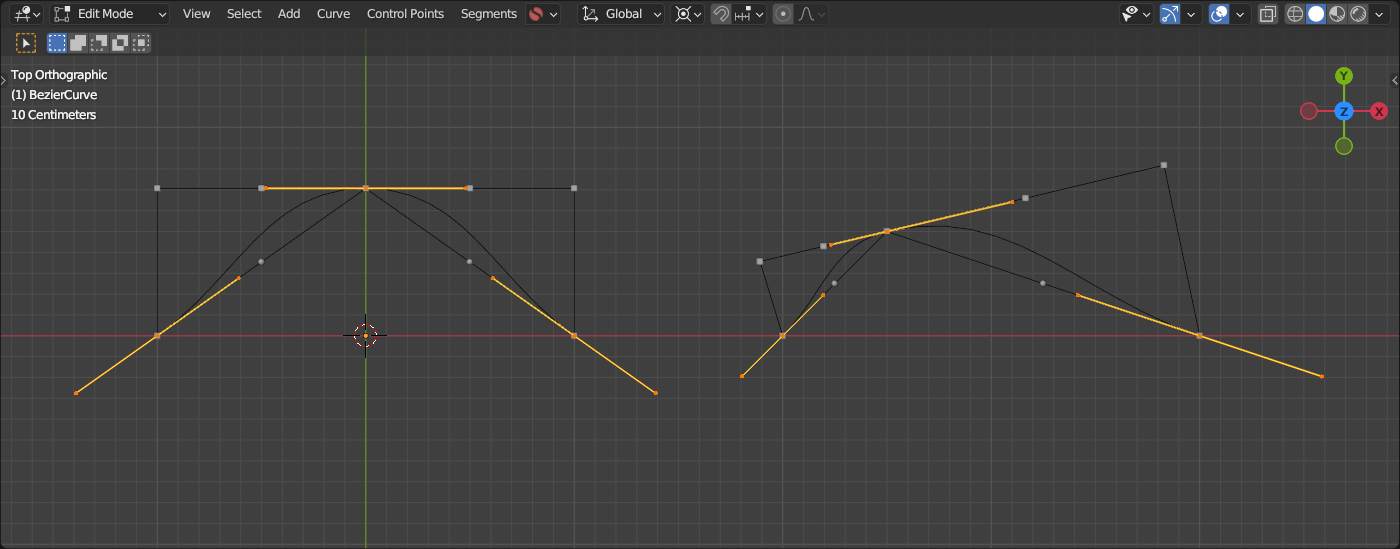
I’m right now teaching myself how to draw / program bezier curves. (Using geometry nodes, weirdly enough, but that’s a whole other topic.) I found a good article that explains the logic behind cubic bezier curves with a start point, end point, and 2 control points (seen here: https://blog.maximeheckel.com/posts/cubic-bezier-from-math-to-motion/ ), and I’ve been having fun applying the article’s lessons. But I’d like to make bezier curves where I can define the “main points” (start points, end points, any other points that I need the curve to hit), and have the computer automatically create the control points that will create smooth round curves between the main points, the same way Blender handles bezier curves when the user turns on auto-handles.
I know there’s an equation to create automatic control points for a circle: that if you have 4 “main” points (what I’ll call the non-control points) at (1, 0), (0, 1), (-1, 0), and (0, -1) that you can find the control points for each of those points with 4/3(√2−1) which puts each control point 0.55228474983079 away from it’s main point. (Explained here: https://web.archive.org/web/20190421001503/http://www.whizkidtech.redprince.net/bezier/circle/ ) But I don’t know if that helps me: yes, I’d want my automatic control points to create a perfect circle when you put your control points in a square like that, but I think that equation would break down if I don’t have a perfect circle, which I likely wouldn’t most of the time.
And I know it’s possible to make these automatic control points, because, again, I’ve seen it done in Blender. When you make bezier curves in Blender, you can pick “auto-handles”, and the bezier curves will have very nice automatic control points. Heck, if you put your “main points” in a square in Blender with auto-handles on, the auto handles will even move to the correct value of 0.55228474983079. But I can’t figure out how Blender is figuring these nice control points out!
Does anyone know what Blender’s doing under the hood to find these automatic control points for cubic bezier curves?
Just a side note:
Even if there are a lot of how-tos about drawing a circle with bezier splines or “even doing it better”… it’s a fact that ( Wikipedia: Bézier Curve):
Some curves that seem simple, such as the circle, cannot be described exactly by a Bézier or piecewise Bézier curve…
According AutoHandles… i always assumed something like this…
Blender is open source… One just have to look into the source code and see.
  if (ELEM(BEZIER_HANDLE_AUTO, type_left, type_right)) {
    const float3 prev_diff = position - prev_position;
    const float3 next_diff = next_position - position;
    float prev_len = math::length(prev_diff);
    float next_len = math::length(next_diff);
    if (prev_len == 0.0f) {
      prev_len = 1.0f;
    }
    if (next_len == 0.0f) {
      next_len = 1.0f;
    }
    const float3 dir = next_diff / next_len + prev_diff / prev_len;

    /* The magic number 2.5614 is derived from approximating a circular arc at the control point.
     * Given the constraints:
     *
     * - `P0=(0,1),P1=(c,1),P2=(1,c),P3=(1,0)`.
     * - The first derivative of the curve must agree with the circular arc derivative at the
     *   endpoints.
     * - Minimize the maximum radial drift.
     *   one can compute `c ≈ 0.5519150244935105707435627`.
     *   The distance from P0 to P3 is `sqrt(2)`.
     *
     * The magic factor for `len` is `(sqrt(2) / 0.5519150244935105707435627) ≈ 2.562375546255352`.
     * In older code of blender a slightly worse approximation of 2.5614 is used. It's kept
     * for compatibility.
     *
     * See https://spencermortensen.com/articles/bezier-circle/. */
    const float len = math::length(dir) * 2.5614f;
    if (len != 0.0f) {
      if (type_left == BEZIER_HANDLE_AUTO) {
        const float prev_len_clamped = std::min(prev_len, next_len * 5.0f);
        left = position + dir * -(prev_len_clamped / len);
      }
      if (type_right == BEZIER_HANDLE_AUTO) {
        const float next_len_clamped = std::min(next_len, prev_len * 5.0f);
        right = position + dir * (next_len_clamped / len);
      }
    }
  }
All this time, I’ve seen the “Automatic” label and wondered “Ok, I suppose this is some bespoke thing Blender came up with … don’t know how it’s actually calculating, but works right now so - whatever.”
And today I’ve learned - Oh, it’s a freaking CUBIC BEZIER. Yeah, I’ve actually heard of that one.
So - thanks for posting that.
(Now I’m wondering why the menu command doesn’t call it Cubic, but I’m guessing someone back in time said “No, don’t give it the accurate definitive name… call it Automatic. Obfuscation = friendly to user.” )