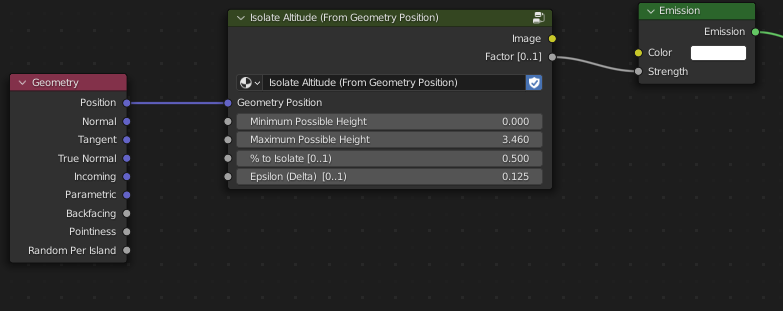
I’m looking at things like altitude blends etc. From 3DLight I’m used to being able to get “Altitude”, a 0…1 number representing the point height in percent either in an object context or a scene context (Blender would probably add a screen context).
So, in an object context a texel at the lowest-most point on an object would return 0, a texel at the highest-most point on an object would return 1, and texels on the midpoint would return 0.5.
Right now I’m faking this with a Geometry Position node, and manually typing in the bottom Z coordinate and the top Z coordinate into a Map Range node. But the shader needs to be manually updated if I edit the object, or if I apply it to another object.
Is there a way to get the bounding box info so I can set up some math nodes to calculate the min and max? I’m happy with either scene or object space, camera space is less useful in my current case but would be cool to know.