How can I use Blender 2.80 with a touchscreen laptop? I know I can use an external mouse but what if I forgot it at home and want to use Blender with touch screen or trackpad?
I have a touchscreen laptop and it functions just the same as the mousepad as far as gestures. But I have not even begun to use it for blender as I cringe at anything touching the screen let alone something that will be dragging all over the screen and causing smudges, scratching, and such.
I remembered my mouse this time. It seems that I have to use my mouse if I want to do any real work in Blender.
Is there any keyboard short cuts for camera manipulation? Or anyway to create some? If so, will it be keyboard only or both keyboard and mouse ability when I have the mouse?
Are you wanting actual camera manipulation or just viewport manipulation.
View point manipulation mainly.
In orto mode at version 2.7x was numpad (probably normal numbers (below F1, F2…) works too) to navigate an viewport orientations
@Miss_Bad_Wolf
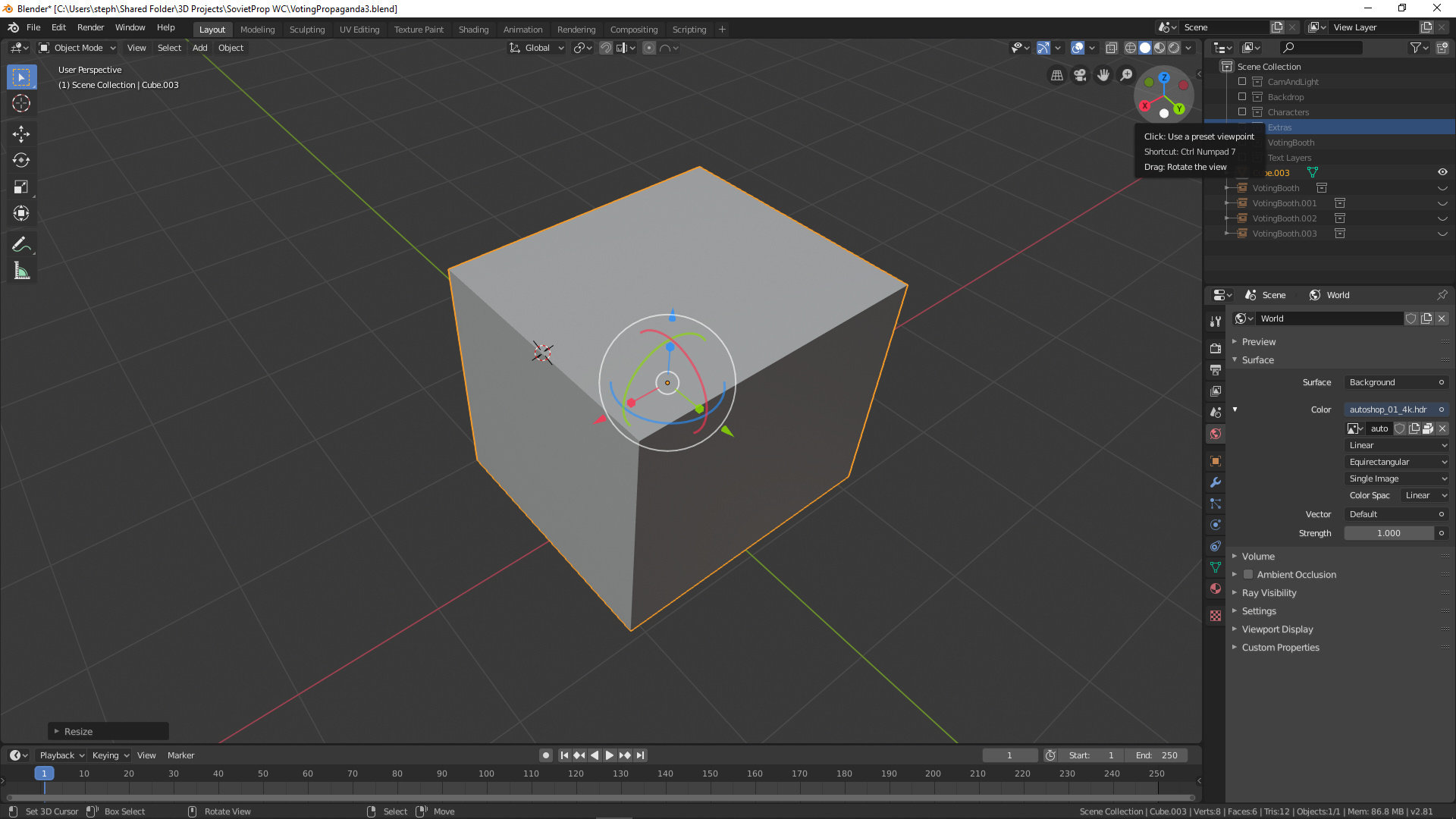
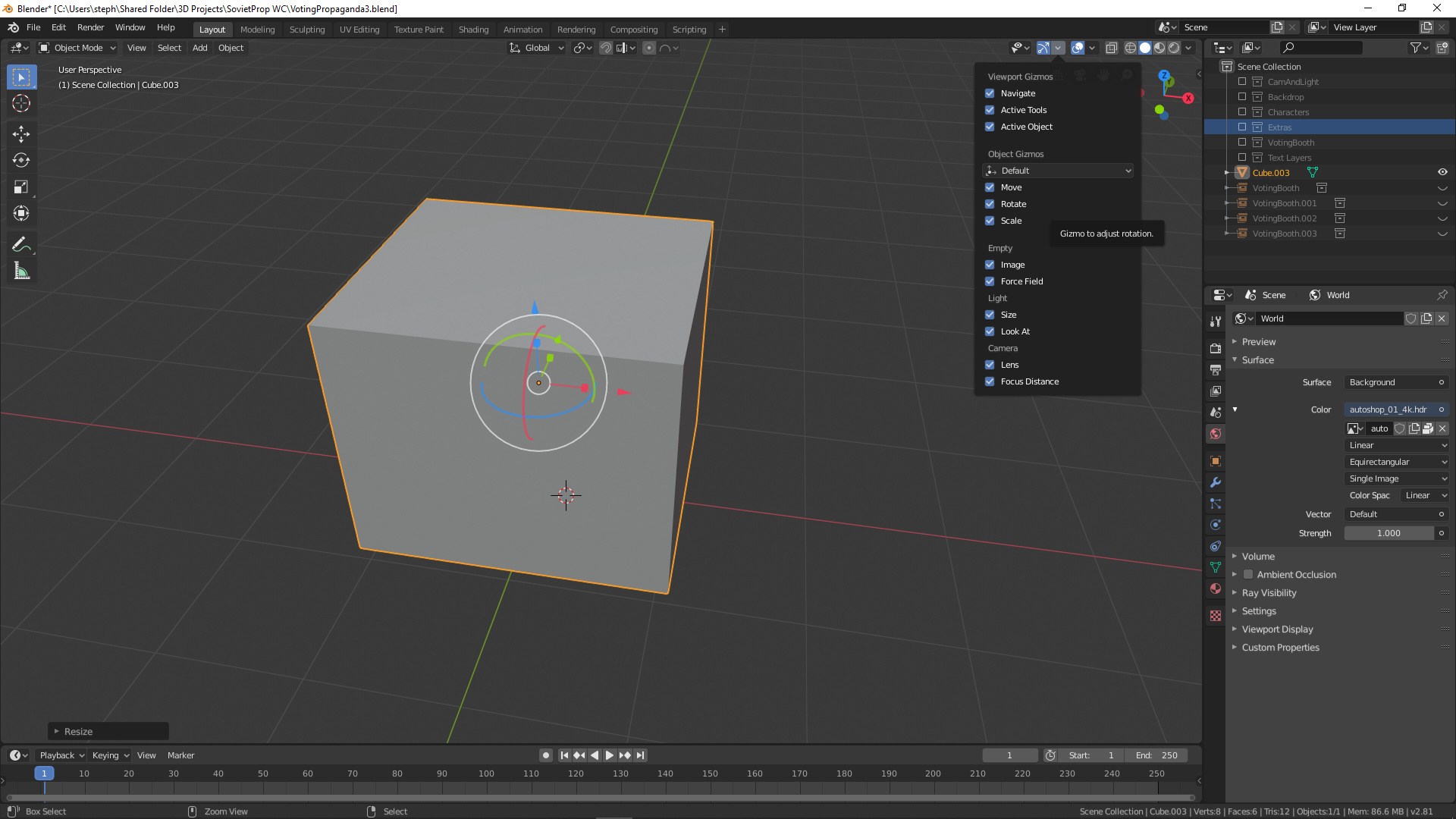
There is a x,y,z axis gizmo at the top right of 2.8 that you can click and drag around to get the viewport manipulation going. And if you haven’t either you can enable all the object manipulation gizmos to possibly make it easier using the laptop trackpad in place of a mouse.
You can hover over that gizmo at the top right and it will tell you what the keyboard shortcuts are for view info. Or if you are wanting free manipulation you can click and drag in that gizmo area to free rotate. ( Side note, the keyboard numerical shortcuts it gives are for the number pad, standard top row of keys are for other shortcuts.)
Staying at the top right of the viewport you will see the option to change the viewport gizmos, in there you can enable, scaling, rotation, and movement of the object manipulator which may also make it a little easier using the keyboard and track pad of a laptop.
In preferences you can change the option to emulate number pad. Which allows the top row of number keys to be used in place of the numberpad.
