hey guys, i’m wondering can we animate the curve in blender ?. animate i mean with that Anchor Point

Hi,
To do that you can create a Hook modifier, that links a vertex to an object. 
Or use shape keys 
I don’t think it will work with curves…

Hooks work with curve, just select a control point on the curve, press Ctrl+H, and click Hook to New Object
Just tried it, works fine

Ah, yeah in edit mode, wow, you learn some new things everyday!
cool.
how did you connect that? to the curve
edit mode, select point, CTRL- H hook to new object.
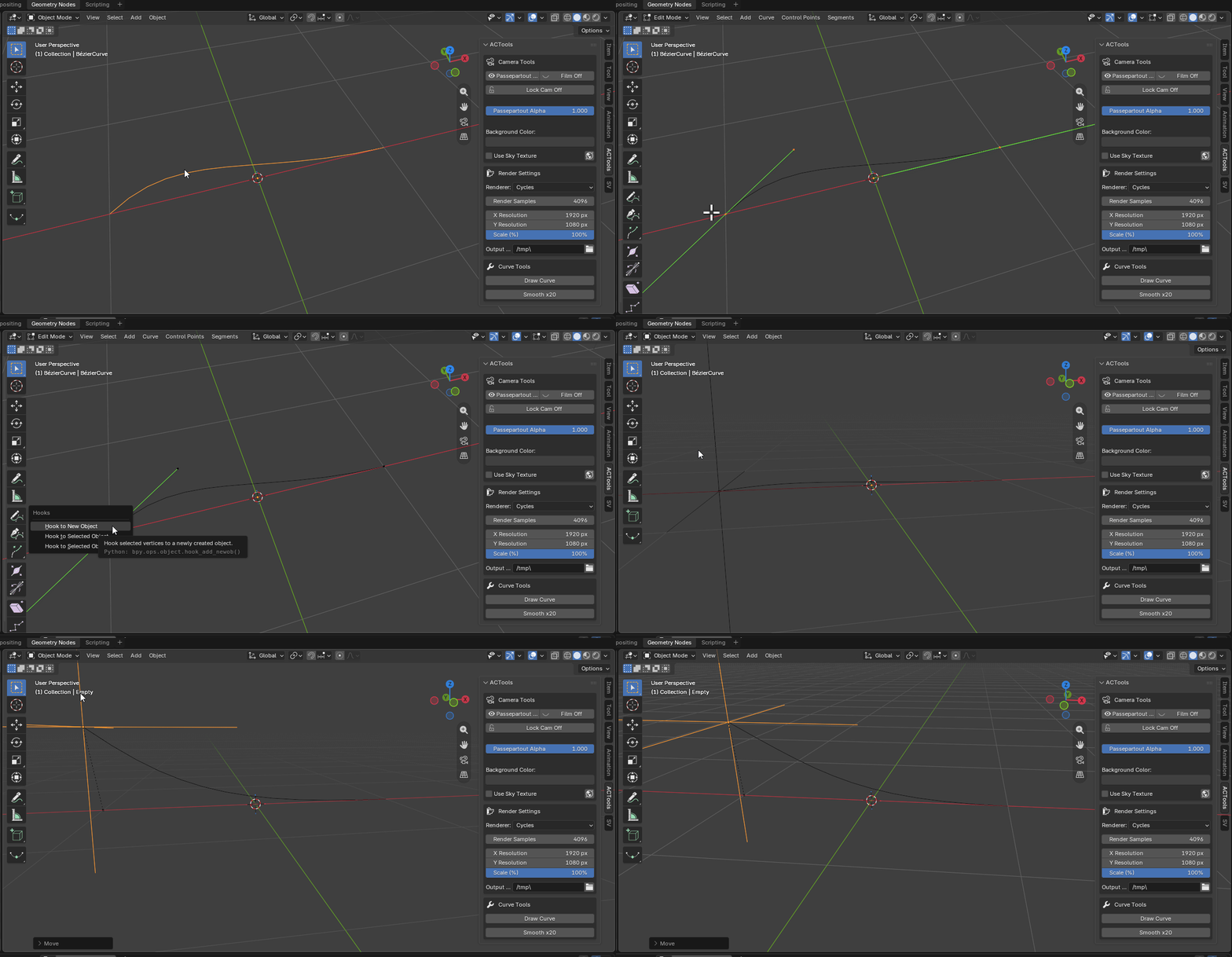
Hope that helps.

If you want rotation to affect the curve, you have to select multiple vertices when you do ctrl+H.
Another way to fix it is once you’ve created the hook, you go in edit mode on your curve, you can select vertices and click assign on the modifier.
With the AnimAll add-on/extension (included with blender), you can just key frame the curve handles.
Randy
You can also rig a curve and control with bones. (Though only the points, not the handles. Works well for a nurbs curve.)
This one is hidden gem, thanks 
If u feel free teach me
3 Likes
thank u so much . you dont know how much helpfull this is