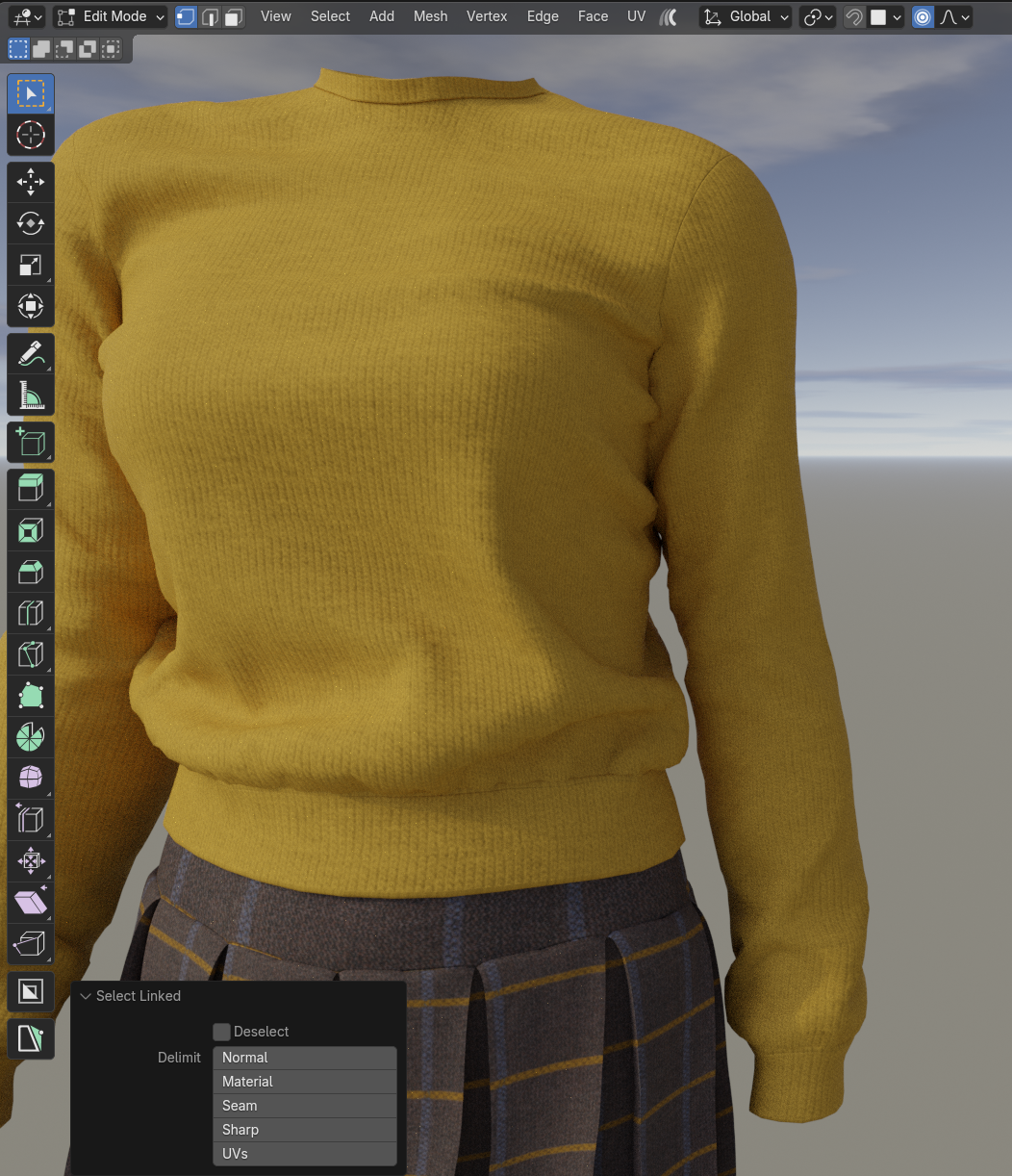
I have rigged Metahuman character in Blender 5.2.2 and it works quite well. Put she don’t have clothes. I found one free and nice cloth (Keltainen asu gltf) , but it is made in very strange pose where the sleeves are practically attached to the shirt. Sleeves can separate with L in edit-mode.
My rigify rig rest pose differs so I had to edit pose to follow cloth. After that I edited cloth in edit and sculpt mode and now cloth is in right size.
But how to parent it? Tried to parent it with empty groups (and like others after that in weight mode “transfer weight”). But because rest pose differs it goes wrong.
Is there any easy way to get this parented to rig?
If you need to rig a clothing that was done in a different rest pose than your human model, you can first make a separate rig only for the clothes and rig it into that. Then with that rig you can pose the clothes into the same pose as your character’s rest pose is, and apply the armature modifier. After that you can delete all vertex groups from the clothing, parent it to the character rig, add an armature modifier to it and set the character rig as the used armature, and then transfer weights from the character into the clothing. And do some manual fine tuning and cleanup whenever needed.
Kiitos kovasti , thanks a lot and God bless to You!
That was a smart approach, I’ll use it as the solution for this post, even though it might not work that well with this particular garment because the sleeves are so tightly connected to the dress. Yesterday I tried duplicating the current character and applying the rig to it so I could get a new rest pose. Then I attached this outfit to that rig, but especially the armpits on the sleeves turned into a complete nightmare. I think also because I am not good with weight painting.
So (other solution in this case) I decided to reshape the clothing to the original character’s rest pose instead, where the armpits are partially open. That’s also why it helped that I could select the sleeves separately in Edit Mode with L. And I realized they absolutely have to be joined to the rest of the shirt when rotated — that alone took the whole day yesterday to clean this mesh and make loops, and I’m still continuing with it now. But at least when I tested change the pose the arms mostly move correctly without those constant problems in the armpit area.
Next time I’ll only look for shirts that already have the arms spread out.
Ei kestä, you’re welcome. Yeah, overlapping geometry is always tricky for weight painting. One solution is to separate the problem part from the rest of the mesh, weight paint it alone on the overlapping parts, and join it back and merge vertices by distance. With sleeves you could actually use a much simpler method:in edit mode to select the sleeve vertices with select linked → seams, uvs etc whichever works. Or if none of them work just select some vertices at the end of the sleeves and use ctrl and + to extend the selection until the sleeve verts are selected. Then go through the vertex groups that are from the torso area bones and remove the sleeve vertices from all those groups.
I’m starting to wonder whether this garment is simply impossible to put on an animated character because of its geometry: it has thickness, far too many loose parts, and different kinds of geometry all in the same mesh. I’ve now spent six hours trying to merge things and remove the inner surface and so on, but it’s practically impossible, at least with my skills. And whenever I attach it to the armature and move it, something always goes wrong somewhere, e.g. the inside surface of the shirt pokes through the outer surface, etc. Now gone back to .blend5 .
Delivering such a piece of cloth in an weird arm position without proper rest pose is either incompetence or deliberate action. I recently dealt with a similar thing by cutting the sleeves off, bringing them into a proper pose, then I did a quick retopo, projected it onto the mesh via shrinkwrap and I recreated the shoulder/armpit connection manually. Tons of additional redundant work because someone upstream was dumb…
My recommendation: find better cloth or start learning how to do them yourself.
Modelling/Sculpting such a garment from scratch isn’t that hard, 10x more fun that fixing messed up stuff from other people and probably doable in less time.
Like seriously - 6 Hours? You could have watched 2 tutorials, learned how to master Blenders cloth brushes AND modelled the thing from scratch in that time.
Yeah, absolutely. I mean, that’s six hours just spent on today’s fixes, not counting the time I wasted earlier when I foolishly tried to fit the garment onto the character while it was still in that shirt pose. You could probably double the total time I’ve now “wasted” trying to get the garment into the correct position. But I think it is so short time vs what in some other cases. Quotation marks in “wasted” because at least I’m learning what NOT to do, and hopefully picking up a few other useful things along the way. Still, I’m surely stubborn enough to try and get this working well enough for at least another 12 hours. Then I’ll give up for this cloth.
With my current skills, though, I probably wouldn’t have got quite that far in the same amount of time. More often, things simply don’t work the way they do in the tutorial videos in my “version” of Blender. And when I’ve tried making clothes from scratch using cloth simulation (following tutorials), they’ve ended up looking absolutely ridiculous.
If you know of any really good tutorials on creating clothes specifically for animation and rigged character, I’d love a link! Ideally, I’d also like to get the movement looking as realistic as possible.
Ok, thanks for this information and the wise answer! Now I have to see if I can find a good tutorial that I could use to model a similar outfit from start to finish. Of course, that might be too challenging for me as well.


 , thanks a lot and God bless to You!

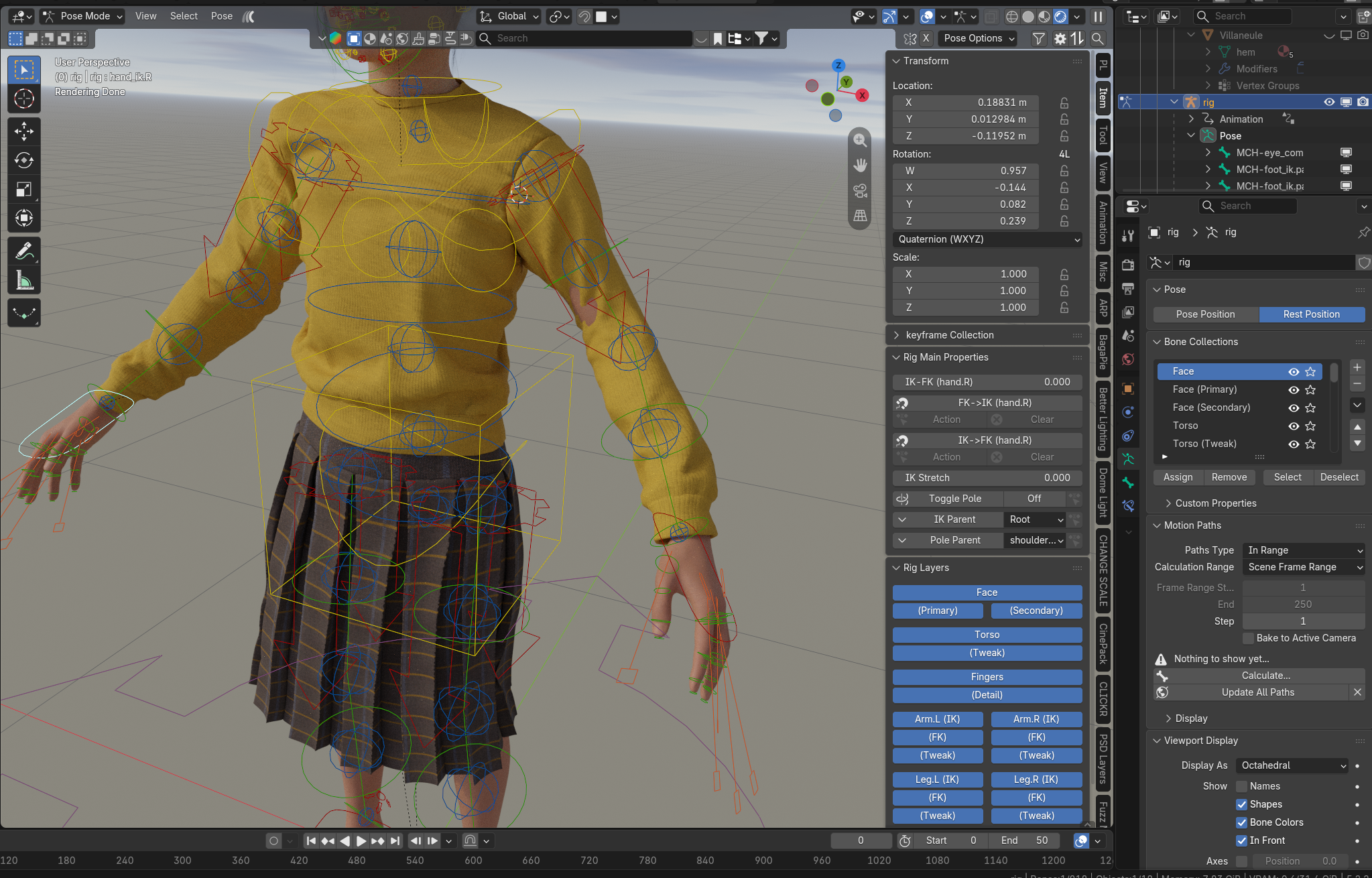
 Yeah, overlapping geometry is always tricky for weight painting. One solution is to separate the problem part from the rest of the mesh, weight paint it alone on the overlapping parts, and join it back and merge vertices by distance. With sleeves you could actually use a much simpler method:in edit mode to select the sleeve vertices with select linked → seams, uvs etc whichever works. Or if none of them work just select some vertices at the end of the sleeves and use ctrl and + to extend the selection until the sleeve verts are selected. Then go through the vertex groups that are from the torso area bones and remove the sleeve vertices from all those groups.

 .
 I mean, that’s six hours just spent on today’s fixes, not counting the time I wasted earlier when I foolishly tried to fit the garment onto the character while it was still in that shirt pose. You could probably double the total time I’ve now “wasted” trying to get the garment into the correct position. But I think it is so short time vs what in some other cases. Quotation marks in “wasted” because at least I’m learning what NOT to do, and hopefully picking up a few other useful things along the way. Still, I’m surely stubborn enough to try and get this working well enough for at least another 12 hours. Then I’ll give up for this cloth.