how can you color the individual faces of my mesh depending on distance to e.g. a different object?
This is possible with bpy but i need to execute the script in-game.
for face in object:
__distance = get distanceTo(object2)
__if distance > 5:
____face.color(rgb)
So I am getting polygons but their material is read-only…
Blender told me via console that the polygon matindex is not writeable
Am I’m doing something wrong or is it time to close this thread and look for a workaround?
v1vertex index of the first vertex of the polygon, use this to retrieve vertex proxy from mesh proxy.
[TABLE=“class: docutils field-list”]
[TR=“class: field-odd field”]
[TH=“class: field-name, bgcolor: #EEDDEE, align: left”]Type:[/TH]
integer
[/TR]
[/TABLE]
v2vertex index of the second vertex of the polygon, use this to retrieve vertex proxy from mesh proxy.
[TABLE=“class: docutils field-list”]
[TR=“class: field-odd field”]
[TH=“class: field-name, bgcolor: #EEDDEE, align: left”]Type:[/TH]
integer
[/TR]
[/TABLE]
v3¶vertex index of the third vertex of the polygon, use this to retrieve vertex proxy from mesh proxy.
[TABLE=“class: docutils field-list”]
[TR=“class: field-odd field”]
[TH=“class: field-name, bgcolor: #EEDDEE, align: left”]Type:[/TH]
integer
[/TR]
[/TABLE]
v4Vertex index of the fourth vertex of the polygon, 0 if polygon has only 3 vertex Use this to retrieve vertex proxy from mesh proxy.
[TABLE=“class: docutils field-list”]
[TR=“class: field-odd field”]
[TH=“class: field-name, bgcolor: #EEDDEE, align: left”]Type:[/TH]
integer
[/TR]
[/TABLE]
It is actually simple, would have made a example, but blender is not currently on my machines.
Get the vertex indexes, then change their color by .getVertex(mat_id, index).
vertex_1 = mesh.getVertex(0, polyproxy.V1)
So you basicallu only use the polyproxy to identify the vertex indexes of a face.
Wow thank you so much!! This is more than I ever wanted!
I think I can close the thread, the result of your amazing work is going to be presented in my game I am working on!
You wondered why per poly coloring… Its to keep the low poly esthetic
Over time green habitable polygons are going to spread on the sparse grey polys of the inhabitable planet!
for some reason everything works well in your blend,
in my blend the color of my object doesn’t change and stays white even though nothing is set to white…
Also the polygon positions are very weird and don’t match their actual 3d space coordinates :mad:
I attached a blend file which also is the current game I am working on
def planetPlants_stone():
    own = logic.getCurrentController().owner # you are coloring what here??? the object is which>
    scene = logic.getCurrentScene()

    planet = scene.objects['planet_stone'] // this should be used instead of own
You are coloring the wrong object…
Polygons are relative to their owner.
You have to calculate yourself the world position of them based on the owner pos and scale(, or transform matrix)
Also, there seems to be a problem with when triangles and quad faces are mixed…
Triangulating removed the artifacts on faces that were skipped in the coloring.
now I am trying to ‘read’ the vertex.color because this is a good way to e.g. only add trees on the green and not on the light green polys.
BUT it doesn’t read it correct for example a set color [.2,.7,.2,1] reads [0.200,0.680,0.200,1.000]
is there some python magic to filter this or round the results? so the color can be read like this if vertex.color == [.2,.7,.2,1]:
The behavior of round() for floats can be surprising: for example, round(2.675, 2) gives 2.67 instead of the expected 2.68. This is not a bug: it’s a result of the fact that most decimal fractions can’t be represented exactly as a float. See Floating Point Arithmetic: Issues and Limitations for more information.
[round(value,1) for value in green] generates a list…
Normally, the code looks like this:
mesh = own.meshes[0]
for i in range (mesh.getVertexArrayLength(0)):
    vertex = mesh.getVertex(0, i)
    if vertex.g > 0.68: # or round(vertex.g, 1) == 2.7:
        #Do something
Yup but I directly compared full RGBA lists that way it is easier to change colors on the fly! But it still doesnt work so ill be looking for some other issues
 I will dive into it, ill try to finish this thread by tomorrow thanks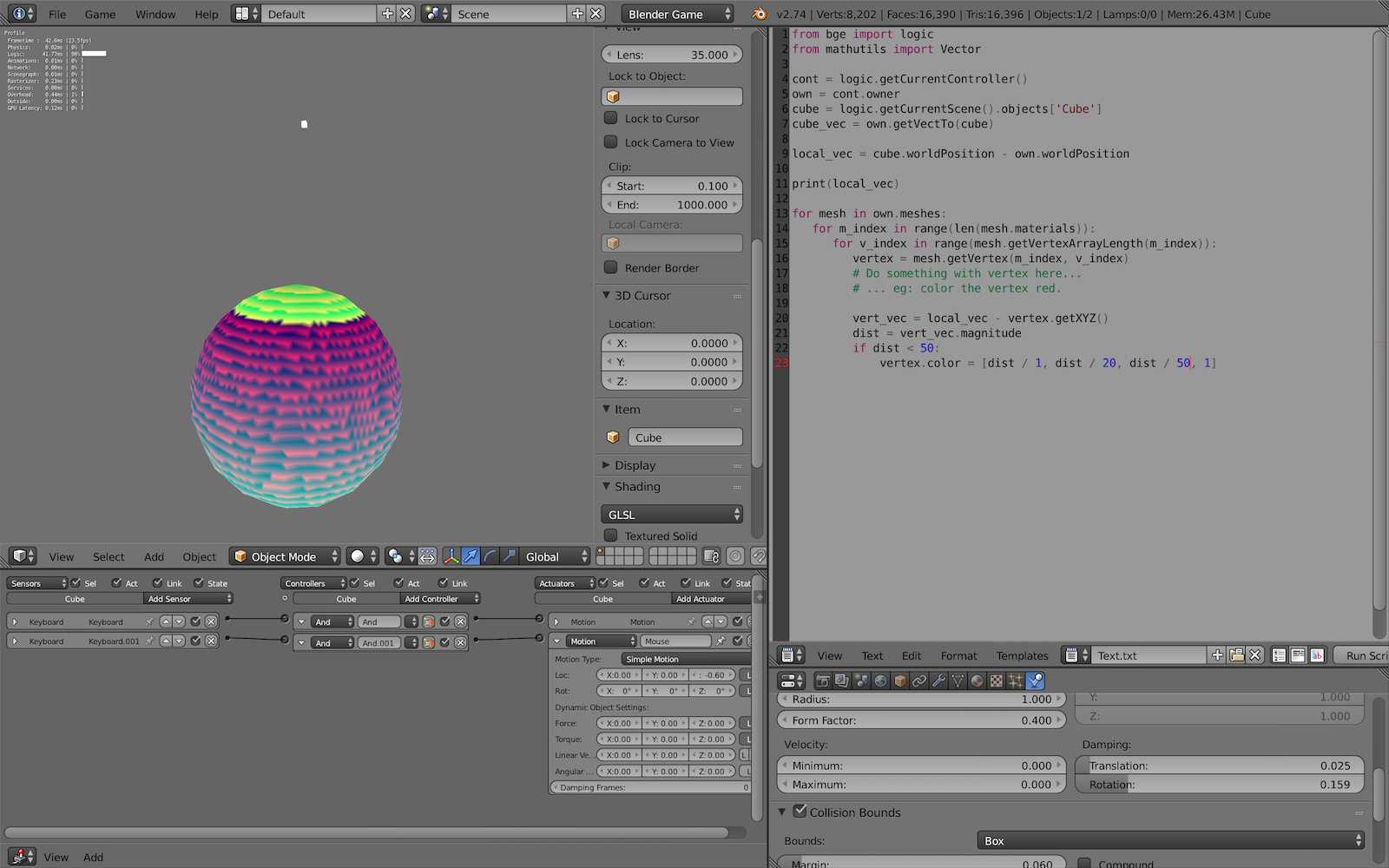


 learn new things every day!