Pain. PAIN, I tell you!
Can’t install an external baker at the moment. Very sad, but ok.
Back to Blender. I won’t even try to bake a HUGE image. My PC makes terrifying enough sounds at 4k.
So. Plan was to break the body texture into 3 separate ones and then bake it all to final (-ish) 4k resolution in an attempt to reduce inevitable aliasing effect. Head texture I’m leaving as is at 2k - no artifacts there to speak of.
I’ve separated the pieces into groups and added a second UV map, so every group is unwrapped on the whole space.
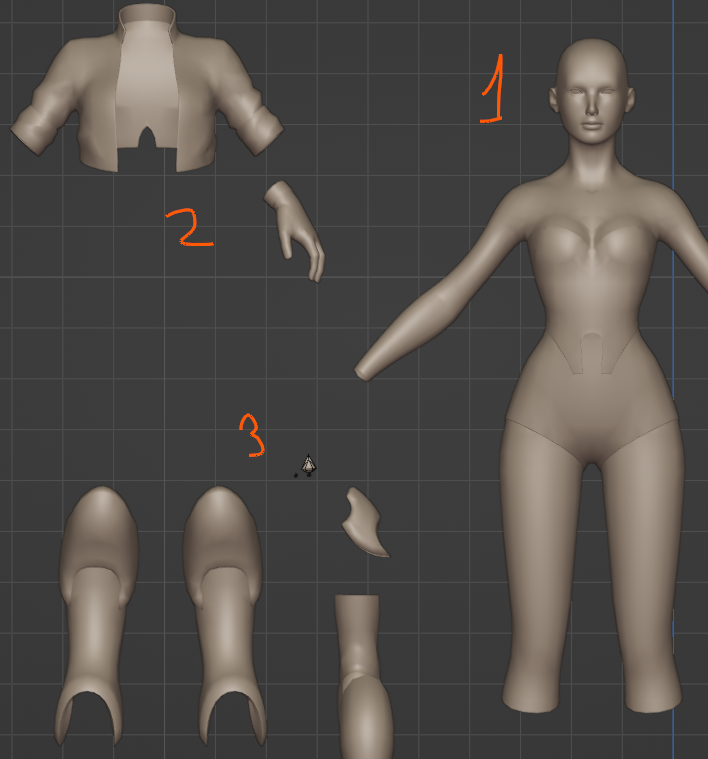
Baking is straightforward enough. 3 materials, 3 images. Once it’s done, I can forget hipoly.
Now, I’ve done re-baking to another UV map before. It’s not exactly intuitive process, but I had no problems before. Now I’m thinking maybe I had cases where those problems just weren’t obvious? I can’t remember.
But I do recall someone having a similar problem that occurred this time. Normal values didn’t bake correctly (something to do with tangent space and UV maps?), there were seams and other indescribable weirdness:
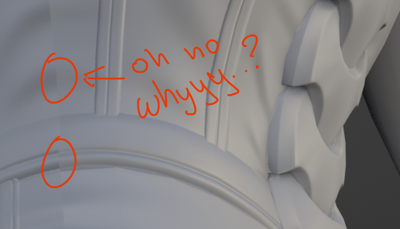
I’m pretty sure there is some way to fix it, but nothing comes to mind now.
Came up with immediate random solution: bake to original UV map in Object space, then bake again in Tangent Space  Well, it worked, so I’m not complaining. But I can’t say I understand this process either
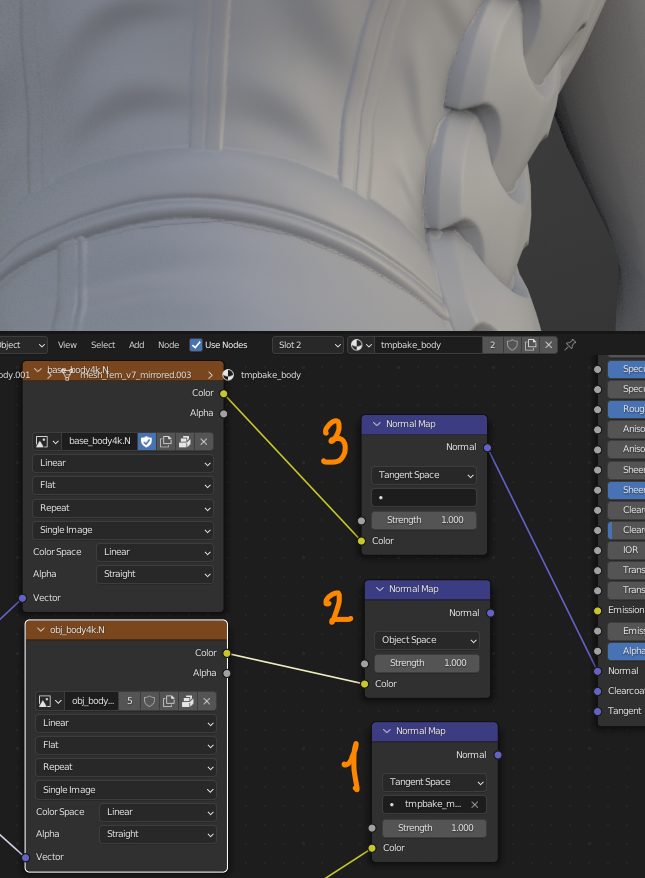
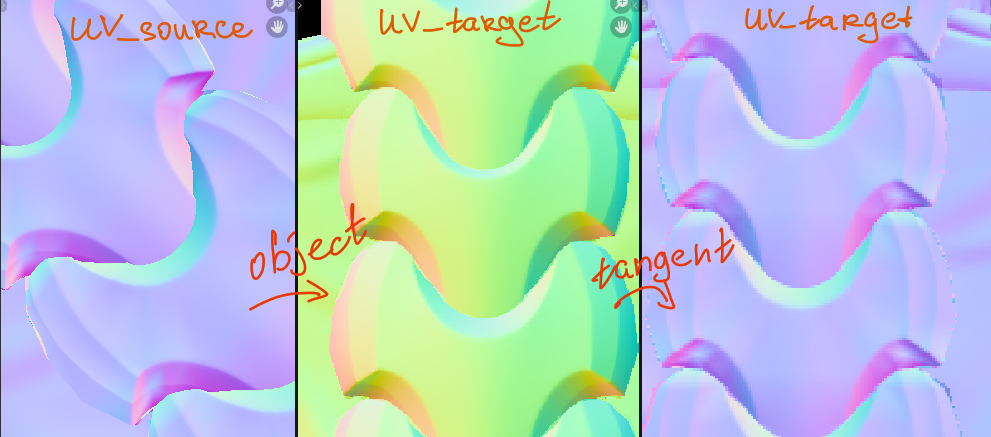
It was not that hard once I’ve got the steps down. Result is Normal and Pointiness maps. Both will need some manual fixes, though, especially pointiness. I think that’s all I will get from hipoly this time.
Painting, here I come!