You can use shadow catcher (also mentioned on StackExchange, but this feature produce only shadow. It does not work with indirect or emission light, reflection ect.
Nicely summarized here on DevTalk.
If you checked this (pour) video you can see it works with all the mentioned …

But until than I see it still valuable technique to combine CG into image.
Shadow Catcher

Envi. HDRi Material

It is not the best solution, especially for additional compositing process since it is blended all together in plane material. Shadow catcher fits to this better, since it stores shadow with alpha (without BG).
In some cases you can separate it in Compositor with Matte > Difference Key that take clear BG and compare differences with final CG to calculate alpha channel. But I don’t really see why someone would do that since render already matches. Additional changes only destroy this synergy.

Tolerance zero
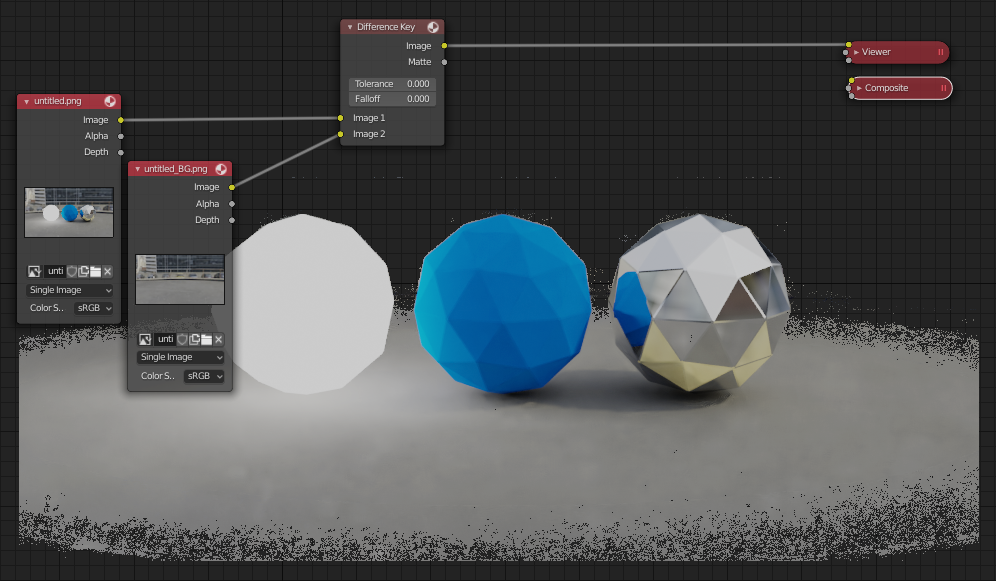
With Fall-off

About Greg’s post - that is all correct  The only one reason why I (and previously Greg) used nodes in World is to correct bad HDRi exposure. Practicaly if you just plig EnviTexture into shader and you see difference in colors on Plane material, your HDRi exposure is not done correctly (also seen in your MeshLogic link part 3).
The whole point of Greg’s note is - rather then compensate this exposure everytime you use this texture it is better fix original once. He is saing just to increase part of image (pixels) with light source (like sun). It can be done in any image editor that works with 32-bit images or inside blenders compositor (separat light source by range, incease and save).
Technically, I’m nnot sure how exactly World node tree compensation affects result, and the same I’m not sure if only increasing a light source pixels (without the rest of environment that is also part of lightning) accuratelly fix it. But I’m sure it works for decent adjustments. I you see a light on plane is totaly wrong - throw it away. As Greeg wrote these HDRis was captured with not enough high dynamic range information. It can be partly fixed by postpro, but it depence what level of pixel base accuracy we are talking about
I’m going to check your file …