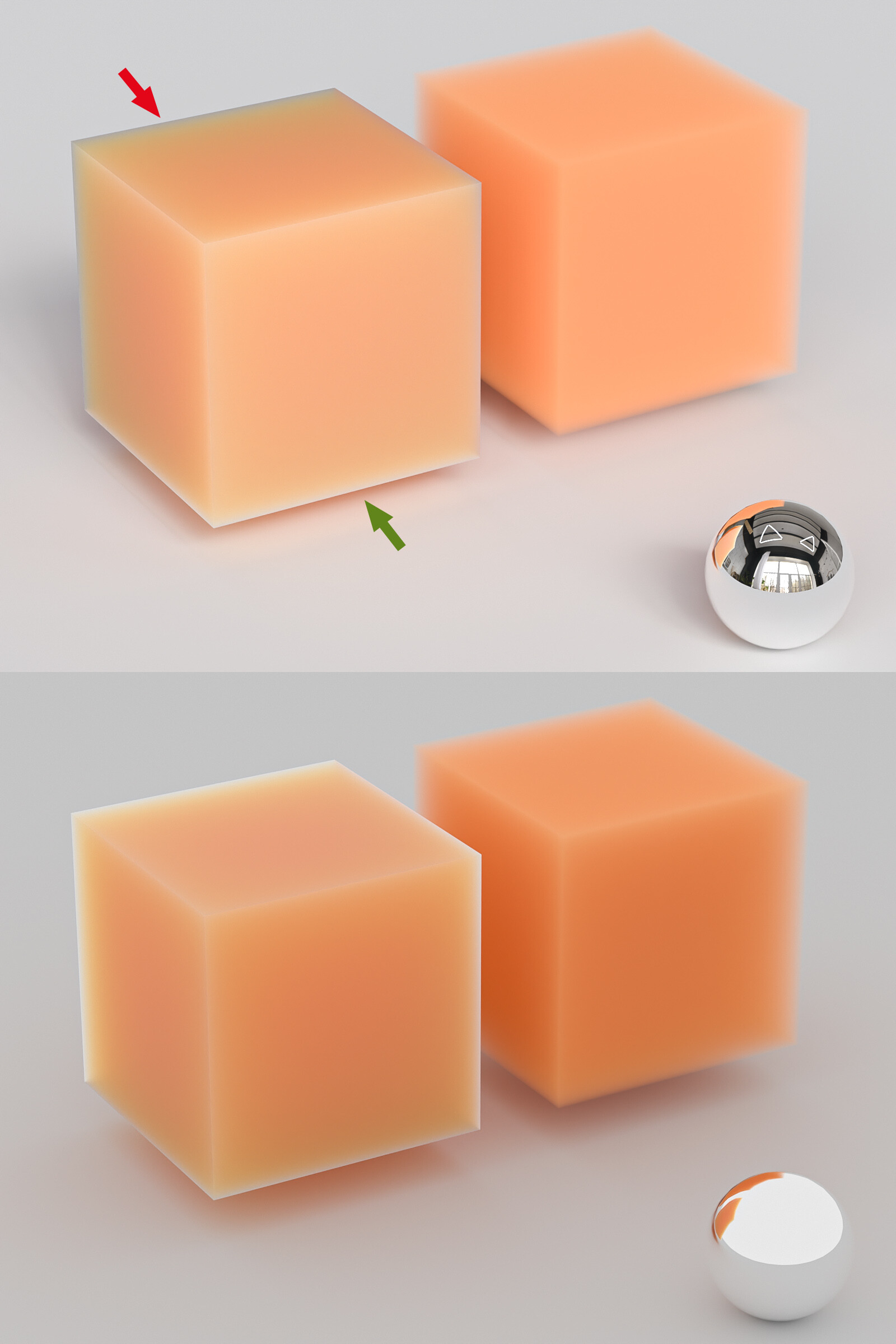
I’m looking for an explanation why these edges (red arrow) in a Random Walk material get so dark when using certain HDRI images for the scene lighting. Shouldn’t the edge be brighter/more translucent because there’s just less volume there? The lower edges (green arrow) look better which is weird as they have the dark shadow beneath them.
The cubes on the right are just volumetric materials and they react properly. The lower rendering just uses a white color for environment lighting and there the corners look fine. It’s just when using certain HDRIs these corner look unrelistically dark.
Maybe somebody can share some insights what’s going on here and how maybe to fix it.
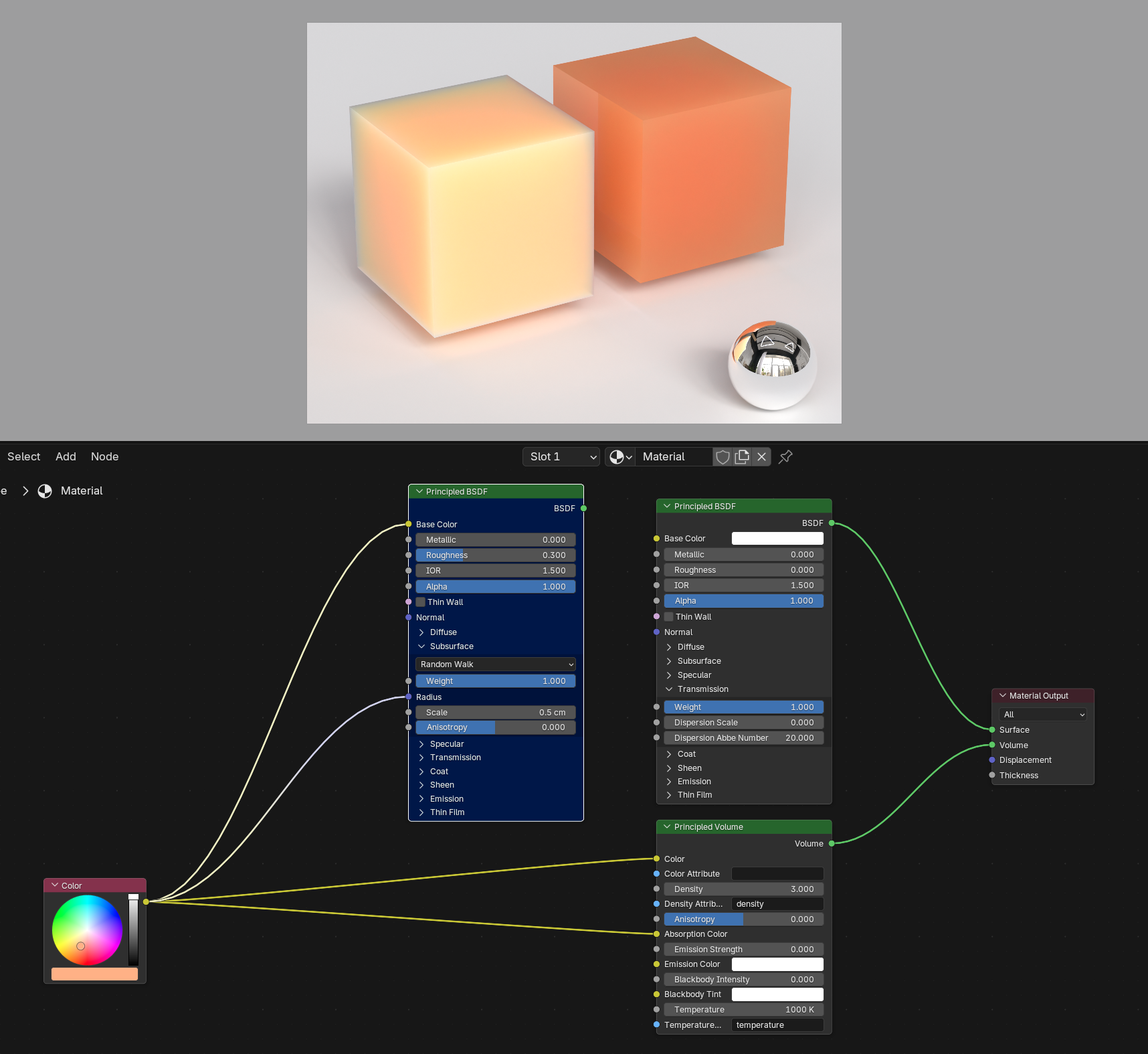
also may help for folks to see the shader node settings.
Since it changes with the HDRI, I would imagine it may have to do with reflecting the environment colors? have you messed around with the roughness and stuff?
It’s not exactly the same as the volume shader, because there is a surface. If you want to compare SSS with a volume, it would be more accurate to encase that volume in a rough glass shader.
When I compare this with random walk, I find that random walk does have extra dark edges in my scene too. I don’t know exactly what’s happening behind the scenes and I’m not a rendering engine developer, but here is what it looks like to my eye:
SSS should behave like a very thick volume inside of a glass surface. This means that if the SSS is made very thin, the corners should be a bit see-through. However, they are not, they instead seem to show the opaque diffuse lighting of the opposite face. So random walk doesn’t take every possible light interaction into account.
I don’t know if I’m right with this observation and a rendering scientist would be better placed to judge what’s actually happening, but it does look to me like random walk is slightly flawed. Though I do have 2 workarounds for this.
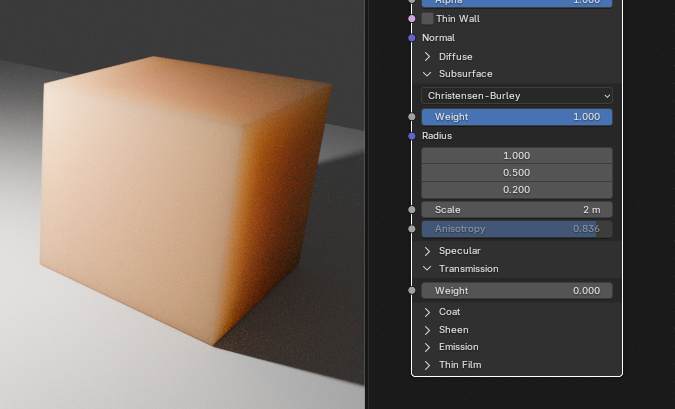
1- Use Christensen-Burley SSS instead. It’s less accurate, but doesn’t have this issue and also renders faster. You will have to readjust the scale as it works completely different and use the 3 radius values to get the same nice colored gradient, but it’s possible to get surprisingly close.
2- Fake the SSS with glass and volume like in my first image. This is sadly slow and noisy and you need lots of volume and glossy bounces for it to look good.
I usually use a Glass (or BSDF) shader on top of the volume. But here the volume alone was enough for demonstration purposes. In my previous post you can see the volume shader with the BSDF shader on top and the falloff is still more pleasant than in the SSS shader.
Christensen-Burley surely delivers better results in some cases, but then there are cases where Random Walk might be better - except that there’s the issue with the dark edges. So it would be great to have both options without the quirks.
Using Volume plus some shader on top seems to be the better option in most cases. For example for plastic materials I often use the plastic shader by Raphael Rau (Silverwing) which looks really nice. But SSS would be the more accessible option for users who aren’t familiar with these advanced shaders. And SSS would be the first go-to-shader for things like liquids of plastic.