Hi, I’m trying to make a character (it’s a little wire dragon thingy) and it has those wire feet that I want to deform when it’s walking against the ground. The idea is for the wires to flatten against the ground, like it’s really putting weight on them.
I tried with lattice at first, but I couldn’t figure out how to make it dynamic and procedural (as in, it would comform to ground shape by itself, without me needing to move the lattice vertices)
So I switched to geometry nodes, using the proximity node, and I got something working, but it’s not quite right. I got one problem, but what I’m trying to do to solve it introduce another problem and I can’t figure either out.
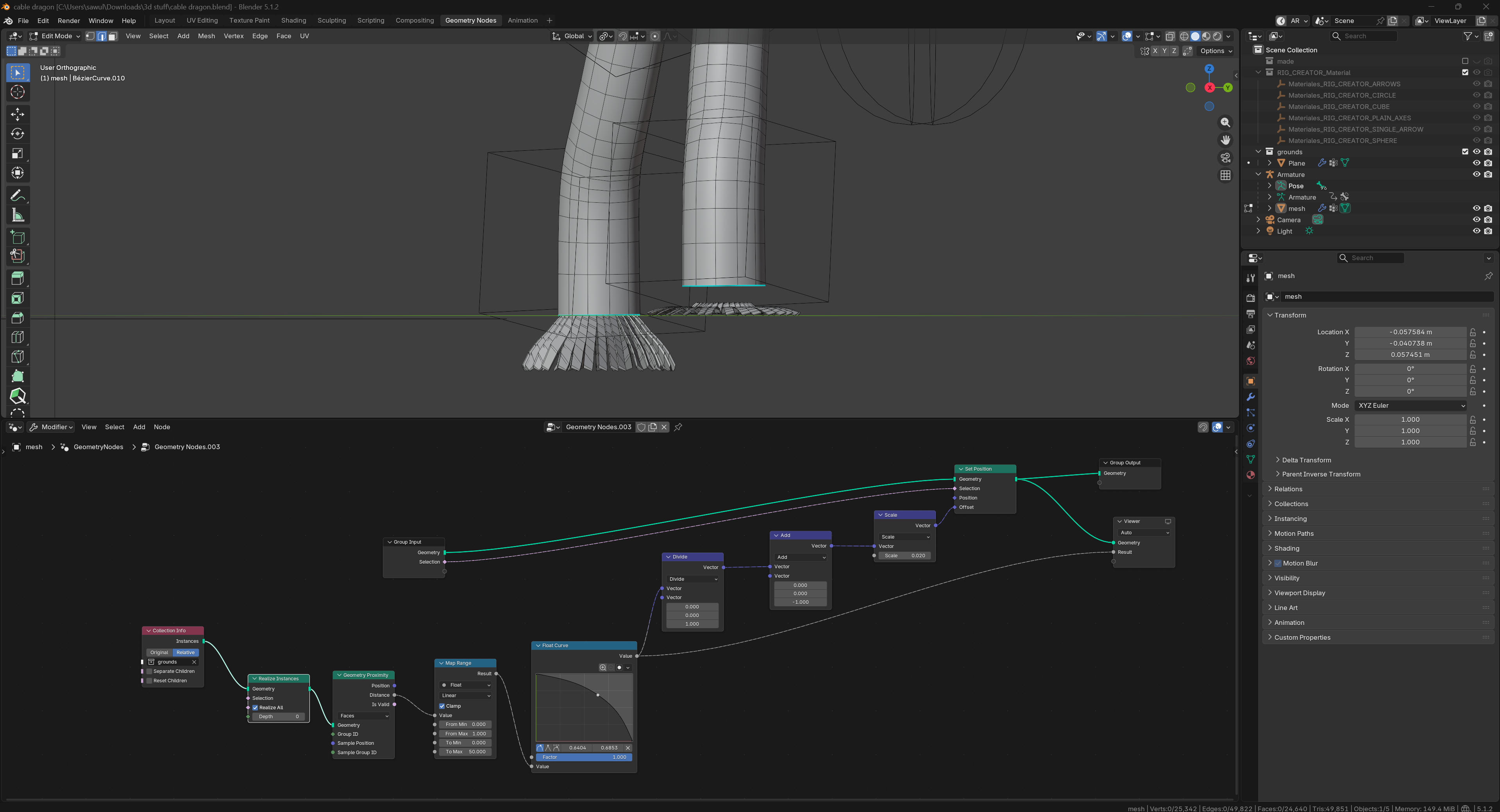
Here are my nodes
And my problem is:
I can’t figure out how to “lock” the deformation so that if the foot move under the plane the wires stay at a max horizontal spread and stop deforming. The left foot is an exemple of what I’m trying to NOT get, where the wires keep deforming back into the default shape if I hit below ground.
In trying to stop that, using map range and a float curve I did got it to work, kinda stopping at a certain spread, but the wires are now floating under the leg, and I can’t put them back without destroying the deformation. (right foot in the image has this issue)
I really need some help, I’m probably missing something obvious, but I just can’t see what
Raycast would probably be a better way to do this
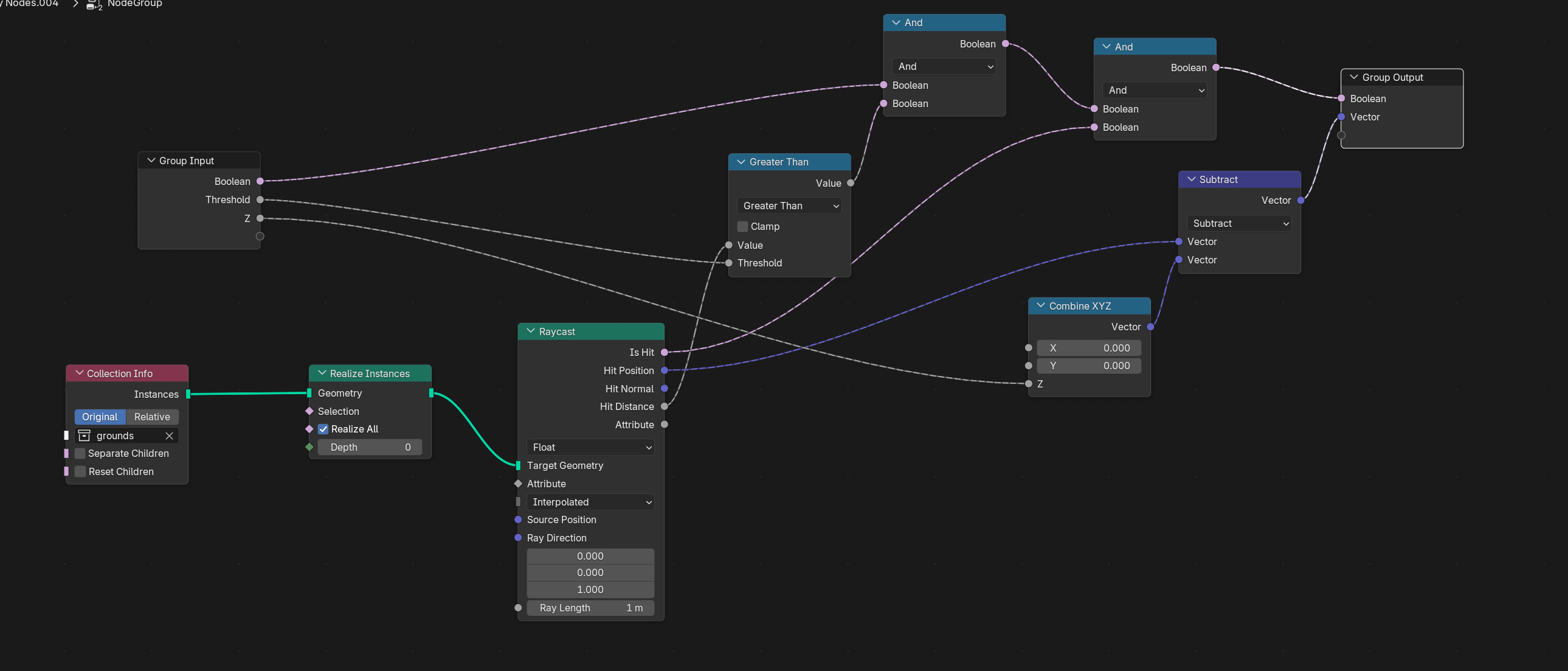
Raycast upwards and if it hits anything in the ground collection you can do the spread based on ray distance and then set the position directly at the hit position
I’ve never used the raycast node so far, but I’m gonna give it a try. I know them from other softwares (game engines mostly) but not here in blender… for exemple I don’t understand how I can select the vertex to cast from on the node? And I’ve no idea what the documentation mean by this: “The source geometry is defined by the context of the node that the Raycast node is connected to.”
Update: I figured it out!
Thanks @Khamurai for the raycast suggestion, I had some difficulties with it until I understood that the source is retroactive (as in, taken from whatever node with geometry any of the output of the raycast get connected to)
From there I was able to raycast up, as you said (why up though, if the ground is below the character? I’m not saying it’s not working perfectly, it just doesn’t seem logical?) and then use the distance and hit to flatten the mesh as I wanted
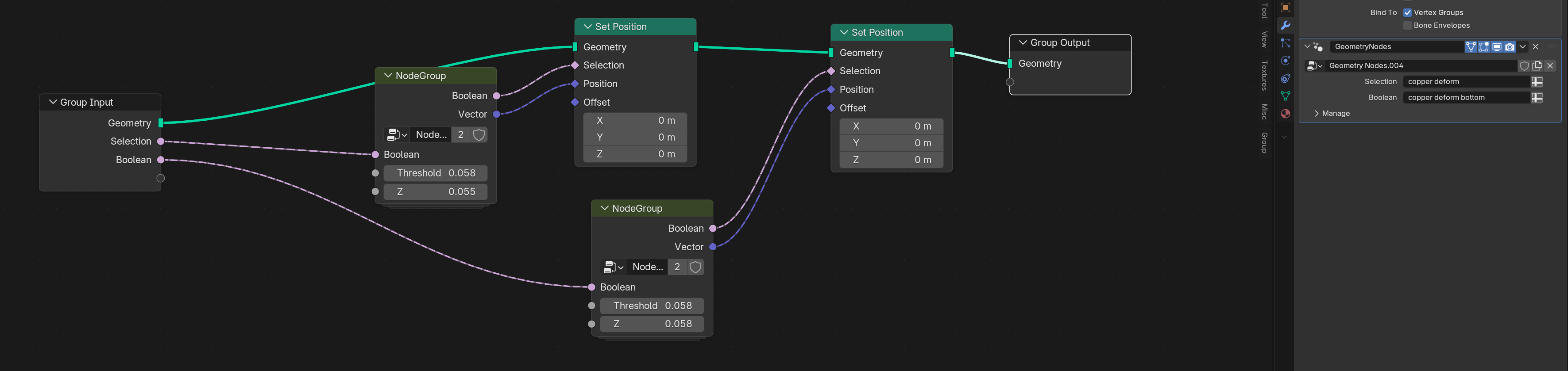
I had to do it twice, with a group though, because it got too good at flattening, and didn’t keep the thickness of the mesh. So I made two vertex groups, for top and bottom, and offset them by a small margin:
Inside the group
Outside the group
I know it’s a bit difficult to wrap your head around the Raycast node at first, but think of it like this:
The input geometry is used as the raycast target for rays that are cast from whatever mesh you evaluate the hit information on. So if you set the raycast direction to be upwards and then using the hit information on (in this case) the feet, the rays are then “retroactively” set to be cast from those same feet meaning that if the feet are below the target geometry the rays will be cast upwards from them and hitting the ground geometry
oooh right I get it! Because I want to squish the mesh if it’s below the ground, so I’m not casting to hit pre-emptively but reactively! I want to detect vertex that have gone below ground, and move those to give the illusion that they did not go below ground!
thanks really a lot, I get the logic now!