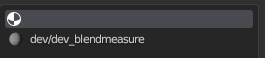
So after deleting a material from the blend file, it left all objects that were using that material with this empty material, how do I remove it from every object?
Hi there!
It’s called a “material slot” - even if you don’t have a material assigned to it, you still can assign faces.
To clear this, there’s a
- little arrow icon to the right of the material list. Open it and press “Remove Unused Slots” (works only on active object)
OR - go to Object > Clean Up > Remove Unused Material Slots (works on multiple selected objects)
Doesn’t work, either way nothing happens
After it has been deleted you can try saving the file and reloading it. This seems to work for other things no longer connected to nodes and removed from assets.
Try looking in the “outliner” window click on the scenes dropdown and select “orphan data”. There may be objects or materials that have a fake user or something that prevents them from being deleted
I have an old free script called Atom Bomb made by Grant Wilk that accomplishes this task, along with many other useful removal tools. Not sure if it still works, but may be worth a try. I won’t post the script here since I would be stepping on the author’s toes, and I don’t remember where the download came from, but google might be able to help (I would search for “Grant Wilk Blender” or some such, rather than “Atom Bomb”  )
)
None of this works, atom bomb got deleted by grant off blender market, saving and opening doesnt do anything, and orphan data doesnt have anything to do with that material, heres the blend file https://www.mediafire.com/file/w8bsyhd2lo4ag2r/achivement.blend/file

I don’t think you understood my problem
Did you try it?
I literally say in my first message that I delete the material from the blend file, and I need to delete the leftover material slot from all the objects
It has to be something specific to your system…
either File > Clean up > recursive unused data Blocks… or the way I showed permanently removes ALL unused materials and slots…I have not been able to reproduce your error…
The only other thing I can think of would be an appended instance might be the cause…but you didn’t say if they were instances… and at this point we are only guessing…
Nope sorry, tried that already, the leftover stays, I linked the blend file above
Good afternoon, @stefyan563! Welcome to the Blender Artists community! I downloaded your file and was able to reproduce the issue with the remove unused material slots operator not removing your empty material slots in Blender 4.0.2 on MacOS Apple Silicon. This may be either a regression on a newer version of Blender or there may be something wrong with your file itself. Of course, I was able to manually remove the empty material slot using the subtract button on the material panel, but it would be tedious to do that for all of your objects with an empty slot.
Interestingly, if you add a new empty material slot and then run the remove unused slots operator, it removes the newly added one, but the old empty slot remains. I’m digging into your file to see if I can compare the two slots (old empty slot and new empty slot) to see why the old empty slide is not being removed.
Its technically still used, blender just draws the default grey color
So…This is a bit strange. I think I’ve found out your issue, and I’m still working out the best way to fix it, but I’m not there yet. Let me lay out what I think is going on. I believe the Blender built-in operations function with certain assumptions - without looking into the source code, I’m sure there are certain checks that are completed before operations begin like a short circuit to avoid starting something that never ends (endless loop). I believe that through my Googling, the assumptions that Blender makes are:
- One and only one material slot can be assigned to each face.
- The Remove Unused Slot and Remove Unused Material Slots operations only purge those material slots that aren’t assigned to any faces.
What has happened in your file is that somehow your objects have found a way to have multiple materials assigned to the same faces. What that means is that even though you “delete/unlink” your material from that object’s material slot, that “empty” material is still technically assigned to faces on your object. The Remove Unused Slots operator looks within your material for slots that have zero faces assigned to them, and finding none, exits printing {‘CANCELLED’} to the terminal.
We’ve broken assumption #1 and #2, so how do we remove those empty slots? Well, here’s my thought. You can still use the bpy.ops.object.material_slot_remove() function on your empty slots, and they are removed (whether they are removed cleanly, I cannot say). So, we really need to loop over each selected object, see if it has a material slot that is named empty string ‘’, and run the material_slot_remove() function on it.
I’ll try to get something working in the Python Console and let you know what I find out.
Probably something to do with how Plumber imports maps, but thanks, I’ll be waiting
Good news! I got a script working to remove material slots that have the name empty string ‘’. I ran it on your supplied file, and it removed empty slots from 516 objects. After re-saving the file, the file size went down by almost 2MB.
Here’s your disclaimer - this may destroy your computer and/or the universe. Use at your own peril.
I’ve attached the .py file for you to download. Here’s how to use it:
- Download .py script.
- Open Blender.
- Switch to the Scripting workspace.
- Within the Text Editor, open the script.
- Hover your mouse cursor over the 3D Viewport and select all by pressing A.
- Press the Run Script button.
- …
- Profit.
If anyone would like to review/critique my code, I’ve pasted it below. I’m sure I could have documented it better, but it is almost dinner time and I don’t know what I’m going to eat yet, so I’m going to go do that. Please let me know if you run into any issues or have any questions!
Here’s a video of it in progress:
Script:
RemoveUnusedSlots.py (796 Bytes)
import bpy
intCounter = 0
# Grab list of selected objects
lstSelectedObjects = bpy.context.selected_objects

# Loop over collection of selected objects
for Object in lstSelectedObjects:
# Set current object as active object
    bpy.context.view_layer.objects.active = Object
# Find if there's a material index with the slot name of empty string '' and set it active
    key = ''
    try:
        Object.active_material_index = Object.material_slots[''].slot_index
    except KeyError:
        print(f"{Object.name} doesn't contain an empty material slot.  Continuing...")
        continue
# Run the remove slot function on active slot
    bpy.ops.object.material_slot_remove()
    intCounter += 1

print(f"Empty slots removed from {intCounter} object(s).")
print("Script completed successfully.")