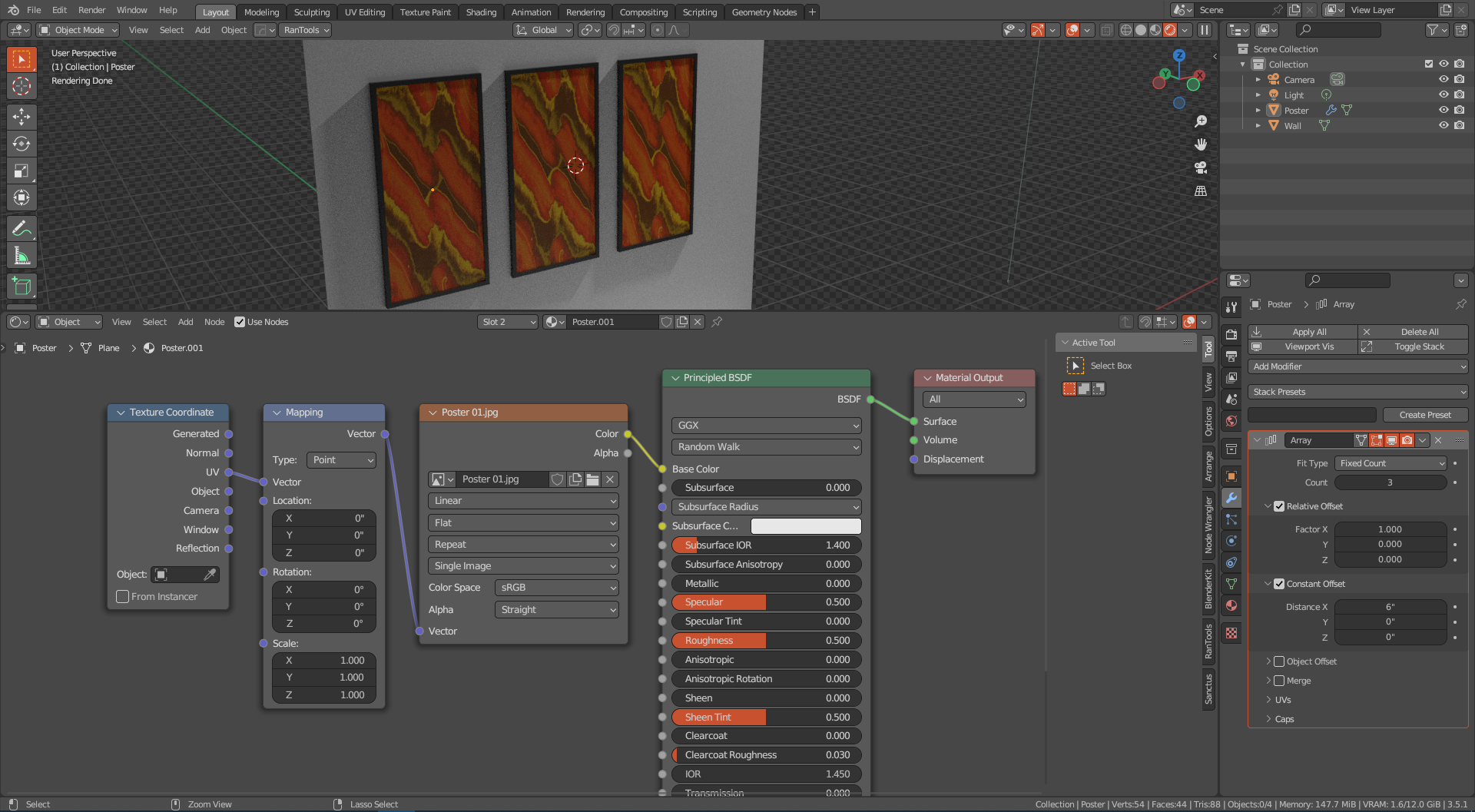
I have object that has array modifier on it. Is it possible to give instances different material than the original object has, and of course without applying the array modifier?
In most cases its just looks so repetitive if all instances has the exact same material.
Thanks. This was new to me and good to know for future, although even with this method I can’t figure out how to get it work with textures. If it’s even possible.
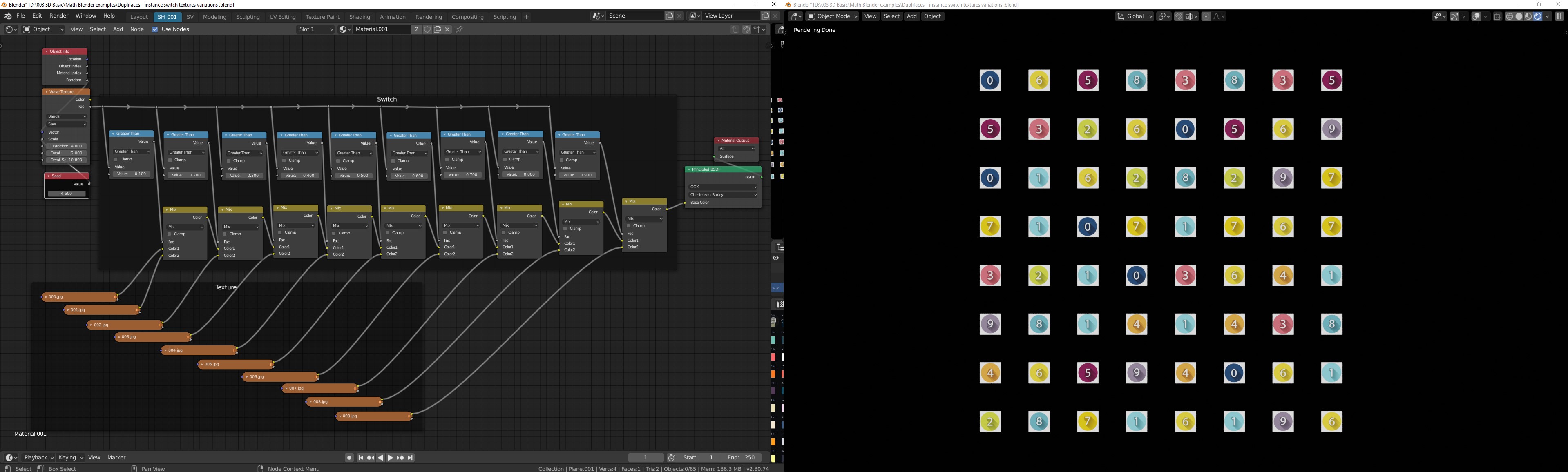
No. Everything has to be contained within a single material. Using the dupli method above, you can also put all textures (not materials) into a single long strip of equal size textures and vary the texture lookup area based on the random input.
Feeding random into a noise (42.5, 0, 42.5) → contrast; you get three random variables which can drive lookup, size, and shade (as an example).
If not animated, you can also feed position into a noise for even more variables.
With some random variables, you can drive a completely random material.
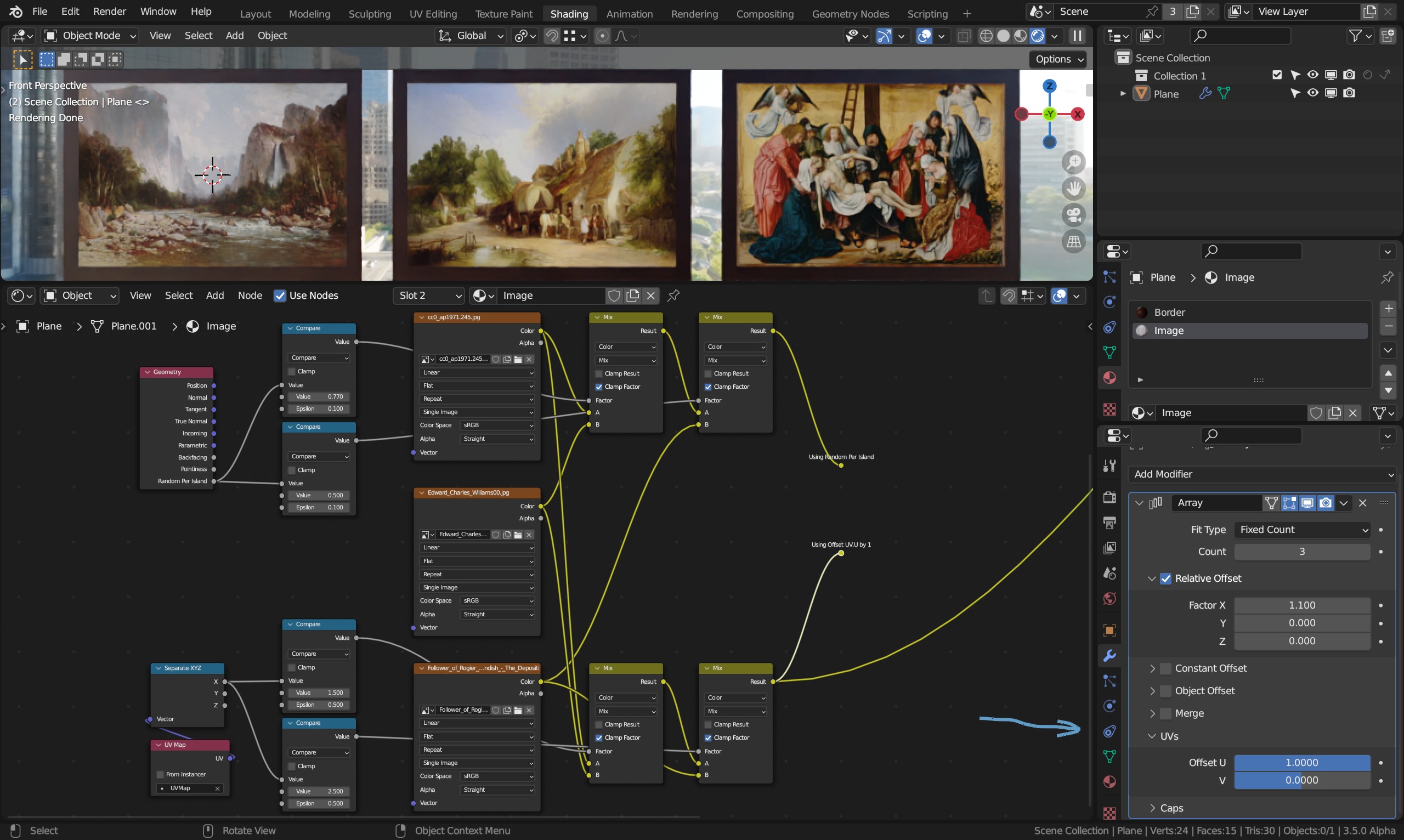
Geometry/Random Per Island and isolate with math/compare experimenting with what works.
Offset the UV.U by one in the array setting and isolate with math/compare like 1.5 epsilon 0.5, 2.5 epsilon 0.5
These two produces the same result in my case:
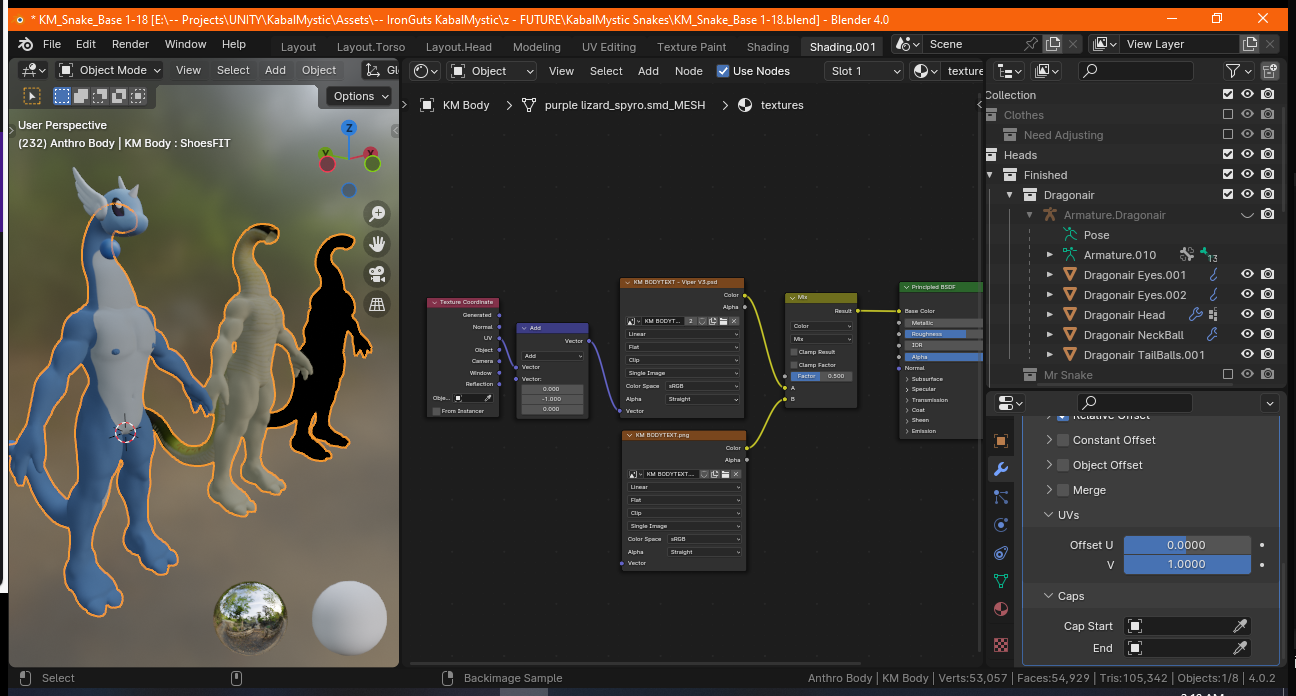
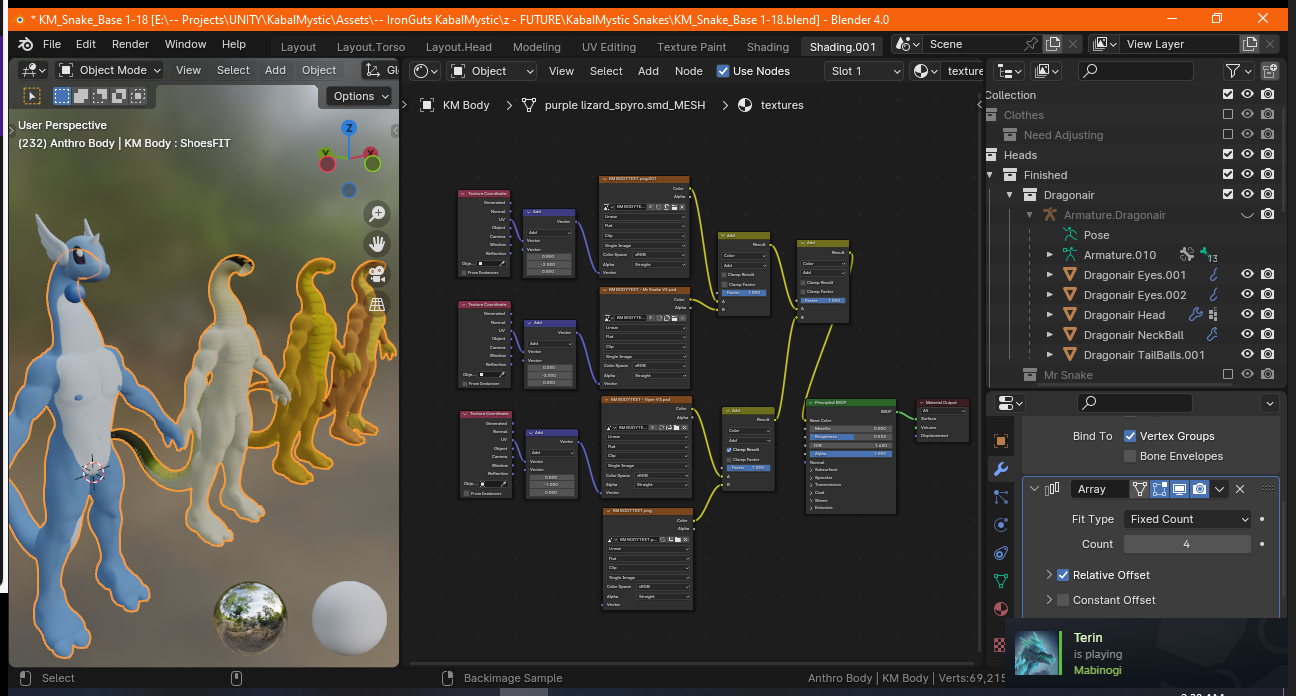
Hey I figured out a way this can work! Very simple, as an Array modifier has an option to offset UV maps per arrayed object, I had a thought that you could make a material where different texture files are set to different UV tile offsets, and using a simple mix shader, it worked! Here’s the setup for you that I figured out, pretty simple. You can do the same thing I would imagine for offsetting the UV maps of other aspects of a shader too like normal maps and metallic maps and anything using a color/texture input. so yeah
Just set your textures t clip so they don’t repeat into other UV tiles, and have a texture coordinate to define that the UV is what the vector will be afecting, and have an add math node onto it to affect it’s UV offset before going into the mix shader. I imagine you can then run that mix shaders output into another mix shader and so on and so forth to create as many different texture offsets as you want
(an edit I found when trying to run the mix shaders into each other: Set their thing to ADD, not Mix, and set the factors to 1 and tthen it’ll be FULLY applying each of the textures.)