Continuing the discussion from DimFlow — parametric, animated CAD dimensions built with Geometry Nodes:
DimFlow 2.5 is out. Short version: it stopped being read-only.
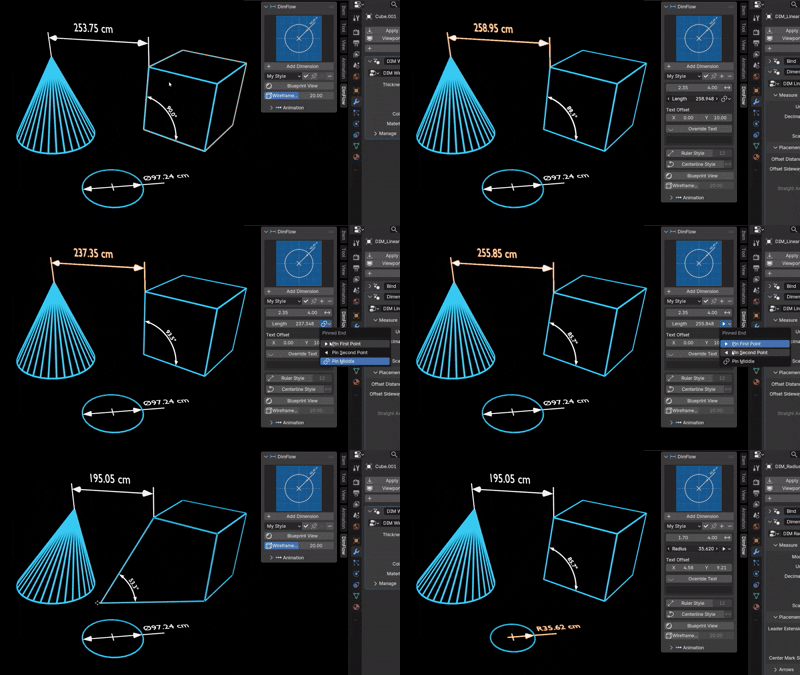
Dimensions now drive the model.
Every dimensioning tool I’ve used reads geometry and prints a number. That’s fine for documenting a part that’s finished, and useless while you’re still deciding what the part is.
So the arrow points both ways now. Type a value into the sidebar and the model moves to match — length, angle, radius or diameter. The bound vertex or object slides, turns or scales until the measurement really is the number you typed.
A pin picks which end holds still: the first point, the second, or the middle so both ends move out evenly. On a circle the whole ring is resized rather than the one vertex the callout happens to touch, so the circle stays a circle. That one took a few attempts.
To be clear about what it isn’t: there’s no constraint graph and no solver. One dimension drives the points it’s bound to, and two dimensions on the same vertex will fight. What it gives you is direct numeric editing of a feature you’ve already dimensioned, which turned out to be most of what I actually reached for.
Straight dimensions
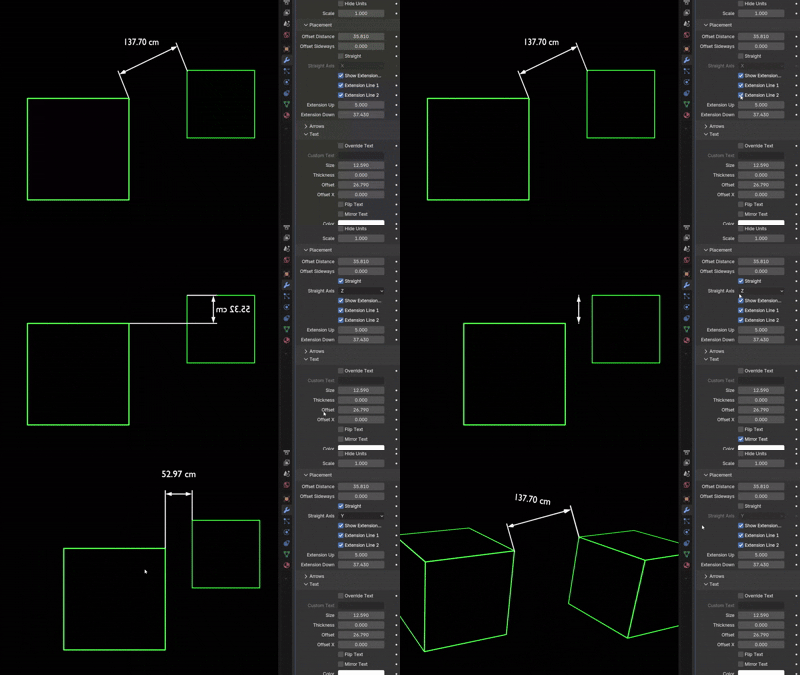
A sloped feature used to tilt the whole callout with it. Tick Straight and the dimension line runs dead flat along a world axis, with the extension lines dropping to each point separately at their own lengths — the horizontal or vertical dimension a drawing actually uses. The axis is picked automatically, or force X / Y / Z when the span is nearly square and auto would flip between two.
Style presets
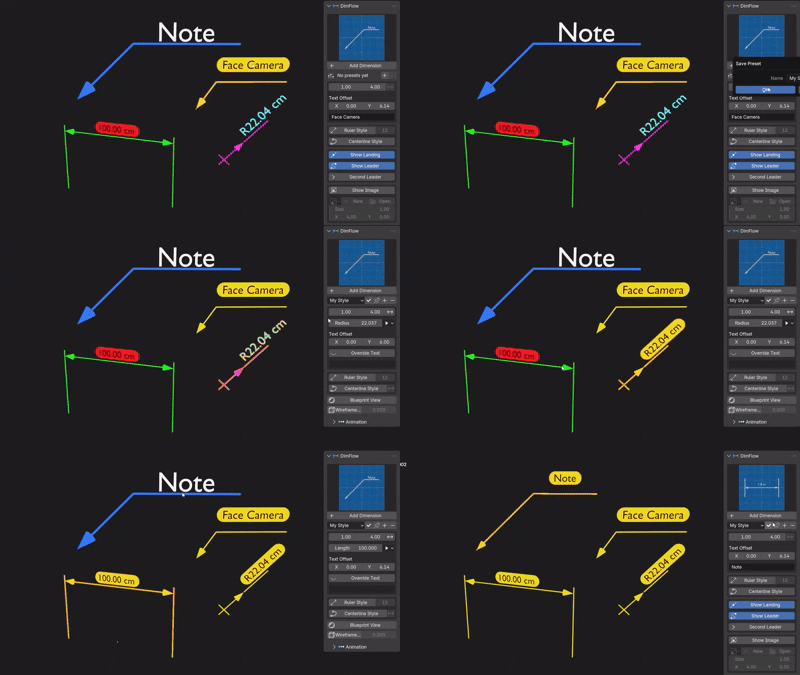
Set your colour, text size, thickness, materials, plate and arrows once, save it, apply it to any dimension with a click — or pin it so every new dimension is born with your house style. Presets capture every setting rather than just the text ones, and they live with Blender rather than the .blend, so they follow you between projects.
The rest
- Built in the view you’re in — add a callout from Top, Front or Right and it lands flat in that plane instead of standing up facing front
- Measure between two objects in Edit Mode — tab in with both selected, pick one vertex on each
- Select a whole circle in Edit Mode and Radius fits it, in the circle’s own plane
- Three-axis placement offsets — slide a callout along what it measures, across it, or clear off its drawing plane
- Per-side extension lines, hide either one independently
- Roughness / Strength — one plate control that’s roughness on glass materials and emission strength on emissive ones
- 180° angles work now, the label auto-flips on Reflex, and extension lines grow out of the arrow points during a reveal instead of from their far ends
- Face Camera now faces the camera squarely at any camera roll, and the angle measurement was rewritten with atan2 — the old method lost precision near 0° and 180°
Still Blender 5.0 / 5.1 / 5.2, still a drag-the-zip extension, still GPL.
2.5 is a free update — if you already own it, it’s sitting in your Superhive downloads, and your old scenes upgrade themselves on load. Settings are carried across by name rather than socket position, so they stay put as I add controls around them.
Superhive: DimFlow — Animated CAD Dimensions & Measurements - Superhive (formerly Blender Market)
Amir