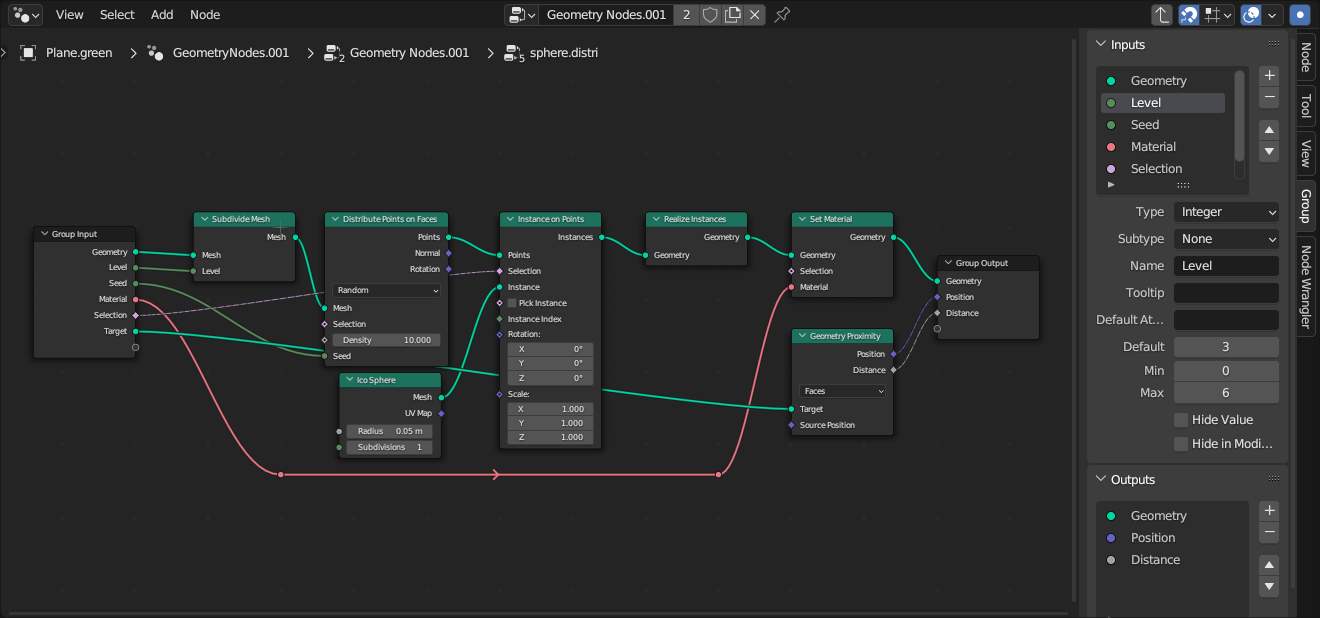
In Blender Geometry Nodes, how can I calculate the distance between two sets of scattered instances without realizing them? For example, I have red spheres scattered as instances and blue spheres scattered as instances, and I want to calculate the distance from each in order not to clip them
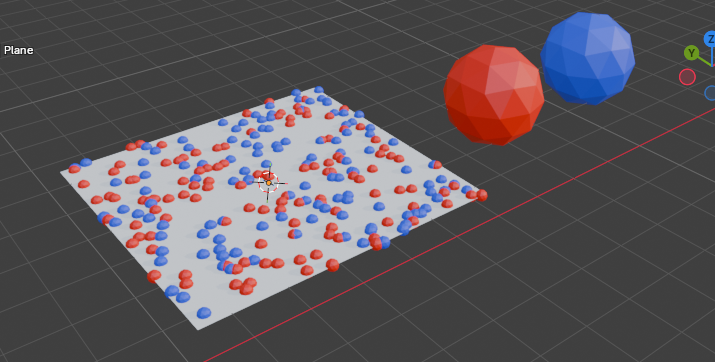
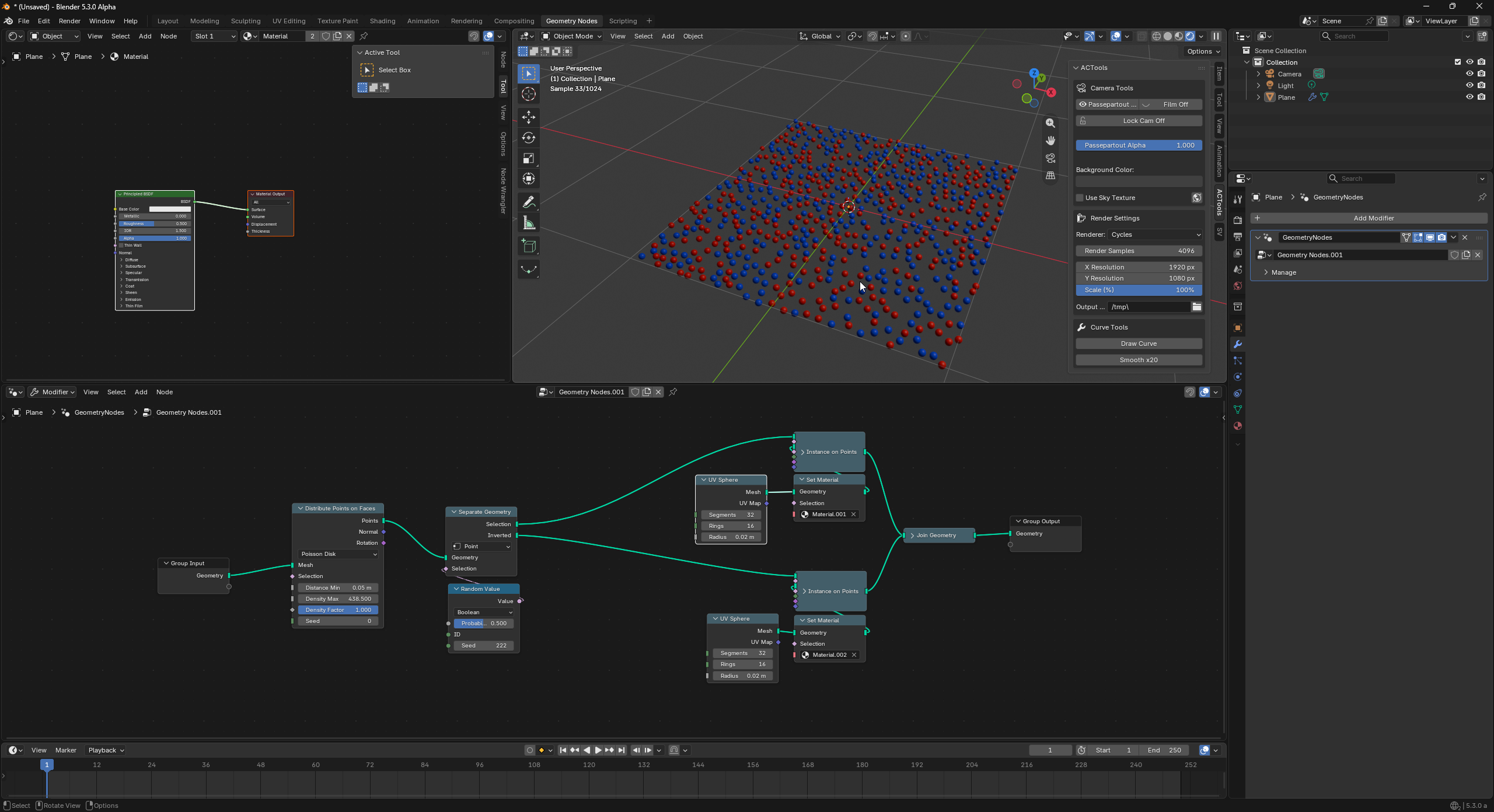
Interesting.. but i think this will not work without some instancing.. because the Proximity node will not work without…

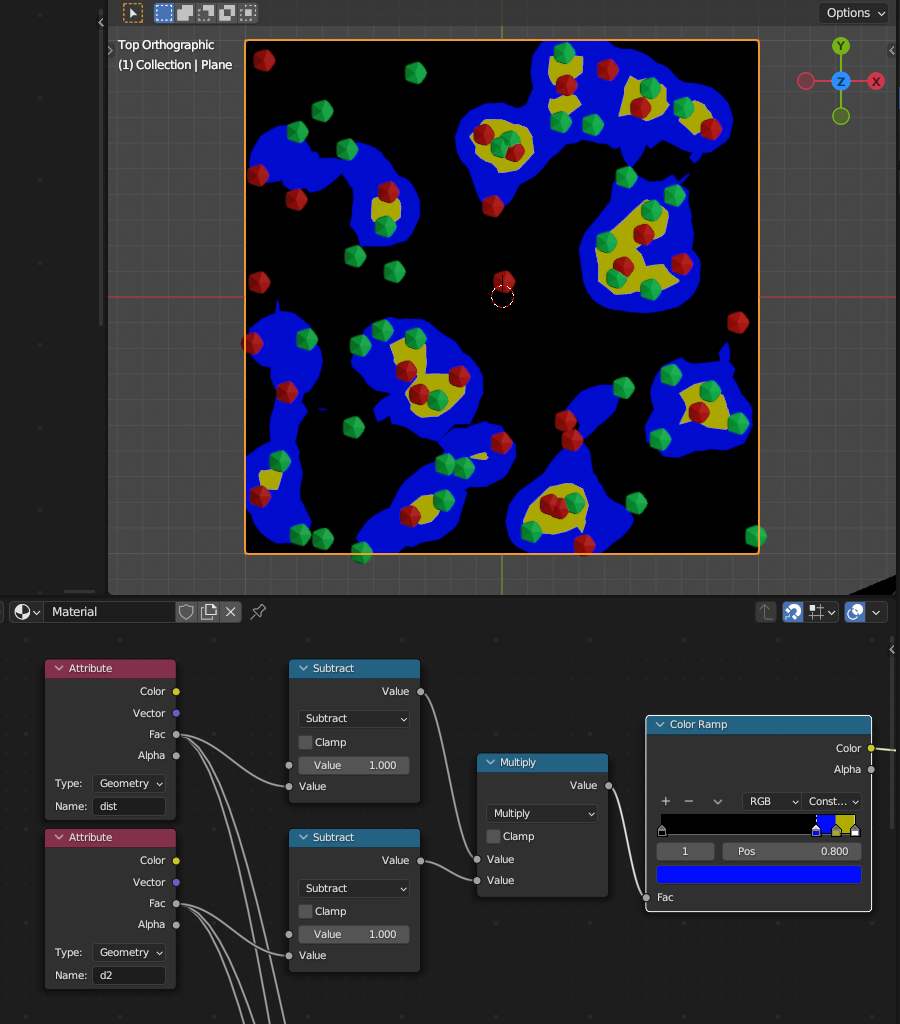
I was playing around with this (using relaize instance..).. and mixing the resulting proximity shows where the red and green parts are..
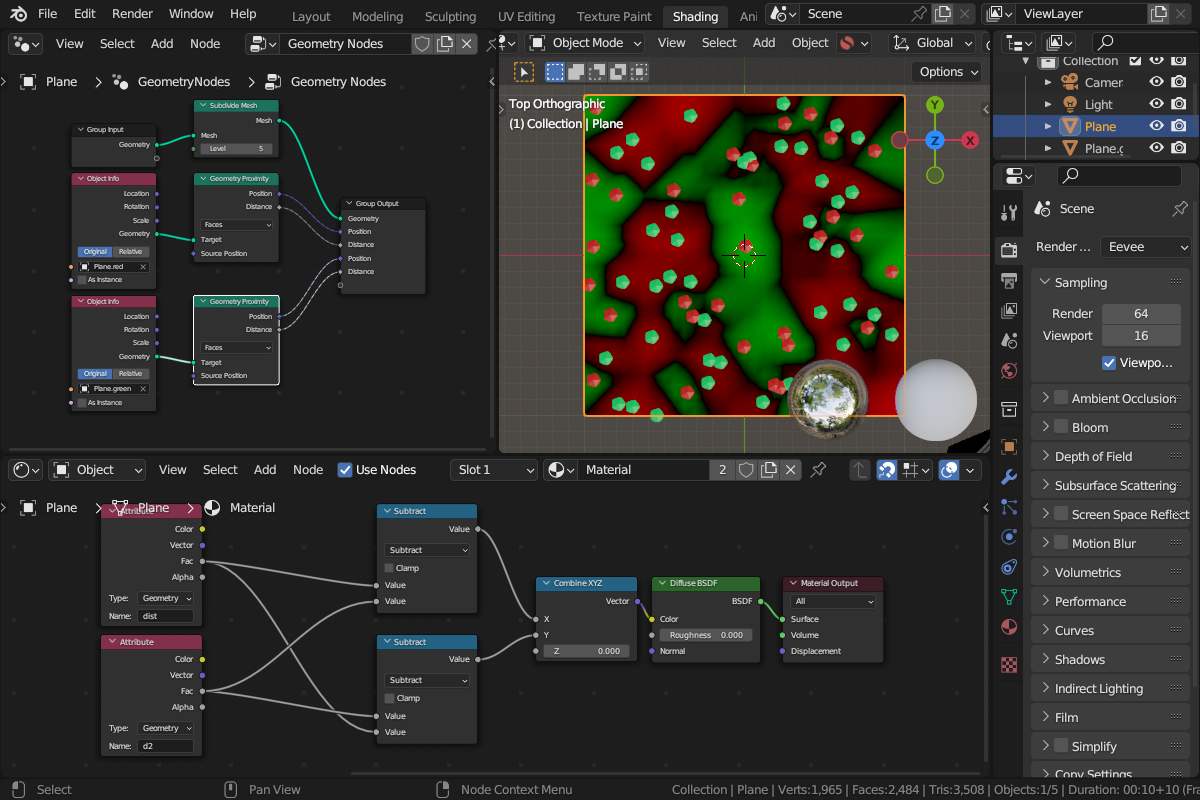
..so.. you might not see this perfectly.. but the black areas are the “middle” between the different spheres.. and if a sphere is too close at that locations.. then there is some other colored sphere nearby..
..but i have to do other things now and do not really know yet how to use this info 
..or is it that simply (?): if it’s red or green then it’s “far away” from the other colored sphere.
I guess you could use the Sample Nearest and Sample Index nodes and remove any that are too close before instantiating the spheres
I was thinking like this not sure if it is possible.
When you use proximity to distance the instances from object blender calculates the actual geometry from face edge or vertex. I was thinking since instances dont contain any actual geometry if it is possible to create the distance from its origin point.
Well maybe with some “special maksing”.. the yellow parts show areas where the different colored spheres are very close..
Edit:
..in fact when copying some areas from the shader to the geometry nodes and from the different instancing planes with their different seeds (for instancing red or green spheres on a subdivided plane).. here i instance only those who are very near.. :
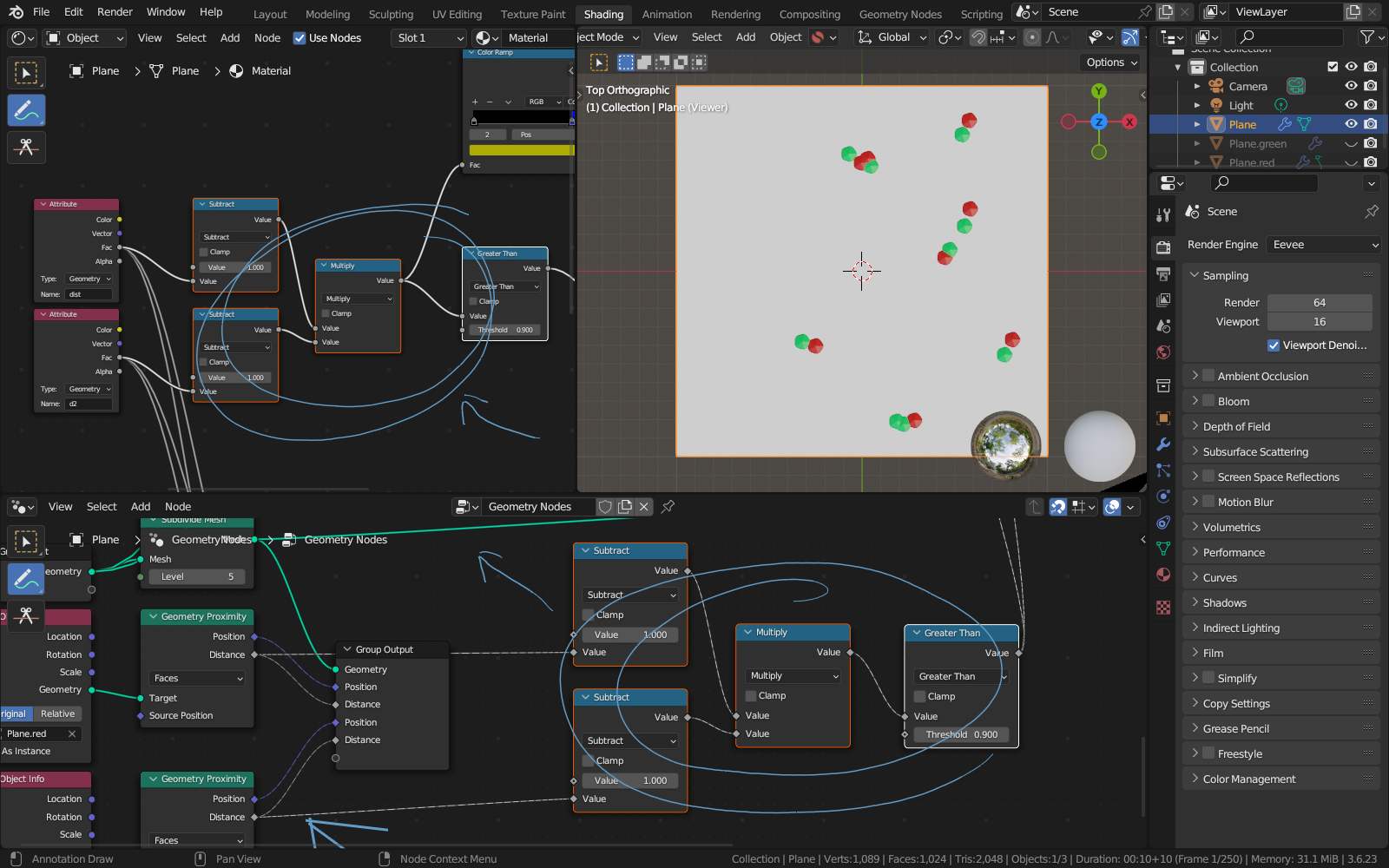
..so inverting this and cleaning up (making the copyied parts into nodegroups driven by the same parameters).. and possible adapting to your original needs…
Well.. this does work…
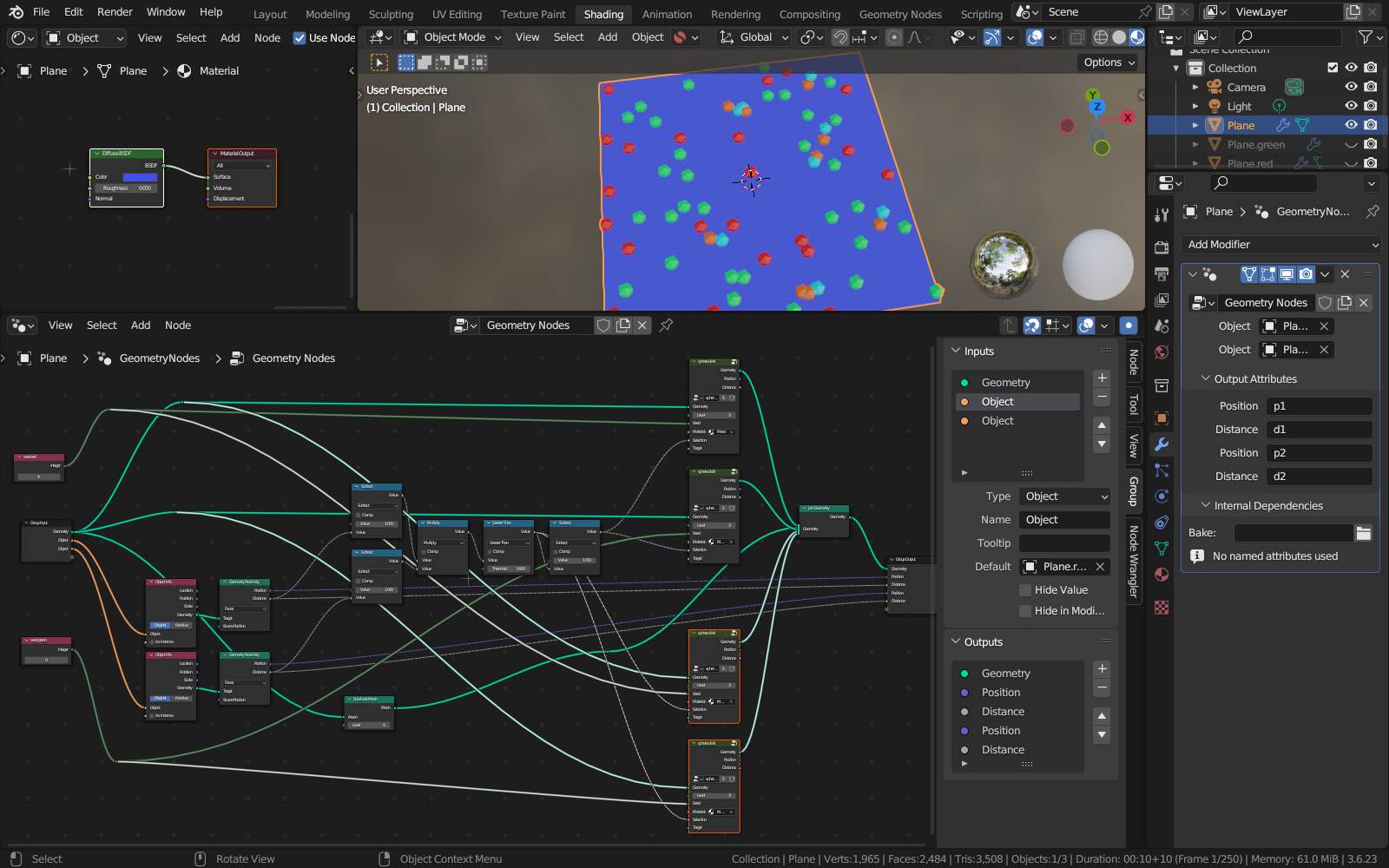
Colored orange spheres for “deleted” red and cyan for “deleted” green.. (just “added” them for presentational purposes ).
Now using one “sphere-distribution-node” for building the same distribution of spheres fro different colors (seed) and use the result of the mix to select the ones to delete: