Hi! I’m new. I’m making the donut tutorial and have some questions I can’t answer myself. I would appreciate it very much if someone could give me a hand with this:
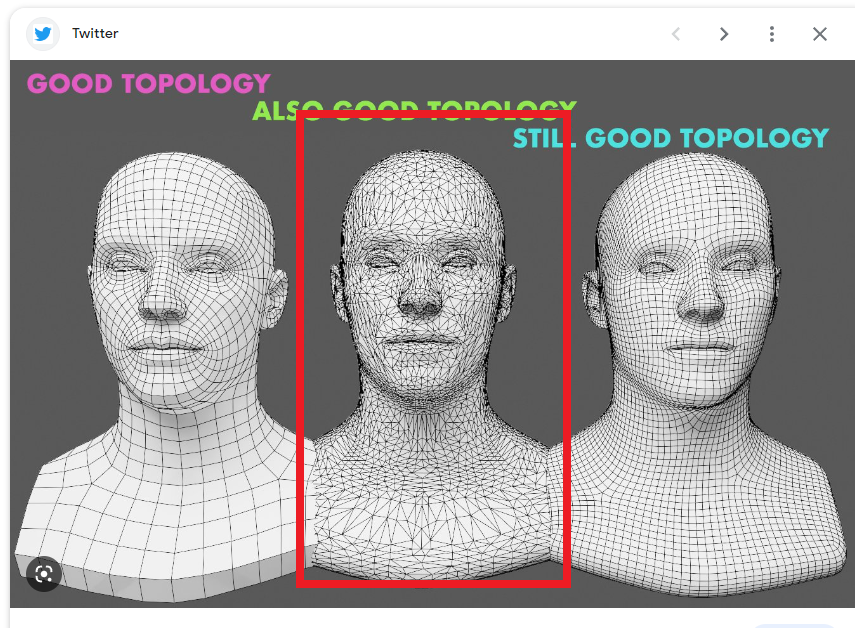
They said that is a “Good topology”. Is this true? I searched models from the best movies and they always use four side polygons. What’s your opinion on this?
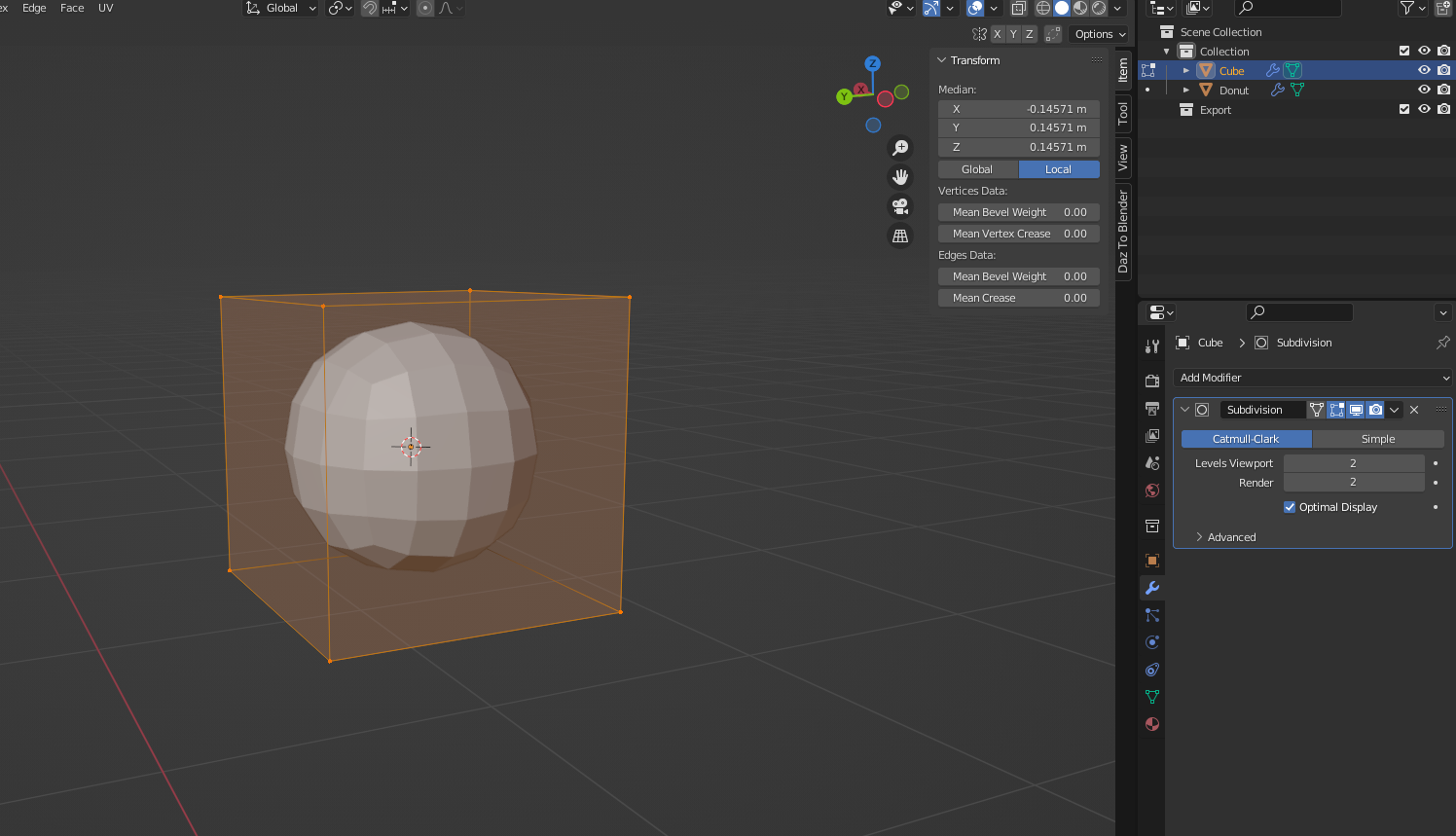
This figure is a cube. It has 4 vertices but when I apply the subdivision surface modifier, it creates a lot more. Is it not easier to create something with more vertices instead of using the modifier? I have this question with my donut
Another question that I have is "What is the purpose of the subdivision surface modifier if it creates more vertices? It is creating more faces too? Thanks
Question 1. I think the good topology is dependent on use case. The triangulated mesh might be good to games and low poly items but I’m not exactly sure.
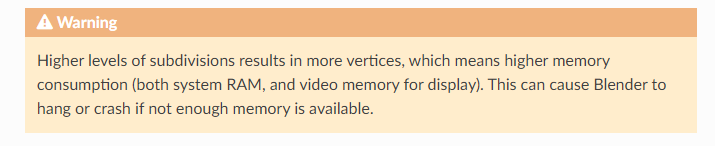
Question 2. The less vertices you have the easier it is to form the main shape of what ever you are modelling. This is because there are less polygons to push around and you use the subsurface modifier to smooth it out. Having less polygons also increase the performance of the viewport.
However the more polygons you have the easier it is to insert fine detail into the model.
The number of polygons you will need will depend on what stage you are at in your model. In the early stage of your model you will want a low polygon count as it easier to work with when blocking out the shapes.
As you begin to add more detail you will want to add more polygons to the mesh. This can be achieved by adding loops or by applying the subsurface modifier. With experience you will know which technique to use.
Question 3. Subsurface modifier is a method of adding more vertices, faces and edges (simultaneously) to a model to achieve a smooth surface transition between the existing points on the mesh of the model. (The shortcut is ctrl+any number between 1 and 6)
The modifier evenly increases the density of the mesh across the whole model and can easily be turned on and off for performance reasons.
If you’re just doing the donut tutorial and learning about subdivision, it’s way too early to be thinking about good topology for animation. Trust me, you’re putting the cart miles before the horse here and you’re going to end up confused and frustrated. You aren’t knowledgeable enough yet to learn about animation topology. Give yourself some time and stick with the tutorials
I’m sorry to reply on this thread again but I can’t find help in the chat.
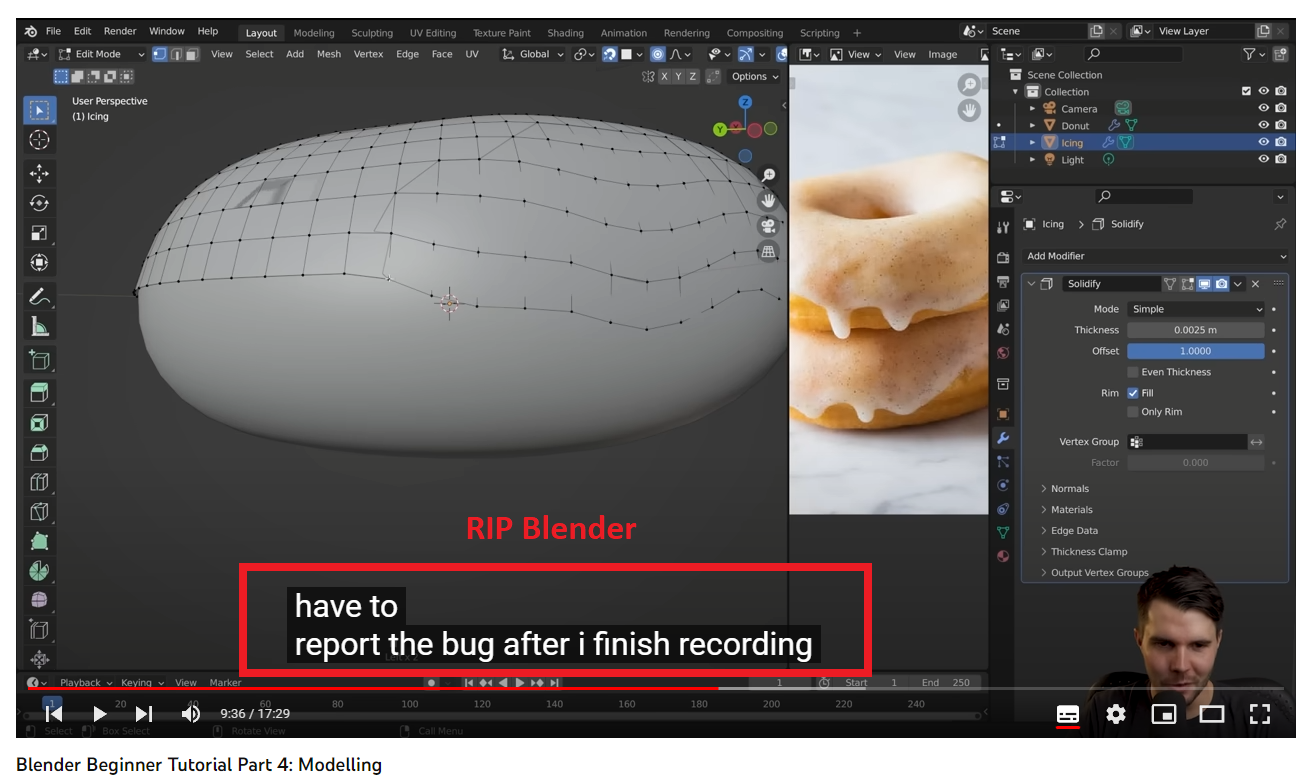
I’m making the donut and can’t select vertices properly. What I’m doing wrong? When I select something, it selects other parts too. I don’t have X ray activated. Thanks
I’m selecting it like Andrew in the tutorial. I thought I was doing something wrong so I search in YouTube for other ways of manipulating the mesh but this is something that people working with hard surface modeling don’t have problems with
*Edit 3: I deleted the reply because it shows two replies. Weird. I believe there is a bug with the chat
I remember that, because I took some time trying to work it out when I revisited the donut – and I checked whether he reported it; he didn’t (but quite a few other people did). It wasn’t a bug, and it wasn’t new, he just didn’t understand how it works.
The icing is in Edit mode. The donut is not. You can see it, but Blender doesn’t, not for the purpose of selection. It therefore does not occlude.
We could probably discuss whether that’s good design (I don’t think so), but that is neither here nor there. You need to be careful when selecting, especially on circular meshes, because Blender sees vertices you don’t. I always orbit around the object to a position where this isn’t an issue, and I generally often work in xray mode so I can see the entire mesh – I actually learned that from my own struggles with the donut because I messed up my mesh horribly with selections I hadn’t realized I unintentionally made.
Thank you very much piranha4D. You’re right about that. The guy doesn’t know how it works. I have found many other inconsistencies in his tutorial. It’s a shame that many people start using Blender watching the tutorial of a clown
You’re not entirely wrong… BlenderGuru has, let’s say… lost his way recently, to be polite If you’re looking for really quality Blender tutorials, I’d recommend Grant Abbitt instead
Nothing crazy, he just makes hour long videos rambling about nothing, sells NFTs, and produces the most complicated, disorganized, confusing Blender tutorials of all time
I agree that the donut isn’t the best tutorial for beginners, not because Andrew doesn’t know his stuff (for the most part he does), but because it covers way too much of Blender for anything to really stick, and he doesn’t take much time to explain to people why things might go wrong (which they inevitably do for beginners). I think most beginners would do better with something smaller and simpler, that explains basic operations more slowly and deeply (I, too, really like Grant Abbitt).
But just because Andrew doesn’t know some things doesn’t mean he’s a clown. I really like his enthusiasm for Blender, which is infectious, and he’s shared a lot of his knowledge freely, which I appreciate, even if he isn’t my favourite teacher. Lots of people have learned from him, and now that I am no longer a newb I sometimes like his rambly style because he does know a lot of little tidbits, and the rambling no longer distracts me. The last tutorial by him I did was even kinda relaxing, which is funny if one knows how much I struggled with the donut.
So don’t hold it too much against him that he didn’t know this particular weirdness – there is unimaginably much to know about Blender, and no one person could even know it all.
Last but not least – if you are not using the same Blender version as an instructor, you might run into issues where things simply don’t work the same. And since Blender develops fairly quickly, and tutorials never keep up, that’s a pretty common problem.
Forgive my manners. He’s not a clown but he’s not an appropriate person to be seen as a teacher.
There is a BIG difference between not knowing something and affirm something that is wrong or simply not true. By making this, he’s confusing the people who are watching his “tutorial”.
Same as above, he can say “I don’t have time to explain this or that” instead of lying. I know he is not doing it intentionally, but there is a lot of negligence in what he is doing.
Yeah, I understand his enthusiasm. He got lucky making one donut “tutorial” and tries to milk it as much as he can I just watched his works and immediately realized that he makes basic stuff. He doesn’t deserve the nickname “Guru” or “Master” because he just makes donuts.
Upthread you went R.I.P. and T_T because there was supposedly a bug “with the most basic stuff” in Blender; I think your trigger finger might be a little too itchy.
In any case your issues with Andrew are easily solved; don’t watch his tutorials anymore, there are many other good choices and you should easily find somebody you like better. Best of luck!
I thought it was a bug because your master said that, but it wasn’t a bug. I just repeated what Andrew said in the tutorial
Your trigger finger might have been a little too itchy at that time too , but you didn’t know how things worked or you were badly instructed. I also found inconsistencies with what he said about modifiers and topology. These are facts and you can check them in his tutorials.
You even recognized that he was wrong about that “bug” in edit mode
That’s what I did piranha. I followed the recommendation of Josephhansen to switch for Grant Abbitt and it is great so far. I don’t idolize any guy who makes tutorials. If I see something wrong, I jump to another boat. Simple.
Btw, Grant is my favourite YT teacher, by a mile (though he’s not my “master” either). But he also makes mistakes, he sometimes doesn’t know things. That’s normal; an occasional instance of it neither makes a person a clown nor an inappropriate teacher.
Oh well, the lightbulb really has to want to change.
I am muting you now. Yeah, yeah, I know you’ll want the last word. Have at it; I won’t see it.
It’s okay, I just wish you a happy new year full of prosperity and happiness piranha4D Thanks for solving the issue I was having and for contributing to this community




 If you’re looking for really quality Blender tutorials, I’d recommend Grant Abbitt instead
 I just watched his works and immediately realized that he makes basic stuff. He doesn’t deserve the nickname “Guru” or “Master” because he just makes donuts.


