Newbee here. I have only played with Blender a few months, mainly for the modeling part. But I find I want to create accent lines for definition. It would be like painting racing stripes on a car . The lines would be of different widths and it would be nice if I could paint between the lines to give broader areas of color. As a 2D artist I have used contour line drawings and line sketches and would like to combine this style to the surface of objects in Blender. But, I do not know if this is possible at present? For now I am limited to painting or coloring complete faces. If I could create a transparent skin on the object and use strategically placed bezier curves on the surface to then convert to lines, that would be ideal. If there is a way to do this I would be interested in the tutorial or other educational material. If this is not yet possible, I understand and thanks for at least reading this.! I uploaded an example of what I would like.! To note, my models generally make use of catmull-clark surface smoothing.
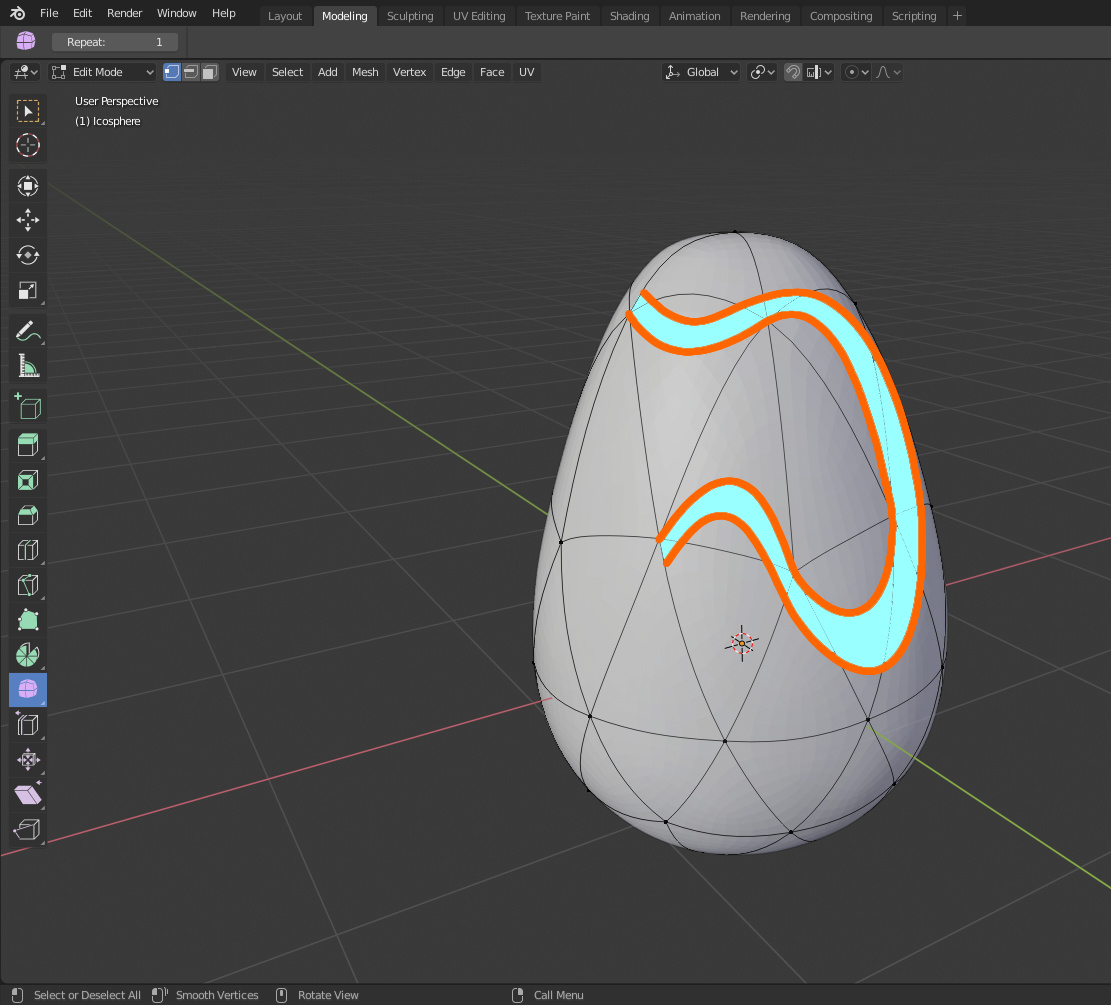
you can draw curve on surface
see option for curve
then draw the 2 curve which follow the surface
and convert to mesh join and add mat
now the inside won’t be on the surface
so subdivide and add skrinkwrap modifier to make all verts follow the surface
hope it help