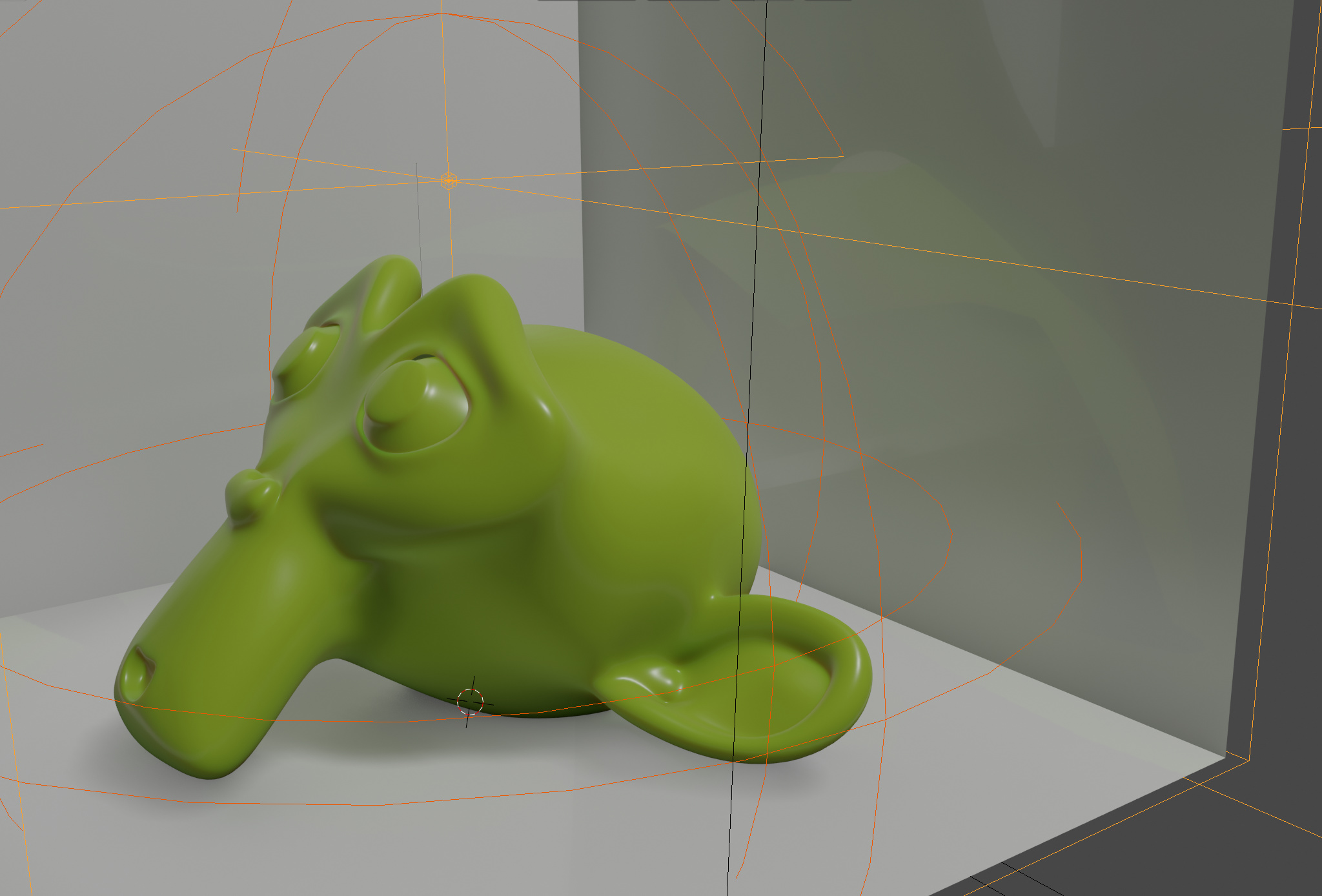
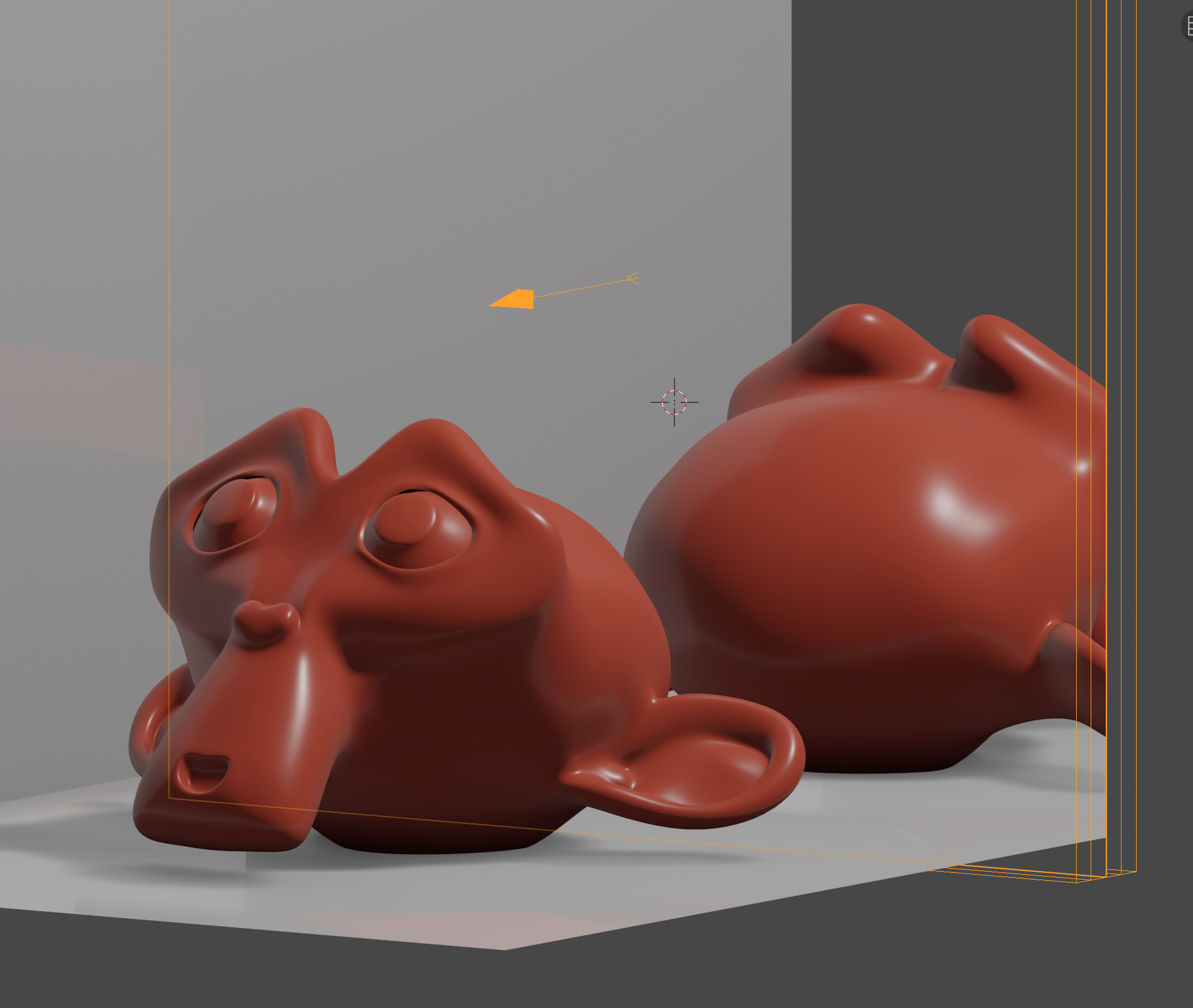
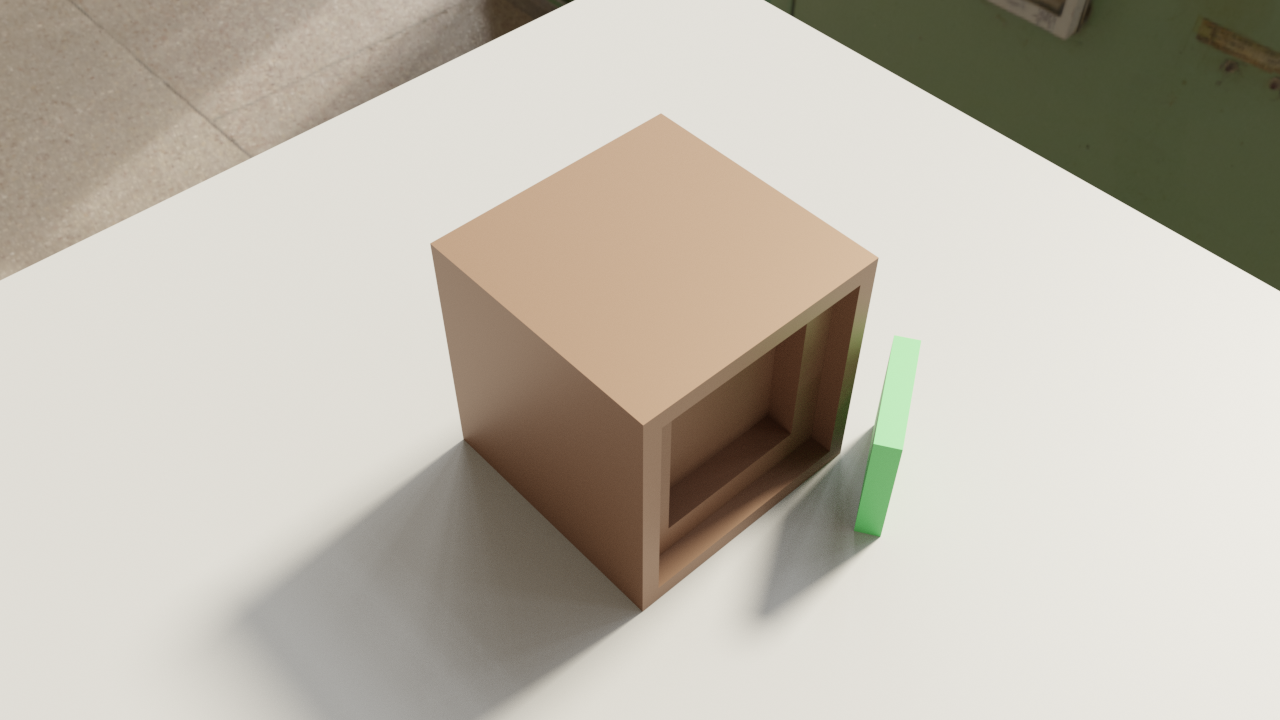
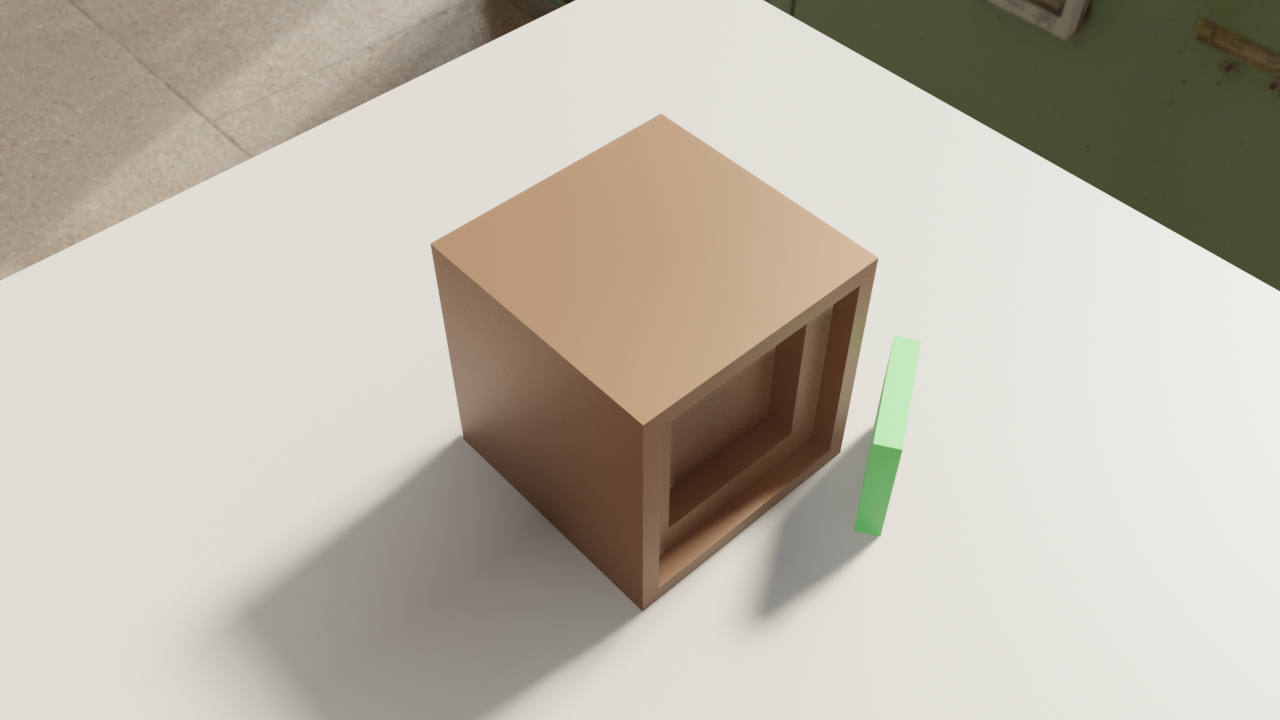
I’m playing around with Eevee. Creating bounced light using the Irradiance Volume probe combined with Screen Space reflections gives quite interesting results, but how do I get rid of the reflection clipping you can see in Suzanne’s reflection in a side of the cube. I tried all Screen Space Reflection settings, including maximum Trace Precision, but the clipping won’t go away.
Isn’t this just the inherent restriction on Screen Space Reflection? The reflection can only show what’s already in the viewport, so the backside of a model won’t be reflected.
This is a limitation of screen space effects. If you can’t see it on the screen (or the padded edge buffer) then the rasterizer doesn’t know about it and it can’t be used for screen space effects.
To get roughness with a reflection probe you need to enable screen reflection and fading is control by edge fading parameter. Combining both their will also be better shadow definition. It will be needed for every visible face. Another important setting is Film Overscan so final render matches the preview render. See example.
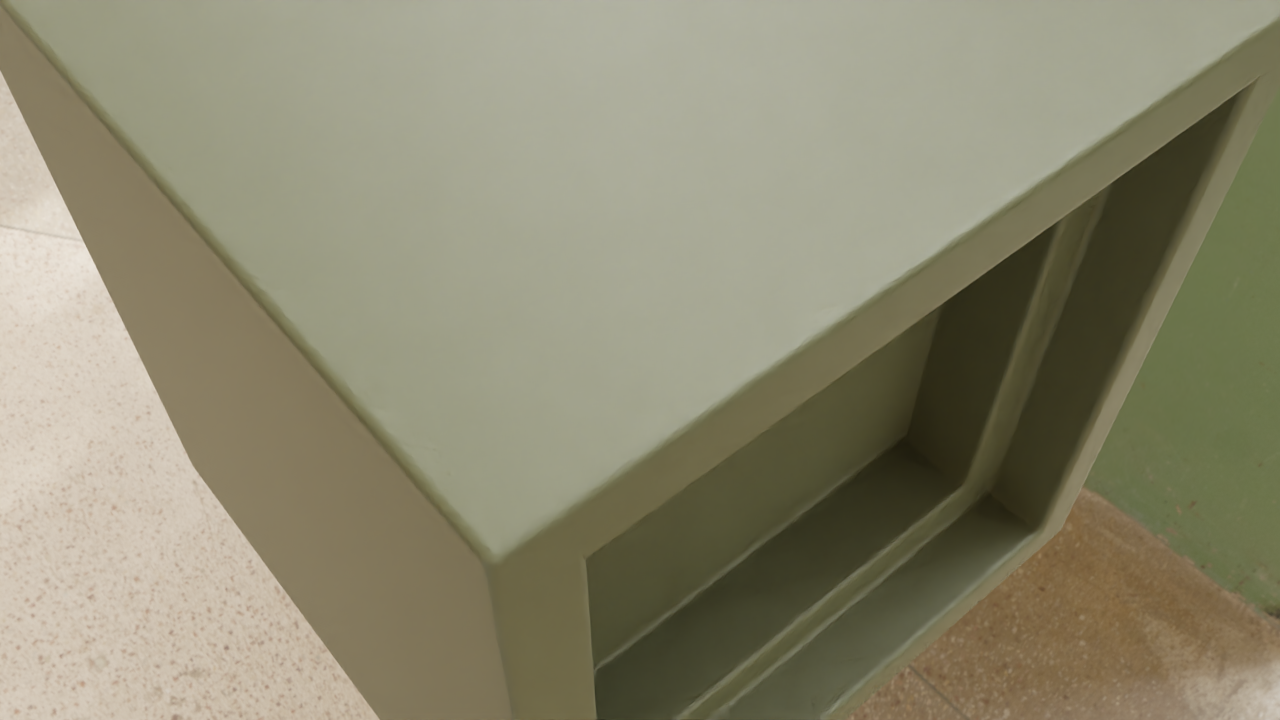
At some angles screen space reflection doesn’t pick up nearby geometry. (Apology for not proper terminology but pretty sure you know what I mean). Here a comparison Cycles / Eevee. Cycles:
Same cube. To reproduce: get default cube, (inset front face, extrude inwards)x2.
Add more AO is not a solution. Tried settings in Screen Space Reflections, no solution there.
Any idea how to solve it?
I see that the cycles and eevee reflection don’t match, but the camera angle are different between the cycles and eevee image. If you are interested that I take a look please provide the blender file with the camera angle that the reflections don’t match between cycles and eevee.
I changed the angle a little bit to exagerate the effect. I didn’t save it, was just a for making screenshot and will post later a blend file.
Thanks in advance.
You need to bake screenspace reflections after opening
I see the environment reflecting in the intruded insets instead of the object itself (layman’s terms). Cycles (see previous screenshot) shows what I expect.
The “ScreenspaceFlaw.bend” has only HDRI for lighting. Eevee currently does not support HDRI with shadows. To have Eevee work properly with an HDRI add a sun light and align it with the HRDI light. It is possible to get similar look to Cycles with reflection, GI and shadows but not the same. If you need complete accuracy use Cycles. See attach Eevee sample file that I have adjusted to look like Cycles. The HDRI is from TextureHaven. Hdri_Sun_eevee.blend (7.7 MB)
Aha, thanks. It seems I completely missed the info that it eevee doesn’t support HDRI with shadows.
I will adjust my workflow coming days and see the results of it.
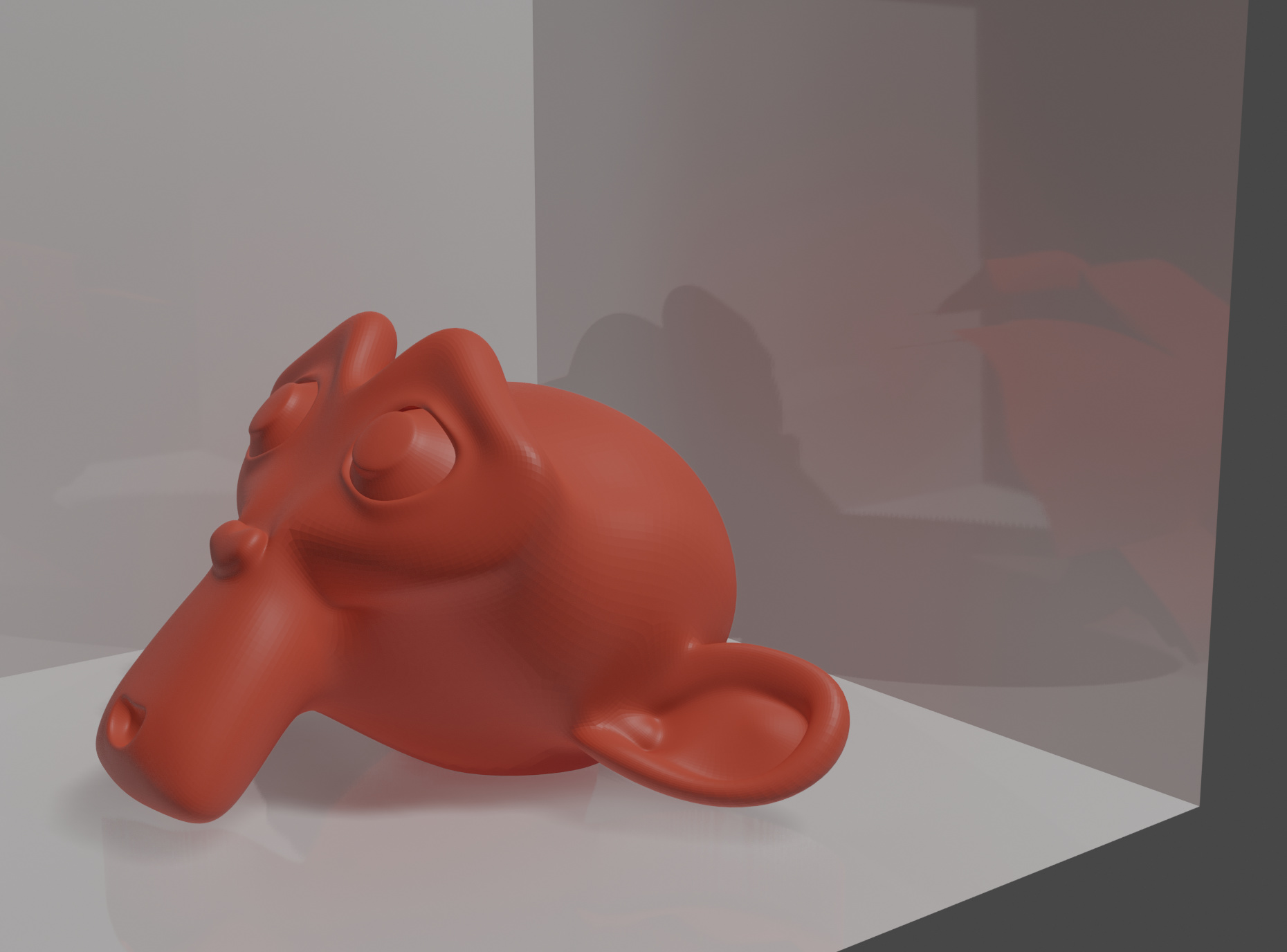
 Hmm, using reflection probes also give an undesired effect. But maybe I’m not using them correctly.