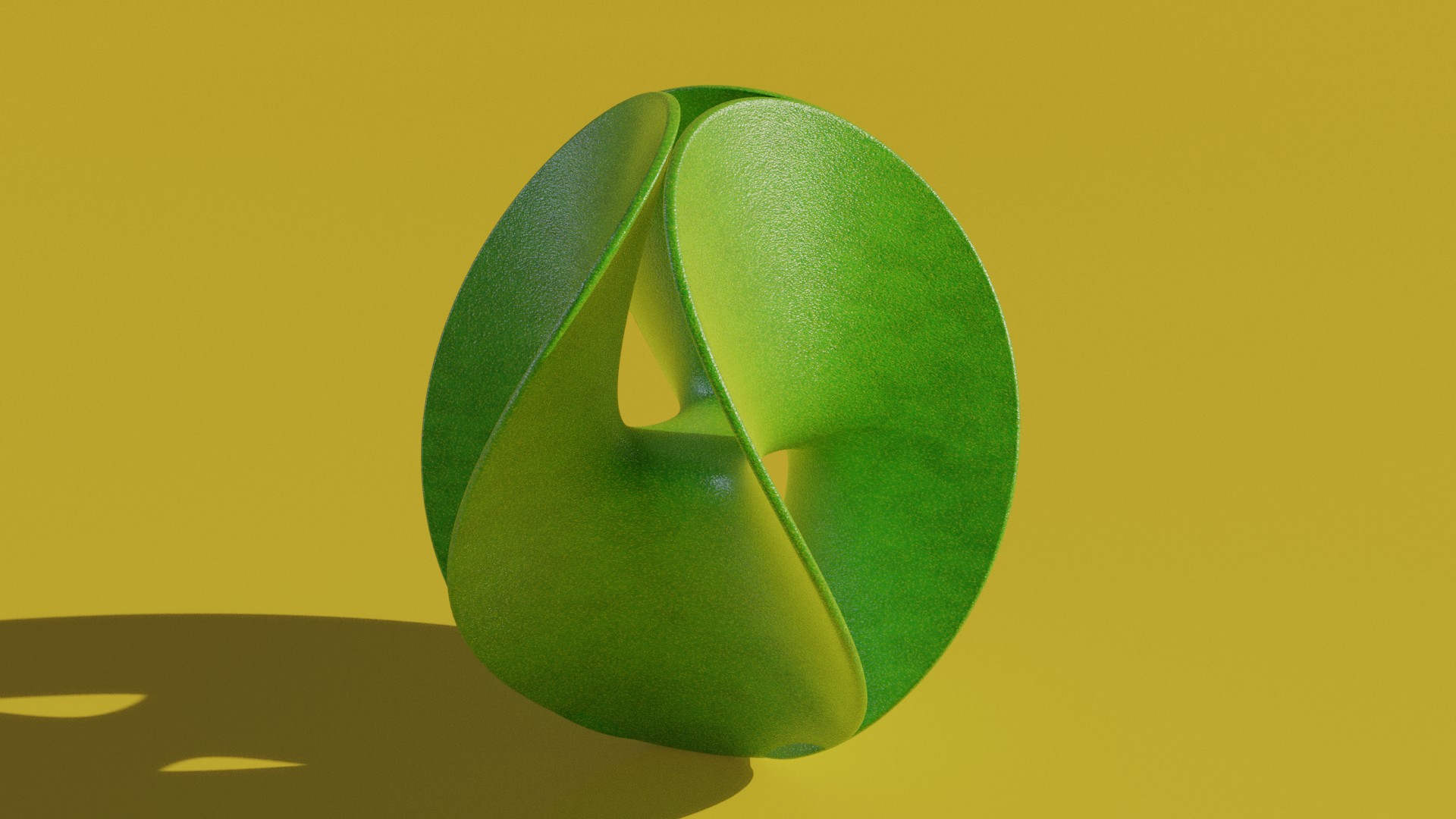
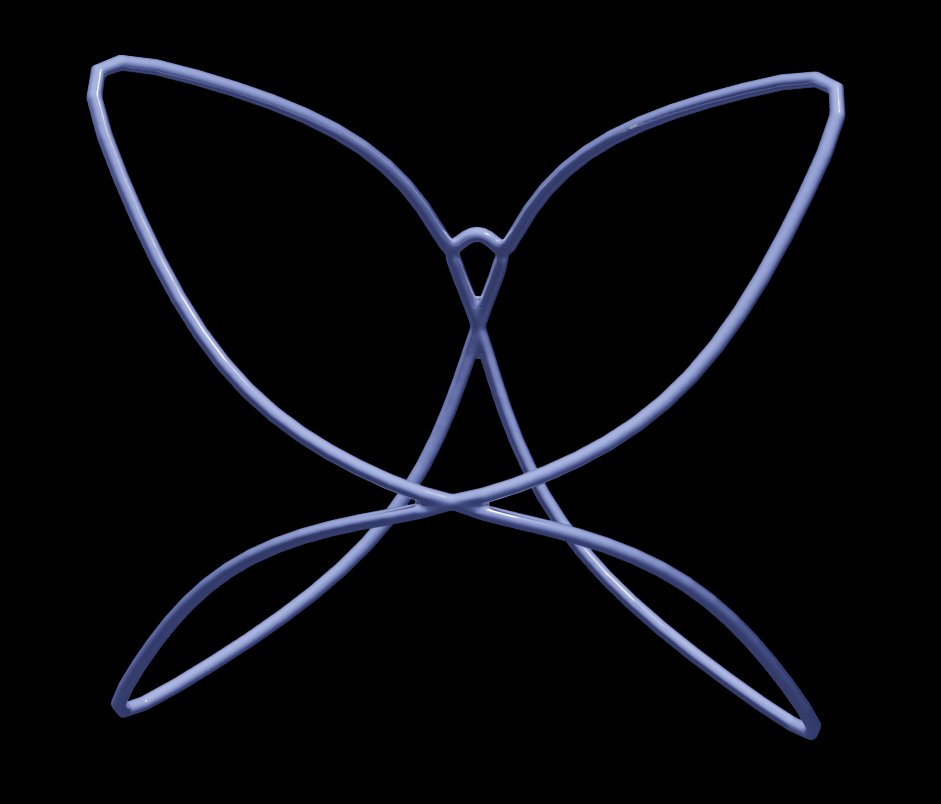
Enneper Order 3 - Math Function (X, Y, Z)

All this, the MathMod anyways, comes from here:

It’s opensource. I’ve used it in Linux, Windows (via Wine), and now on a MacBook.

Some of the formulas translate pretty straightforward.

Some, like a lot of it, are over my head.

Still, they export to OBJ and are modifiable, mesh, wireframe, resolution, etc.

Hi @anon75652222, I see you’ve got many responses. Hopefully these will help. I quite like playing with mathematical shapes also and here’s a few links that you might find useful.

MINIMAL SURFACES (background and examples):
https://mathcurve.com/surfaces.gb/minimale/minimale.shtml

ENNEPER SURFACES (background and examples):
https://mathcurve.com/surfaces.gb/enneper/enneper.shtml

Other references:

This is already mentioned but, you might want to checkout MathMod which is a program that plots 3D shapes and it has a huge library of 3D formulas to play with (including enneper shapes). It’s also quick to test out different formulas. (Change ^ (exponent symbol) to ** in Blender addon).

This you might find this site interesting also:

Here’s a couple of formulas you can play with which should get to what you want with a little experimentation.

X = v * cos(u)-v**9 * cos(9*u)/9
Y = v * sin(u)+v**9 * sin(9*u)/9
Z = 2 * v**2 * cos(5*u)/5
U Range: 0 2*pi
V Range: 0 1
X = v/2 * cos(u)-v**6 * cos(2*u)/2
Y = v/2 * sin(u)+v**6 * sin(2*u)/2
Z = 2 * v**2 * cos(3*u)/3
U Range: 0  2*pi
V Range: 0  1

Happy Blending!

Wonderful! Thank you!

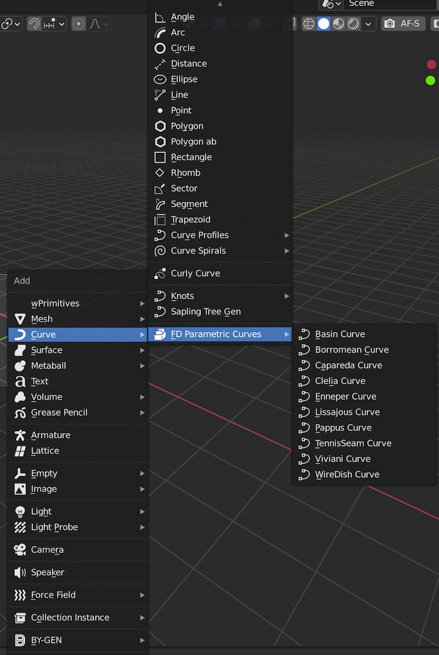
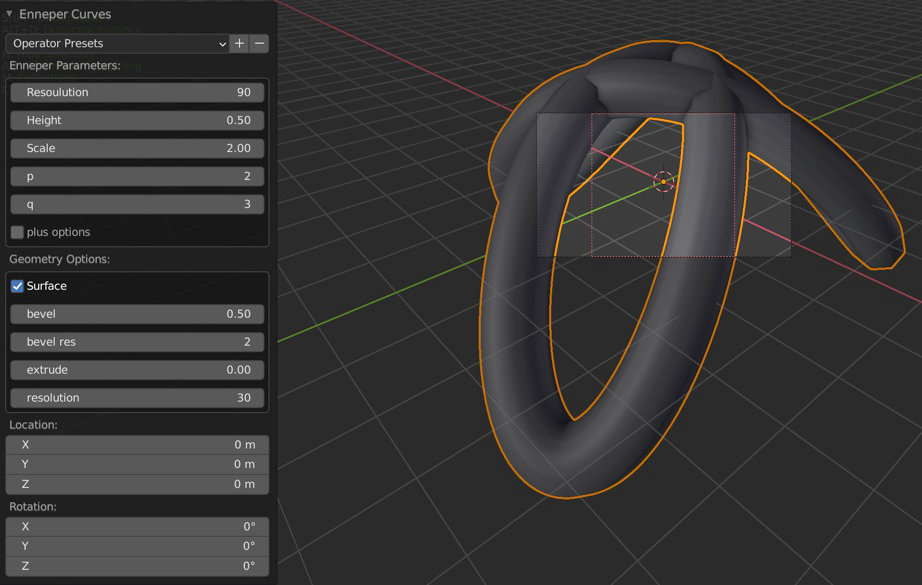
One last thing that also feeds into this is the Jewelcraft addon and the Fluid Designer assets. Just updated to run under 2.90. One thing that caught my interest was the option for curves. Notably the Enneper surface. And, from that, the numerous options to customize.

The addon and assets:

Curve and Enneper Options:


All this suggests that minimal surfaces are far more possible in Blender than perhaps once was possible.

Add to that what’s becoming possible using Sverchok:

Used to be I heard more about what Grasshopper does with its addons:

Blender is encroaching on those possibilities.

Credit to all the programmers who are making this possible and accessible.

Cool, cool, cool! I’ve had my eye on Sverchok for quite some time. Might have to jump in. There’s definitely some nice stuff happening there. Thanks for the tips. Cheers and stay safe.

Something I put together using Blender and Gimp with the bottom minimal surface example you sent me.

More good stuff here:

where do you find this enneper curve in curve menu ?

did not find it in 2.9

thanks
happy bl

It’s part of the Jewelcraft / Fluid Designer addon / assets.

More on this here:

You’d have to install Jewelcraft and fluid designer assets to see that menu.

interesting
so this is sort of an SVN for jewels things

thanks
happy bl

Answered here:

Hi @anon75652222, good idea asking over at stackexchange. Mr/Mrs lemon was very helpful. I forget to use those helper functions which are quite useful.

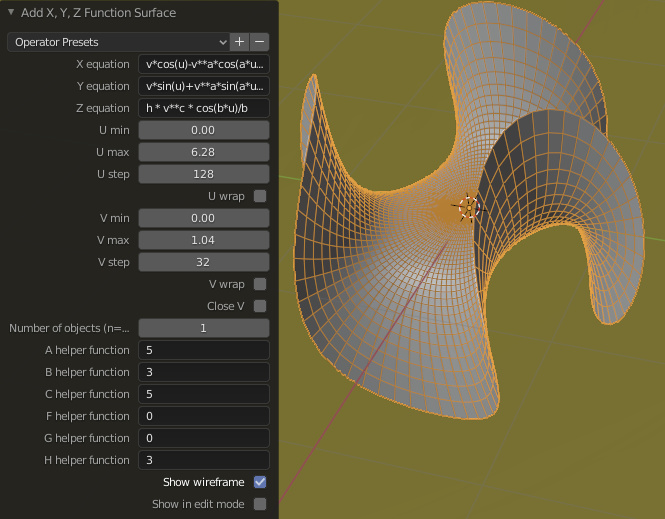
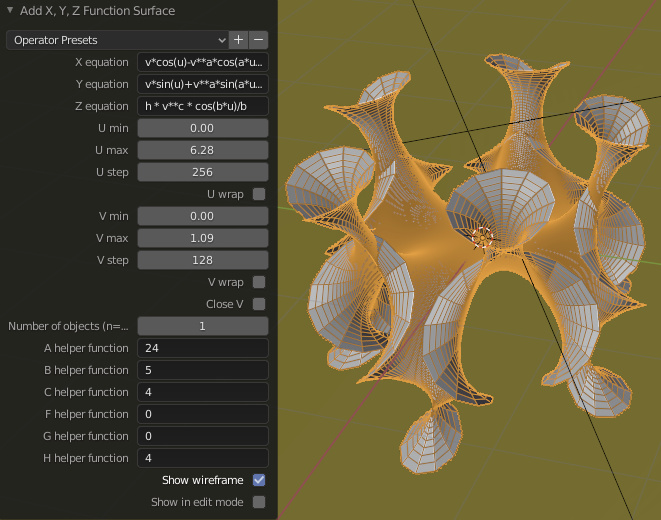
I’ve modified my suggested surface formula to use the helpers. It’s much more useful now. Here’s the formula and a couple of examples. The last one is a test render of an order 3 surface.

X = v * cos(u) - v**a * cos(a*u)/a
Y = v * sin(u) + v**a * sin(a*u)/a
Z = h * v**c * cos(b*u)/b
U: 0  2*pi
V: 0  sqrt(2) [This can cause the mesh to grow quite large depending on settings]

A Helper: 5   Higher values affects the curvature towards the top edges
B Helper: 3   Sets the Order
C Helper: 5   Affects the central curvature
H Helper: 3   Affects the height in Z direction

Thanks for bringing this to light. I’m enjoying my math shapes again and I’ve started playing with Sverchok. It’s way more powerful than the last time I looked at it.

Cheers and stay safe!

Yeah, linux on my wife’s PC. I’m using a maxed out Macbook. Just my luck, I got it with an NVidia card after Apple stopped supporting NVidia on Blender. Didn’t find out til after I purchased it. Yuk.

Got Sverchok and Extras working like gangbusters on my wife’s PC. Still having problems getting it all to work on the Macbook. Pip list shows all the dependencies installed. Missing some essential nodes.

I could probably, now that I think about it, set it up inside a Linux Virtual Box on the Mac, but, that’s a LOT of work to get it up and running the hard way.

Ah well.

At least we learned something new about using Operators. Looking forward to expanding my options with the new info.

Back at ya, Ricky too on the Happy Blending.

If learning something new is a good thing against dementia, as long as I’m using Blender, that will never be a problem.

Enjoy.

very interesting using these helper vars

have you been able to make the order 2 with the blender addon ?

happy bl

Order 2, 4, 5, 6, 7 for that matter is as simple as, as Paul pointed out in his formula mod:

B Helper: 3 Sets the Order

the rest is just adjusting the other helper settings accordingly

Paul, here’s an example I made of stripping down an Enneper curve to it’s basic shape, tweaking it, and creating a pendant:

Proof that procedural is certainly one way to go about it. Mathematics opens up whole other avenues of possibility.

This for example:

https://asahidari.hatenablog.com/entry/2020/06/13/225234

Seems like it might be a useful endeavor for someone, maybe me (but it’ll take longer if I do it, cause of what I don’t know) to put together something that helps bridge the gap between formulas and their interpretation using Blender (example: Mathmod, or Mathematica, or Wikipedia, or Google Search to Z function or XYZ function)

Some wonderful stuff out there by (Youtube, Deviantart, Shapeways) by: Kukan Kogei (as noted above), Luxxeon3d, David Brinnen (Wings3D), TokiFX, Asopticom, Jimmy Gunawan (Blendersushi) and others, as well as you Paul, and Ricky, Sverchok as well exploring the possibilities of procedural, programmatical (Python), and node based parametric as well as surface, generative design.

Hard to find good examples of not just what can be done, but how.

So, every chance I get, I share it, because it taps into the raw power of Blender in different and amazing ways.

Yet other examples of what can be done, externally speaking:

Surface Evolver, Seifert View (but not export), or Antiprism (Works on Linux, not on MacOS) - a python program exists for the MacOS, haven’t figured it out yet:

Surface Evolver:

Antiprism:

http://www.antiprism.com/

Seifert Viewer: (Exports images)

https://www.win.tue.nl/~vanwijk/seifertview/index.htm

Also:

Sculpture Generator:

https://people.eecs.berkeley.edu/~sequin/SCULPTS/scherk.html

Great stuff out there!

As I’ve heard (back at ya):

Cheers! and Happy Blending!

Oh, and of course:

Stay safe.

Saved a lot of permutations to XYZ Operator Presets.

I’d share 'em, but, I’m not sure how since it’s all python.

And not sure if I can zip 'em and share 'em.

A blender file alone doesn’t seem to work, that I’ve seen, except for the finished product but, not the preset.

Interested?

there is a way to save the properties
but would require to modify the python script to do so
may be ask the owner of the addon
he might be able to add this feature

happy bl

Hi @anon75652222, @RickyBlender,

If you check out the xyz presets in github at https://github.com/elfnor/blender_XYZ_surface_presets you’ll note that they mention where these presets are stored. Namely here (~/.config/blender/2.71/scripts/presets/operator/mesh.primitive_xyz_function_surface/). So on my system (Win 10) it is here :

C:\Users\paul\AppData\Roaming\Blender Foundation\Blender\2.83\scripts\presets\operator\mesh.primitive_xyz_function_surface\

You should see any added presets you’ve created in this folder. It simply contains python files with settings. Each file looks like the following which will look familiar, eh! (as we say here in Canada)

import bpy
op = bpy.context.active_operator

op.x_eq = 'v*cos(u)-v**a*cos(a*u)/a'
op.y_eq = 'v*sin(u)+v**a*sin(a*u)/a'
op.z_eq = 'h * v**c * cos(b*u)/b'
op.range_u_min = 0.0
op.range_u_max = 6.2831854820251465
op.range_u_step = 256
op.wrap_u = False
op.range_v_min = 0.0
op.range_v_max = 1.0747450590133667
op.range_v_step = 128
op.wrap_v = False
op.close_v = False
op.n_eq = 1
op.a_eq = '5'
op.b_eq = '3'
op.c_eq = '5'
op.f_eq = '0'
op.g_eq = '0'
op.h_eq = '3'
op.show_wire = True
op.edit_mode = False

So if you zip up these .py preset files you should be able to share them. I have a few zipped up and attached so we can test this out. Just copy these to your respective mesh.primitive_XYZ folder. Which should make them visible in the operator XYZ Surface Addon presets drop down.

xyz_pxlpaul_set1.zip (2.1 KB)

Another great math surface / shape resource is: http://paulbourke.net/geometry/

Happy blending, cheers and stay safe!

Awesome stuff. Thanx for sharing.

George Hart’s got some great stuff too:

https://www.georgehart.com/

Lots of stuff - notable artists:

http://www.3dprintmath.com/

Where’d you get the original formulas?

I’m using MacOS, so here:
(Version 2.83)

/Users/username/Library/Application Support/Blender/2.83/scripts/presets/operator/mesh.primitive_xyz_function_surface

Back at ya.

presets_enneper.zip (6.6 KB)