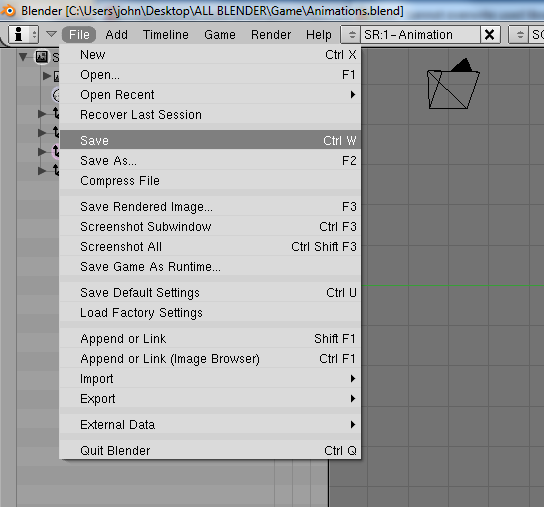
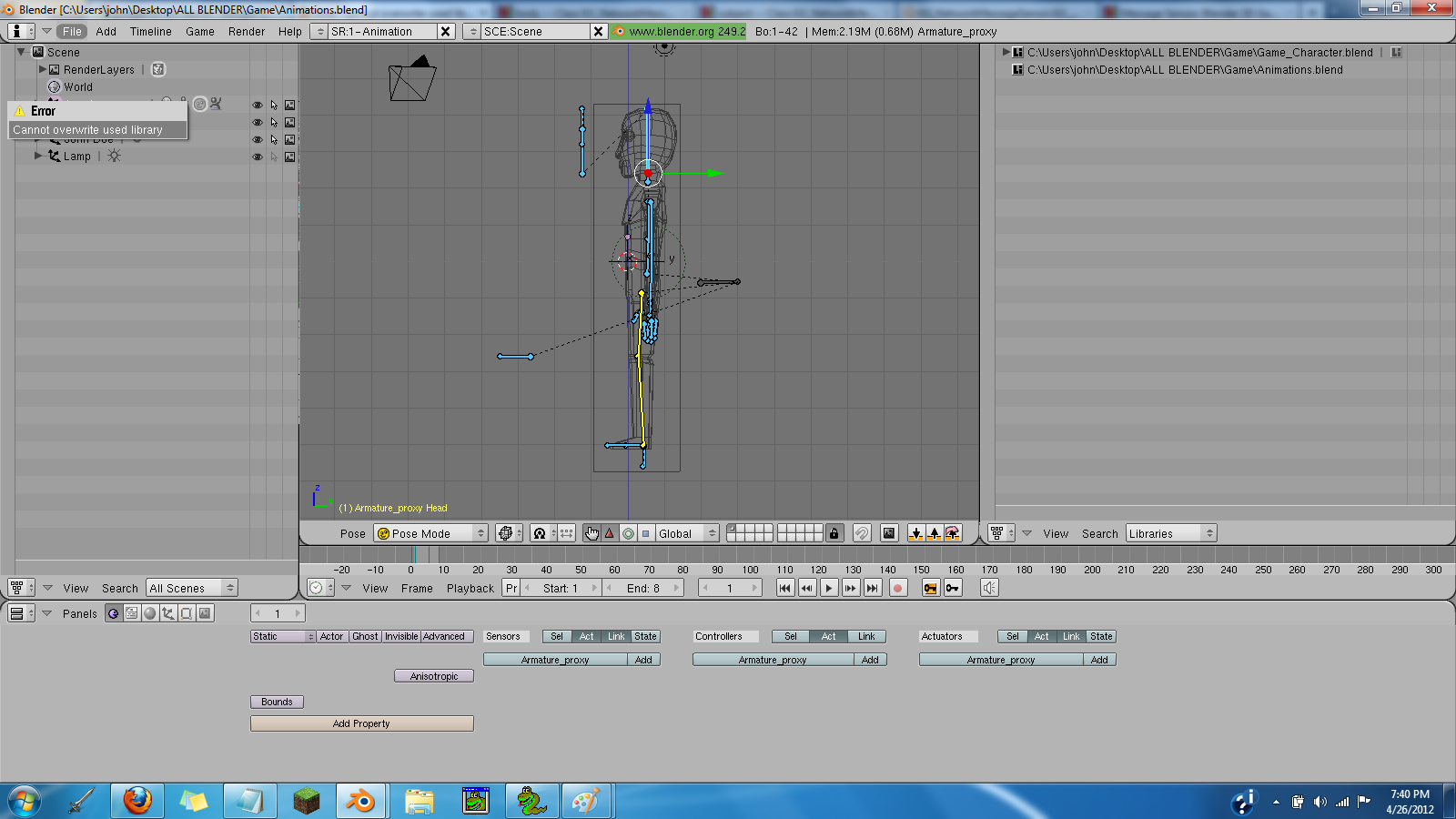
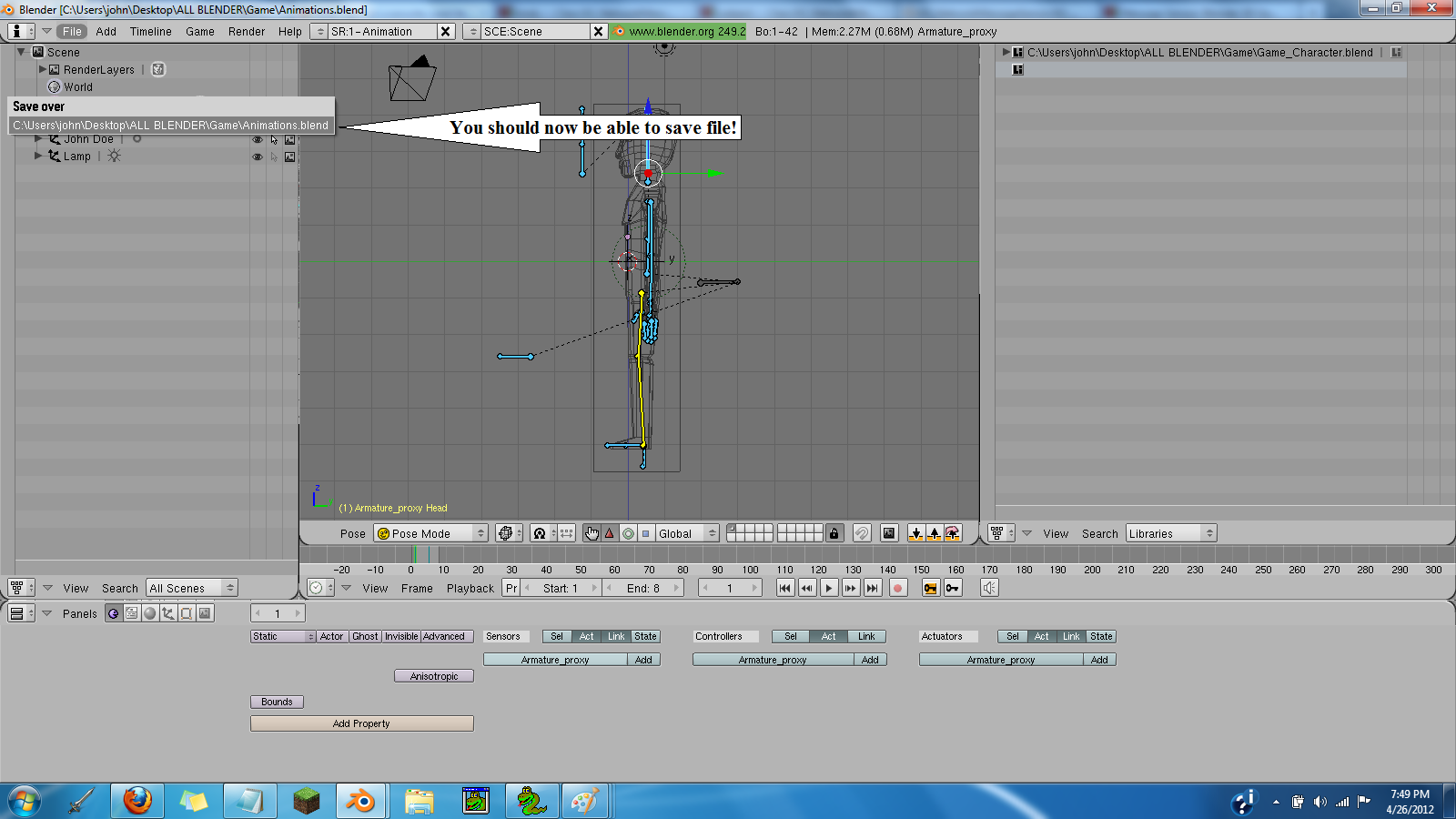
When trying to save my blend file i get this error. Can someone tell me what it means?
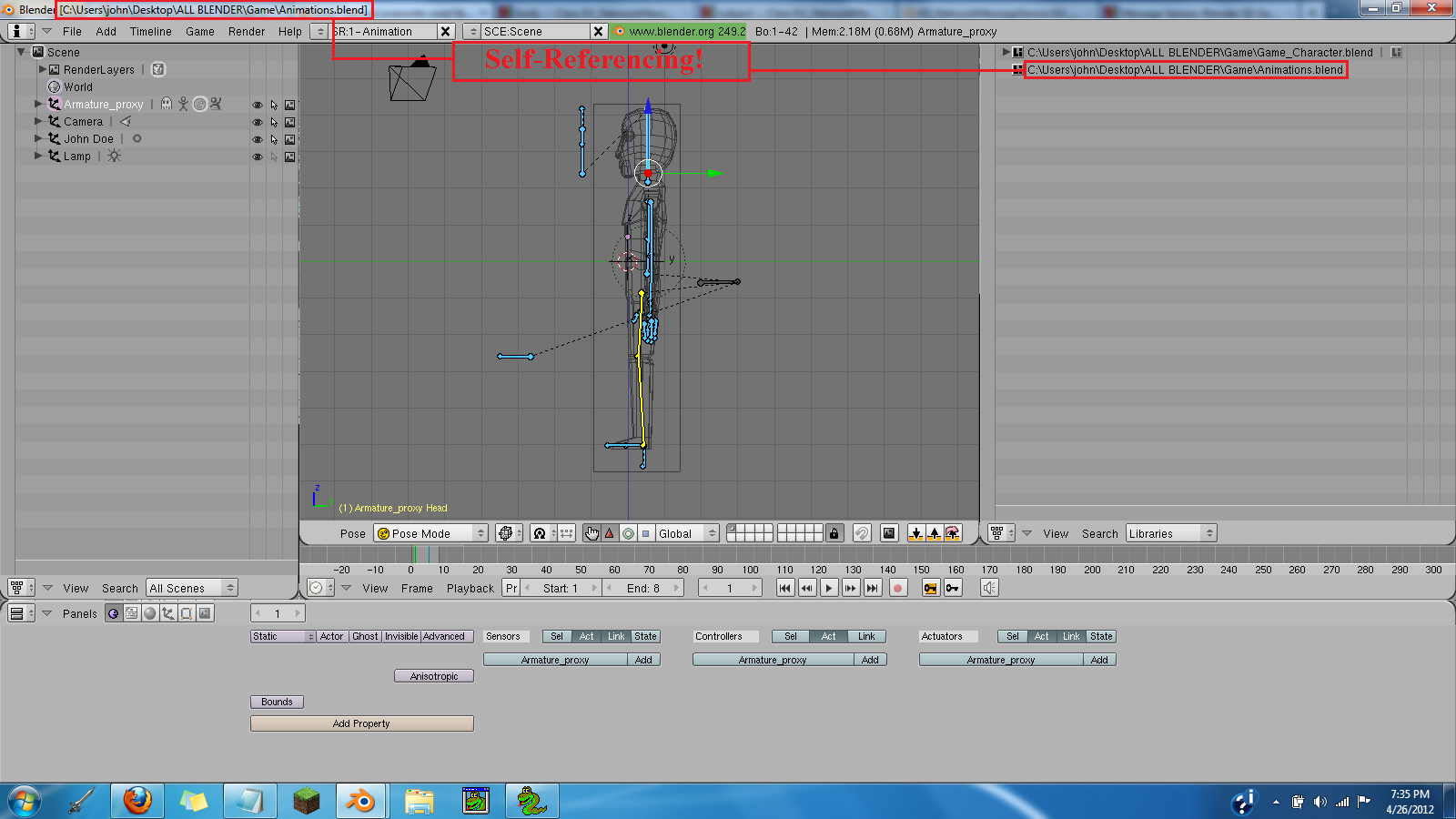
Im using this file for animations, but now I cant save changes to it. I use two other blender files to read the animations from this file. It was working fine until just now.
Im still unable to save changes to my animation blend file. As a temporary fix, I decided to use save_as and name the file animation2.blend
Seeing as I only need the animation Data, ill replace the old file, with a copied new one. While using the new file ill keep an eye out for changes I make so if i recreate the problem, ill have an idea of where i went wrong.
An explanation for the “Cannot overwrite used library” Error will still be much appreciated.
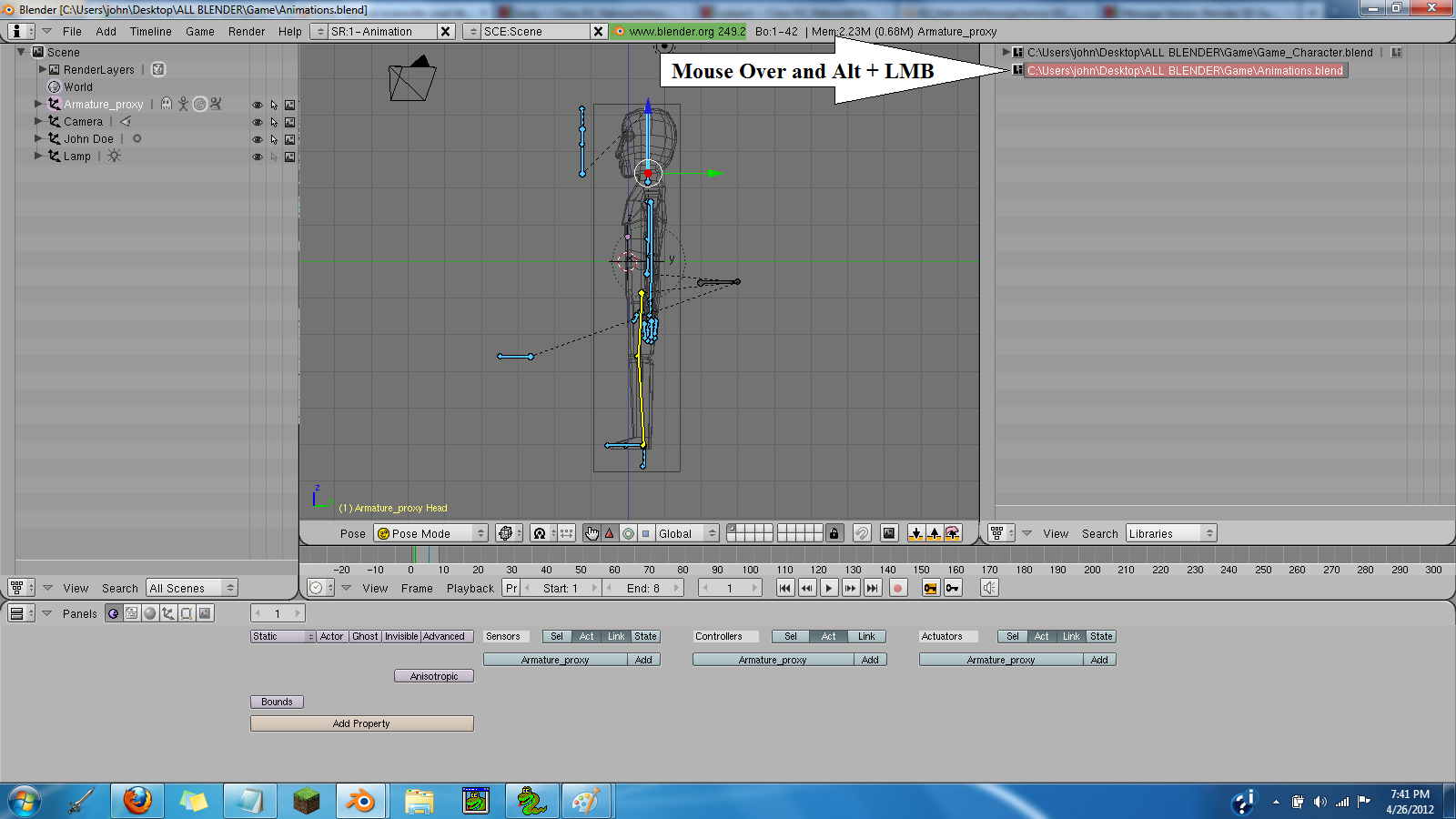
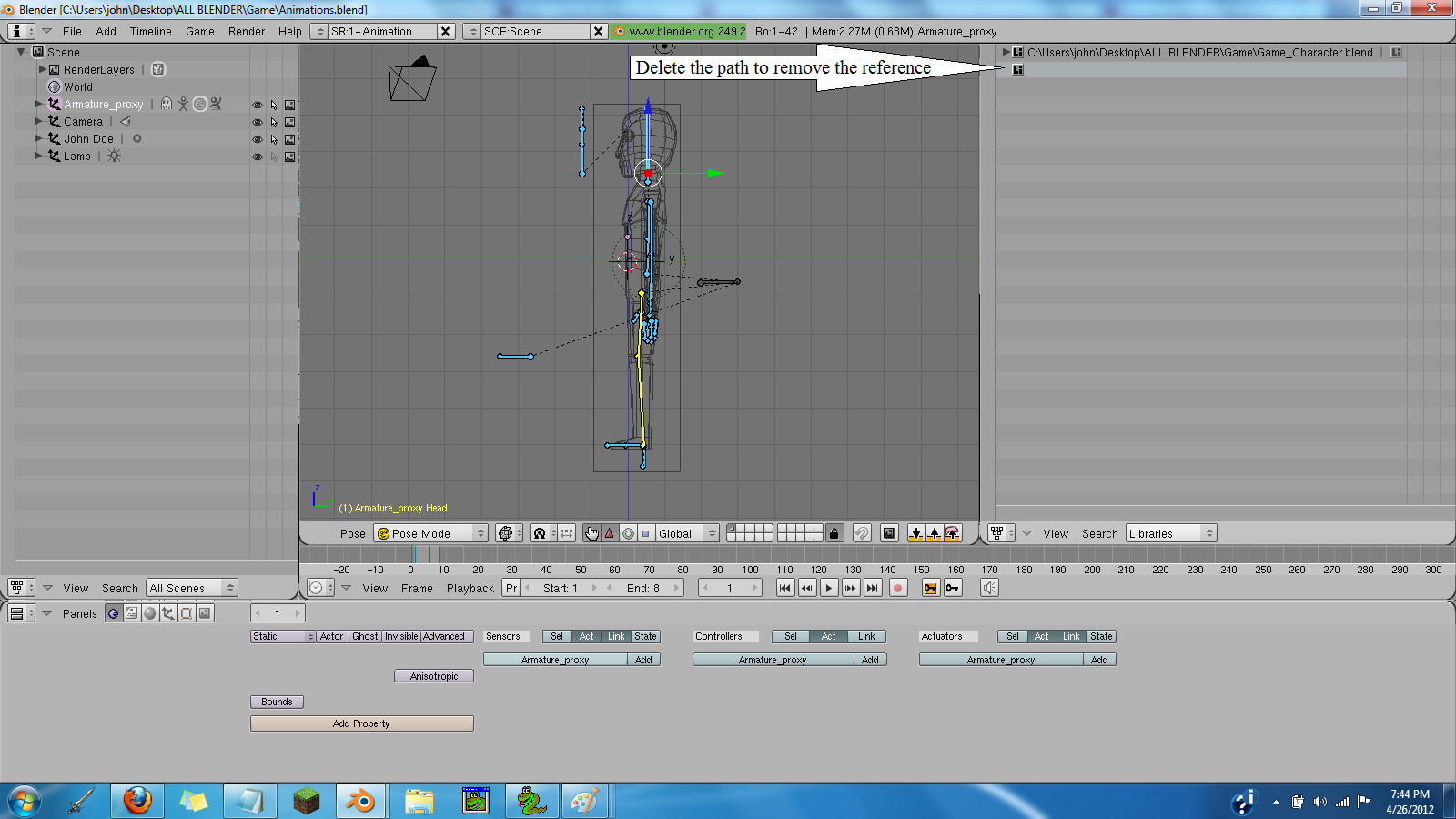
For some reason, my outliner was set to “Show Oops Schematic” when I opened it. This may come as a second problem to someone not familiar with blender’s outliner interface. Click “View” -> “Show Outliner” and it will show the outliner as seen in the screenshots.
Dude, you may not believe it, but this is still relevant! After writing a script with GPT chat, I had the same problem. CrashLog didn’t help me at all, but your post did! I can’t imagine how you found out what the reason was… Thanks for your hel
Thanks to this post, it provided me with a reference when I encountered this problem. In Blender version 5.2, the button for solving this problem has changed.
Starting in 2026, the order is: Outliner → Display Mode → Blender File. You will then see the link you want to delete. Move your mouse over the link, right-click, and select Delete.


 Thanks, man.