Hi,
I want to draw a line on surface.
I want a line of actual object(not just for a visual effect like annotation or logo).
I tried adding a bezier curve and it works well if I draw it in edit mode with surface option.
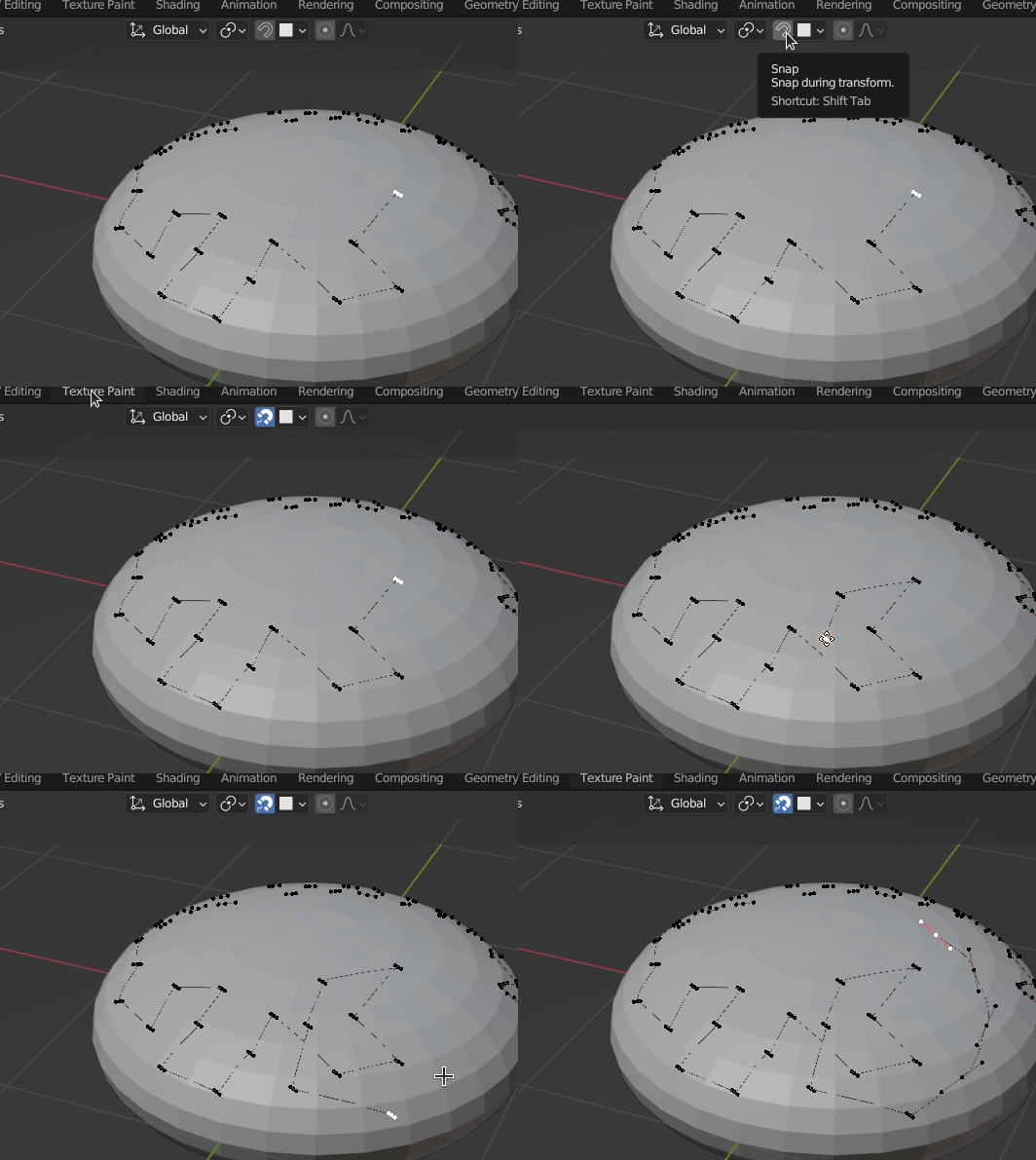
But I want to draw the bezier line not with dragging mouse but with extrude and when using extrude, the bezier line is not extended on surface anymore.

you can see the bezier line on a sphere drawn by dragging a mouse is on the surface but extending it with extruding is not conducted on surface.
What should I do to extend bezier line ‘on the surface’ using extrude?
ps. Drawing bezier line with dragging a mouse is simple but I should stop drawing and make a new start point to change view. This is why I tried to use extrude. Is there any way to draw through dragging a mouse continuously even if I have to change view? Even though there’s a way for it, I still want to draw with extrude function because it feels more stable.
Thanks in advance.