Scene Assembler — Node-Based Scene Assembly & Render Queue for Blender 5.1+
[Download link] · SceneAssembler_52_v028
Docs - Addon Documentation
Discord server - Scene Assembler Discord server
What is Scene Assembler?
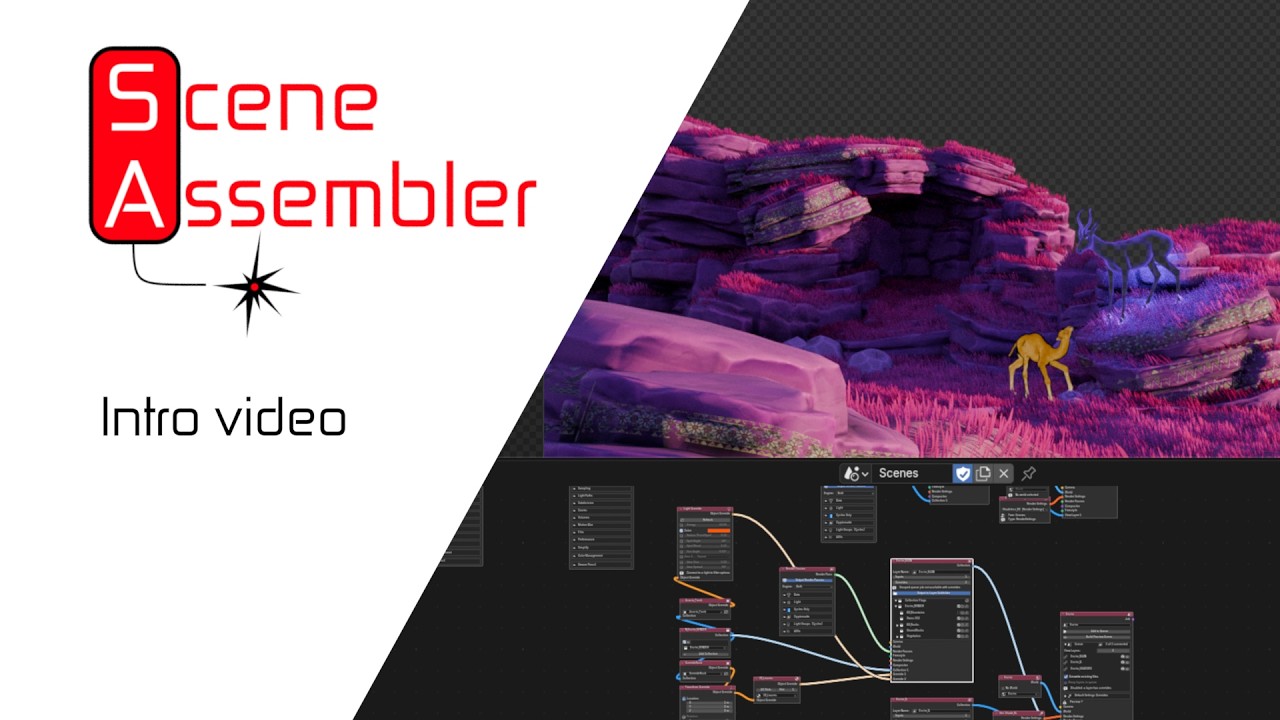
Scene Assembler is a Blender addon that lets you build complex multi-layer render pipelines through a node editor, then send them to a local render queue — all without leaving Blender.
The core idea: instead of manually duplicating scenes, toggling visibility, and switching cameras for every render variation, you wire it up once as a node graph. Collections come in, overrides are layered on top, and render jobs go out. The queue manager handles the rest while you keep working.
It also adds a lot of override functionality that just isn’t present in the default Blender workflow.
It started as a tool to solve my own production headaches — managing dozens of render variations across multiple scenes was becoming unworkable with vanilla Blender. After months of development and several weeks of real-world production testing, it’s now open for anyone to try.

Highlights
Assembly
Wire collections into view layers visually. Connect sources (current file or external .blend, Linked or Appended), route through View Layer nodes, and into Scene nodes — each with independent output settings. A Scheduler node queues or renders all connected scenes in one click.
Marker-aware scene import
Already using Blender’s own markers to switch cameras mid-animation? Create from Scene detects them automatically and offers to convert your existing setup into a ready-to-render node graph in one click — either a Camera Sequence node (single shared scene, camera switches exactly as your markers already do) or a Timeline node (a separate scene per camera segment, each with its own overrides and render settings). Both stay in sync with the real timeline afterward — Sync to Scene / Sync from Scene let you keep editing visually, in either direction, any time.
Native multi-view-layer rendering
When the view layers under a Scene node share camera, world, and render settings with no per-object overrides, Scene Assembler renders them as one native Blender multi-view-layer pass instead of N separate throwaway scenes — a real speedup on heavy scenes, since the expensive BVH build / shader compile only happens once instead of once per layer. Full support for Cryptomatte, AOVs, and light groups in the merged path.
Per-layer overrides
Every override is non-destructive and isolated to its view layer: transform, shader/material, visibility, light properties, animation, world/HDRI, camera, render settings, render passes, and arbitrary RNA properties. Per-pass file format overrides let you output EXR multilayer for compositing passes and PNG for beauty in the same job.
Queue manager
Local render queue with pause, resume, reorder, delete, priority ordering, and auto-retry on crash (with same-frame detection to prevent loops). Run Now jumps a job to the front without losing the queue. ETA display tracks progress. A web UI is accessible from a browser while renders run.
Camera Burst
Drop a collection of cameras into a Scene node and render one still per camera automatically — no manual camera switching, no duplicated jobs. The preview scene places timeline markers at frames 1–N so you can scrub between angles live in the viewport.
Preview scene
Build Preview Scene creates a preview scene in Blender to check the node graph as a normal Blender scene.
Output control
Token-based filenames ({scene}_{layer}_{camera}_{frame}), tree-wide defaults via an Output Defaults node, selective per-scene overrides for path, format, resolution, and frame range.
Documentation
Full documentation site covering every node, the queue manager, and advanced workflows.
Known Limitations
These are real constraints, not bugs — worth knowing before you test:
- Blender 5.1+ only. No plans to backport.
- Preview scene is a simplified view. Any override that isn’t possible in vanilla Blender won’t be present in the preview scene. Actual renders are always correct.
- No network rendering support yet. Local queue only. Flamenco integration is planned but not started.
- Freestyle and Grease Pencil settings have limited support — basic flags work, advanced options are still alpha.
- Overrides on Linked external collections don’t work yet. Append mode supports the full override system; Linked collections don’t (Blender’s own data-linking model requires Library Overrides for this, which isn’t implemented yet). This is caught cleanly with a clear warning before render, not a crash — but it doesn’t apply. Planned, not near-term.
- No multi-scene/multi-view-layer compositing. A job’s compositor tree can reference exactly one Render Layers node.
Open Beta — free to use, no application
The beta is now a straight, open download — no forms, no DMs, nothing to apply for. Grab it and use it.
What this means:
- Free to use in full, including production work, for the duration of the beta.
- A commercial license will be required once Scene Assembler goes public.
- The beta will end as soon as I feel the addon is solid enough — I hope in about a month or so.
Join the Discord: Scene Assembler Discord server — not required to use the addon, but it’s where I’m posting updates, taking bug reports, and where you can ask questions directly. If you hit something broken or confusing, that’s the fastest way to reach me.
Requirements
- Blender 5.1 or later
- Windows, macOS, and Linux are all welcome — the addon has been developed and tested on Windows, so reports from other platforms are especially valuable
Looking forward to hearing what you think — and to the bugs you’ll inevitably find that I haven’t! If you’ve ever wished Blender had a better way to manage complex multi-scene files, give it a try.