Hello
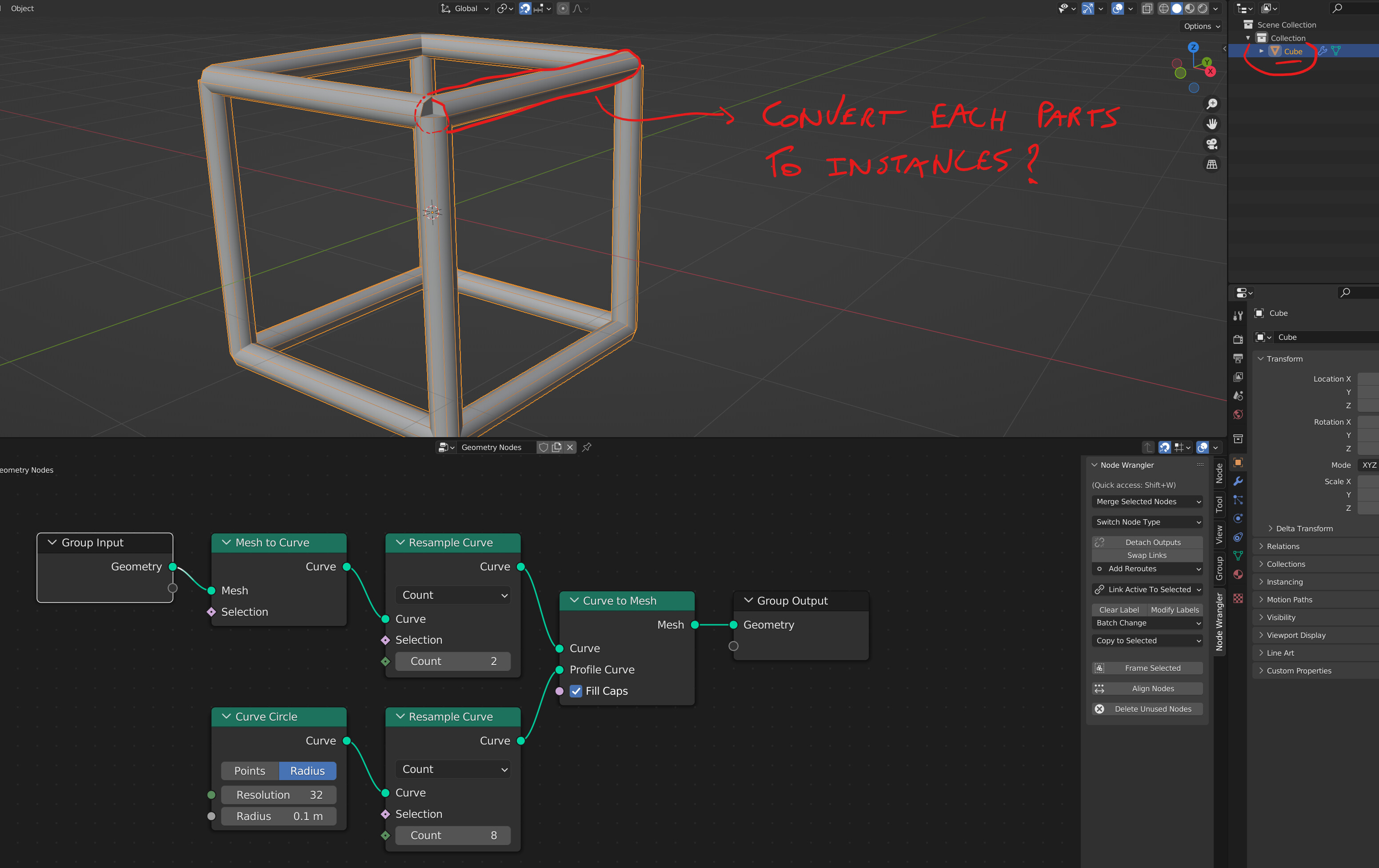
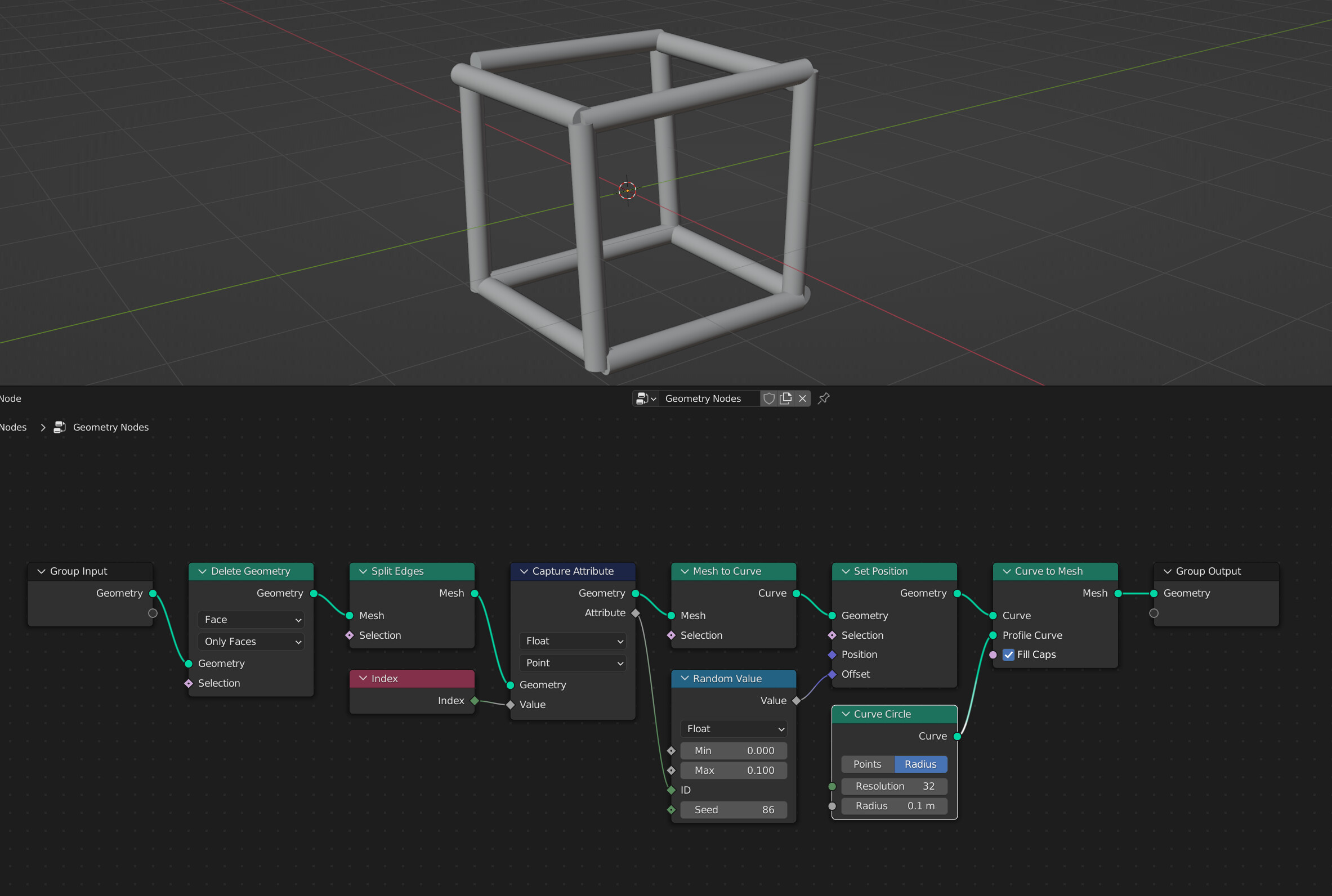
How can I convert this basic setup into instances (each cylender from the “curve to mesh”) ?
I would like to make each cylender “unique” so I can accès them and give them random scale / rotation / translation.
Thanks for your help
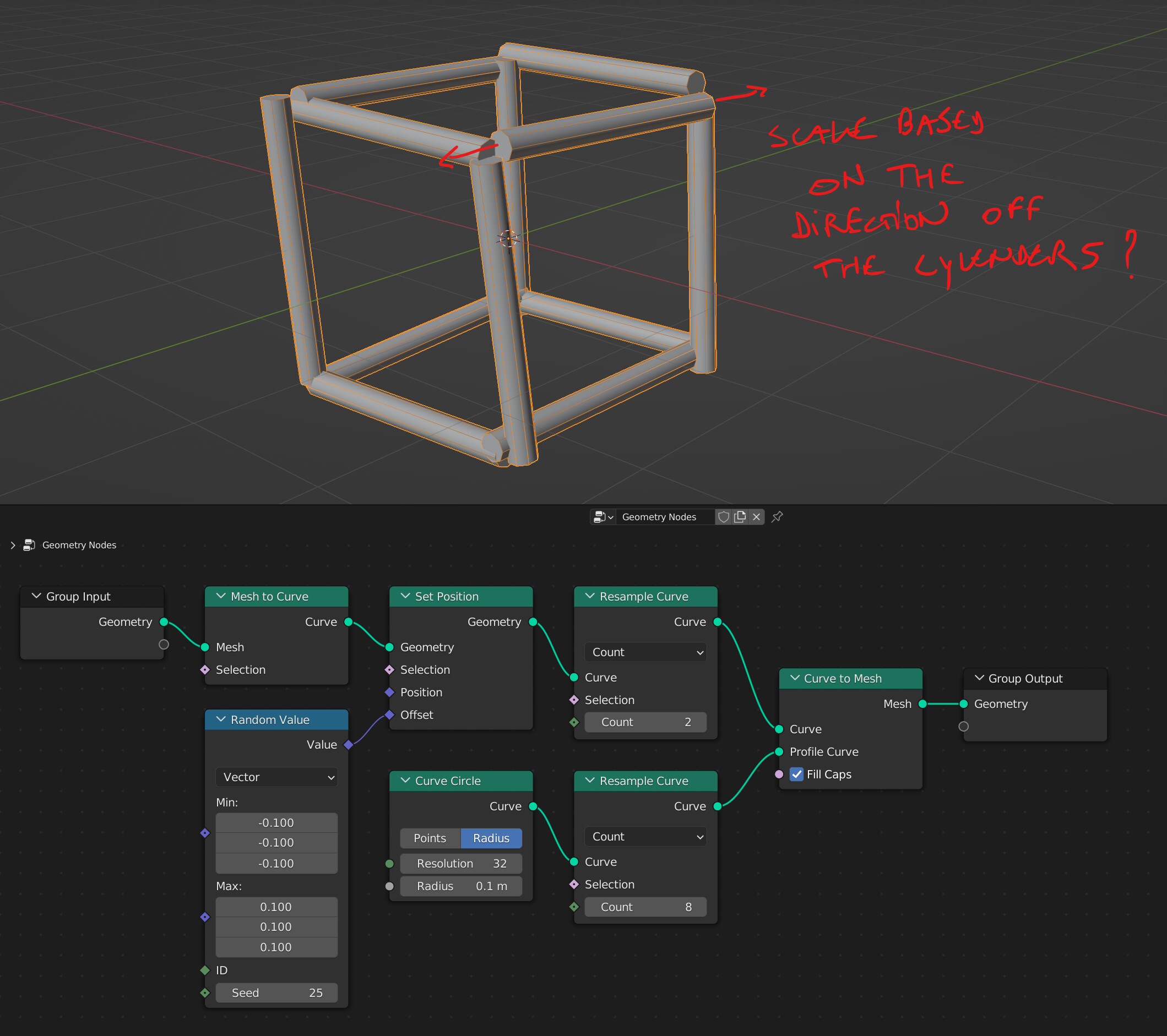
I don’t think it’s possible , you should randomize it before meshing the curve.
By randomizing the position on the curve ( set position node, with a random value in the offset slot) you’ll get something similar to a slight rotation / scale / translate on the tubes.
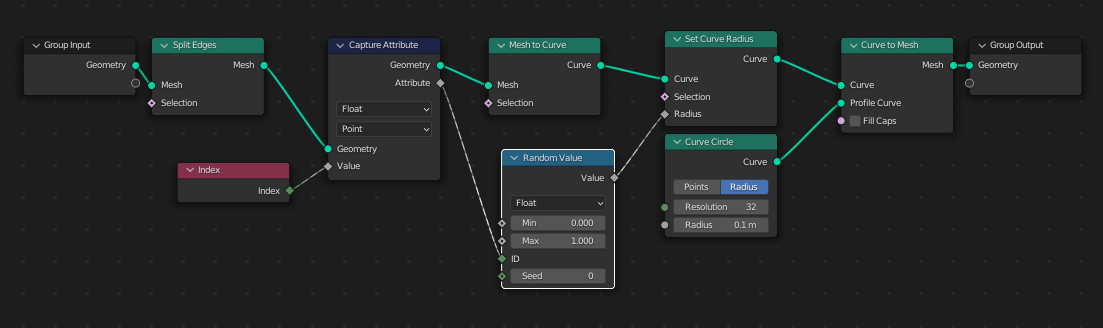
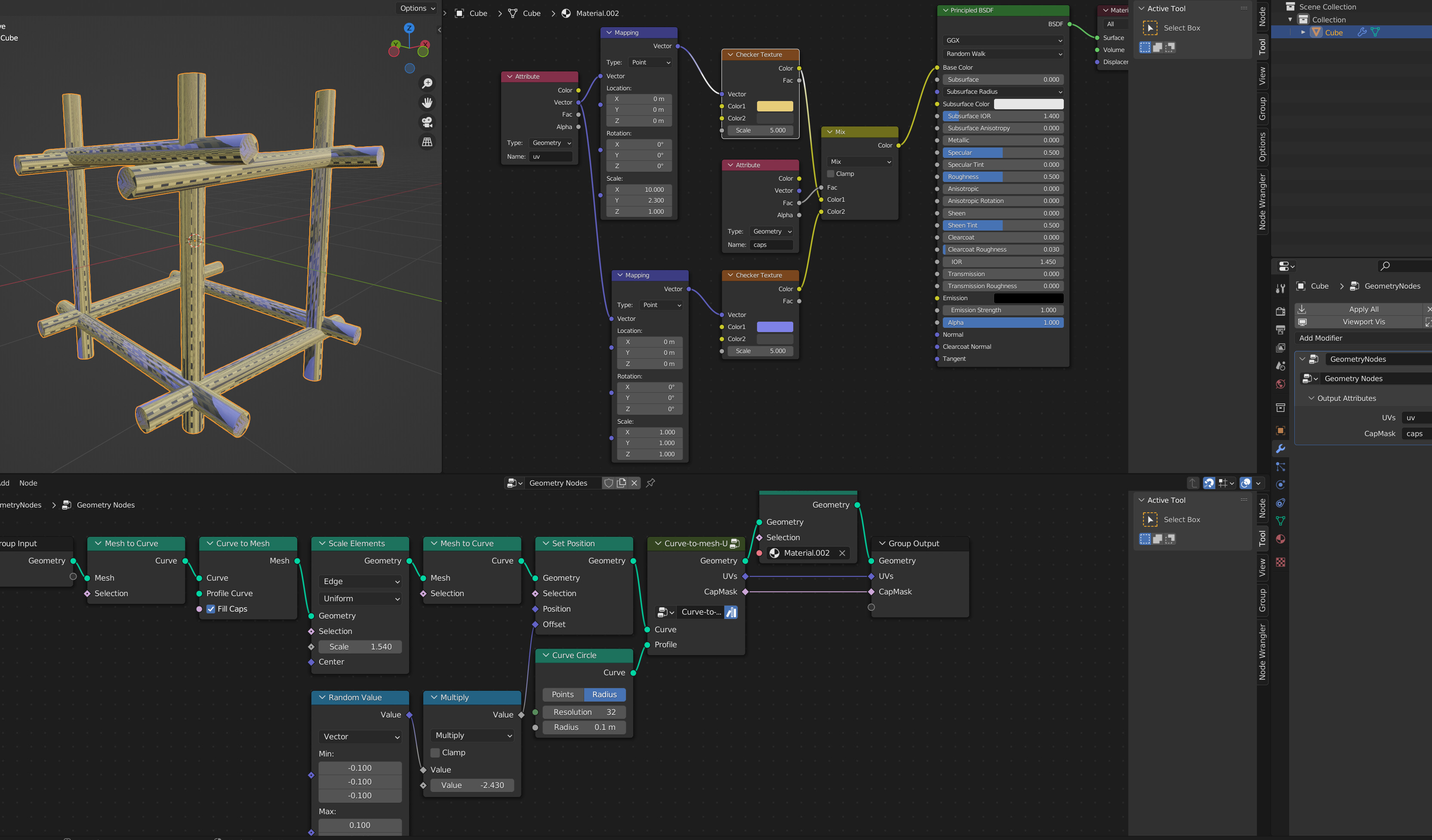
Yes, one easy way to do that, is to convert the curve to mesh without a profile, and use a scale element node, then convert back to curve.
Seems a bit cumbersome to use 3 nodes for that but at least it works and it’s simple to do.
All that should append before the final curve to mesh !
Thanks sozap
Perfect / Amazing ! 
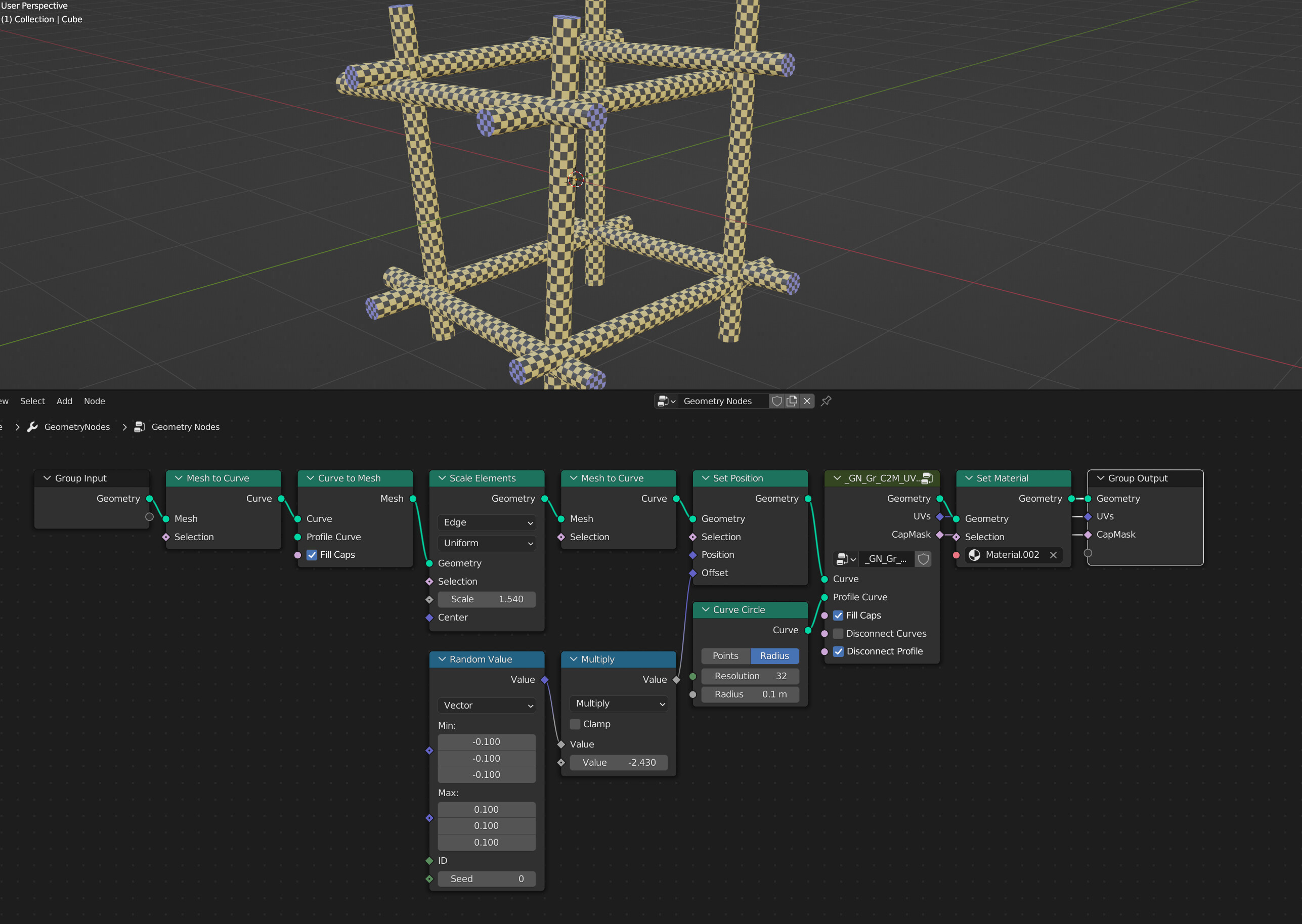
Then I’m using a complex node setup to get the UV right (without the bad uv connection between 0 & 1)
I found it here : https://blenderartists.org/t/curve-to-mesh-with-uvs-node-group-for-blender-3-0-geometry-nodes/1362714
But this setup splits the caps to separete mesh, but I would like to keed the caps attached to the cylenders.
Do you know a way to do that ?
Thanks for your help
There is an update later in that thread:
Does not disconnect the caps…
Good luck.
Be careful if you use end caps in combination with delete geometry  T97831 Crash Geometry Nodes (delete geometry & curve to mesh) (blender.org).
While the issue is located and a fix has been made it is not yet implemented in official release.
Yeah, sorry, forgot to mention that you need to set the output properties in the “group” tab to have the Attribute Domain set to “Face Corner”:
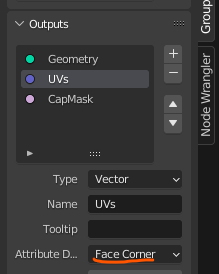
…same for CapMask
Good luck.
Thank you !
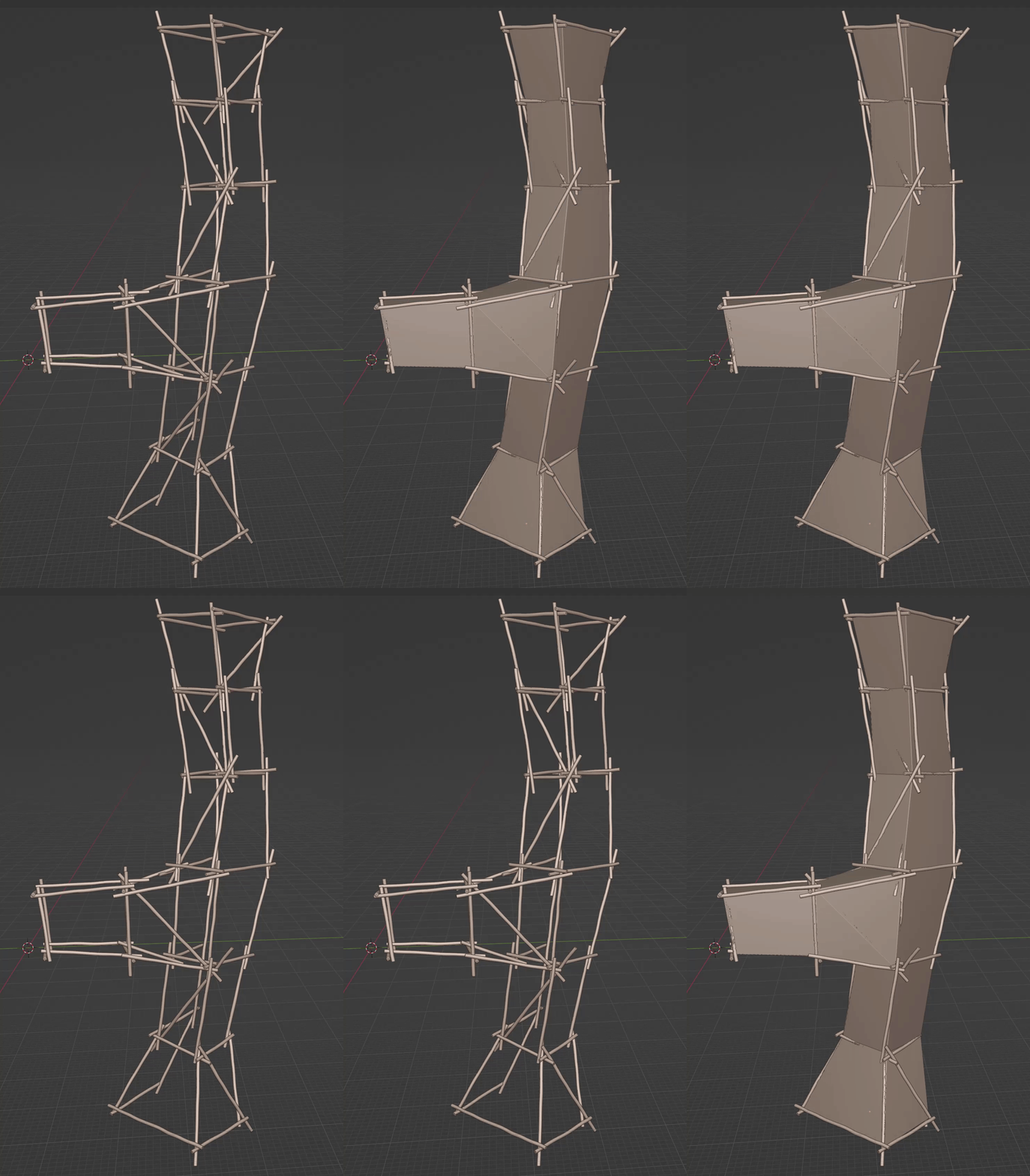
Finally, I almost make what I was looking for with geometry nodes 
So based on a simple mesh I could create a complex structure with wood logs BUT I had to adjust the logs manually to avoid mesh collision in the intersections.
My goal was to create automatic randomness on the logs (variations on shapes, length, position, …) and then apply the GN to many simple mesh to create big structures of wood logs.
What should be great is to include a kind of collision detection.
Now I’m working on a system to generate ropes in half-automated way (almost done).
The ropes will be generated with GN with spiral curve since I could not create better ropes with GN
And then I will simply position slide the knots in the right position with exposed values
Like this: