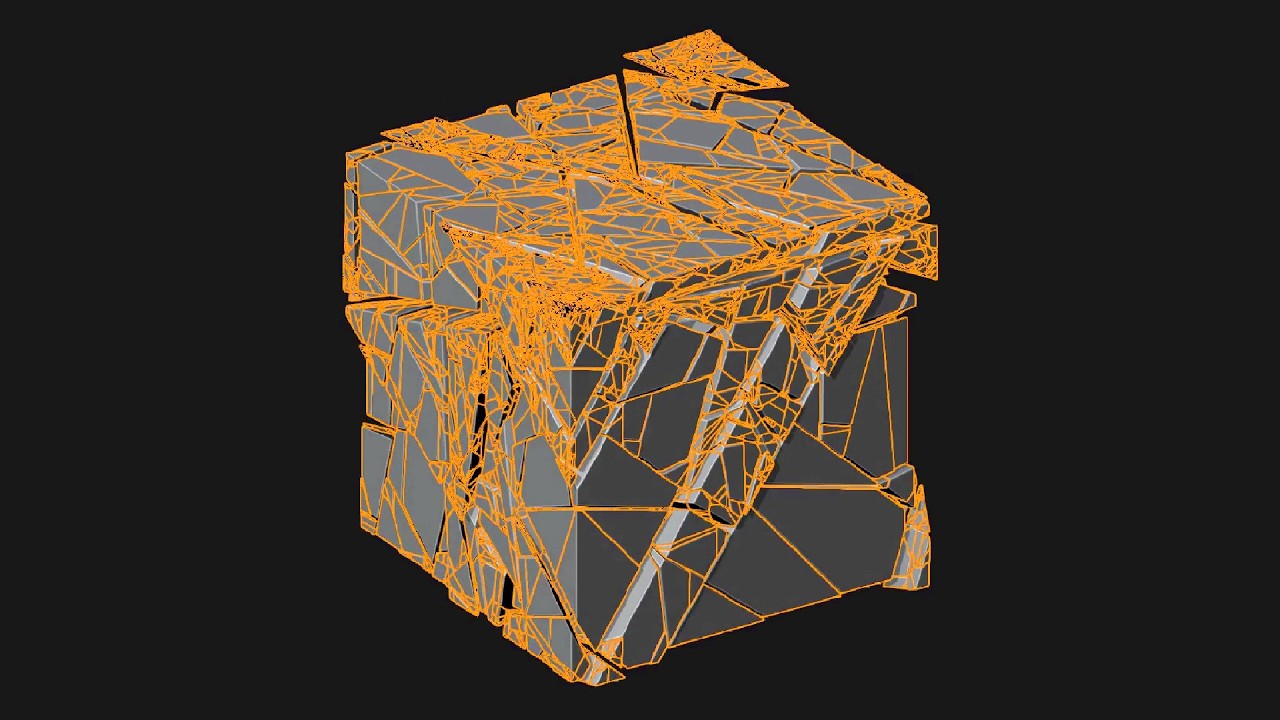
Hi. I used Geometry Nodes to scatter some basic CUBEs in a given space… Beneath that space it is a floor plane… How can i do that, when the floating Cubes hit the Floor get broken in pieces and the pieces disappear in a given time?
Here’s a reliable way to keep the cubes intact in the air and have them shatter only on contact, then fade:
Make the cubes real first. After your scatter, add a Realize Instances node (or apply the GN modifier) — Rigid Body and Cell Fracture both need real geometry, not instances.
Pre-fracture each cube with the Cell Fracture add-on (Preferences > Add-ons > “Cell Fracture”), but hold the chunks together with Rigid Body Constraints set to Fixed + Breakable and a low Break Threshold. Each cube then behaves as one solid block until the impact force passes the threshold — so nothing breaks mid-air, only when it hits the floor.
Floor = a Passive rigid body. Bake the sim (cache or Object > Rigid Body > Bake to Keyframes) so the timing is stable.
Fade the debris: a set number of frames after a fragment first collides, lerp its Scale down to 0 so it vanishes — easiest with a small per-fragment timer (offset per chunk) driving Scale in a GN graph or a driver.
If you’d rather stay fully in Geometry Nodes with no Cell Fracture, you can fake it: swap the whole-cube instance for a pre-split “broken cube” collection on the frame its Position crosses the floor height, then push the pieces apart and scale them out. Cheaper, less physically accurate, but loops and art-directs nicely.