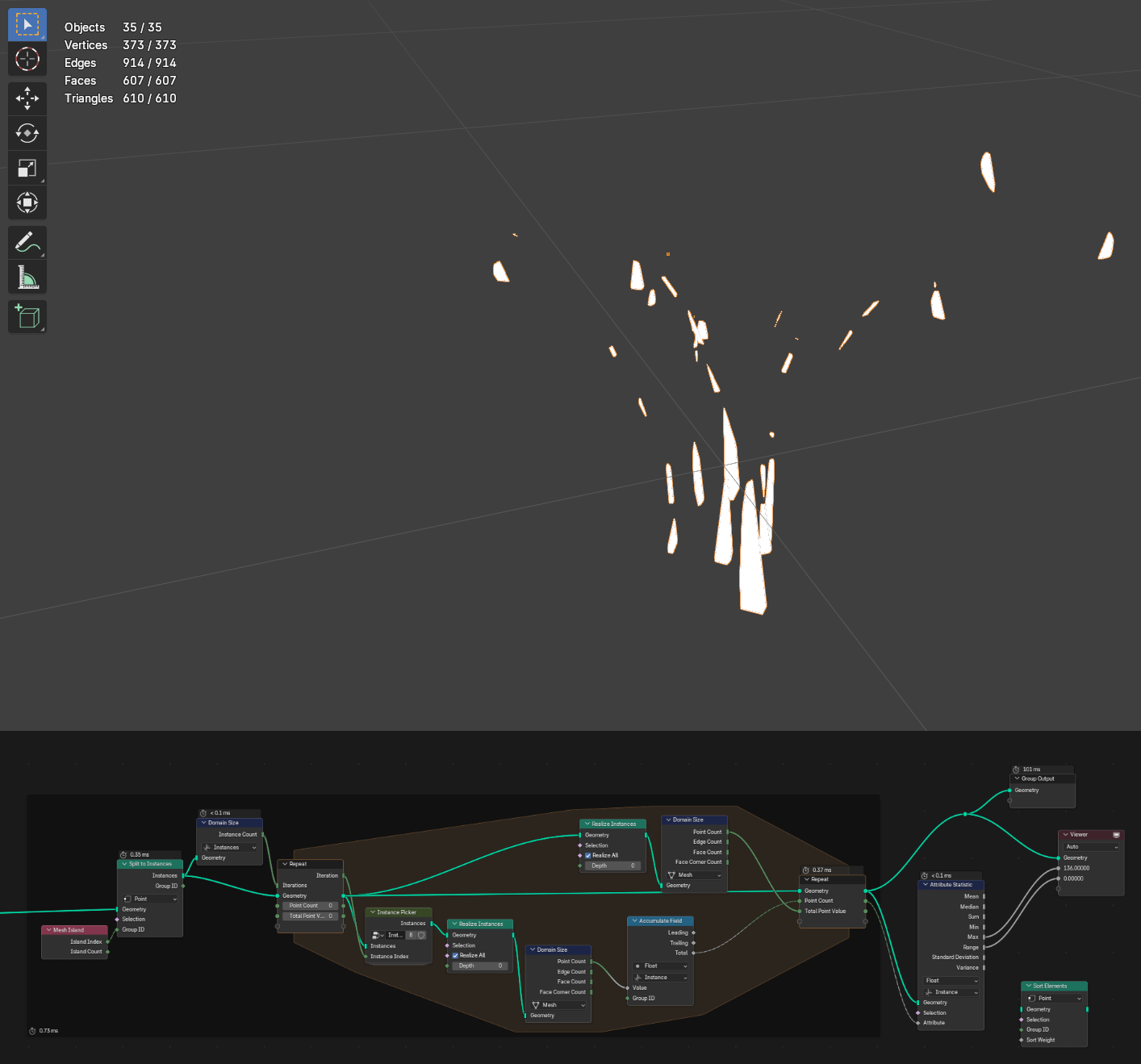
I am trying to take a set of geometry and sort the mesh islands by their vertex count. I started by making each island into an instance, so that I can easily sample each instance based on the loop iteration number. I am able to view one instance at a time by connecting the viewer node in the middle of the loop, and it seems to function perfectly, where I can preview the number of vertices in that specific instance.
The problem here is that I don’t know how to combine the single samples from each loop iteration. If the loop can output a list of each island and their corresponding vertex count, I was hoping to use this as an index to sort the mesh islands. Then I would be able to delete any number of islands based off their ranked index (for example delete the 10 islands with the fewest vertices).
The screenshot shows a statistic node, showcasing that the ‘Point Count’ is a single number, not a field. This is what I need help with, unless somebody points out that I am going about this all wrong.
For extra context this is part of a larger node group to make a procedural proxy for high poly models to use for scattering. This specific model is some grass downloaded from Graswald’s free collection.
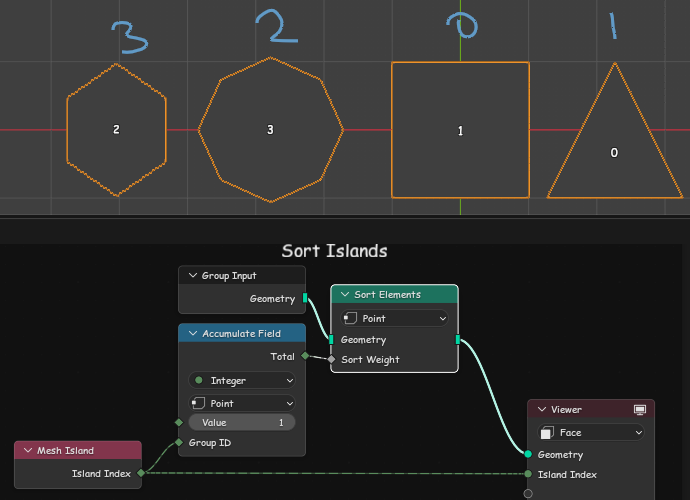
While I can’t, unfortunately, help you with your loop-related questions (because loops are hard, imo ), here’s a solution for sorting islands/instances:
use Accumulate node to count vertices in each Mesh Island simply by adding Value = 1;
sort points with vert count acting as Sort Weight - now points belonging to smallest islands will go first, then second smallest, etc;
new vertex order should result in new Mesh Island order.
Wow thank you! It seems that the simple solution is usually the best. I seem to have a hard time wrapping my head around the accumulate node, so introducing loops probably made it worse, especially as I was dealing with them for the first time.
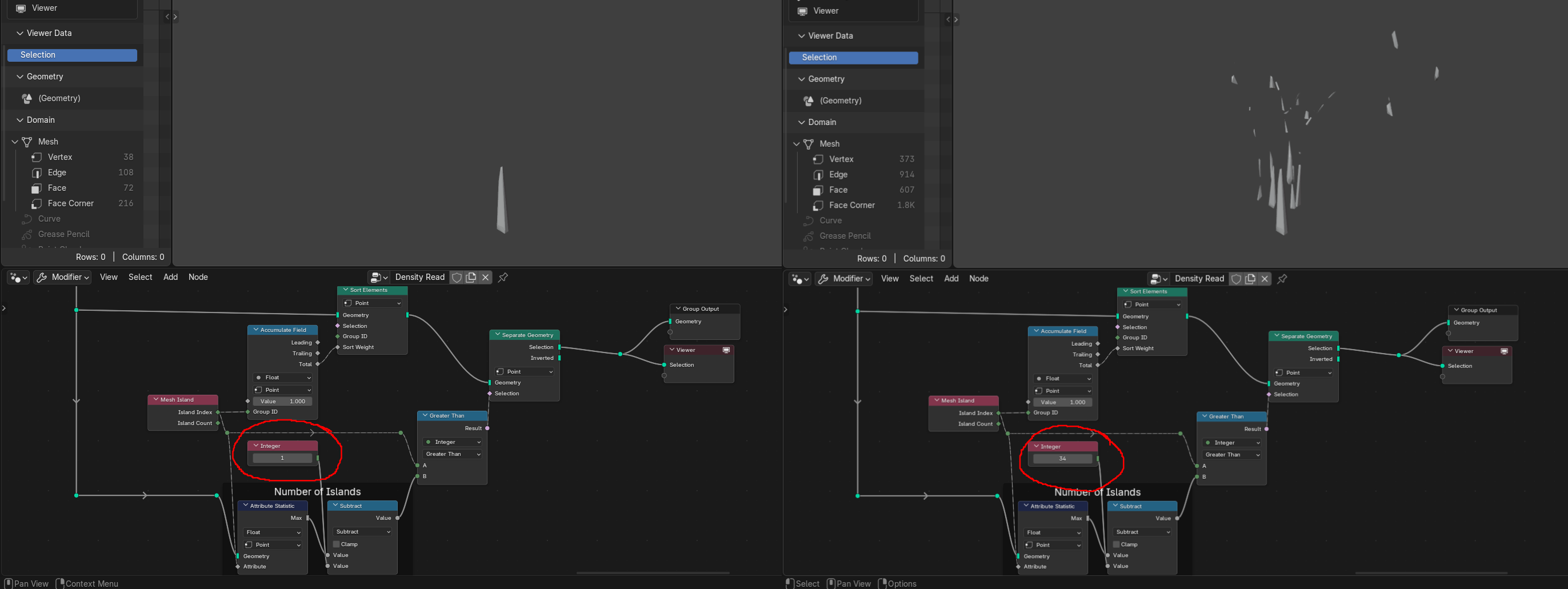
Here is the updated node group, where the selection of the first index is clearly the biggest, when compared to all 33 islands on the right side of the screenshot. Thanks for the help and I can definitely see this being very useful in the future as well.
Yes, “Accumulate Field” is less intuitive than most but as you get more familiar with it, it opens a world of possibilities
here you can invert the order of islands by either multiplying Accumulate Field: Total by “-1” OR setting Value = -1. The resulting vert count will be something like: -3, -4, -6… and so the weights will be inverted when sorting. In other words, the biggest will go first.
you don’t need Attribute Statistic to get the Island Count - Mesh Island Node already provides this information.
Of course, in my mind the island count is a field, which is not accepted as an input for the number of iterations in a loop. Seems that I just automatically applied this reasoning to something unrelated.
I made the changes to the accumulate field, so the sort order can be easily toggled with a switch.
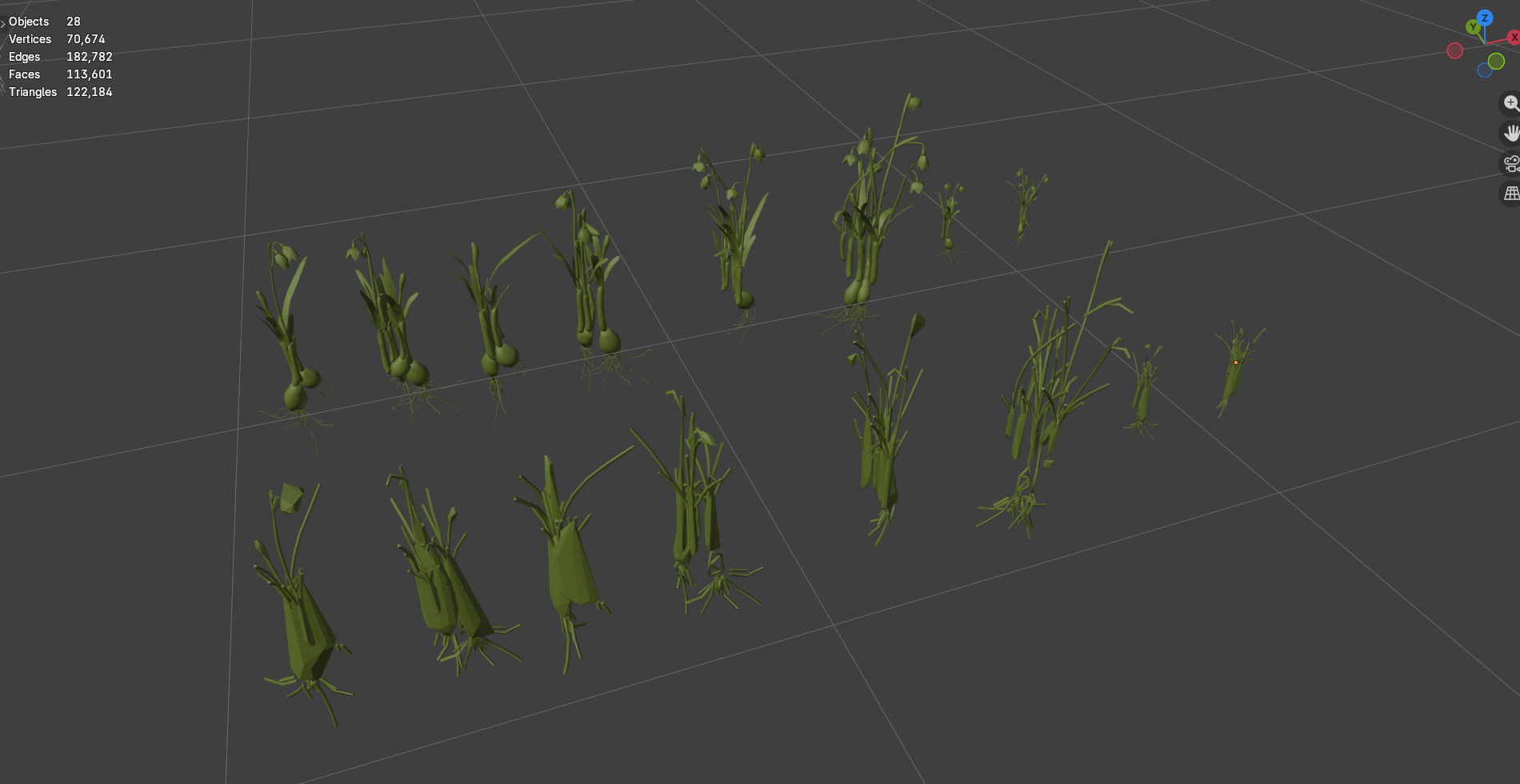
Here are results so far. A bit rough but it can always be refined later. This takes the poly count down by 10x and the assets at least seem to resemble grass (from 55k to 4.7k verticies across the entire collection,). I know its still a bit high poly to scatter across a landscape, but its hard to understand how plants will look in the render when the proxy just looks like a green rock.
 ), here’s a solution for sorting islands/instances: