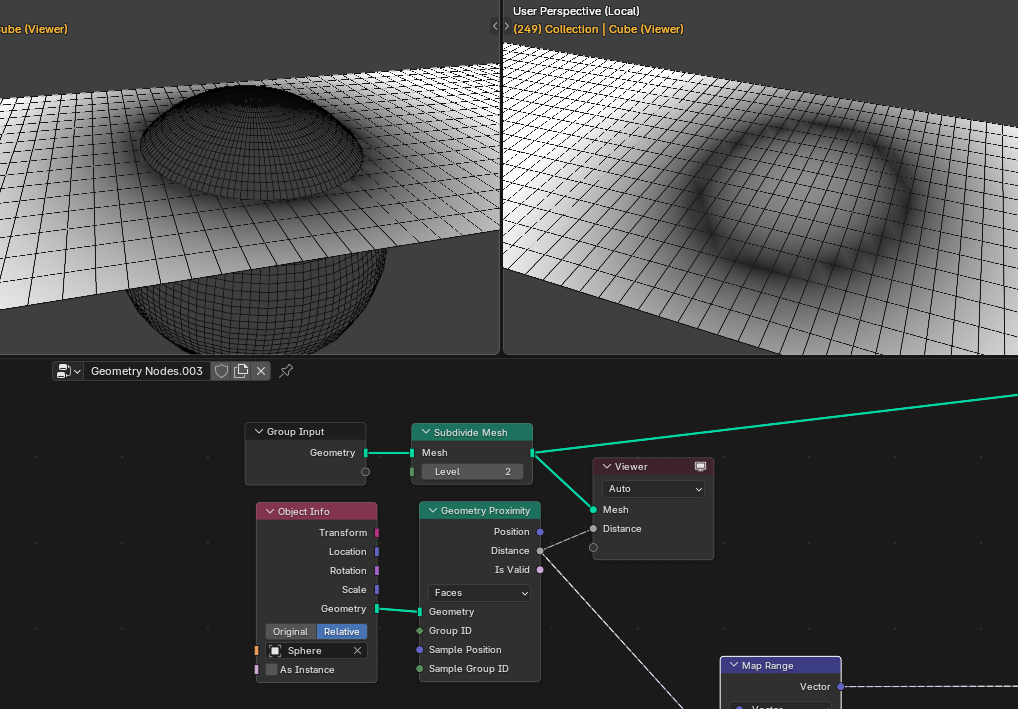
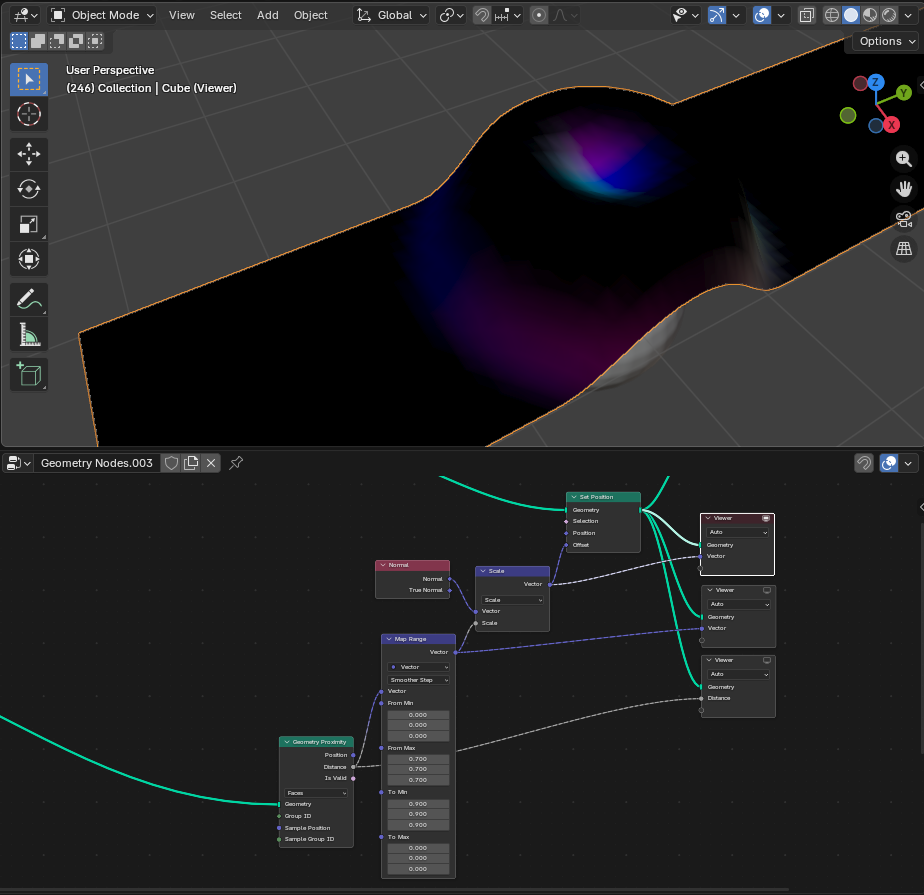
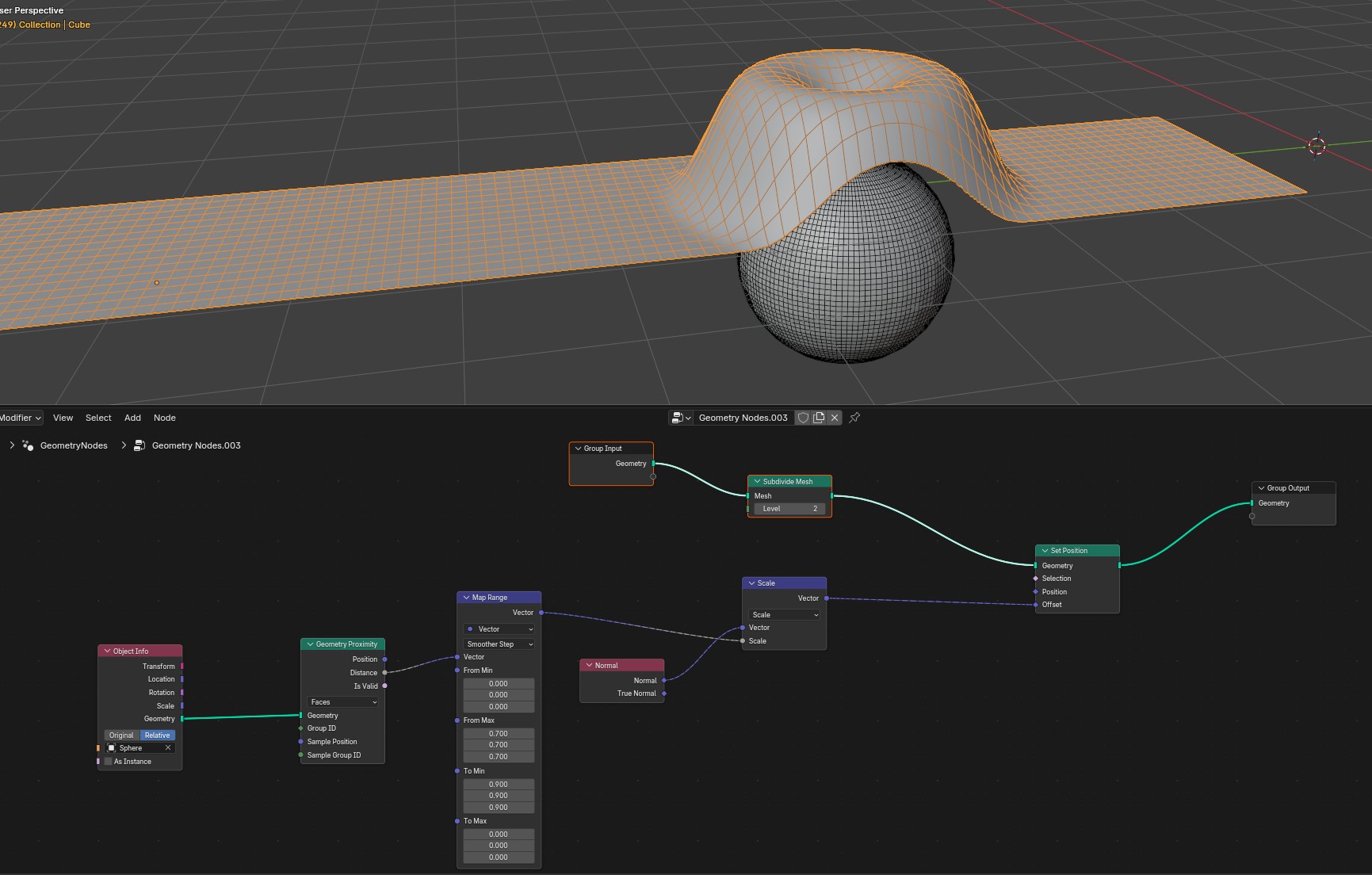
1- at the end of the animation i get a hollow into the plane. dont know why.
2- if i want to do that with this plane that has a thickness ( like a board) that GN does not work like i want. the normals at the bottom of the board move towards the sphere or overlap.
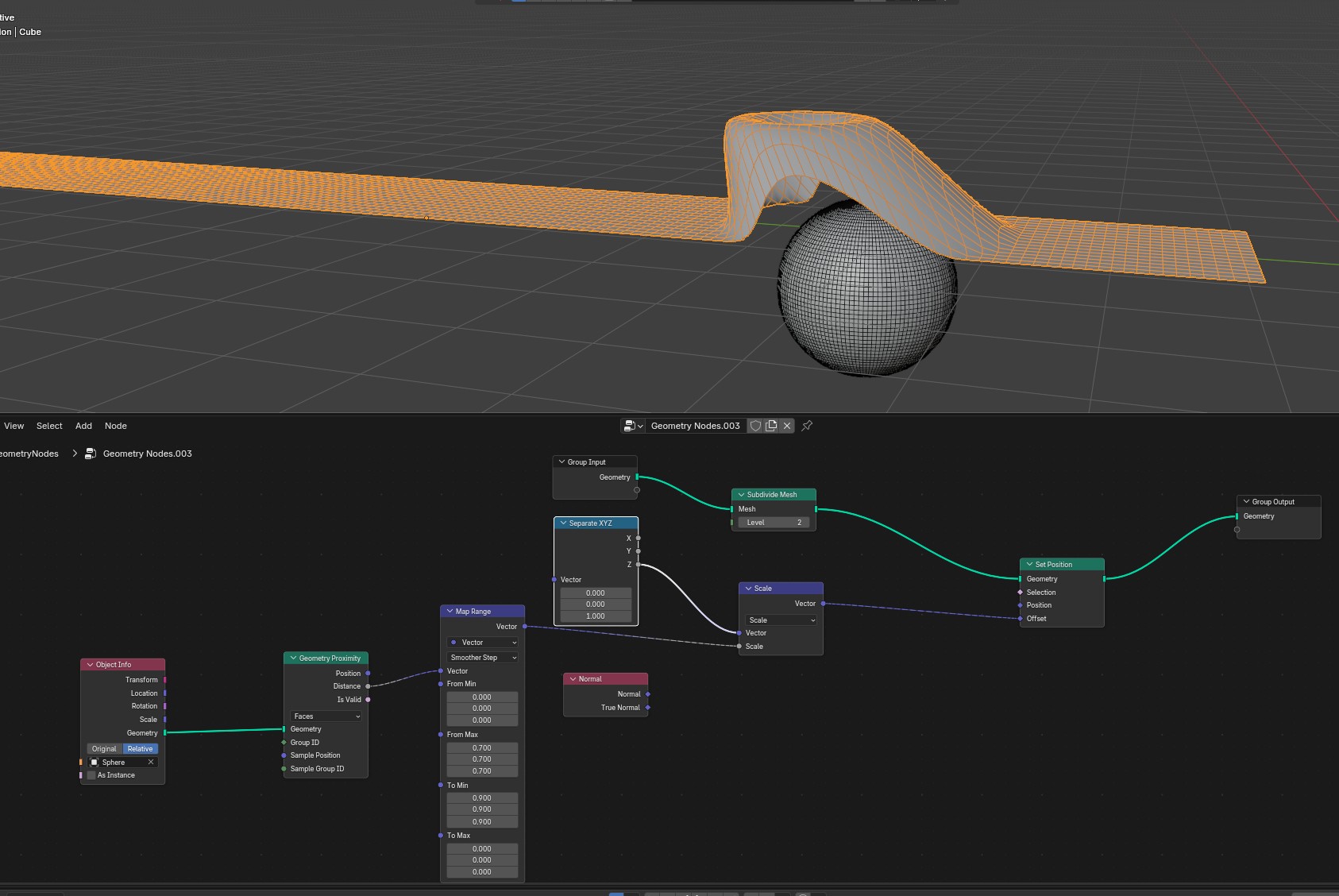
i´m really so bad in GN. hope someone can help me. i tried also a seperate xyz instead of the normal, but that also looks wrong
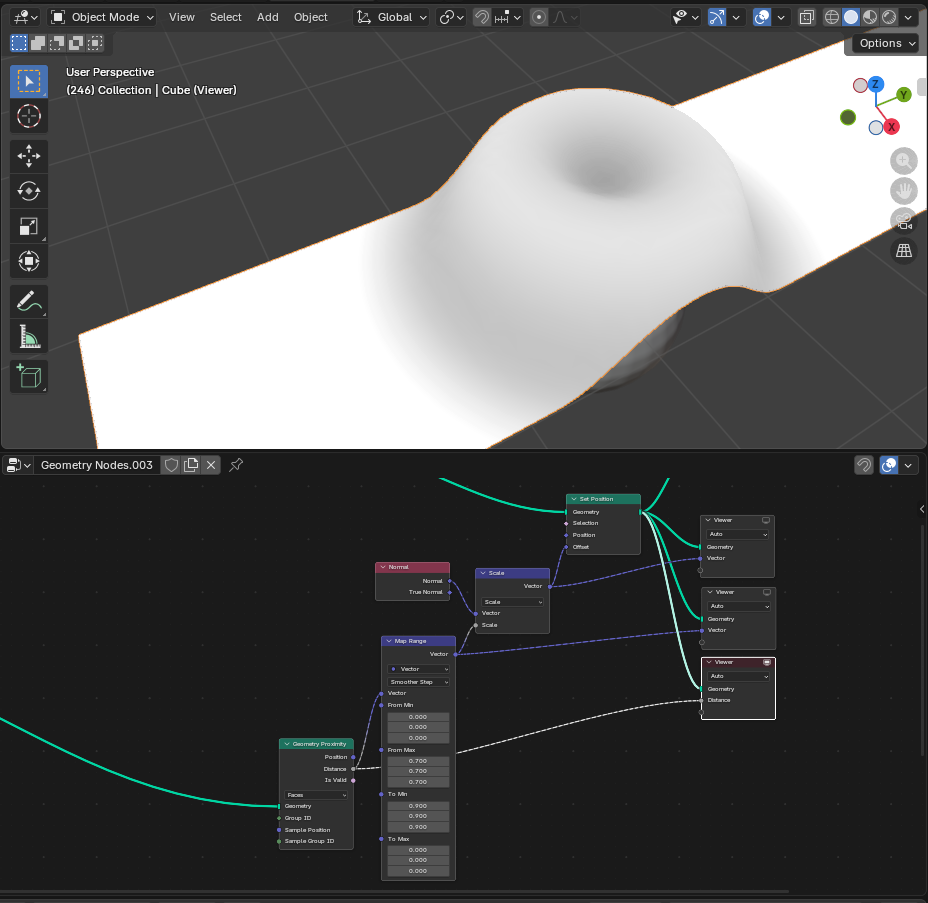
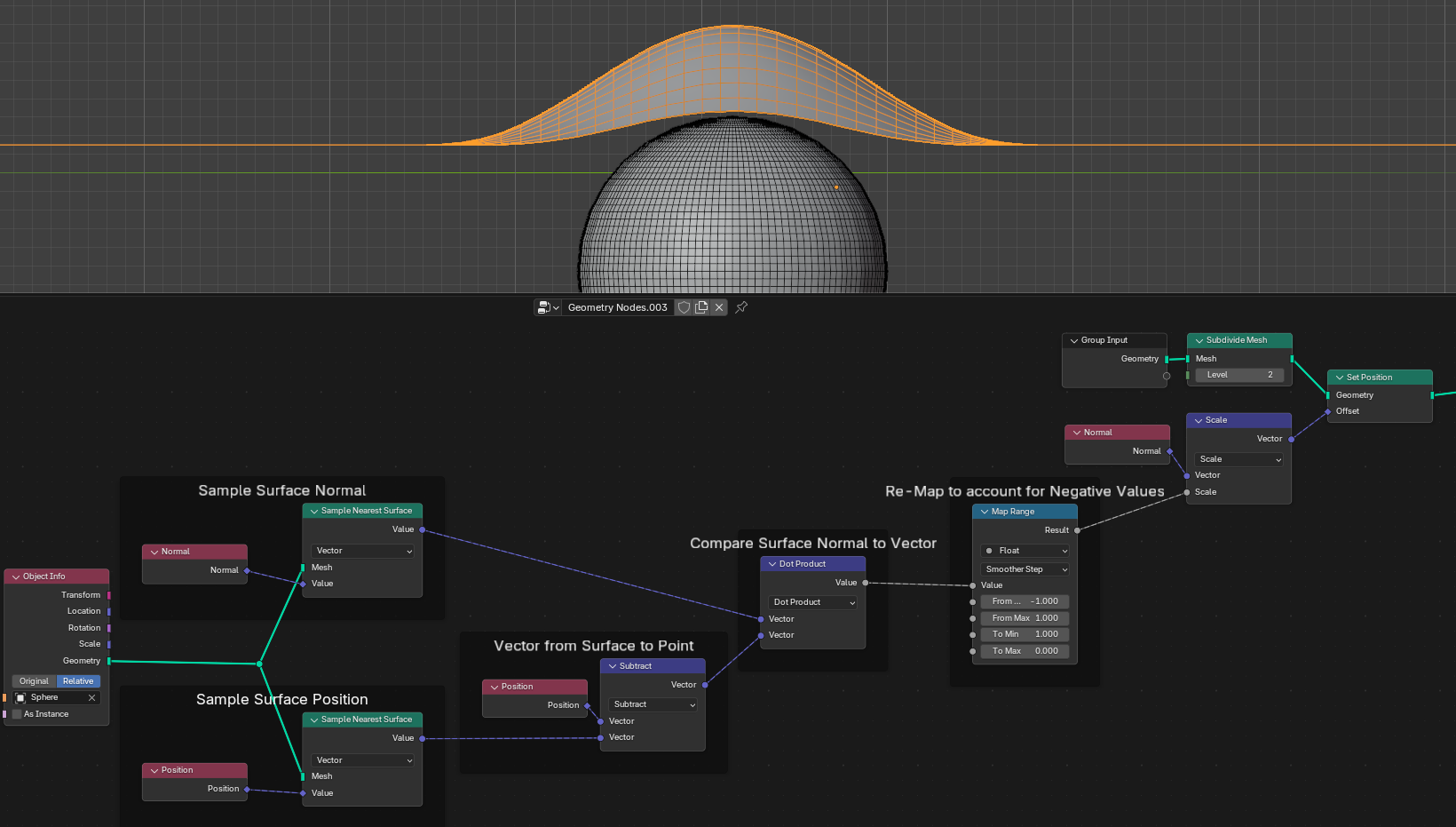
Note that Distance is always positive value. It doesn’t tell you if the point is inside the sphere. If you look at the distance attribute with Viewer node, you’ll notice that it paints a dark circle at points close to sphere surface. But points inside are getting higher (whiter) values.
So you need to find if the points are inside and push them out.
thanks stray, viewer in geometry proximity/distance shows nothing… if i activate the viewer, plane/board blends out…where to put the viewer, and how to see the circles ?
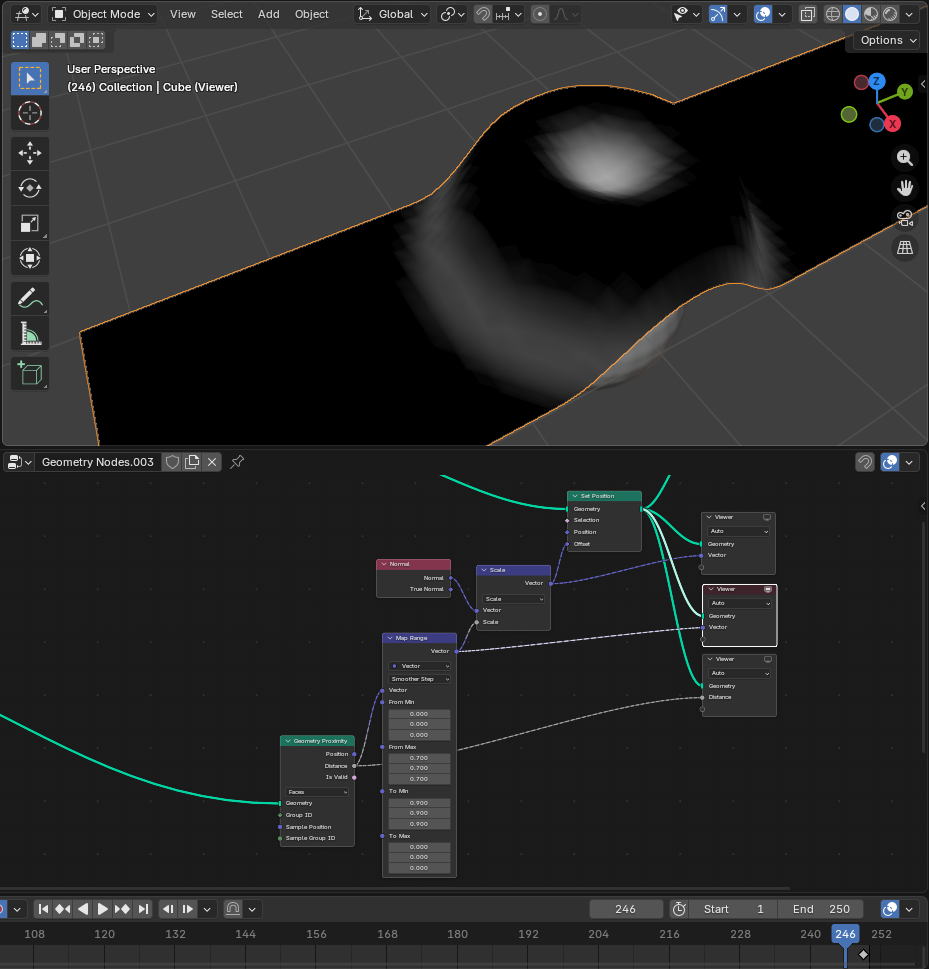
Put in Viewer 1. the mesh you read attribute from (at the moment when you read it - in this case right before Set Position) and 2. the attribute. Like so:
As you can see, the points inside the sphere are considered to be some distance away from the sphere. So the resulting offset is smaller than it should be and you get that weird dent.
Heh, well I’m sure someone somewhere already made an asset just for that. I’ve no idea how to find it though
Making a short deep dive to learn a little more might help to figure out which kind of tasks are easy and which are difficult in GN. Constantly looking around support and tutorials to see what people make and what issues they face can be useful as well.
The solutions are also very dependent on use cases. For example, if we’re talking of simply pushing away geometry as defined by your particular objects and timeline, this might be enough:
thanks a lot, i will look into that tomorrow at first. i corrected the headline and the text already, the initial pictures and the file had the correct naming “deflector” ! sorry for that, i recognized that half an hour ago.
so, i was able to replicate and now i have to look for some quiet minutes to even understand what you did…
then my target is to find out how things work for a board with thickness.
many many thanks for your time and help stray !
…one last question please…so…you have a plan in your head, but for that, i think you have to know exactly the tools you have available to choose from…so did you know all of them before you began to build the tree, or did you search for nodes you can reach the goal while connecting ?
There could be several approaches: you can add thickness after the deflection or instead of Setting Position along Normal, you can use Constant > Vector = (0,0,1).
But the particular approach depends on the true end goal, each additional condition might completely invalidate the solution, so you have to work from there
Mostly I just look for nodes as I go - you never know what a seemingly simple node can be useful for under specific circumstances, so it’s constant rediscovery for me. Of course, eventually experience makes navigation easier and you go faster. And if there is no node to do what I need it to do, then I re-adjust the plan to go around it somehow.


 Yes, I think you can edit your post by clicking the pencil icon to make changes