So, I’ve been trying to recreate this scene in Blender: https://www.youtube.com/watch?v=NmCPEWzjl-8.
Just the Godzilla part. I’ve had a couple of questions. How do I make it so smooth, like that? And how do I achieve that lighting? My biggest question (it’s 3 questions I know), is HOW DO I GET THAT SMOKE/FOG EFFECT? Another blender animator could do it, here’s a reference of their attempt for you to better think: https://www.youtube.com/watch?v=qOCyG712XoU
I’d prefer more of the movie, with the fog concealing the body till he turns around. Any advice could be used.
Do you mean the animation? If you want to get a fluid motion in a long tail, the secret is to offset the animation so it happens increasingly more delayed toward the tip of the tail.
You start by just animating the whole tail from pose A to pose B, then you go to the curves editor and you move the entire animation more and more for each controller across the length of the tail. The first controller near the base of the tail is not offset, then the second controller has its animation happen 1 frame later, the 3rd controller happens 2 frames later and so on, with the animation happening increasingly later as you go toward the tip of the tail.
The lighting seems pretty simple. It’s just a “sun” light for the main light source and some point lights flashing for the lightning bolts. The sky would be completely black so it’s only the light sources you manually added. The important thing is that the smoke is interacting with the lighting and this is what makes it look impressive.
The materials are also important. Godzilla himself has a detailed roughness texture that’s adjusted perfectly to create nice shine variations from the light.
I would do it in 2 parts.
-
A slab of volume in front of the camera. This one is just a volume material with a subtle noise texture. Its density would be rather low, just enough to create a mist.
-
A smoke simulation surrounding Godzilla, emitted from his body and the ground around him.
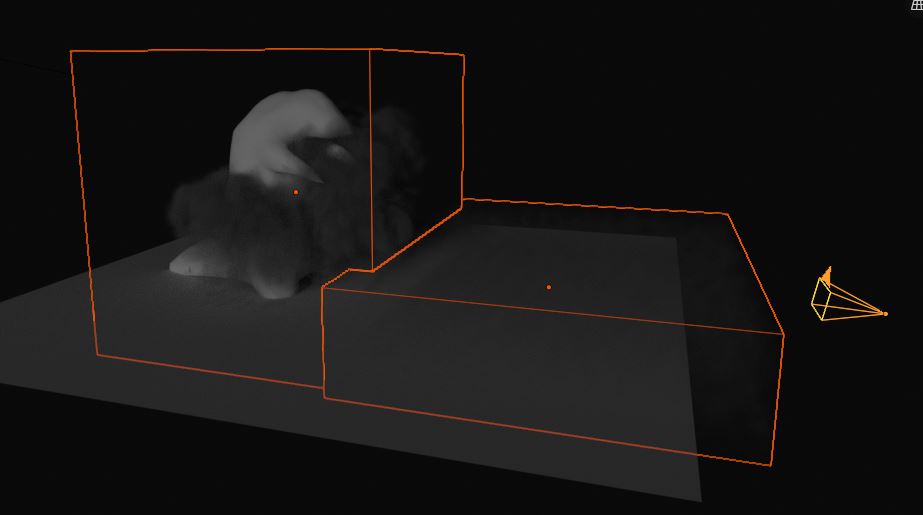
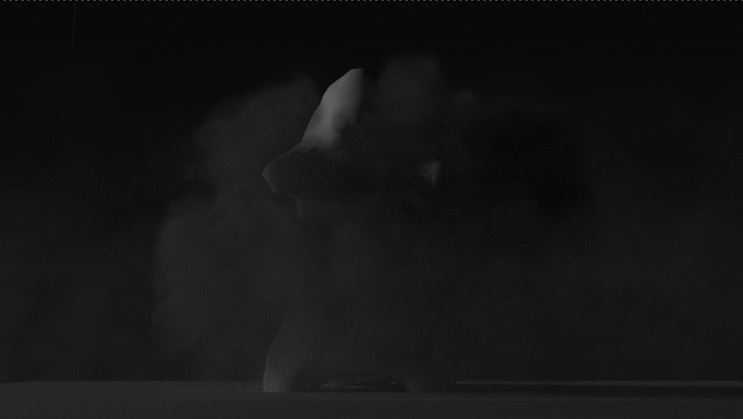
Could you tell me how to create the lighting and smoke, as I’m a rookie in those sections? Thanks so much for your advice btw.
Also, how would I make the smoke part to reveal godzilla?
For the lighting, you could just place a “sun” light in the scene, rotate it so it’s coming from the left, then adjust its strength. It’s that simple.
For the smoke, well this is going to be complicated if you don’t know anything about smoke sims. I cannot explain an entire chunk of Blender in a comment like this, you would have to follow tutorials.
Don’t expect to be able to make smoke that complex quickly, this will require some learning, practice and tweaking to get nice results. Some artists make careers out of it and the person who did it in the movie was surely an expert in smoke sims (and had better tools than Blender has).
I can give you my quick test scene, though that’s going to be of limited use.
volumes.blend (966.4 KB)
There would be smoke already present at the beginning, then Godzilla would advance through it.
I’ve done 1 smoke simulation, for a rocket launch if it helps I might understand it.
If you already have used it, that does simplify things.
In this case, the fact that there is no fire involved does make it easier, as the basic smoke settings will be somewhat close to what you need. I would just create a bunch of little inflow emitters on the ground and let their smoke rise into a curtain (the exact rising speed might need to be adjusted from the default). The actual render would start at maybe frame 100, so there is time for the smoke to fill the space before the anim starts.
Godzilla himself would be a smoke collision object and would advance through the smoke. This might already look good, but some emitters could also be parented to him if necessary to replicate the movie’s look.
In my test scene, I used noise and adjusted its size so it makes nice swirls. If you use noise, you can’t use adaptive domain, as the 2 bug when used together.
I didn’t try dissolve, but it might be needed if the smoke accumulates too much over the whole animation.
So. Inflow emitters, collision object and partnering. Got it. 3 tutorials to watch.