Hi,
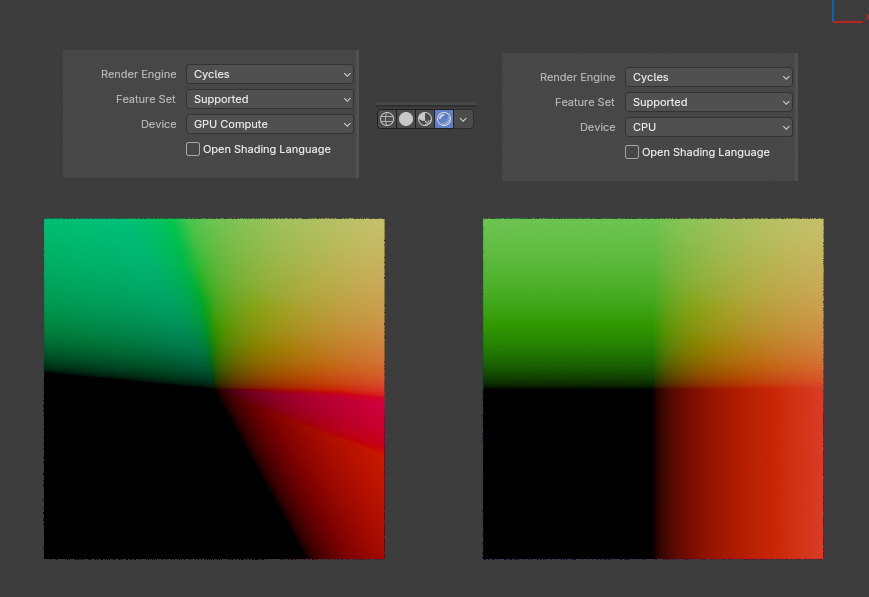
I have a problem with shading in Cycles on GPU enabled.
Blender: 4.2 (same with 4.0)
Why colors are presented incorrectly, whereas on CPU it looks good?
GPU:
CPU:
I dont have 4.22 installed, but tested it under 4.2.1. and 4.2.3 aswell as the current 4.3 beta. Couldnt reproduce it anywhere, not for cycles cpu nor gpu mode. Try updating your blender version first otherwise update your gpu driver.
What GPU do you use? I dont have that at all.
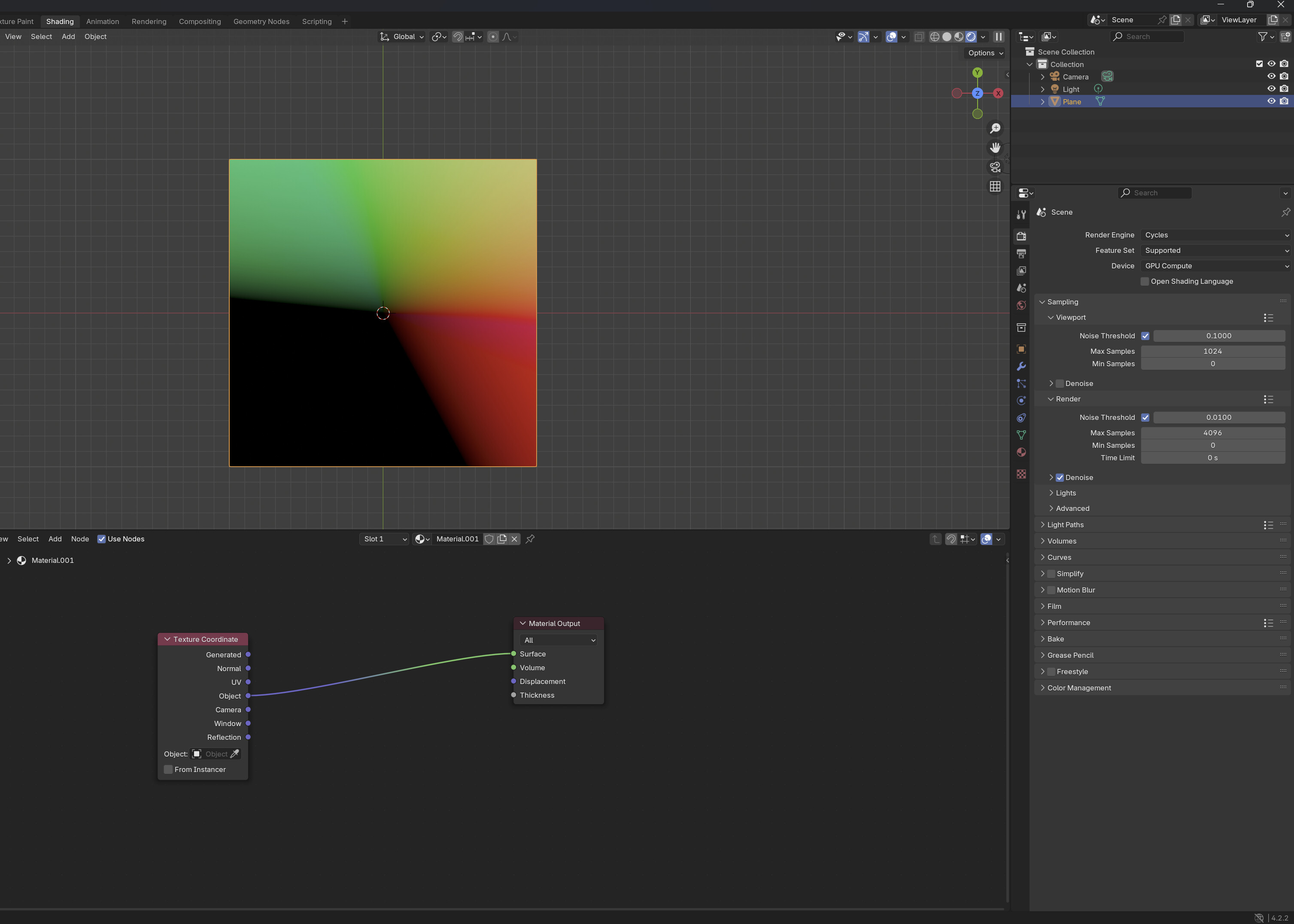
That’s just the result of the ViewTransform in the color management settings…
Setting it to Standard instead of Agx, shows the correct result.
It’s just how it happens when trying to use a vector as a color.
In the renderer, the vector is still used as it is, and any calculation will work correctly… The color transformation is only done in the end.
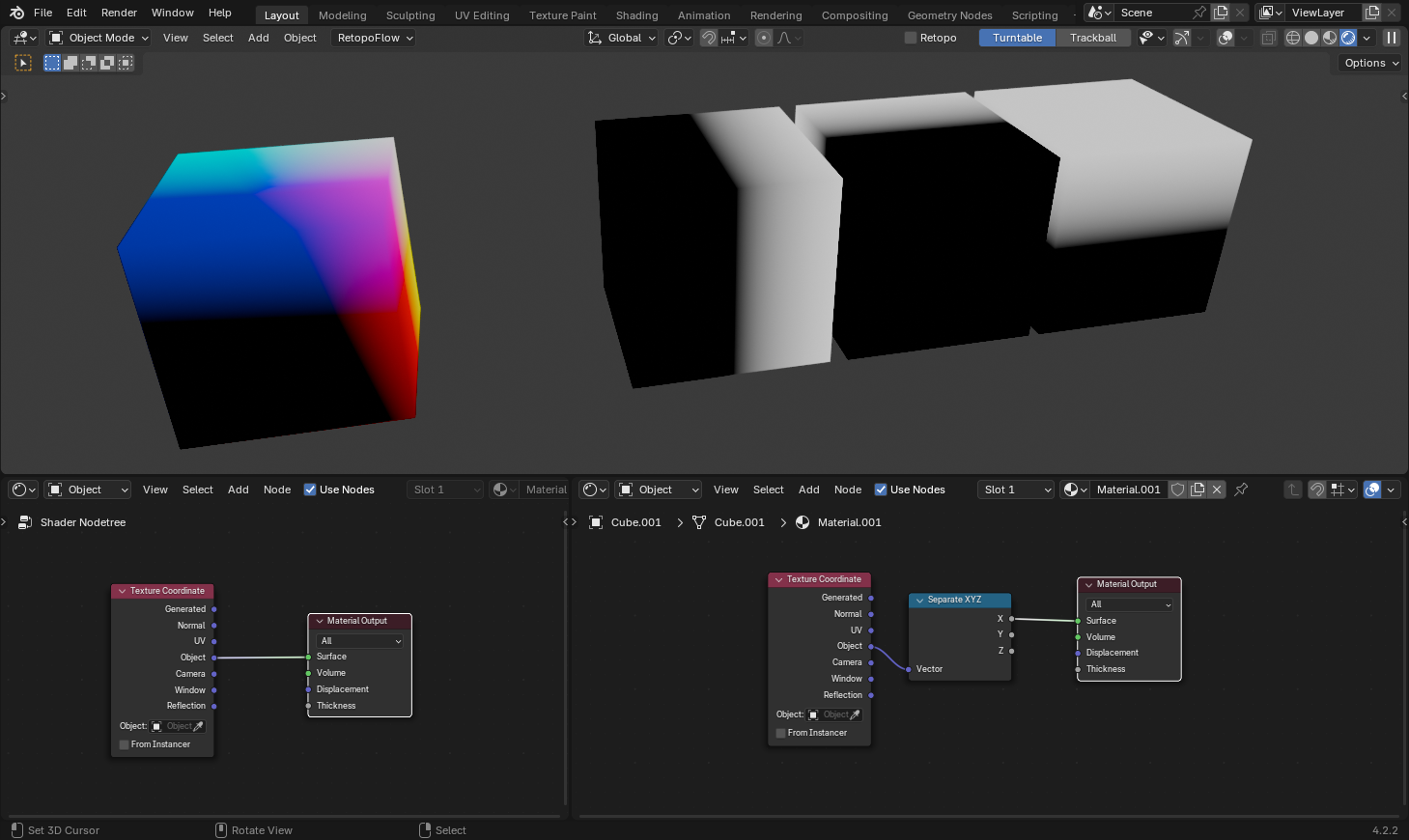
If we split the Object vector into each separate channel, it will show that the 0 in each axis is still aligned:
Are you using an NVidia card?
I’m using an AMD (HIP), and the result is as it shows in my previous post…
(I’ll try update the driver, just in case)
Yeah a 4070 Super, maybe its that.
Driver updated and it still happens… I’m very inclined to think that this is just a problem of the color management transformation in AMD chips (not from the SVM part, at least).
If I have time later, I’ll check the source code.
(btw, tested here with 4.1, 4.2 and 4.3)
Just tested it on another system with an AMD GPU under 4.2.3 and yeah there its happening aswell
For me I get the wonky one on Blender 4.2.1 but not on 4.2.0. Only on GPU and with AgX. All other View Transforms work fine.
RTX 3090
Edit: But in 4.2 it only displays correct in viewport. F12 Render makes it look wonky as well.
In my case it’s rtx 3050, and yep - with the color management set back to Standard, colors are displayed good.
Ok, this is weird.
If you F12 render under AgX it looks wonky until the render is finished. Then it suddently snaps into looking correct.
But if you do not wait until the render is finished and cancel the render the image will remain wonky. But if you then set the view transform to standard or Filmic it will snap back to normal.
Use GTX 1060.
I think @Secrop is right.
Changing to Standard resolves the problem. 
Ok, but still - shouldn’t results be the same from CPU and GPU, even with AgX?
 Not the same, but also not like this, yeah.
I get the same as Lumpengnom in final render flips back to normal at the end. Also CPU good.
So the problem is only in viewport and during render, as if there is a missing calculation until final render is finished (also viewport problem even when finished)
Yes weird 
How does this affect a scene or even just how an obj is rendered, e.g.
a dragon or Suzanne on a plane?
What should we expect if it’s rendering correctly or not?
Many of us probably wouldn’t recognize the problem.
Can you give us a blend to test CPU, GPU, AgX, etc?
Just a plane in top view?
Thanks! 
(Blender 4.2.1 LTS, RTX 3050 ti laptop gpu)
Dude, it is two nodes to set up. You can even keep the default cube instead of the plane.