Hello. I transfered modifiers (ctrl+L) between fur-Assets. Both the mesh and the curves where different.
I removed all referals to the old mesh, where possible.
But there are still 3 problems with that.
One can be seen in the screenshot: hair interpolation is a mess.
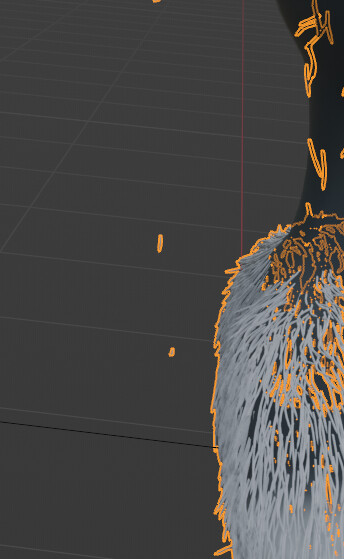
The second one:
When placing a new haircurve in certain places around the back of the model: They don’t interpolate length and shape correctly - they also dont snap to the surface when i am in hair sculpt mode in certain areas.
modifiers of the hair:

For testing purposes, I deleted all other modifiers. no difference.
hair curve attributes:

“B_Body” is correct, “UVMap” is also correct.
“B_Body” contains no animation data or shape keys.
UVMap is a clean, new UV with no overlaps.
Any ideas what is missing?
Even When I remake the interpolate modifier, it still messes up.