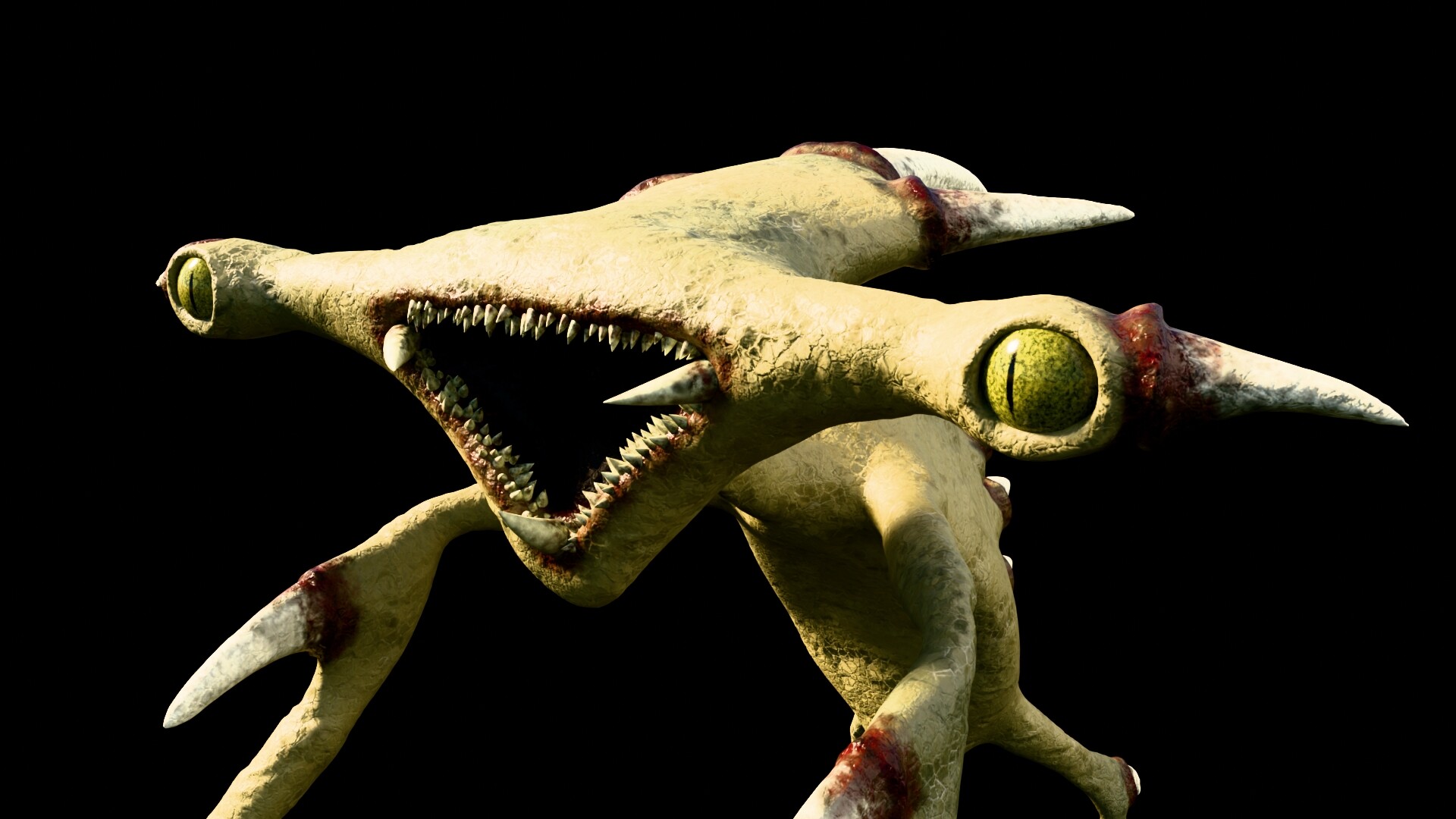
… and I would like to know how do you guys handle sculpting a complete character. Do you leave this “bad topology” or do you do “re-topology” in some way … and in this case … how you do re-topo-ing such a monster ?
Thanks in advance for your answers … and best regards,
Dennis
Except for a single model that I use for 3d prints that I rigged for quicker posing where I just resculpt any bad deformations and never need to animate it, I retopologize my sculpts before rigging them.
I start with a single plane, use a shrinkwrap modifier and snapping to keep it close to the surface of the sculpt, and then extrude from there, adding loop cuts as needed. Occasionally, during the process, I’ll duplicate the shrinkwrap and apply one. If the model’s symetrical I’ll use a mirror modifier too, to cut down on the amount of work I have to do.
If you want to animate the cool characters that you make, such as this one, you will eventually want to learn to retopologise, this can be difficult at first but is worth knowing because it affects rigging, texturing and deformation of the character when it is animated. There are a few ways of doing it. I usually do a medium level detailed sculpt, do a retopo on that, then use the multires modifier of 4 or 5 levels to sculpt all the details which you can then bake to a normal map. But there are other ways to do it too.
Thanks for sharing your workflow, i think I’ll give it a try and do my best to make a retopo in this creature, with all the stuff in mind you guys mentioned, thanks a lot. Sculpting and rigging is kinda new to me. This will be a interesting new stuff to learn.
In the end, it really depends on your end goal !
The general workflow that is used in animation / VFX / games is indeed to retopo your models.
If you want to learn that , maybe start with simpler models like an human face, a hand … So you can refer to existing good examples of a topology… retopo is something that is likely covered in tutorials also…
The most important to learn is why you would need to lay down a new topology in a particular way. Why it’s important to use a proper topology rather than the sculpt ? Then what is considered a good topo, and why…
Then it can be easier to go back to your model which will requires a bit of thinking to come up with something appropriate.
Lastly, while most of the time making topo is part of the workflow, you can also work like an illustrator / concept artist. Where the end goal is get a final image in the fastest way possible.
In that matter you might not need retopo even for simple animation. In your case you made a pose without further issue. Making a retopo at this stage might not add value to the image if you don’t want to push it further…
In the end, if you want to learn all aspects of 3D, or you plan to work professionally that sounds like a good thing to learn. If you just want to have fun being creative then I’d say you might just do what you’ve done here until you really feel a need for a better topology !
Thanks for the detailed answer and advice… Ok, then doing a retopo depends on what I want to have and to use it for … still image, small animations, complex animations, close-up shots, etc.
Your guys comments helps a lots to think about such things. Thanks.
The image titles are somewhat controversial, anyway, the first one is what people would expect from a retopo and this would allow good facial deformations and expressions as well as a proper texturing through UVs.
For effective rigging and facial animation the 2 others are going to be difficult to work with.
But, say I don’t need to animate the face, and for texture I can go with texture paint in 3D or else… Then maybe I can skip the retopo and work with the model right away. Those kind of topo could also work for body animation even if it’s not ideal.
Skipping retopo could save some time on occasions, and in your case, maybe that could allow to keep focusing on sculpting and creative stuff, and at some point if you feel the need for a cleaner mesh you learn retopo…
Thanks for answer this detailed. I guess I got a good view now on how to handle topology and when it’s needed and when not, depending on the goal I want to achieve. Sometimes it’s necessary, sometimes you can get away with a what you have to save time and focus other things.