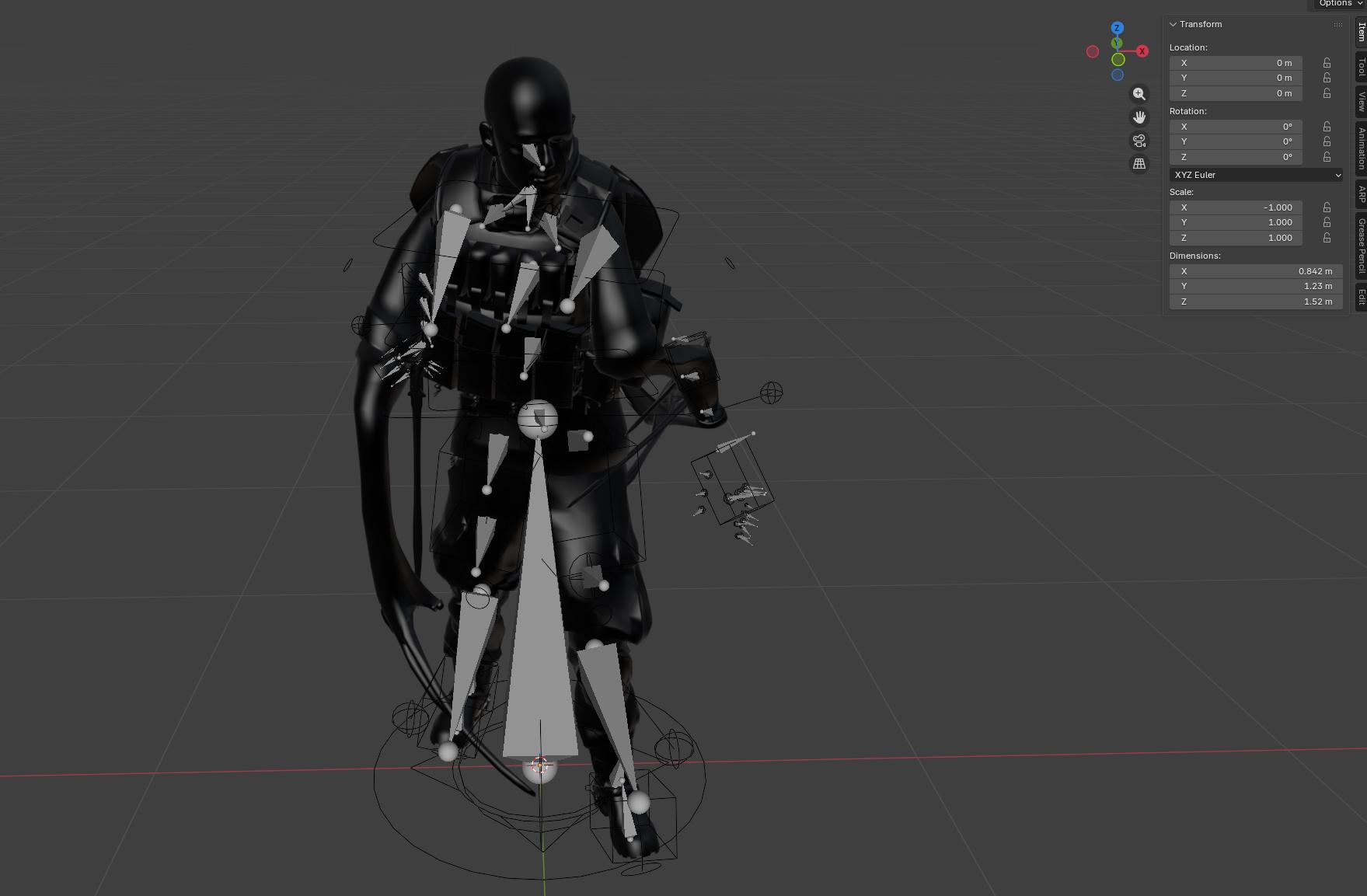
Hello dear Blender community! I am relatively new to Blender so please bear with me for making terrible, horrible, embarrasing mistakes or not understanding something obvious. 
So here is the situation. I have imported a mesh with a skeleton into Blender, everything was fine, I then autorigged the skeleton with auto rig pro and everything was also fine for the most part, and then just for the sake of fun, I wanted to mirror the torso of the above shown model (the torso is a separate object, there is also the head and the pants) by scaling the mesh to -1 on the X axis and this was the result I got. I tried doing the same thing for the original skeleton (no result) and the auto rig pro skeleton which also resulted in terrible warping. I tried most of the Google result advice such as applying All Transforms and the result is the same. Removing the auto pro rig and then mirroring the original skeleton works like a charm, but i then lose my animation keyframes that I had in the auto pro rig.
My question is, am I missing something simple and obvious and is there a quick fix to this or I am pretty much out of luck? The mirror modifier for the torso mesh also didnt help, the guy on the picture ends up having 4 arms lol.
Thank you for any advice guys!