Help! My blender is lagging or crashing a lot. How do I fix this?

Been using the self taught method with blender to learn how to 3D model for a few years. I’m currently working on the most complex art project I’ve done at my skill level. I’m designing a space station.

I’m at a point now where my model has gotten so complex that blender is lagging a lot. I’m not sure if this is considered a crash because my blender doesn’t randomly shut down like you’d think in a “crash” scenario. Instead, blender just starts lagging. And the lagging is so severe that it’s difficult to continue to work on my art project. I think this may be a software issue not a hardware issue.

Here’s some basics of my PC’s specs so you know what hardware I’m dealing with:
OS: Windows 10 pro 64 bit (Version: 10.0.19045)
CPU: Intel(R) Core™ i9-10850K 3.60GHz, 3600 Mhz, 10 Cores
GPU: NVIDIA GeForce RTX 3090
RAM: 64 GB dual channel
Power Supply Unit: 1,100 wat 80 plus gold

Blender version: 4.3

Now here is a jpeg of what I’m working on:

What can I do about this? How do I troubleshoot this problem?

I did make sure that when I clicked on edit and went to preferences, that blender is using my CPU and my GPU.

I have had task manager open so I can monitor hardware usage whenever blender lags like hell and when that happens my CPU, GPU and RAM usage is spiking. And it’s when I’m doing something as simple as clicking/holding down my middle mouse button so I can look around my space station. Even worse when I’m actually manipulating a mesh.

Turn on “statistics” in viewport overlays to show the object, vert and face count.
There is a limit to how much geo Blender can handle, your specs are good so I suspect you have a lot of geo.

If you are into multiple millions then that is the problem.

You will have to optimize the model a bit.

A few things that can help are.

Make use of instances, if all those little solar panels have the same geo you can just have 1 of them and instance the rest (the same with any other parts that repeat). Instancing can dramatically improve things.

If your model is all one object, split it into smaller parts. It is not the same to edit an object with 20 million verts than one with 1 million (even if the other 19 million are still there in other objects).

If you are using subdivision lower the subdivision levels for viewport, (or disable them).

These are the first things that occur to me but there are more.

Thank you so much! I don’t think I ever heard of instancing, but that sent me down a youtube search rabbithole and found tutorials on how to instance, what that means, etc and it seems to be a 3D modeling technique meant to specifically avoid my problem.

I’m very excited about this because my art project of designing a space station from my imagination is a 3D modeling “exercise” I created for the specific purpose of developing my 3D modeling skills.

Thanks to this whole situation I’m now begging to learn how to instance.

Oh and here are my stats. You gonna want to sit down for this haha:
Objects: 78
Vertices: 106,172,328
Edges: 191,530,166
Faces: 86,174,863
Triangles: 210,526,574

Keep in mind this is not all one mesh. Like the International Space Station in real life, my space station is divided into modules which are collections of separate meshes. Each module section is in its own collection folder.

So for now I’m taking the gravity centrifuge rings (which are 500 meters wide from the inner part of the ring) and appending it to a fresh .blend file and experimenting with instancing to see how much I can bring down my stats for that part of the space station. Will move onto more sections of the station as I go on.

Hi, can you show a wireframe image of the objects.

GREAT NEWS! THE PROBLEM IS SOLVED!

Thanks to this very awesome website, I discovered the concept of using empties (before I only used empties in the form of reference photos when making 3D models of things that already exist).

Also thanks to this website, I was introduced to instancing and parenting.

I spent this week using youtube tutorials searching the keywords “instancing” “parenting” and “empties” and developed the skills to use those aspects of blender.

And this is the end result:
I GREATLY reduced my stats by rebuilding my space station!

I haven’t rebuilt everything yet. I still need to re-do my “fuel depot module section” and my forward and aft “propulsion modules” because I’m designing a space station that is basically a thought experiment to see what kind of space station I can design from my imagination that would be made of current technology, and for the purpose of “developing 3D modeling skills” in the process. Developing empty, instancing and parenting skills is a perfect example of why I’m doing this.

This space station is designed to be both a space station and a “cycler ship”. A cycler station. A cycler station is basically a space station that is meant to cycle between two points in a solar system (like earth and mars) delivering and transport resources between two points, while providing a place for humans to live in artificial centrifugal gravity.

The center module is a SpaceX starship hangar as i imagine SpaceX starships being used to construct this thing.

It will have “propulsion modules” on the front and back eventually so that the station doesn’t have to “flip and burn” to slow down.

Here’s some screenshots of what it looks like so far and the resulting stats due to me using my newly developed skills with instancing/parenting/using empties:


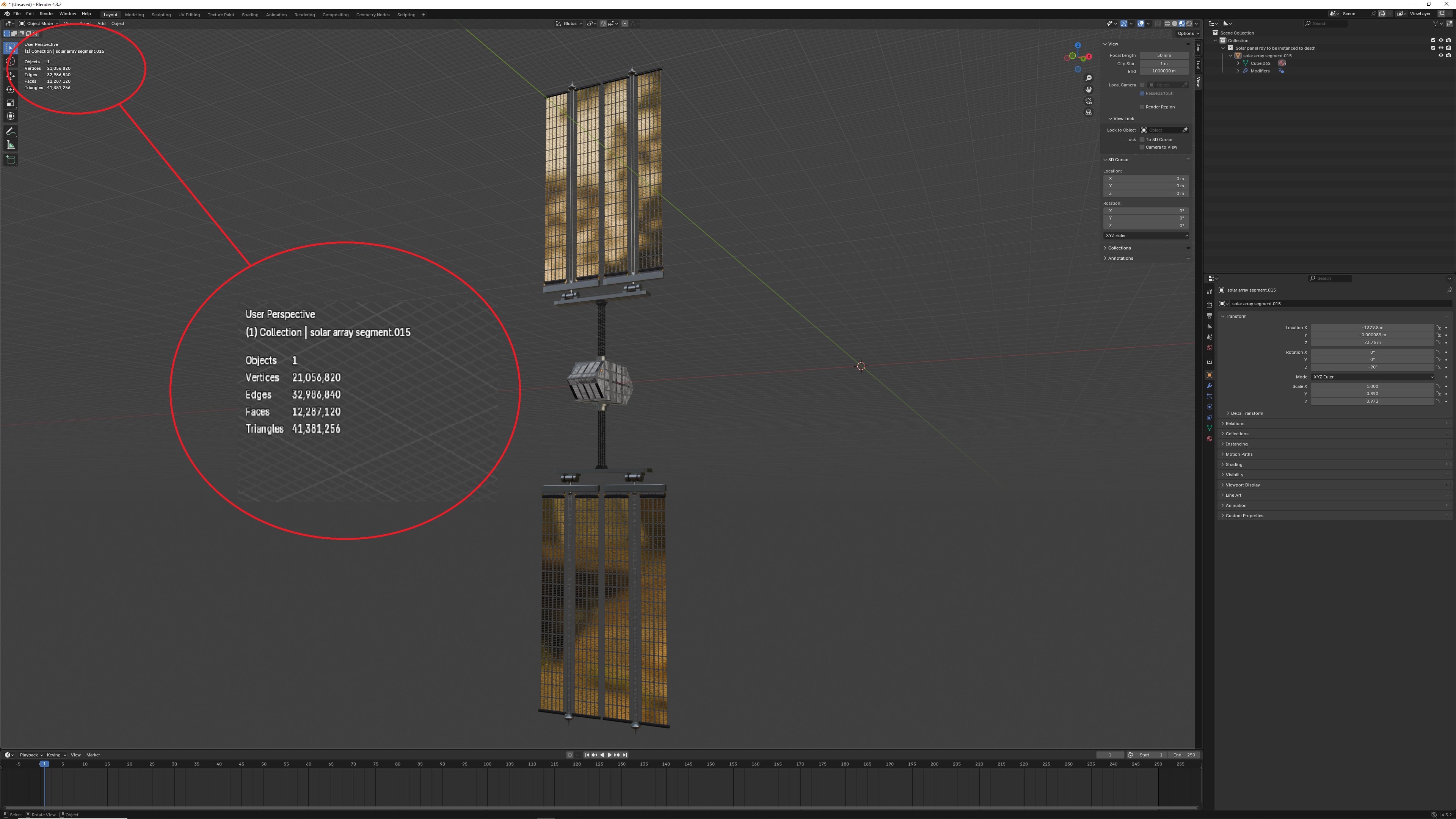
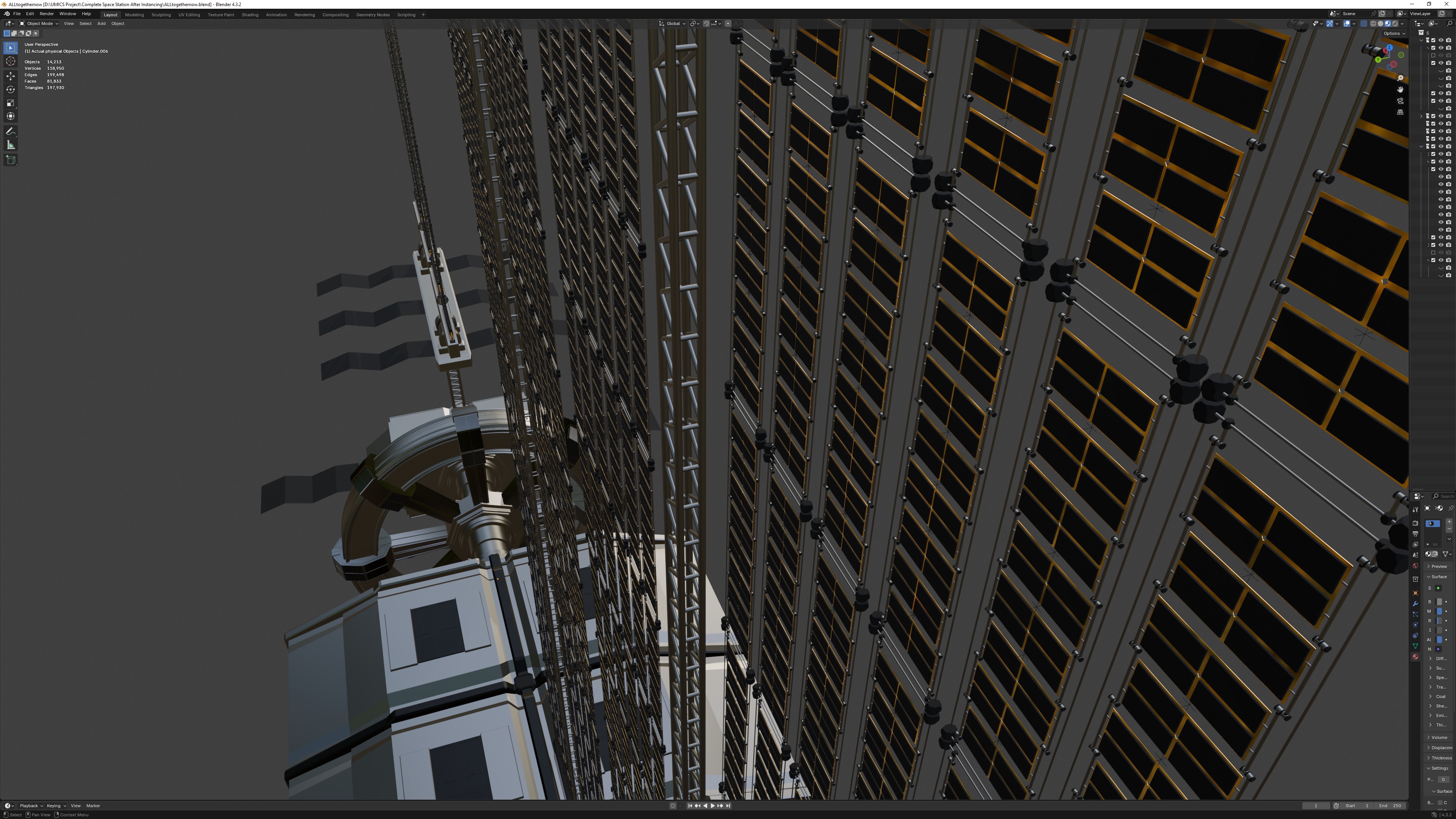
Here’s a BEFORE and AFTER screenshot of how I dramatically reduced my stats, thus solving my blender lag/crashing problem using my newly developed skills on just the “solar power module” alone.

I both greatly reduced the stats but have more detail.

And keep in mind these pics show before I even start paneling and grebling the hull!

BEFORE:

AFTER:

4 Likes

It’s always a good feeling when you optimize something.