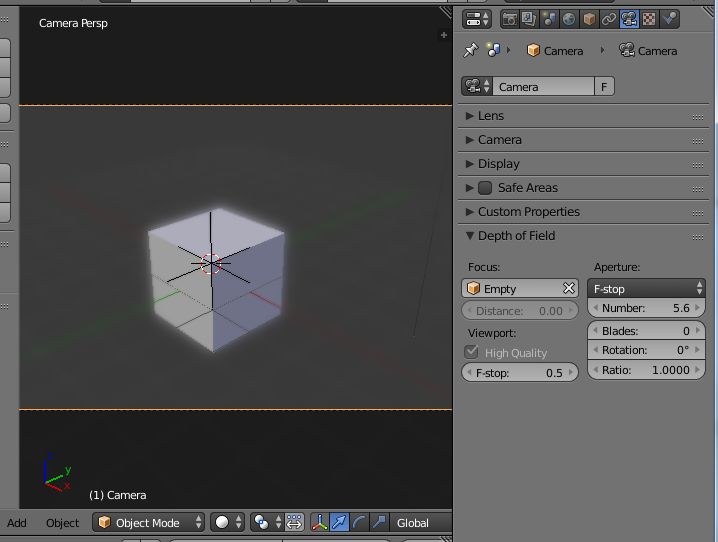
Hello,
I was going over the camera settings in Blender and found that there are some I just don’t understand.
So I set it to a full frame 35 mm camera. That is easy to understand as it sets the sensor size.
Not to sure what auto does on the sensor but I have it set to horizontal and that is fine.
Then comes the Depth of Field settings.
Focus point is the eyes, just fine.
Viewport? what is that anyway?
I clicked high quality as it sounds good but what does it really mean?
Then comes F-stop and I have that at 2.0, thinking it would be like a normal lens set at f-2.0 and 9 blades as that is what the best lens have.
Then comes Aperture??? What the heck is that? It seems to work like the F-stop and the F-stop on view does not change anything in the 3d view when set to cycles rendered. And the number again? What is it compared to the sensor size and the Veiwport F-stop? Then we have blades once again. So I am confused. I would think that Viewport is just for the 3d rendered mode but it does not change anything there but Aperture does. I would guess that aperture is only for a final render, is that so? So what give?
Thanks for your help. I find this all rather confusing.