So I had the grand idea of having a whole segment of a thing I’m animating to involve a bunch of breaking masks without fully nailing down how I was going to make them all break right. I feel like I’m pretty close, but I’m having trouble getting things perfect.
Right now I’m messing with Rigid Body constraints so the whole mask will fall as one until it hits the floor, then it shatters.
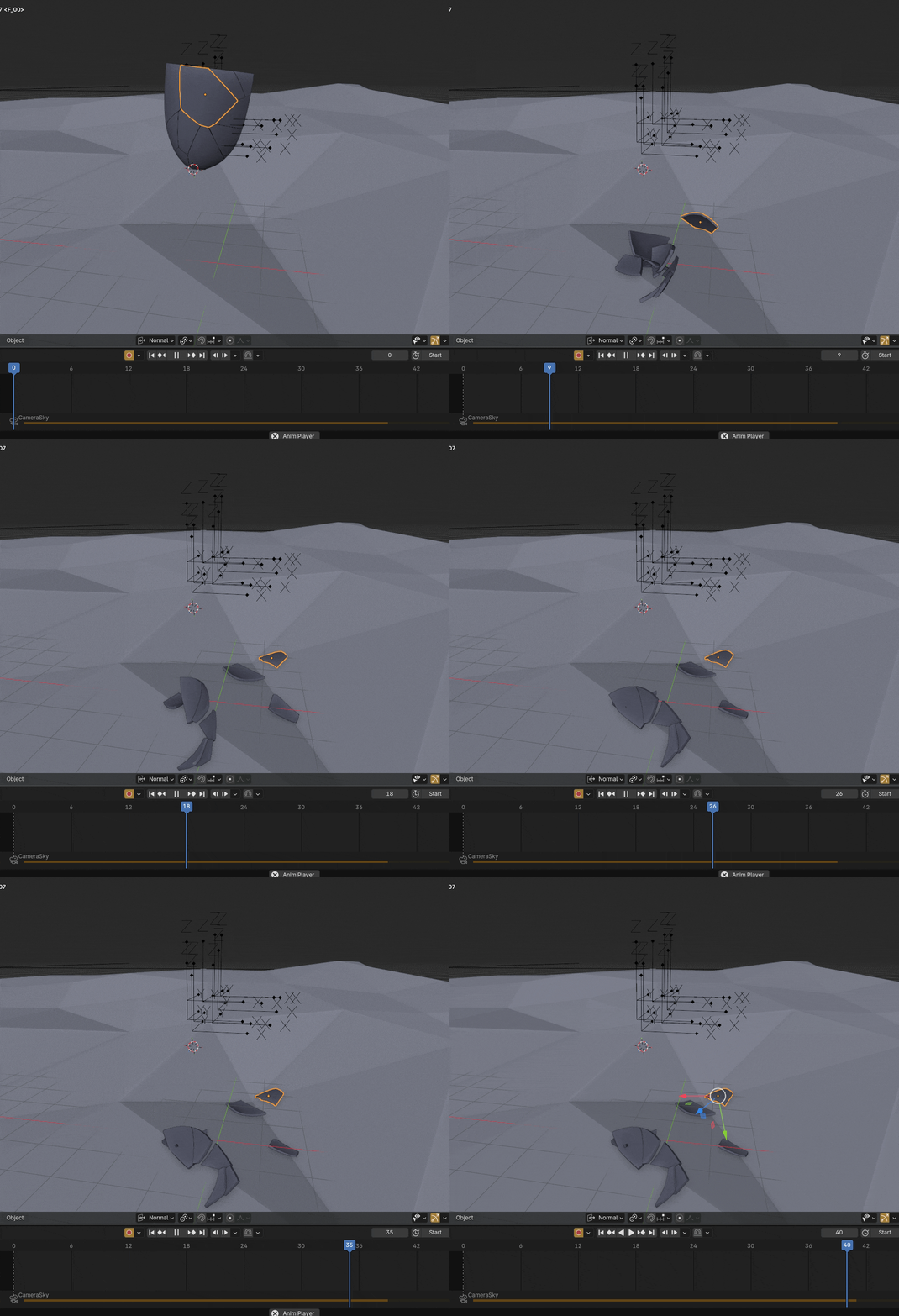
Although, as you can see, there are some problems:
- The mask always seems to break apart a little bit immediately. I’ve messed with the margin settings of both the Cell Fracture addon as well as the one in the actual Physics tab, and neither seem to fully fix the issue without the mask looking very clearly broken from moment 1
- The connection is breaking kind of randomly, probably because of the first problem. Upping the threshold seems to either just result in the thing above a bit less, or it just makes the whole thing solid, which doesn’t help.
- While on the floor, the shards seem super jittery and weird
I’m not really sure what’s causing any of this, so any tips would help. All online tutorials seem to be either super basic, or just don’t seem to be encountering the same problems I am, so I thought I might as well ask.
Another idea that could totally work for what I’m aiming for is to just keyframe whether each shard is animated, and just animate each shard together so they only stop being animated when they hit the floor, which I’ll probably have to do anyway to create the proper velocity. However, the problem there is just that even though I can copy the Animated property to each shard, I can’t copy the keyframes for that property to each shard, so I’d still have to go through each one and do that manually, which sounds super annoying. Even with Auto Keying on, it doesn’t seem to affect properties like that. I feel like there has to be some sort of way to keyframe that for each one at once, though, so I’d love to know if there is.
Any ideas related to this whole process will help. I also feel like there has to be some sort of addon that’s designed to make dealing with physics so much more obvious and natural, so I’d also want to know if there’s anything like that.
Thanks!