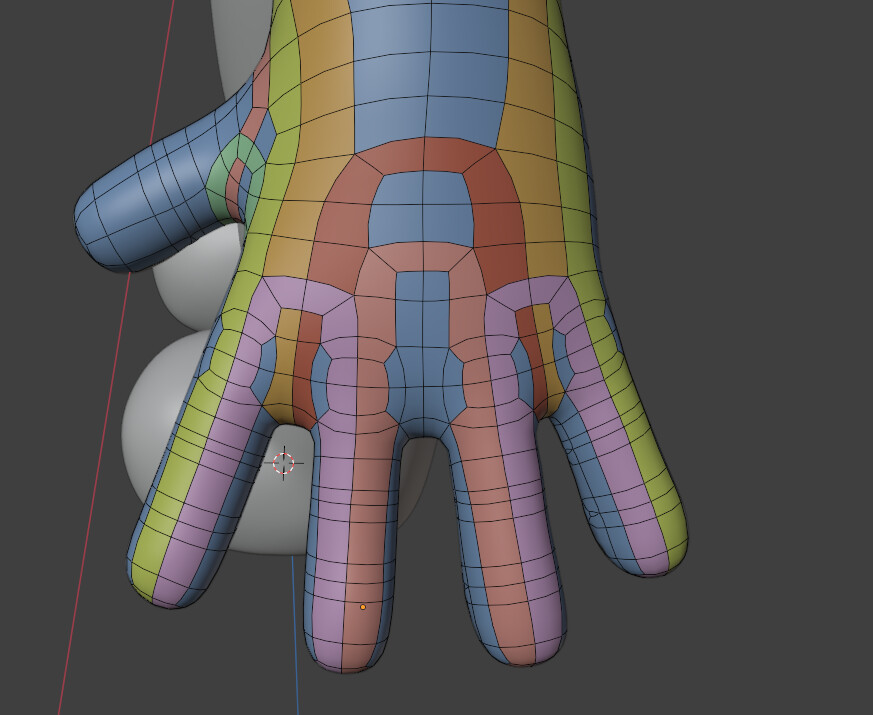
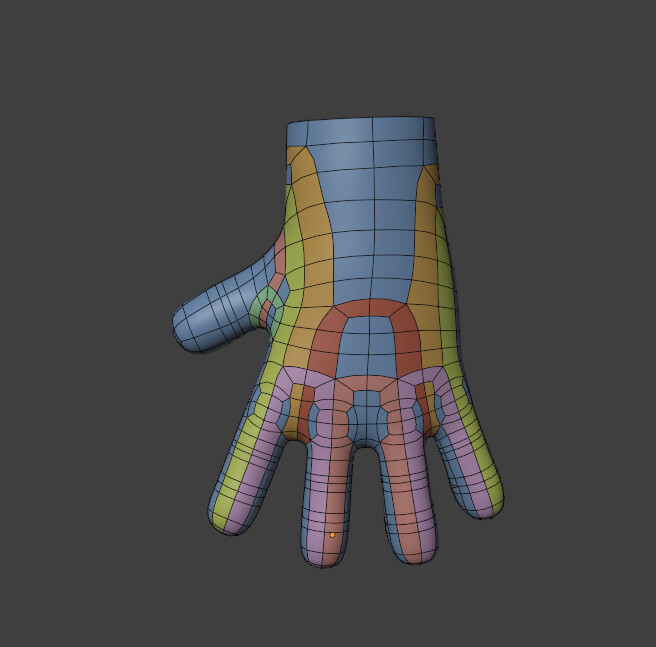
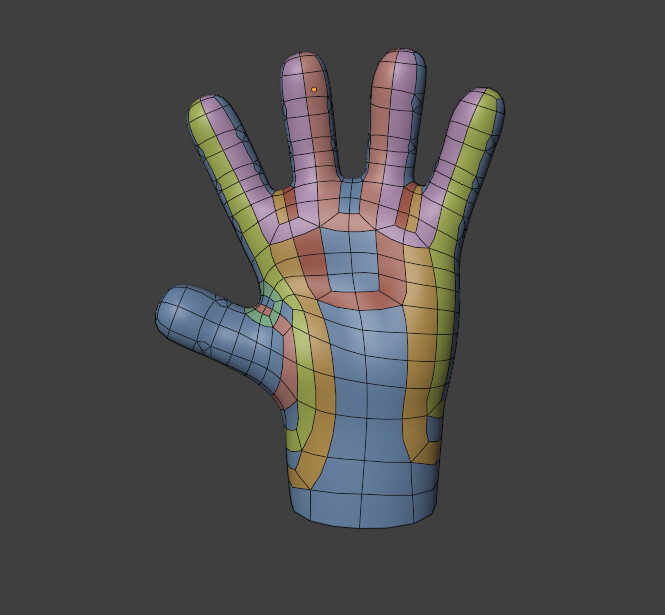
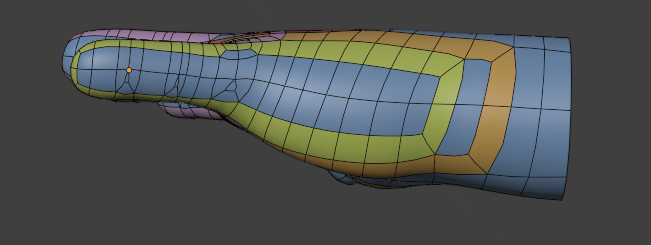
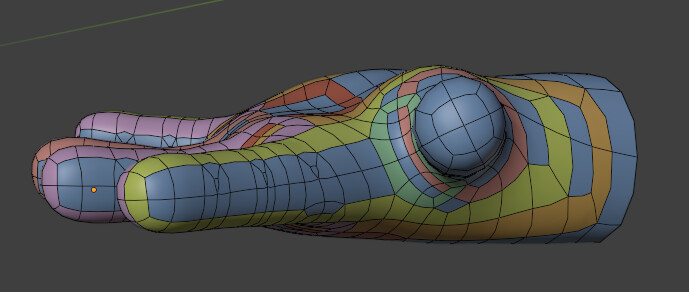
I’m new to retopologizing, and It’s my first time retopologizing a hand.
Now every time i start learning something new in Blender I try to make it as professional as i can, but the amount of tutorials i found online on retopologizing where honestly overwhelming and they can be very different from one another.
Im unsure about the way i retopologized my character’s hand, I know that there isn’t a single best way to do this kind of stuff but still i would like to hear your tips on how I could make this retopology better!
Its supposed to be a stylized character for a mobile game, it has 5,720 triangles after subdivision and 1,420 without subdivision, is that good? should I aim for a lower tris count?
This is pretty good! There isn’t a single solution, so don’t worry too much about following hyper-specific edge loop patterns. If it looks good, it is good.
I do think this will work pretty well, but I have some minor concerns.
–
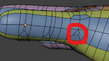
First, the structure on the side of fingers.
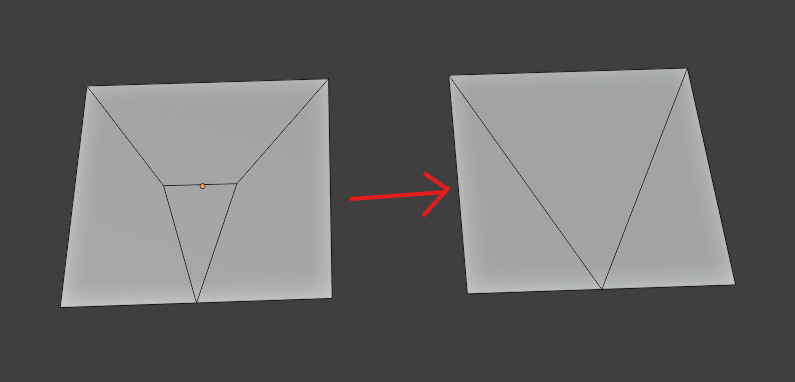
I’m wondering how this tiny face will deform. Also, I could see this addition causing a bit of a lump in the shading. Is it necessary to have this tiny triangle in the middle?
Is this a technique you have seen somewhere? I’m not familiar with it. I would think that extending the triangle all the way would give something easier to work with, especially for a low-poly model.
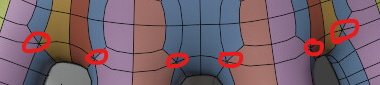
An other mild concern I have is that there are multiple vertices with 6 converging edges. Those can cause a slight pinching in the shading, especially with subdivision. They are probably not a problem for a low-poly model though, but I would watch them and what they do with the material and rigging.
Depends how you are going to use it. This is a level of detail that would be fine if the hand will be seen up close and needs the detail. If it’s for a character that will be seen small and far away, it is likely a bit much for mobile.
I’ve seen the triangle technique in google images somewhere, i thought it might be good as there are less (visible) triangles (reducing them from 3 to 1), and i know that some people try to avoid them, though now looking back it actually more than doubles the amount of triangles from 3 to 7 after triangulation. It doesn’t really provide any edge flow / deformation benefits, im probably better off without it.
As for the shading, i’m not so concerned about it because im just going to use the high poly mesh for the shading (I think???), so what matter most for me is the silhouette
Also, regarding the 6 edge pole, i know that it is best to avoid any pole higher than 5 when unnecessary, but i think that those poles are worth it as the overall edge flow allows for a better deformation when animating (I’m not much an expert when it comes to animating so it might be the other way around, but I usually just learn it trough trial and error ). Also, I cant think of a way to lower the converging edges on this pole :C
Edit: i think I found a way to fix the 6 edges pole problem, ill try it tomorrow when ill be near my pc and ill update
You are probably fine leaving the 6-poles there, it might be more trouble than its worth to remove them and it risks increasing the polygon count.
If you are interested, I am going to link a post I wrote in an other thread, this is a method that allows removing a 6-pole and it has never failed me.
 ). Also, I cant think of a way to lower the converging edges on this pole :C