I’m making some already complex images from houses and have troubles with render times (1h). Untill now i always try to render directly the final image, but this render times send me to find a diferent way of doing things.
I have a several houses in wich i use AO and i have several 3D trees (made with the Lsystem script). The trees cast shadow over the houses so i have a spot with Rayshadows to make them sharp and the house material have TraShadow ON to get the leafs shadow correct. All of this gets a wonderfull 1 hour render time.
So my question is, is there a way to render the houses with AO and separatly render the trees with the sharp shadows (no AO, of couse) and compose this in a relative fast way? (or other way to make things faster)
I didn’t try much the new composition node system and have not much practice in composition, so i don’t know what to search.
I don’t know how well it will work for your particular images, but the nodes setup to combine two images is pretty simple : (Make sure to press “Do Composite” in the Scene tab)
I appreciate your answer, but a simple merge layers in gimp can do the same as your example.
Unfortunately i need the image and the shadows they produce on the other image.
the trees are transparent, but i think it explains (all of the houses have AO and i wish to remove trees and they’re shadow from the AO computation, rendering separately and then combine)
Sorry, as I said, I wasn’t sure if it would help or not, your remarks about not using the nodes were a bit vague … one man’s “not using much” is another beginner’s (like me) first 100 hours of learning
A question for you, I just want very simple shadows, nothing as elaborate as what you’re working on right now. Can I do that without using ray tracing / ray shadows on the lights? (Also looking for fast render times but in my case want to chop it down from ~2mins to a few (10’s of ) seconds
Well, since you mention compositing… If you’re running a CVS Blender, then you’ve got an easy way.
WRT materials, OnlyCast on the Render Pipeline and OnlyShad on the Shaders tab combined should give you what you need.
OnlyCast just has an object cast shadows, w/o putting the object in the scene. OnlyShad is the one you’ll be most interested in, if you turn that on for your sidewalk and buildings and anything the leaf shadows fall on, they are turned transparent, and only the shadow is rendered on them. So save that pass (obviously in a format that supports alpha channel!). Then turn them off as in untraceable, turn on your AO and run it with no leaves eating up your AO cycles.
You can composite it in the composite nodes, of course, but saving it to a pair of targas or tiffs or whatever you prefer and laying the shadows in Gimp provides more control anyway.
I’ll give that a long try, HT. Thank you!
I’ll post here the results.
mstram, i don’t know if i understand you, but if you’re talking about sharp shadows, the only way i know is with rayshadows, if not, Spots can cast shadows without internal raytrace, turn on Buf.shadow and you’ll see some variables you can play with.
I see your point re: time. I tried a simple test where the shadowing object contained 5,000 translucent faces… the render time with AO both / sky texture / samples 16 was only about 10% faster without the shadows as with! Certainly not worth the extra steps.
(10:44.80 w/rayshads, 09:57.62 w/o, AA @ 8)
AO and AA are mad cycle eaters. Shadows are inconsequential, apparently.


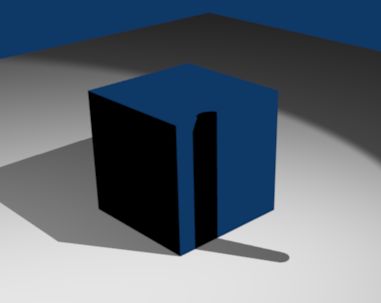
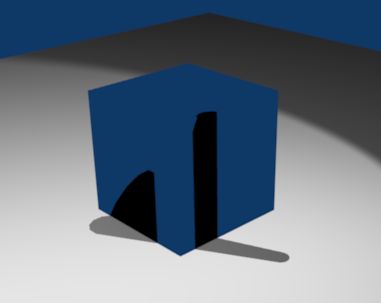
 Certainly not worth the extra steps.