I’m trying to create a low poly character, but something with a little more detail than Synty Studio models, but not quite realistic either, trying to find that balance between realistic and stylized.
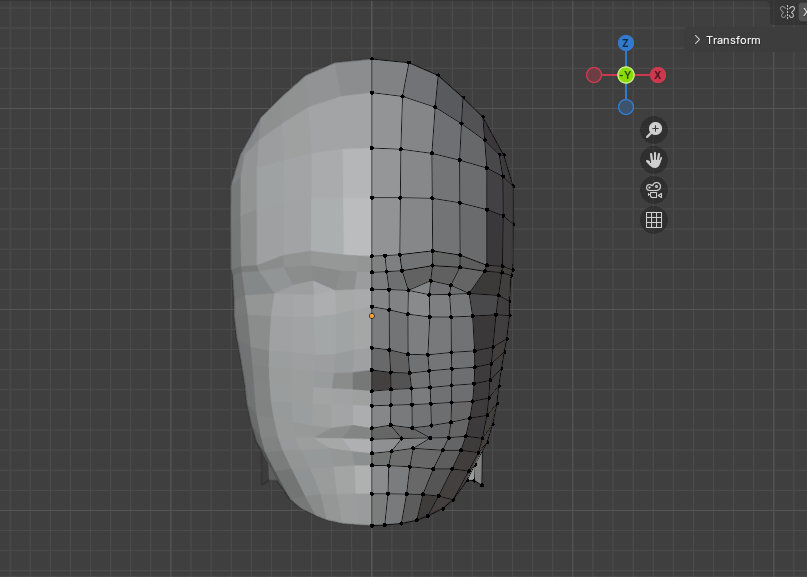
I know how to do Topology for a human face, but every time I tried to do that the model came out too detailed, no matter how simple I tried to make it, I tried this approach, but I’m not sure how good it is and how good it is for animation in a video game.
Also I have no idea how to connect the face and back of the head, it’s a huge mess, how can I clean this up and connect it, or should I start over?
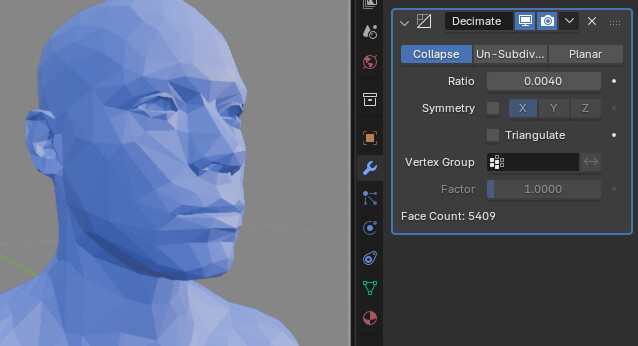
Well, you can always give it a try and use a Decimate modifier to reduce the number of polygons you have. Sometimes it works great, sometimes it’s not (that would depend on how lucky guy you are at the end of the day).
Besides, you won’t believe this, but I was so many times in the situation you’re currently in: wanted to make something low poly and after a while it turned into a high poly one, and me, myself, — I didn’t even notice that during the modeling/sculpting.
To sum up: I don’t think there’s a such thing as “this is what you should do in order to make low poly models only” — there’s a lot of practice in it. It takes time to get the hang of working in Blender (and literally in everything else as well). I’d recommend you watch some low poly tuts on YouTube. Sometimes it helps a lot more than just reading forums etc.
Starting over sounds like a valid approach in search of a visual look.
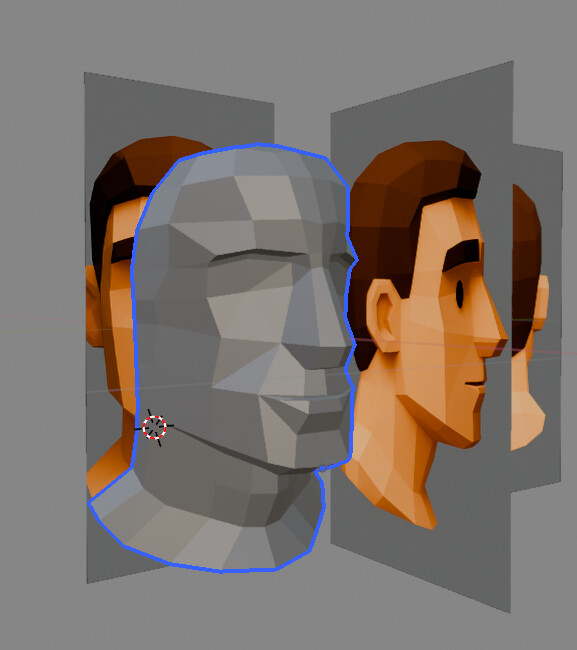
Maybe defining what a low poly look is about here is a good idea. The way I understand it, you can make anything low poly with decimating it:
You don’t actually need to start from scratch with something as common as a human face… There are so many assets already… Even official asset packs contain human faces. It’s just quicker to modify them… Unless you want to practice…
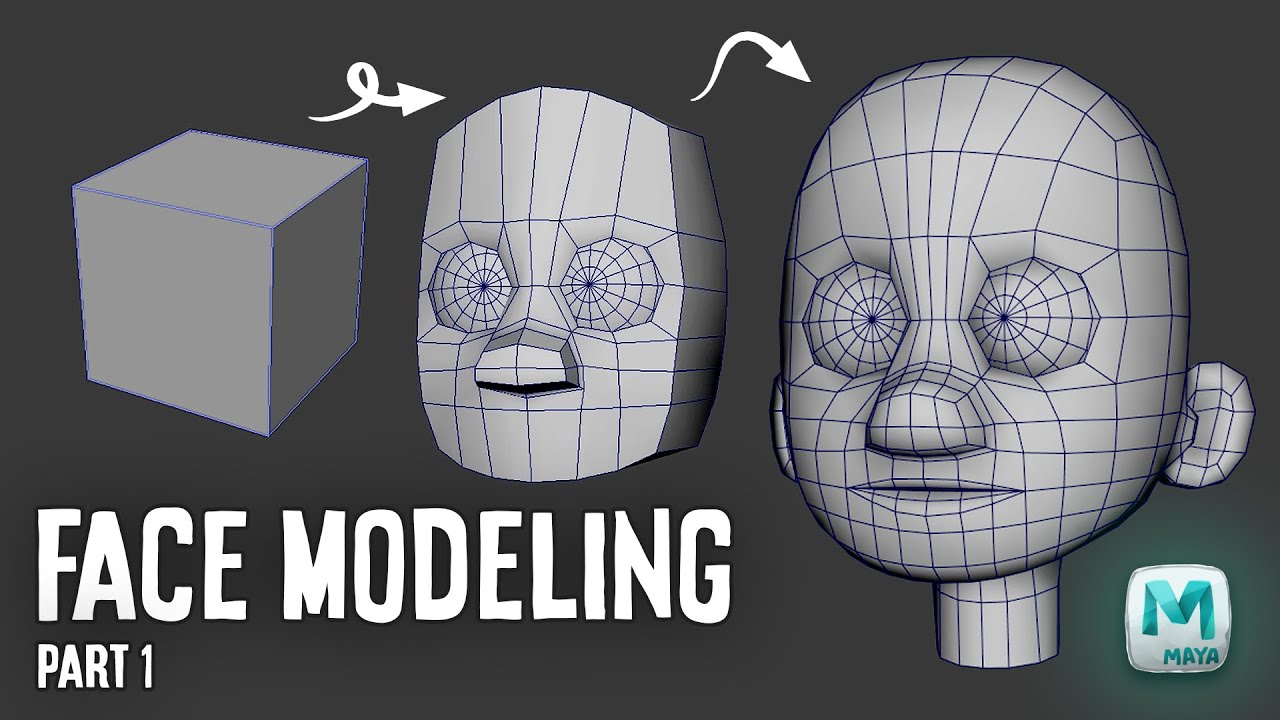
As already mentioned sometime one may has to (re-)“define” what low poly excactly is meant here … so if not sculpting and retopologizing or decimating one might try the good old cube to anything methode.
Yes even when looking at lighwave or maya tutorial… … because it didn’t reall changed over the years… the computer only got faster and so we have some tools we could have only dreamed of back then (and iäm not even talking about money here ).
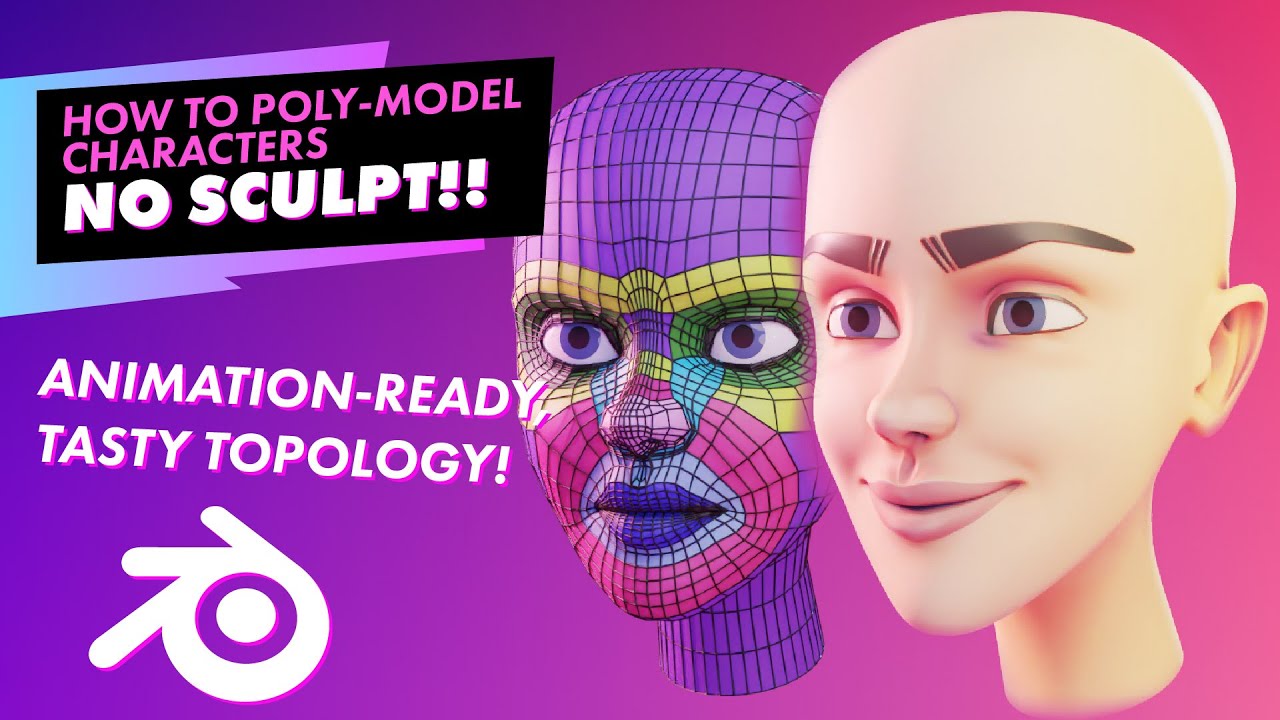
Or the almost extrude vertex by vertex or edge by edge workflow… (now with some “modern” tool… )
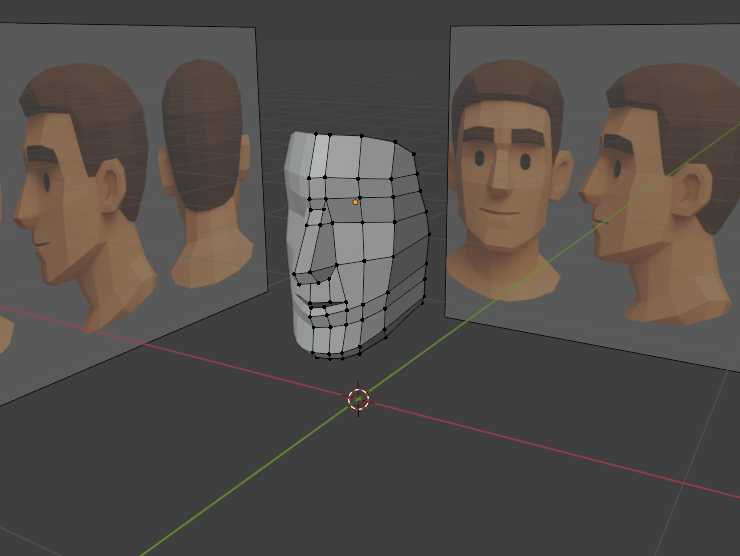
You could just copy that. I mean since this is AI, it’s not really forms that are actually possible there, but on the other hand, the topology is low poly, so those are only a couple of hundreds of verts to place in 3d space. You could try copying them exactly one by one. I mean, you will fail, because it’s impossible, but then you can make decisions what to keep and what to change so the forms become possible. If you have reference, you can actually use it. It doesn’t seem you used it in the model you made since you have way more loops. It’s OK to copy exactly. When copying you sort of start to get the patterns and structures you like and then you can change them as you like if it feels “not yours enough”.
This makes sense. Because this is blindly placing the verts wherever the AI hallucinated they might be without thinking about form or structure. But it’s worth trying. It’s a good lesson that you cannot get good results this way and that thinking about form and structure is the main thing and something you cannot avoid. You can feel it very well after trying.
If it’s an image created by Ai, you should refer to it only. Not trustworthy
I can see the edges of the polygon in this image, but I don’t think it’s accurate.
The references that can be found by the search are more accurate and have more quantity.
It seems so. Modelling it feels completely wrong. One should follow actual forms. Using and actual reference would be way more useful to a beginner. Also thinkinga bout features you want to simplify with topology, like the lines and planes on the actual form. Since this AI stuff does not have those, it’s not going to be a good result.
Oh… I should try a propper way now… I am lazy though… I don’t want to
This was my attempt, but I am doing it using planes, I will try again with the with the cube, or block method, or whatever it is that everyone seems to be doing, seems to be the easier or more correct way to approach this type of thing
Using references (even non halucinated ) doesn’t mean everthing will be fine… they often does not match up expect from some really orthographic special cameras or real plans.
Details have to be “seen” by the artist and this can only be done when having experience (doesn’t matter if hard surface or “organic” models).
I think this is on the right track. Don’t forget that you can cheat. It might be easier to use an existing 3d model as reference for this. It seems to me having a realistic form of a face first and then trying out what low poly geometry communicates the features you want to exaggerate might speed up the process.
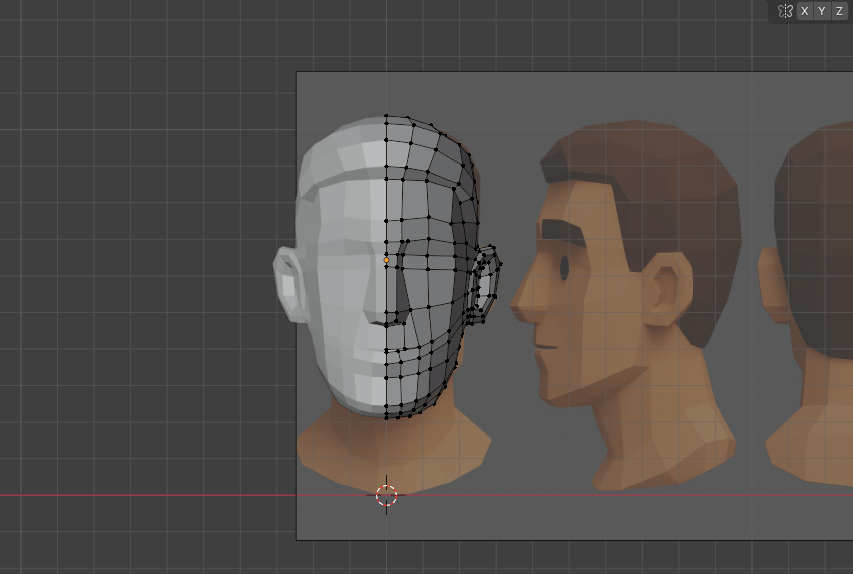
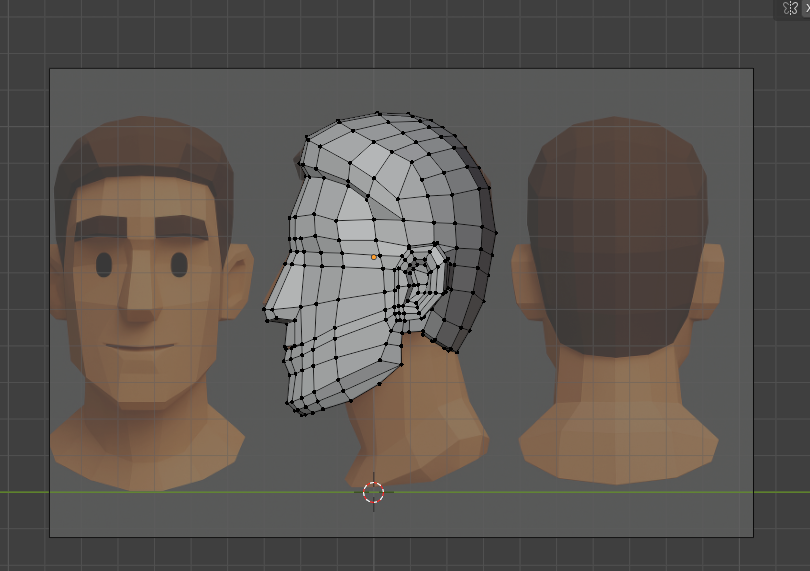
Here are some images of how it’s looking at the moment, I’m not sure how I feel about the topology though and if this is useable in a videogame, or should I still follow the rule of topology to make loops around the eyes, nose and mouth area?
There are two kinds of ‘low poly’ modeling: ‘Final’ modeling, where what you create will be directly rendered, and…I guess ‘basis’ modeling, where the actual render will rely on subsurf to smooth things out.
Quad modeling is a ‘basis’ modeling technique, because subsurf works best with quads (or at least, Blender’s subsurf does - I’ve heard of subsurf systems designed to work well with triangles).
For what you’re doing, all you need to worry about is routing edges to follow contours. If you wind up with triangles all over the place, that’s perfectly ok. After all, your computer will automatically split quads into triangles for rendering. Even Blender’s viewport does that.
If your goal is to animate the head with expressions, speech, etc. now would be a good time to experiment with rigging, weight painting, shape keys, etc. so you can get an idea about how your geometry will look when you try to move it around. It’s a lot to learn, but taking the time to learn it now will save you from having to scrap a bunch of hard work later.
Look at your current model and ask yourself, ‘Which edges don’t contribute to the shape?’ and ‘Which edges don’t follow the contours?’.
Drawing is a great precursor to modeling because it teaches you to read the shape as you shade in details.


 … so if not sculpting and retopologizing or decimating one might try the good old cube to anything methode.
 … because it didn’t reall changed over the years… the computer only got faster and so we have some tools we could have only dreamed of back then (and iäm not even talking about money here
  ).
).
 )
)
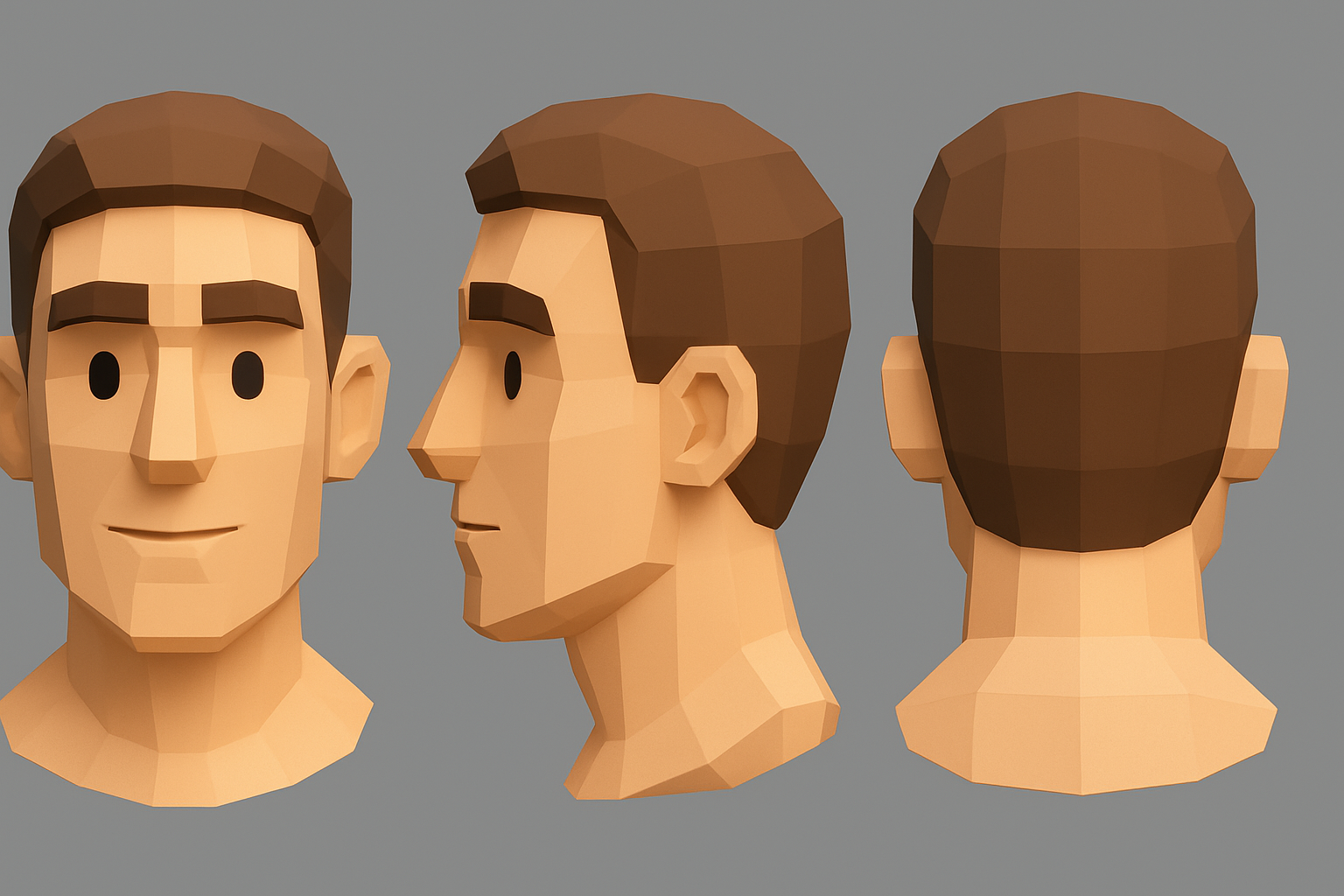
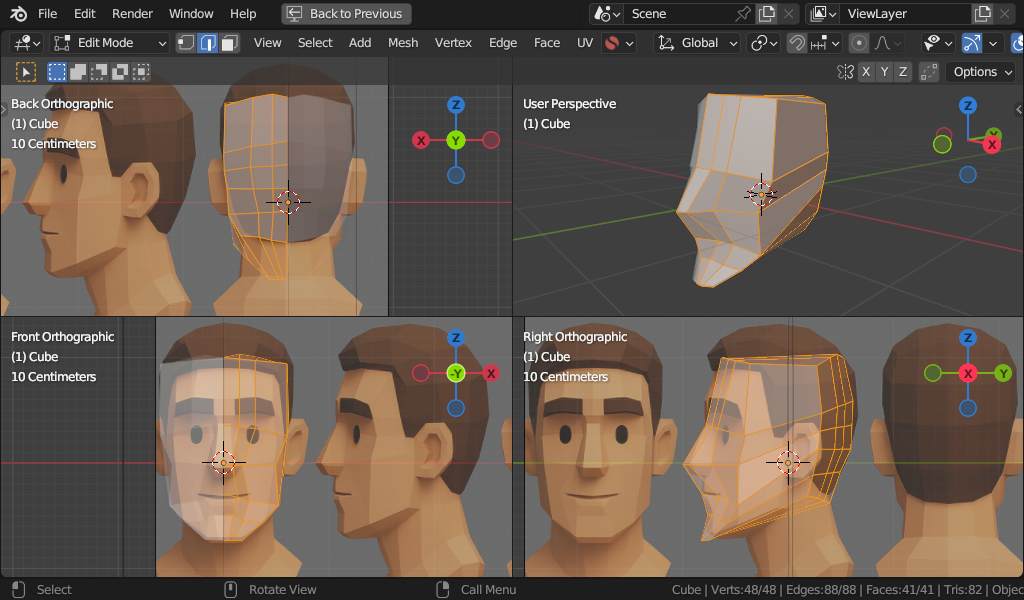
 Looks exactly like something a complete beginner might model: