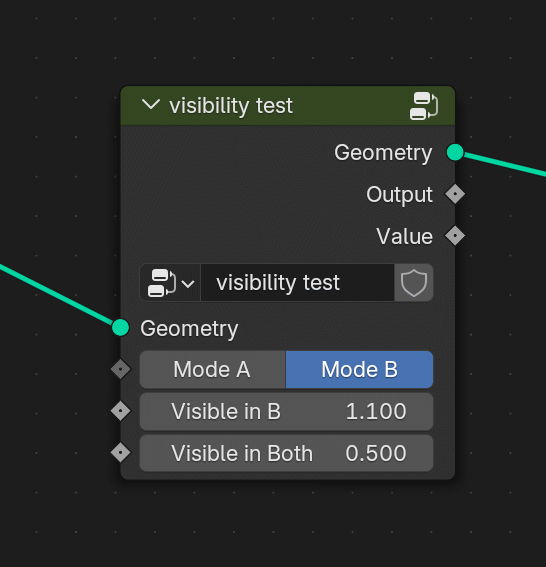
It’s is_inactive, it got added recently, and you can access it with: C.object.modifiers.active.node_group.nodes.active.inputs['Visible in A'].is_inactive
But I can’t find the equivalent for when the node is used as a modifer, like in the video above.
The only thing I can find is stuff like: C.object.modifiers.active['Socket_4']
but that just returns the value of the input.
How to access is_inactive when the node group is used as a modifier?
I need it because I want to recreate the modifier UI (for a single modifier, not the whole stack) in a different place. Can’t recreate it if I can’t tell what’s supposed to be hidden.
I did a test, and at least in the 5.0 beta version is_inactive seems to work the way you want it to. Not sure if an update is a possibility for you.
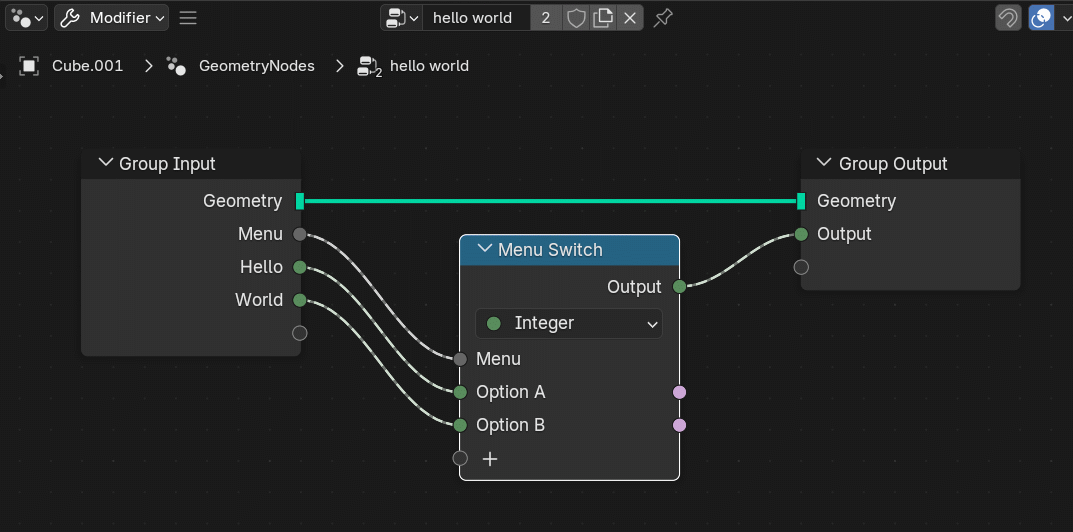
Assuming it’s not, you can also get around it by checking the default_value of the Menu Switch input - even though it’s called default_value it seems to function more like a ‘current value’.
C.object.modifiers.active.node_group.nodes.active.inputs[0].default_value (or inputs[1] in your case) gave me whatever the current value of the switch was, which you could use to determine which options are hidden/shown.
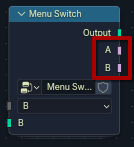
There are also additional outputs on Menu Switch nodes (they may have been added in 5.0, I can’t remember) that are Boolean outputs that will output True if their option is selected in the Menu and False otherwise:
If they’re available, you could also read their values and use that to determine which options are available.
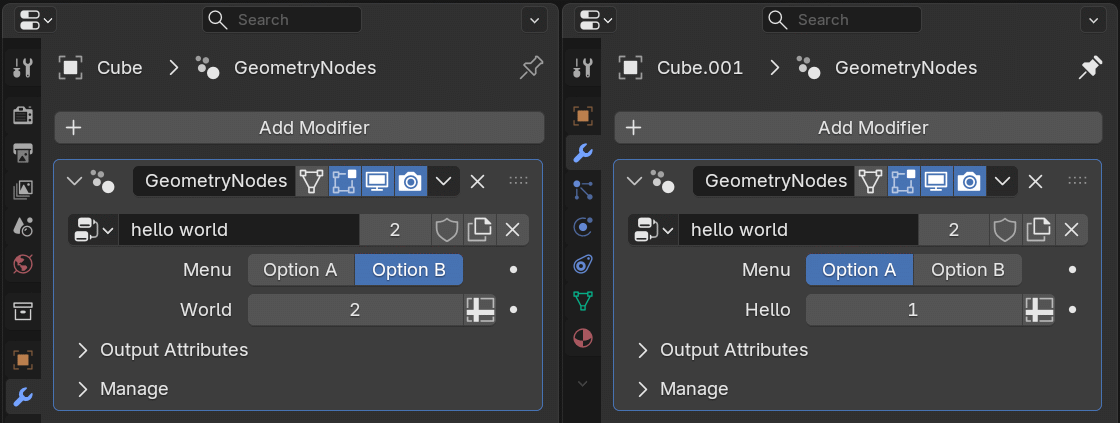
The Hello and World inputs will be hidden depending on the menu option chosen.
Now duplicate that object and change the option, so that it’s different on each object:
OK, I think I understand what the issue is - you have two duplicate objects that are both using the same Geometry Node tree and you want to get distinct values from both.
You can read each modifiers Menu value with: C.object.modifiers['GeometryNodes']['Socket_2']
Just make sure that you have selected the one you want first.
You can also address them individually by object name through Data, rather than Context, like this: D.objects['Cube'].modifiers['GeometryNodes']['Socket_2']
It would be really nice to be able to look them up by name, but it seems like that’s not something that Blender can do with this particular data
If you want to know if an option from ‘A’ will be hidden or shown you can just read the Menu value - it will be True if ‘A’ is selected - meaning that all of the options under ‘A’ are visible and active.
If you switch it to ‘B’, all the options under ‘B’ will be shown, and active, and all the inputs under ‘A’ will be hidden and inactive.
So you are checking the ‘active’ status of EVERY element under option ‘A’ just by checking the value of the menu. You don’t actually need to use is_inactive at all.
So that is one method, read either the Menu socket input, or one of the two Boolean socket outputs.
Does that work, or do you absolutely need to read the value of the ‘Hello’ or ‘World’ sockets?
This will only work in the specific situation where I know that the hello input is visible when Option A is selected. There is no generic way for python to tell which input is made visible by what menu (there could be multiple stacked menus too).
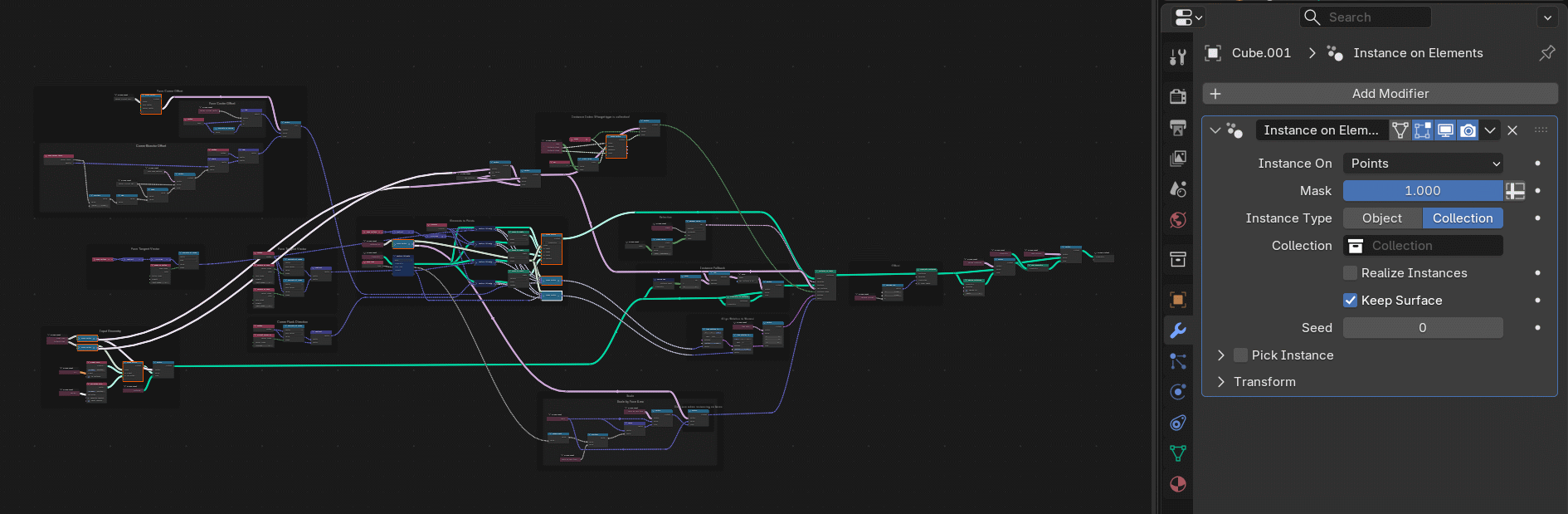
Look at the Instance on Elements modifer that’s being added in 5.0. It’s big and it has multiple menus that change the visibility of multiple inputs, and there is a lot of overlap.
Yeah, I could figure out what hides what and write a specific script for Instance on Elements, but I would have to figure out and write a specific script for every other modifier, and I’d have to do it every time I create a new modifier with Geometry Nodes. That’s not practical.
Yes, I think we’re both bumping into one of the many limitations of the Python API.
I often find myself trying alternative approaches to get around some of the missing elements.
You are correct that it is a generic solution, and that it doesn’t actually read the specific socket that you’re asking about, unfortunately I don’t know of a way to read that value with Python, though maybe someone else here can chime in if they have any ideas?
Had to make some modifications after re-reading posts but hopefully the below concept will be functional for you based on some assumptions.
Assumption
“Hidden” controls refer to direct input control from user (ie not attached through additional modifier nodes(math, ramp, etc))
Basic concept:
Identify Menu selection
Trace link from active selection to input node (modifiable parameters must be attached to group input and only pass through one node before menu switch)
Create lists of affected, active, and hidden inputs
affected inputs refer to direct user input that is shown or not shown depending on menu switch selection.
active inputs refers to properties directly controled by user for the current menu selction only
hidden inputs refer to properties directly controlled by user for non menu selected items
Example
Script:
import bpy
from mathutils import Vector


C = bpy.context

mod_name = "GeometryNodes"
ip_nd_name = "Group Input"
menu_nd_name = "Menu Switch"
obj = C.active_object

mod = obj.modifiers.get(mod_name)
ng = mod.node_group
ip_node = ng.nodes.get(ip_nd_name)
menu_node = ng.nodes.get(menu_nd_name)

idx = mod[ip_node.outputs['Menu'].identifier]+1
menu_selection = menu_node.inputs[idx].name

def affected_ip():
    affected_inputs = []
    active_inputs = []
    for num, ip in enumerate(menu_node.inputs):
        if not ip.is_linked:
            continue
        nd_conn = ip.links[0].from_node
        if not nd_conn.inputs:
            continue
        for conn_ip in nd_conn.inputs:
            if conn_ip.is_linked and conn_ip.links[0].from_node.type == 'GROUP_INPUT':
                conn = conn_ip.links[0].from_socket.identifier
                affected_inputs.append((conn_ip.name, conn))
                if not ip.name == menu_selection:
                    continue
                active_inputs.append((conn_ip.name, conn))
    return affected_inputs, active_inputs

affected_inputs, active_inputs = affected_ip()
hidden_inputs = set(affected_inputs) - set(active_inputs)

print(f"{obj.name}")
print("Active input names (Str)")
print(f"{active_inputs}")
print("Hidden input names (Str)")
print(f"{hidden_inputs}")
I just ran into the exact same issue in an addon I’m currently working on. From what I understand, you’re looking for a way to access the state of modifier sockets that are conditionally hidden based on the value of another socket, particularly menu sockets. I’m running into the same limitation with the Python API.
What I also noticed is that there’s another similar case that doesn’t seem to be exposed either: when a modifier socket depends on a boolean socket, disabling that boolean doesn’t hide the dependent socket—it simply greys it out in the modifier UI. As far as I can tell, there’s no API-accessible flag that indicates that disabled state either.
I’m trying to replicate the modifier interface elsewhere, so being able to determine both the visibility and enabled/disabled state of these sockets would be really useful.
Did you eventually find a workaround for this, or a way to access these states through the Python API?
As of 5.2, the API for accessing the modifier properties has changed and it now has a lot more information in it, but I still haven’t found a way to get the state of the sockets.
Found it! Haha! this actually exists in the Blender 5.2 API. Although this meant that i had to move my entire project from 5.1 to 5.2 which was a pain.
You can now get the runtime state of a Geometry Nodes input directly from the modifier:
Here, “identifier” is simply the identifier of the input you want to check, such as "“Socket_232"”.
So when drawing the inputs in a custom panel, you can do something like this:
if modifier.is_input_visible(identifier):  # Only draw the input if Blender says it is currently visible

    socket = getattr(modifier.properties.inputs, identifier)  # Get the actual modifier input using its identifier

    row = layout.row()  # Create a UI row for the input

    row.enabled = modifier.is_input_used(identifier)  # Grey out the row if Blender says the input is not currently used

    row.prop(socket, "value")  # Draw the input's value
The only slightly tricky part is getting the actual input from the modifier using its identifier, which is why it looks a little different from the old way of drawing Geometry Nodes modifier inputs.
OMG, it works It was right there! I was looking in the properties of the inputs for something like C.object.modifiers.active.properties.inputs.Socket_2.is_visible_in_modifier, but it was in the modifier itself!
Well, that basically solves the entire problem. We can now recreate the UI of a Geometry Nodes modifier. I would have given up on it and then randomly found out like 3 years later… Thanks a lot
for the most part, yes. if you’ll try to re-create it 100% you will still find some blocks and need for some minor adjustmens. but i have managed to it with some compromises for the add-on i am currently working on.


 It was right there! I was looking in the properties of the inputs for something like