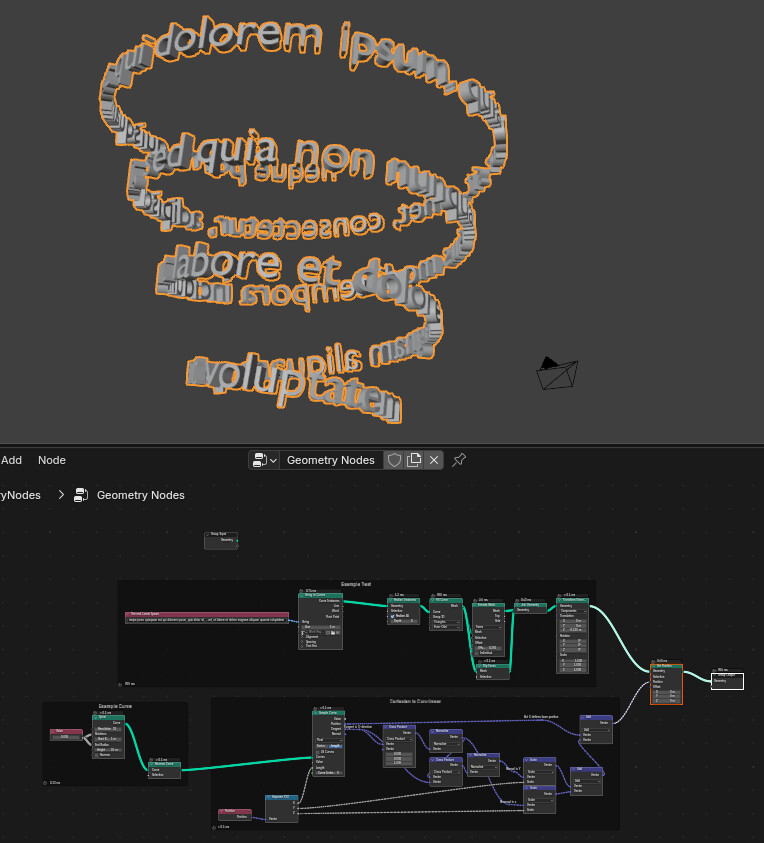
I’m trying to recreate a “text on spiral” effect using Geometry Nodes (Blender 5.x).
Instead of using a Spiral curve and manually tilting each control point so the text stands upright, I’d like to do it procedurally: use the curve’s tangent for orientation, but keep the text aligned to the global Z axis (no twisting/deformation like the Curve modifier does).
What’s a good Geometry Nodes setup (or node group, e.g. Z‑Up tilt) that will let instances of text/letters follow an Archemedian spiral while staying perfectly vertical in world Z? Any example node trees or .blend files would be greatly appreciated.