alternatively, you could also just split the model. I assume this isn’t deforming, or getting printed, so it doesn’t really matter if its one piece, right? (I think 3d printers can also combine volumes anyways right?)
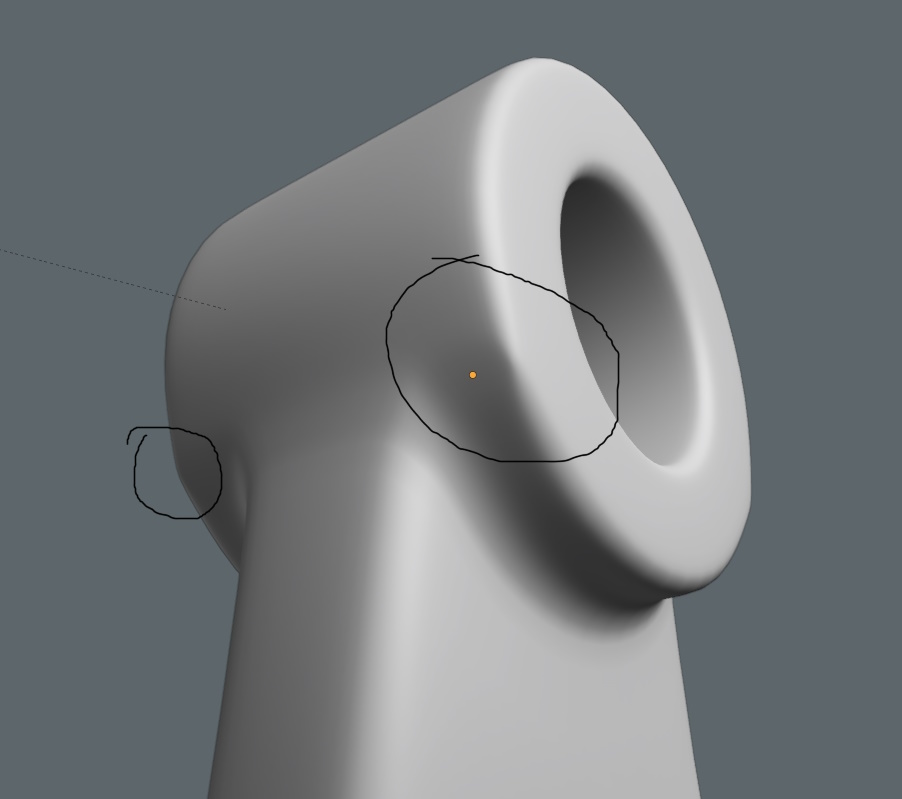
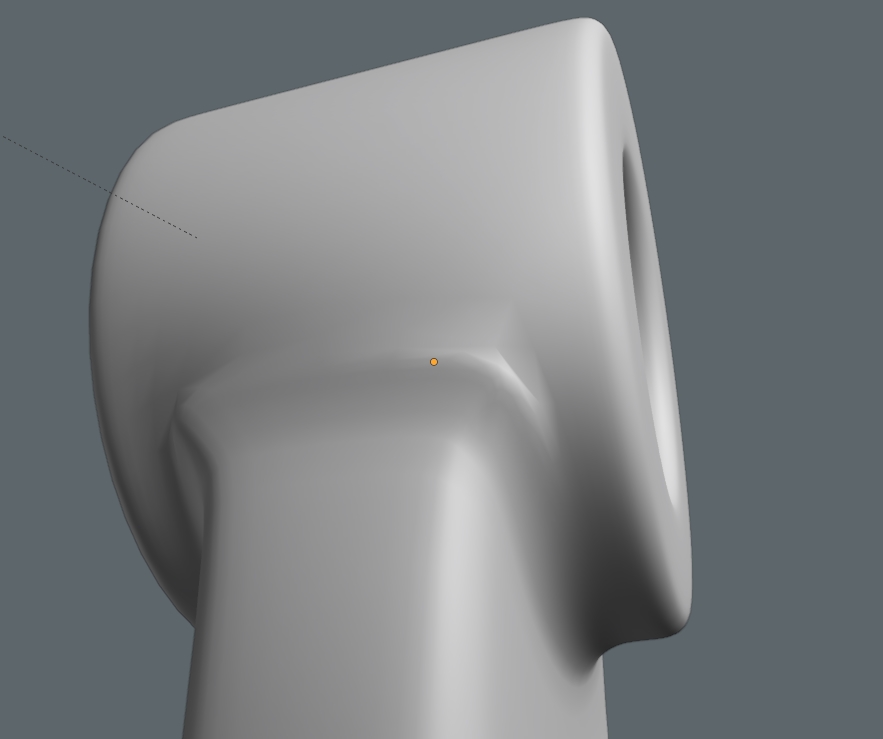
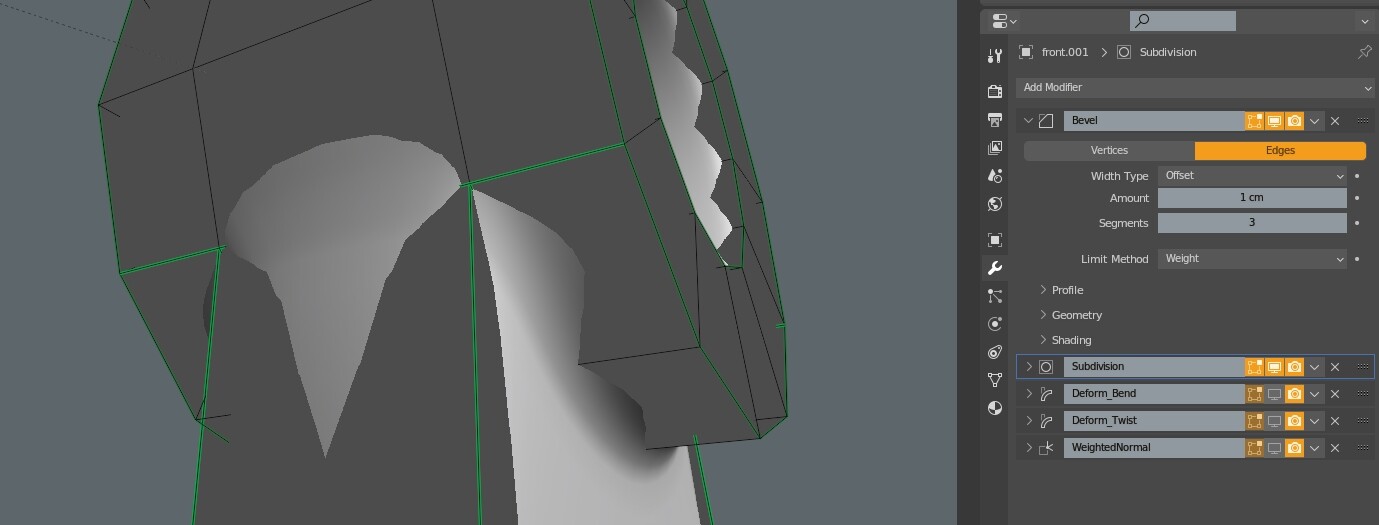
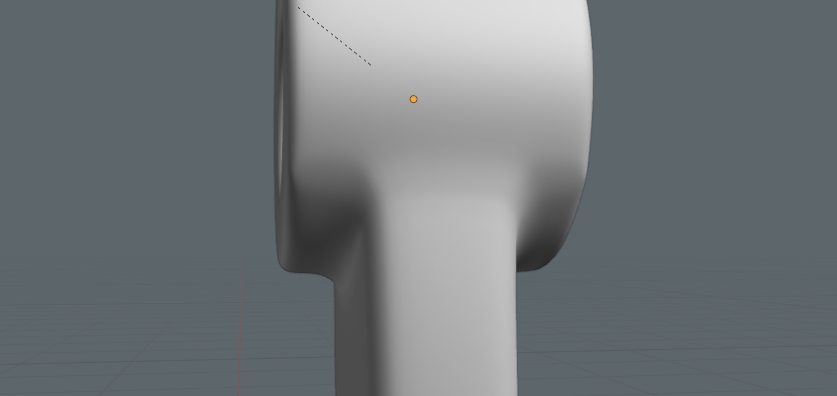
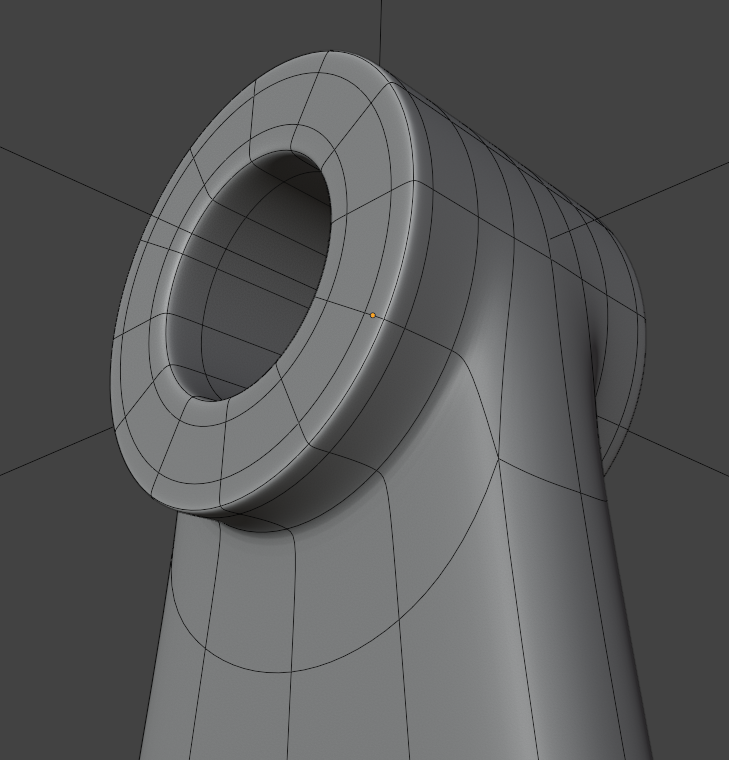
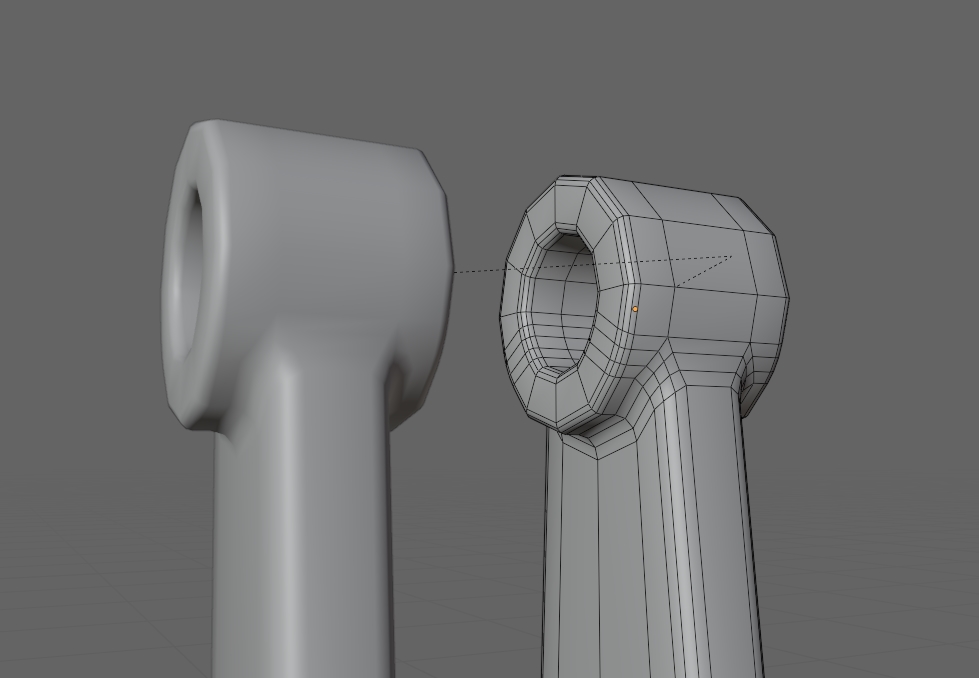
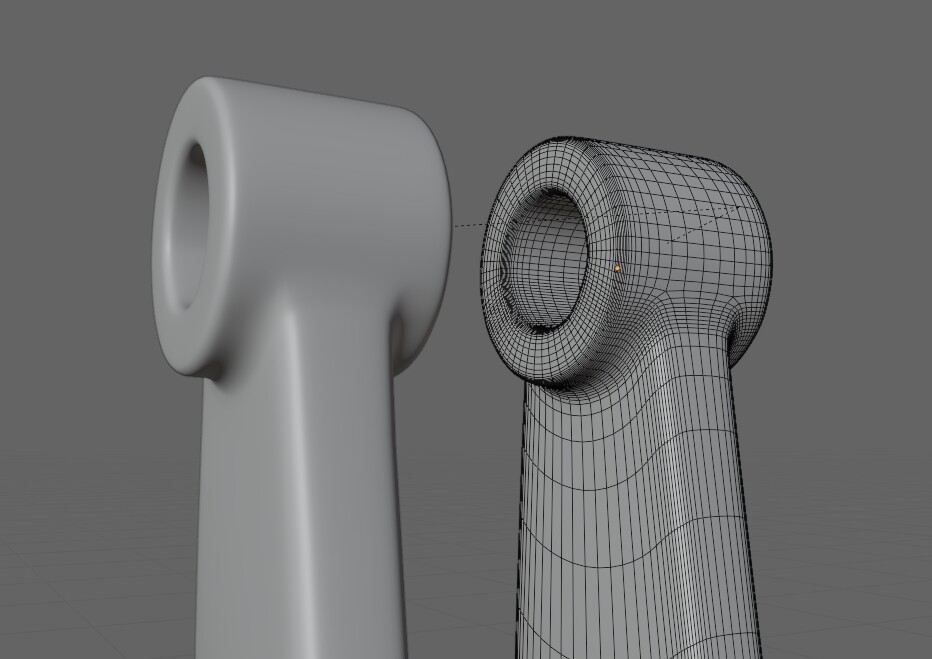
If you activate wireframe and turn off the optimal display in subd modifier, you’ll see why there’s a pinching in that area, the topology isn’t that suitable for subd workflow for that shape, there’s a big difference between “all-quad topology in subd workflow” and “as long as it’s quad face then slap some subd”.
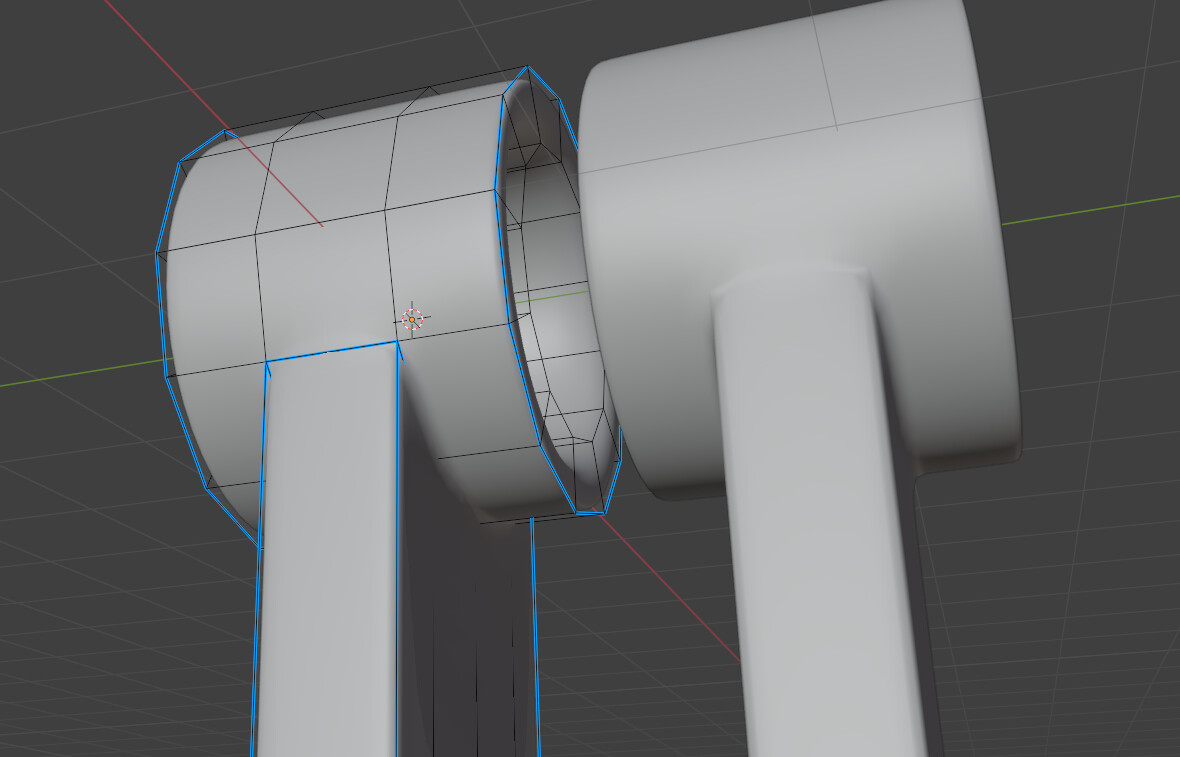
One possible topology (not perfect, but at least it’s better for subd)
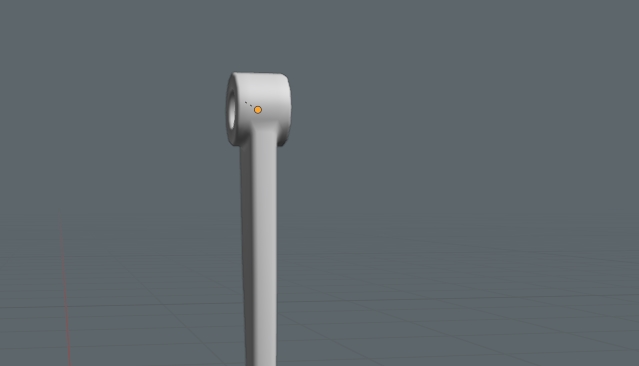
@NiklasWerth i get different shading than from your example, when beveling like your example. perhaps the geometry you created is different than mine, in angles or something. i’ve attached the model i’m working on so you can see what i’m working with.
pinch.blend (1000.3 KB)
it’s probably not that enough different, but i’ve attached it anyway, if you can take a look.
if i separate the model, i’ll lose the bevels.
@ADRs i see. different “quadrology” yields different results when slapping on the sub-d.
i have no idea, though, on how to make the original geometry, to get the same wireframe result you get when you activate the sub-d.
i guess it’s a matter of moving edges around and see what works?
No, when using subd, any pole other than 4-pole will create some sort of pinching, that’s why it’s better to place it on a flatter surface.
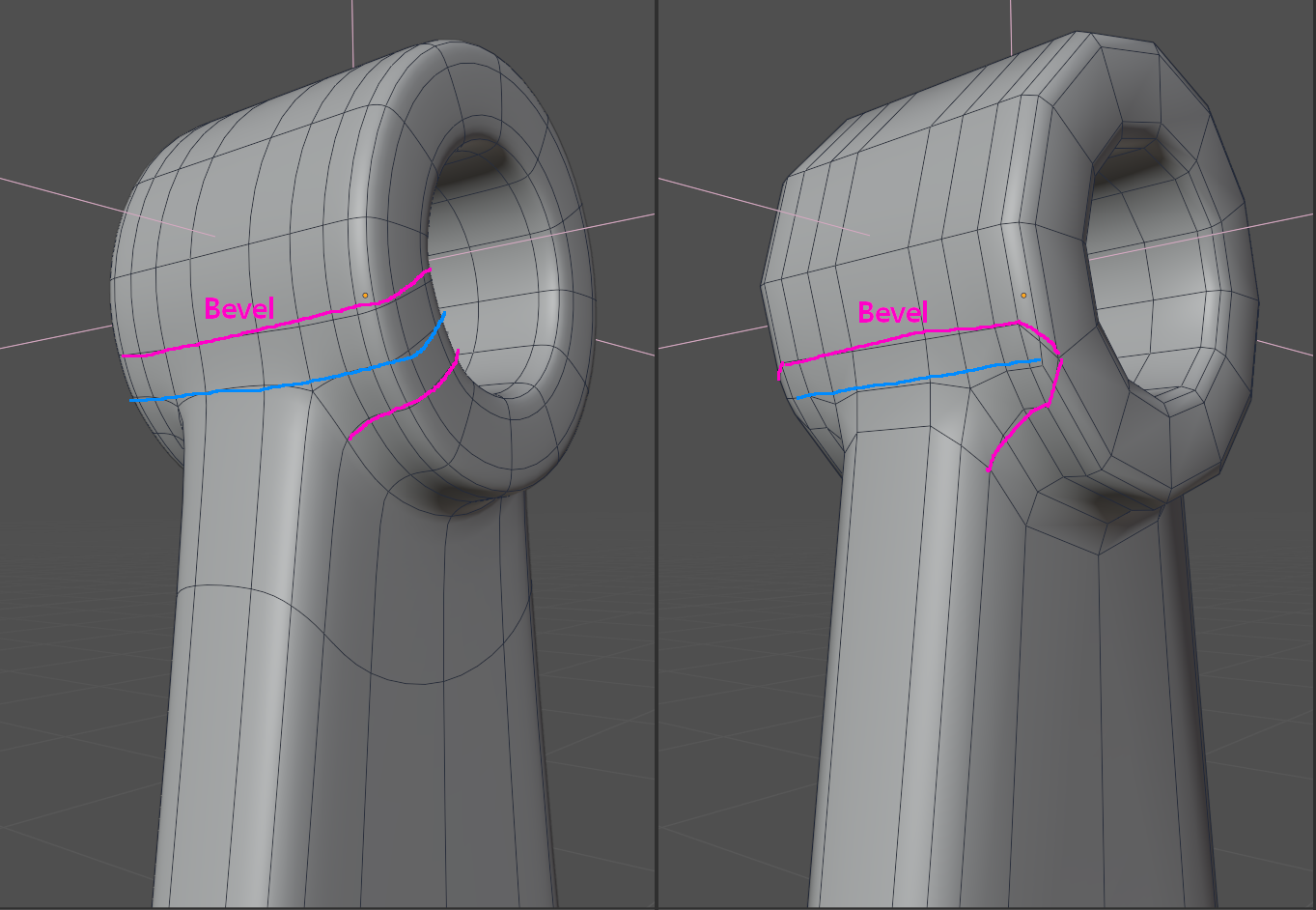
In my example, i only used a weighted bevel on the opening of the tube (i’m too lazy to place a proper holding edge for this quick example), i’m not using it on the transition between tube and bottom apart, as using bevel there will mess up the topology because bevel creates even edge on the inside and outside marked edge. I use a regular inset before extruding downward, then add a holding edge only on the bottom part.
As the others already mentioned the problem is mainly due to the usage of the bevel modifer. It doesnt produce geom that works well with subdiv, simply do it manually. If you do it like this the e star position is less problematic
guys, thank you so much on the information!
from what i gathered is that the most important thing when beveling an edge is to make sure the bevel doesn’t end on a vertex that is not a 4-pole (like a tri), to avoid the pinching. at least in this case, idk. i have to play around more with test geometry. it’s got me excited to be able to create round things now.
@ADRs you model looks very good but for sub-d use. if i want to export the model with less verts (no sub-d, only bevel) it doesn’t work.
but i was able to recreate it and it look clean as hell.
although, i did bevel a different edge loop than you, from your picture, i think the result is good - the above picture it’s without sub-d, and viewed at a distance hopefully the less-than-perfect shading will not be noticeable.
@Debuk i don’t know what you mean by “e star” but i see you start the extrusion down, on a different face. it that what you mean to say that is less problematic?
It may still work, as long as you bevel the joint area manually, or in the worst case, create 2 versions of the mesh. Don’t rely completely on modifier, it’ll be applied at export time after all, especially if you want to optimize your mesh.
This is the same as E-pole or 5-pole star.
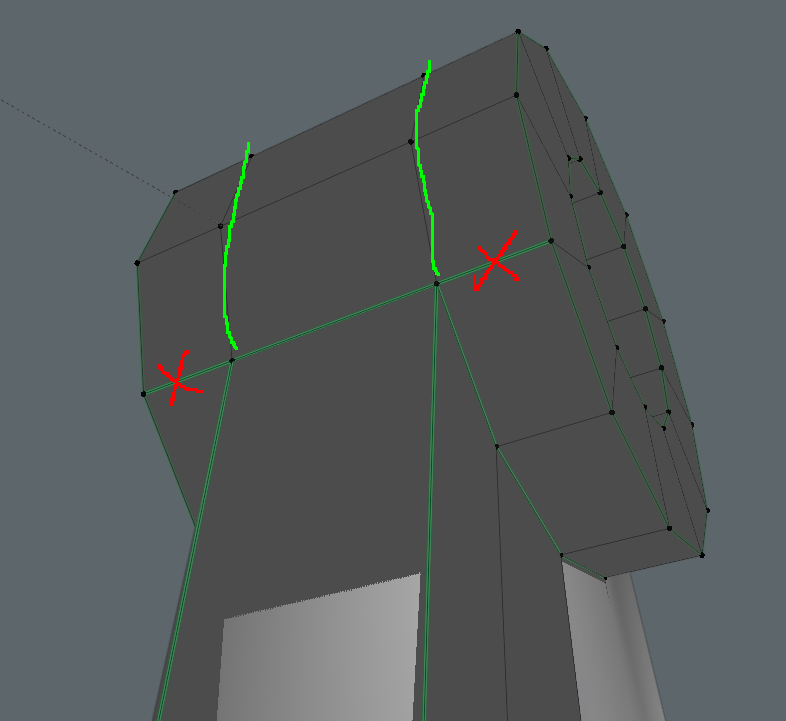
Correction, don’t end bevel abruptly on a vertex, always use it on a loop (for subd), as end it anywhere that is not a loop will create an N-pole and E-pole, except if you want to redirect the polygon flow.
after looking at your file, i see that the bottom shape may need some holding/control edge (depends on how sharp you want your bevel is), so the topology for that area must be tweaked a little for subd work, as you can’t just add a control loop that goes over the tube or the circular shape will be distorted.
Sorry, yeah there are multiple terms for the same thing, its like adr said. Valence 4 for is the regular case for vertices, but 3 and 5 are as important and there naturally. They control how the mesh flow is. You cant get rid of (most of) them, just sometimes they will kill each other, but normally they exist cause of the basic mesh shape, their number stays in principle fix with subdivision ( just nonquads may introduce new ones once), so you see them on the basemesh and can lay out the mesh flow by it. So you decide with the flow if the curvature shall form a sharper angle at the docking or run more smooth into the axis cylinder.
@Debuk - alright - tbh i’m not at your (or any of you guy’s) level of topo understanding, but i’m sure i’ll come back to this thread and re-read it. and i am starting to see the 5-star on the meshes and understood that both they and tris are key points on a mesh. so thank you.
alright - i’ll see if i run into these cases and see the result by the redirection of the poly flow.
for now this problem is solved, so thanks guys!
sorry, geo-master newb here!
i’m marking @oo_1942 reply as the solution just because beveling the loop works for the non-sub-d version of the mesh, and when the sub-d is applied.