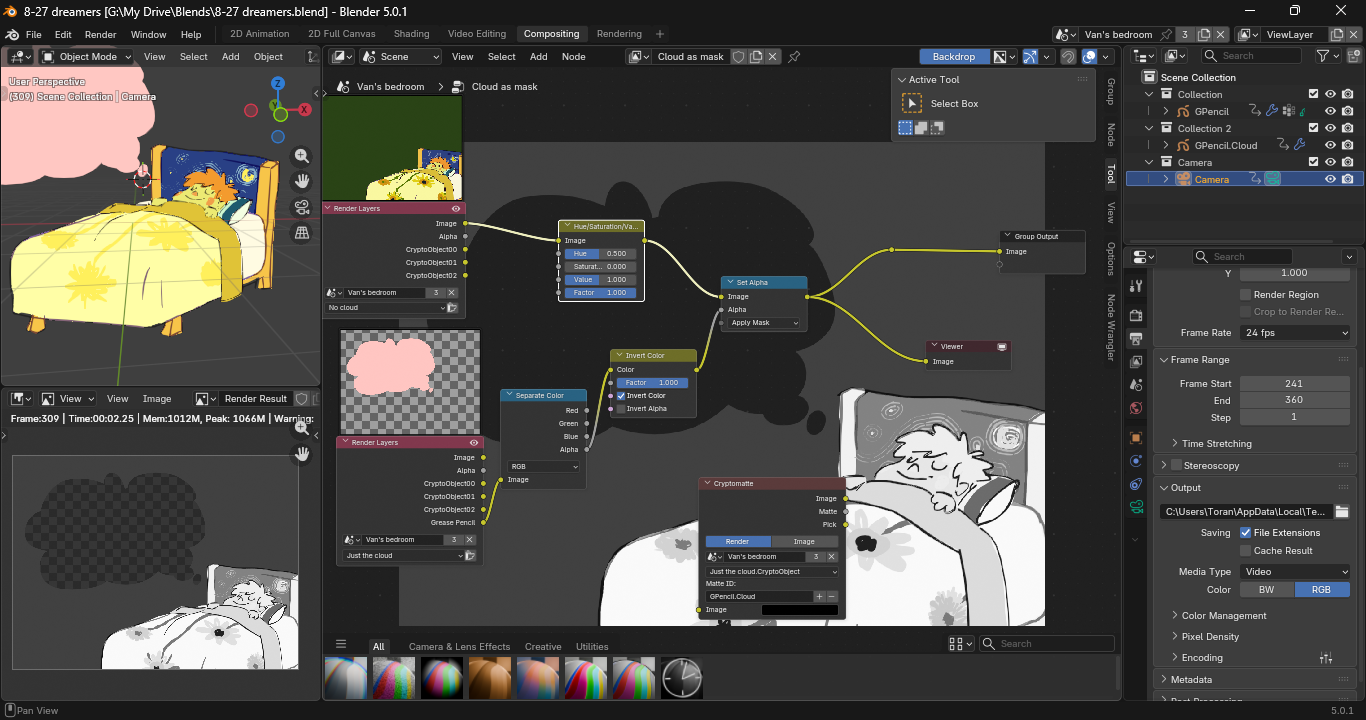
This is a scene that has compositing. One of the objects is clipped out, and a greyscale filter has (temporarily) been applied.
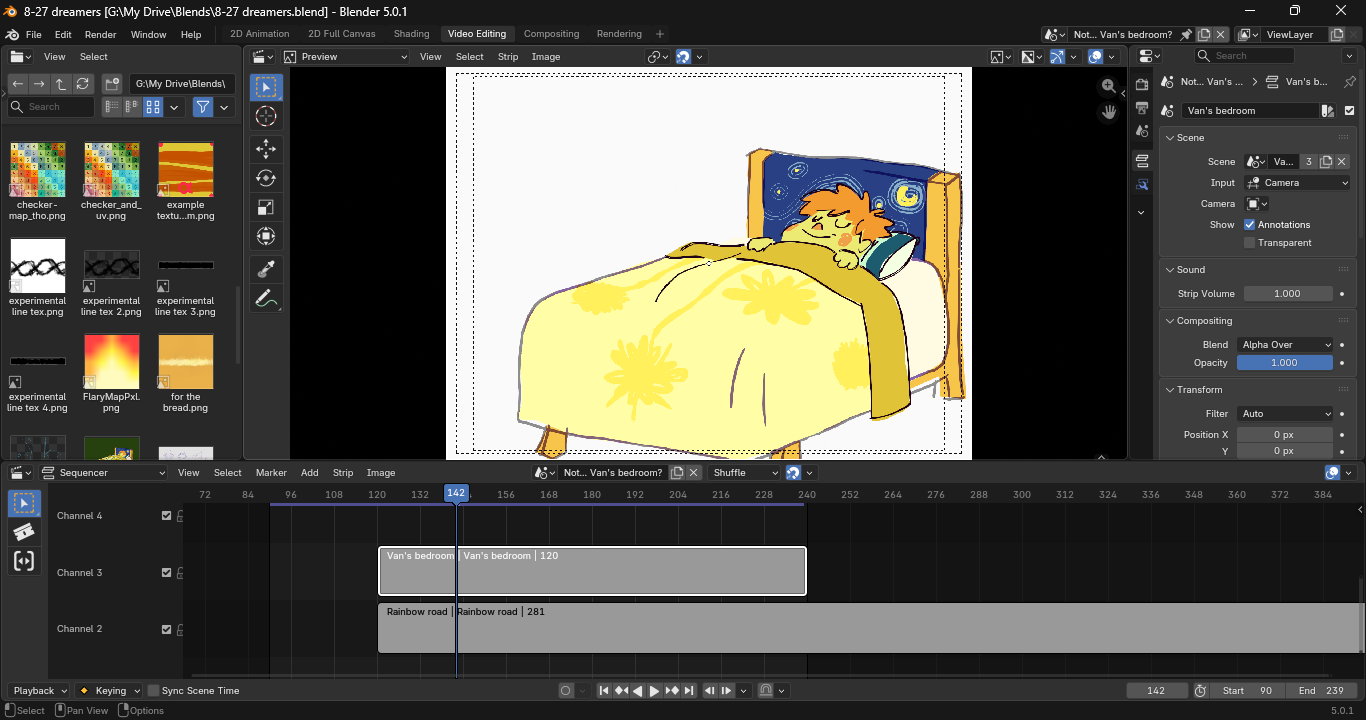
And this is a blank scene that I added the previous scene to as a sequencer strip. Why isn’t the compositing included? All the tutorials I saw about the Video Sequencer focused on editing video files, rather than using Blender scenes, so there’s a lot I still don’t get.
