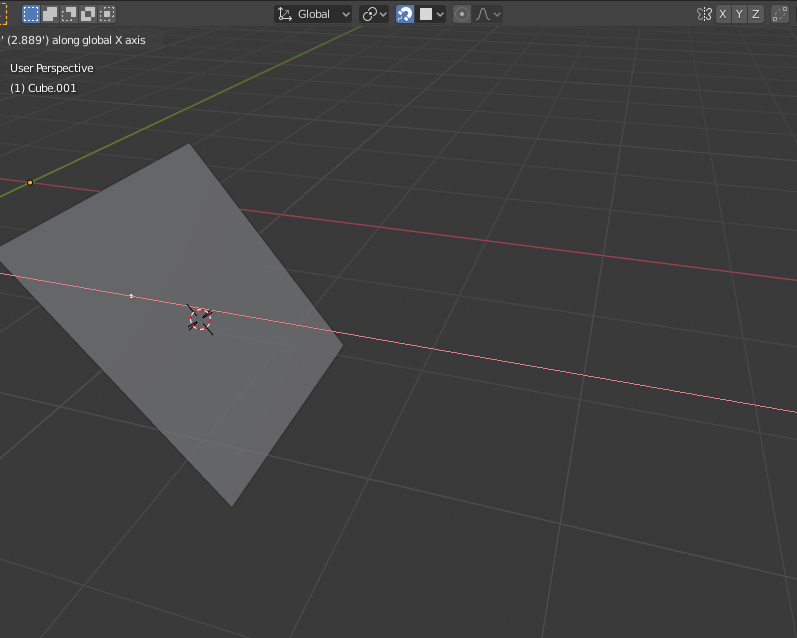
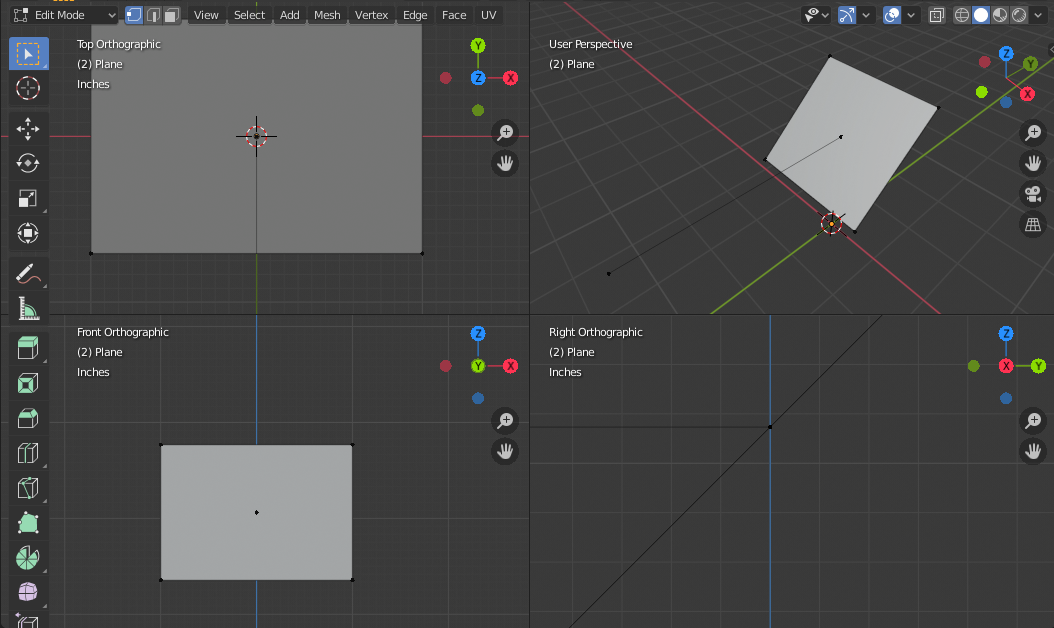
I’m trying to extrude along the x-axis until the vertex is on the face, but I can’t figure out how.

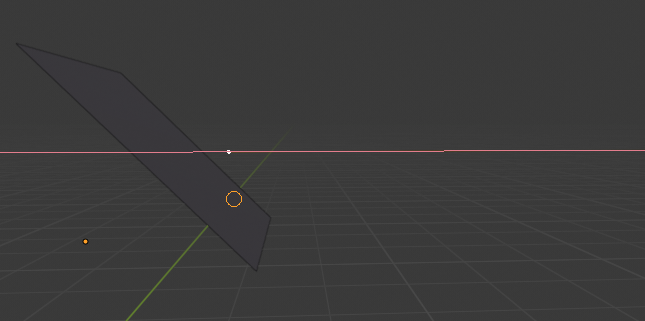
I’m trying to extrude along the x-axis until the vertex is on the face, but I can’t figure out how.
use the cursor to create a face new transform and it will work
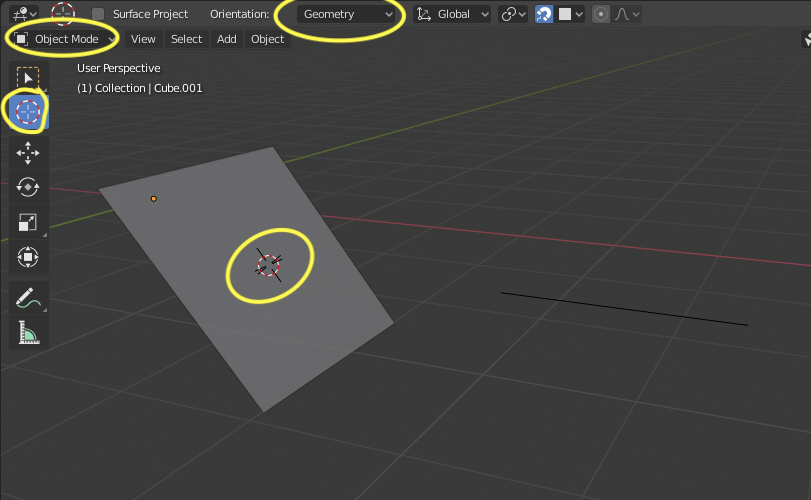
You still can project 3D cursor to a surface.
You just have to use 3D Cursor from toolbar to have access to 3D Cursor orientation menu in Topbar.
Choose Geometry.
Just click on surface object mode -> 3D cursor is placed and oriented.
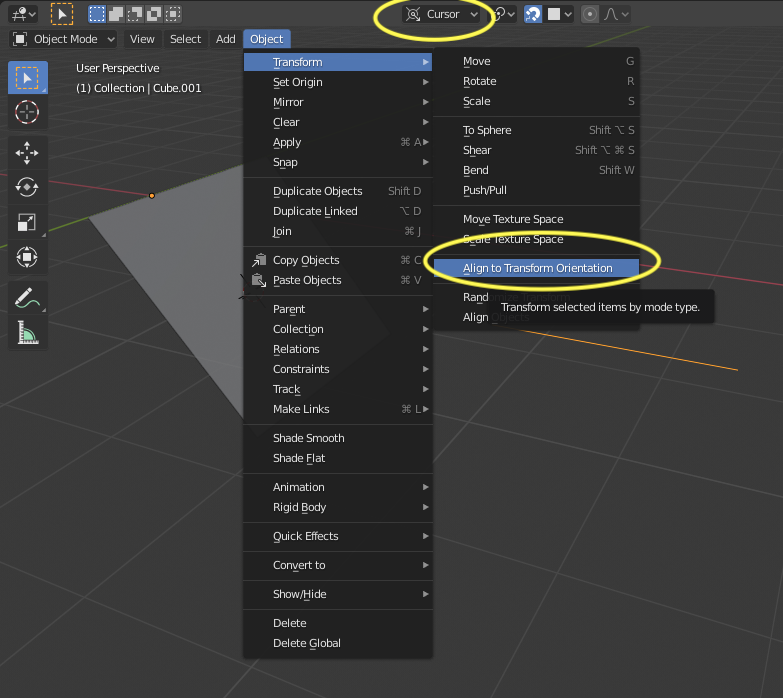
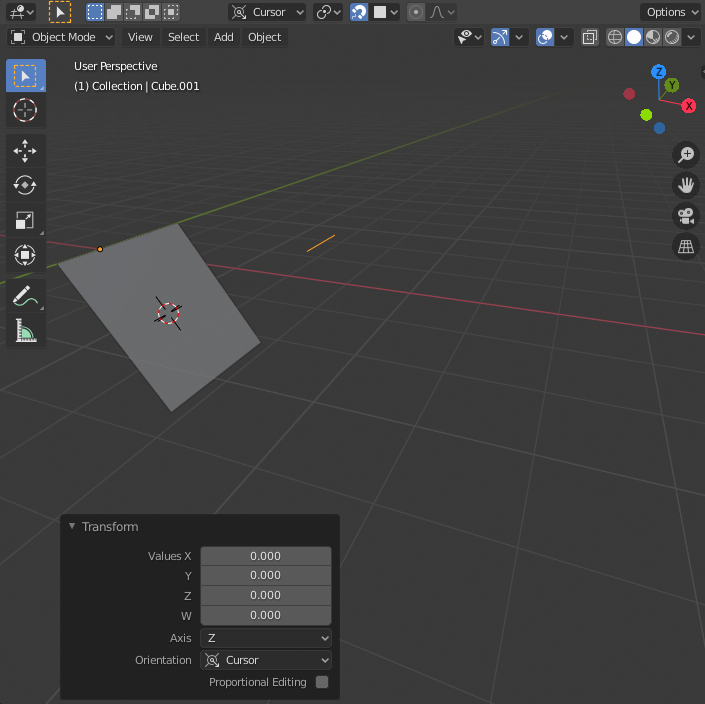
So, set Orientation in menu in header of 3DView > Change it from Global to Cursor.
Then, go to Object menu > Transform > Align to Transform Orientation.
happy bl
Ok.
Ok.
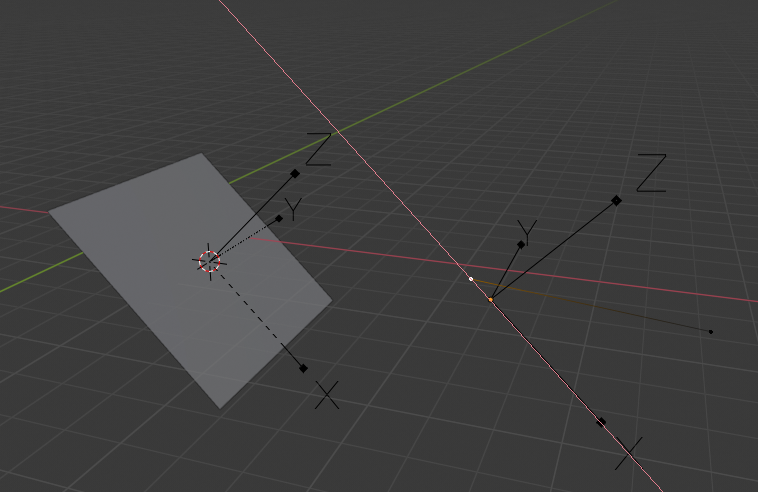
The edge aligned to the orientation of the face which isn’t exactly the result I’m looking for. Did I follow a step wrong?
@NiklasWerth That’s what I did in the original post. Note how the vertex is snapping, while locked to the x-axis, to the face in the second picture. The problem is the vertex isn’t touching the face. Face snapping doesn’t project the vertex onto the face orthographically.
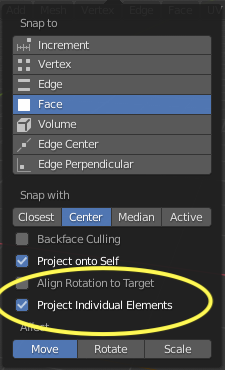
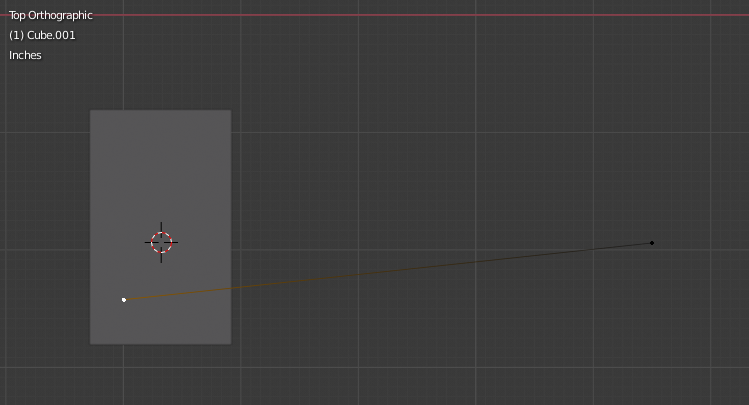
On a side note, the project individual elements option in the snap menu doesn’t project the vertex straight. It results in an edge that isn’t parallel to the x-axis.
see more details here
a bit complicated and new in 2.8
but worth to learn
happy bl
Oh, I think you may have possibly misunderstood my question. I’m not trying to orient an object to the 3D cursor. I’m trying to extrude a vertex along an axis precisely onto an angled face. This is my desired solution.
I just moved the vertex along the x-axis until it looked like it was on the plane, but the vertex isn’t actually touching the plane if you zoom in, which isn’t ideal for precision modeling.
ounce the cursor is set to that face with transform it will follow the local coordinates of the face which should do what you want i think
hope it helps
happy bl
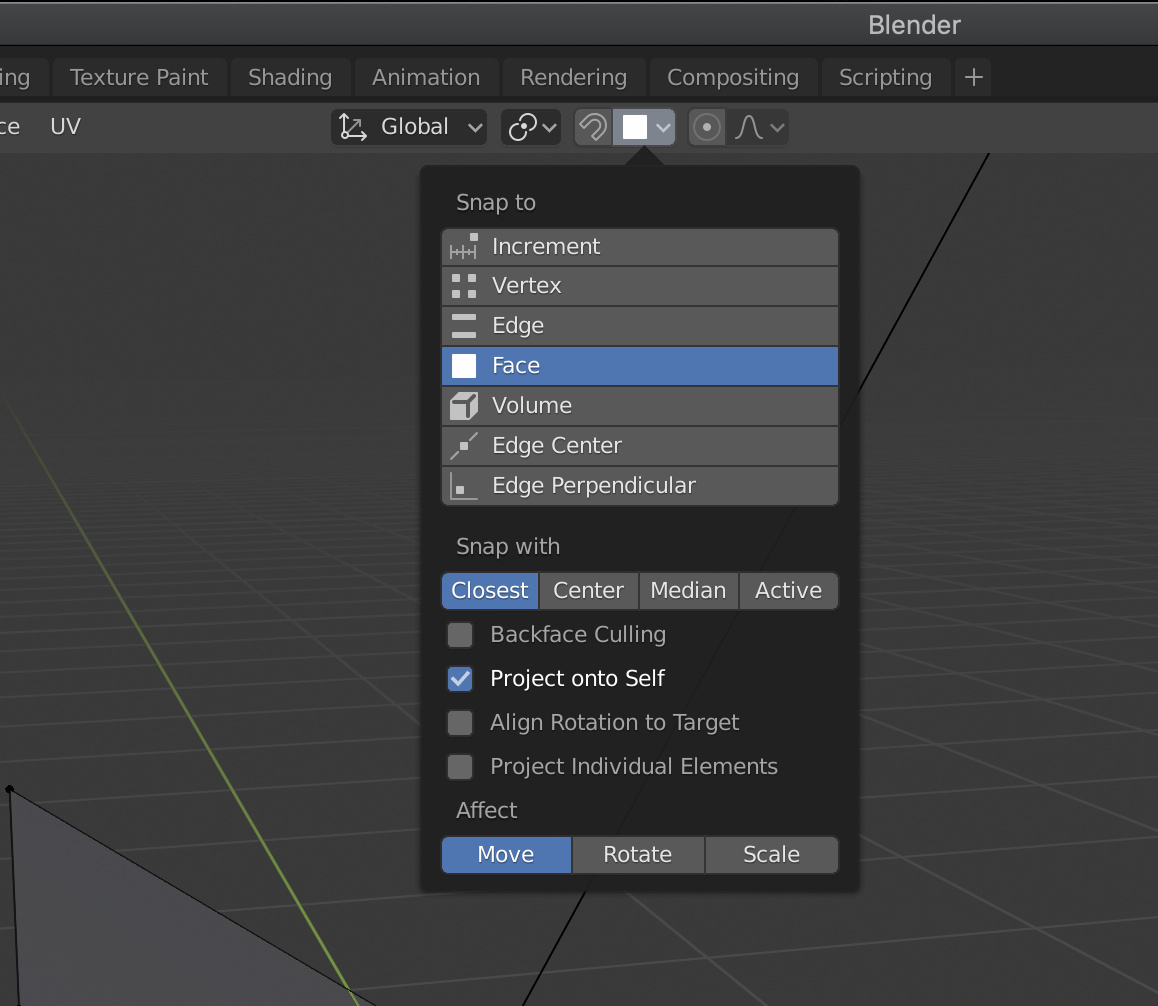
did you set snapping mode to face ?
happy bl
Yes. It doesn’t snap to the face.
do you need to add only one verts or more
with transform you can add a cube and remove verts you don’t need
and then bottom will be on the face
it is the edit cube in tool bar not the normal cube
will re check video but should work
happy bl
try this file
z-vert-snap1.blend (2.3 MB)
verts is moving along the face following the transform
now it looks that the tool for adding an edit mode cube has been remove
unless added in an addon !
happy bl
Yes, snapping to face is unsatisfying.
Yes. That option projects according to view.
So, if you go into a side view with X as axis of depth, first; when you do a movement constrained to X axis : result should be correct.
But to avoid to change View, you can use TinyCAD mesh tools addon bundled with Blender.
Its Extend Edge to Face tool should do the trick.
http://zeffii.github.io/mesh_tiny_cad/
What did you do to solve it ?
happy bl