Adding noise simulated film grain to an image can look great, but in motion the effect can fall apart. Adding film grain effect will not make a video look like old 8 or 16mm as there’s a lot more involved like cadence, jiggle, reduced frame rate etc.
The net is fall of film grain effects and overlays. Light leaks as well, it’s all hip and totally over done as you say.
Commercial products like: http://www.filmconvert.com/ & http://www.crumplepop.com/grain35-landing-page/ may give some ideas.
There are freebies like this: http://visioncolor.wordpress.com/free-stuff/ which is a 35mm film scan.
But they are just dumb overlays, yes you can affect the saturation, luma mask light midtone and dark thresholds over time to give a bit of flicker, make shadows, midtones or highlights more intense through a luma mask and opacity control.
Or you could try a free, opensource script that runs on Avisynth, which in turn works on Windows and Linux via Wine. The script here:
http://avisynth.org/mediawiki/GrainFactory3 and there is a 16bit output modded version but not to complicate things.
The script actually looks at the luma levels in your video, it allows control over grain size, texture, sharpness, calm or vigourous movement, you can set luma threshold for when the grain kicks in all seperately for shadows, midtones and highlights. You can see it in motion using a tool like avspmod http://forum.doom9.org/showthread.php?t=153248 and adjust settings with sliders if editing scripts is tedious or via Virtualdub, then encode it into a video or just encode the grain out to video or image sequence as an overlay for Blender actualy based on the source video, then adjust opacity to suit.
So in blender nodes you could import video, seperate YCbCr to get luma plane to use as a driver for your animated grain, threshold it three times using a luma key, so you threshold a copy of luma plane for high, mids, lows from those three outputs add noise texture to suit with different settings for each, maybe light texture for highs and lows, maybe heavier texture for mids, then subtract original luma data from each so you have just the animated noise textures for H, M & L so you can reblend with varying opacity back into your 3 luma planes and then recombine YCbCr.
That way the noise is driven by the luma, the noise only affects the luma ie: greyscale not color.


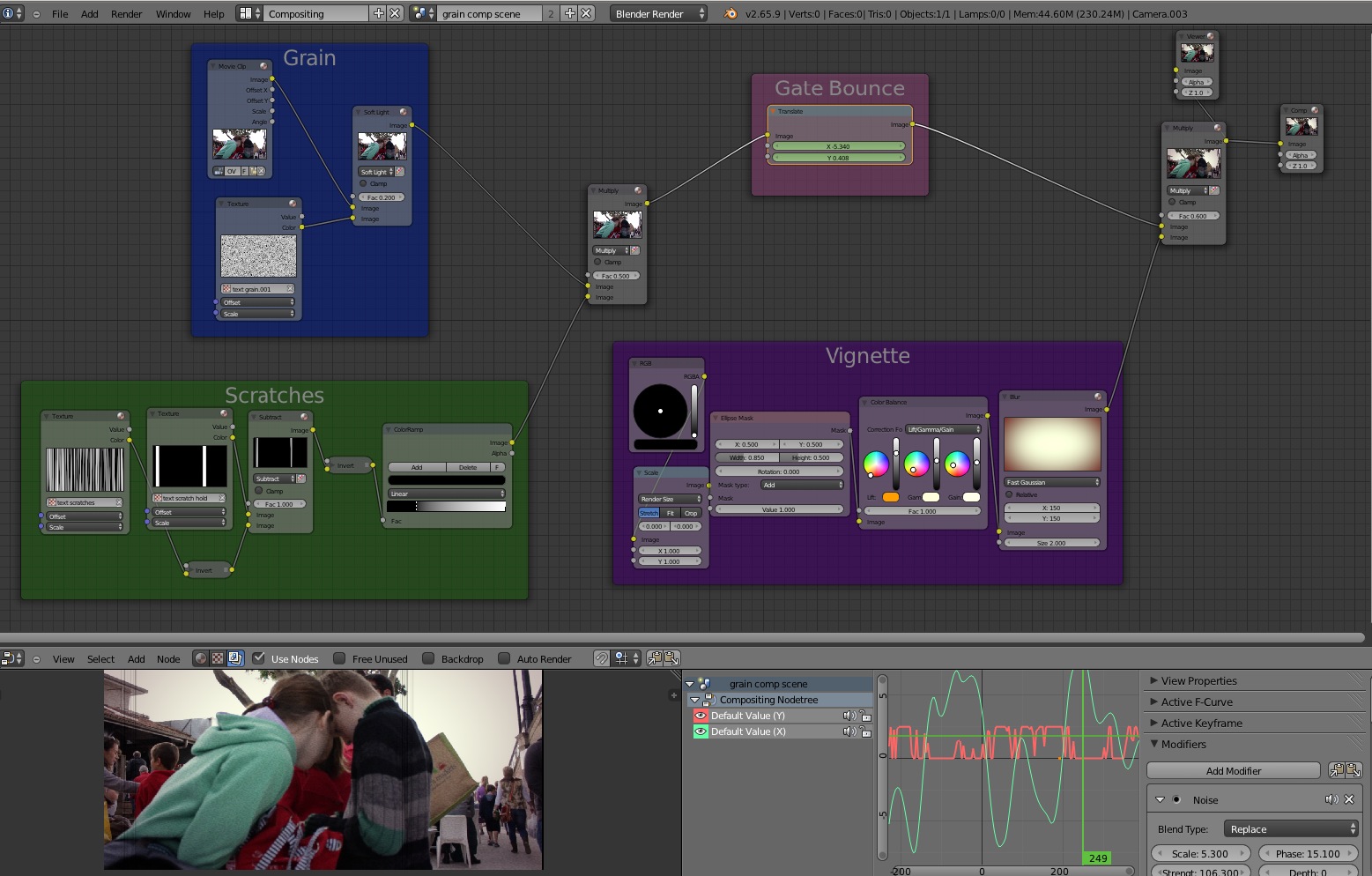
 I am also looking at a comp node arrangement too but it’s not working right although has much more flexibility.