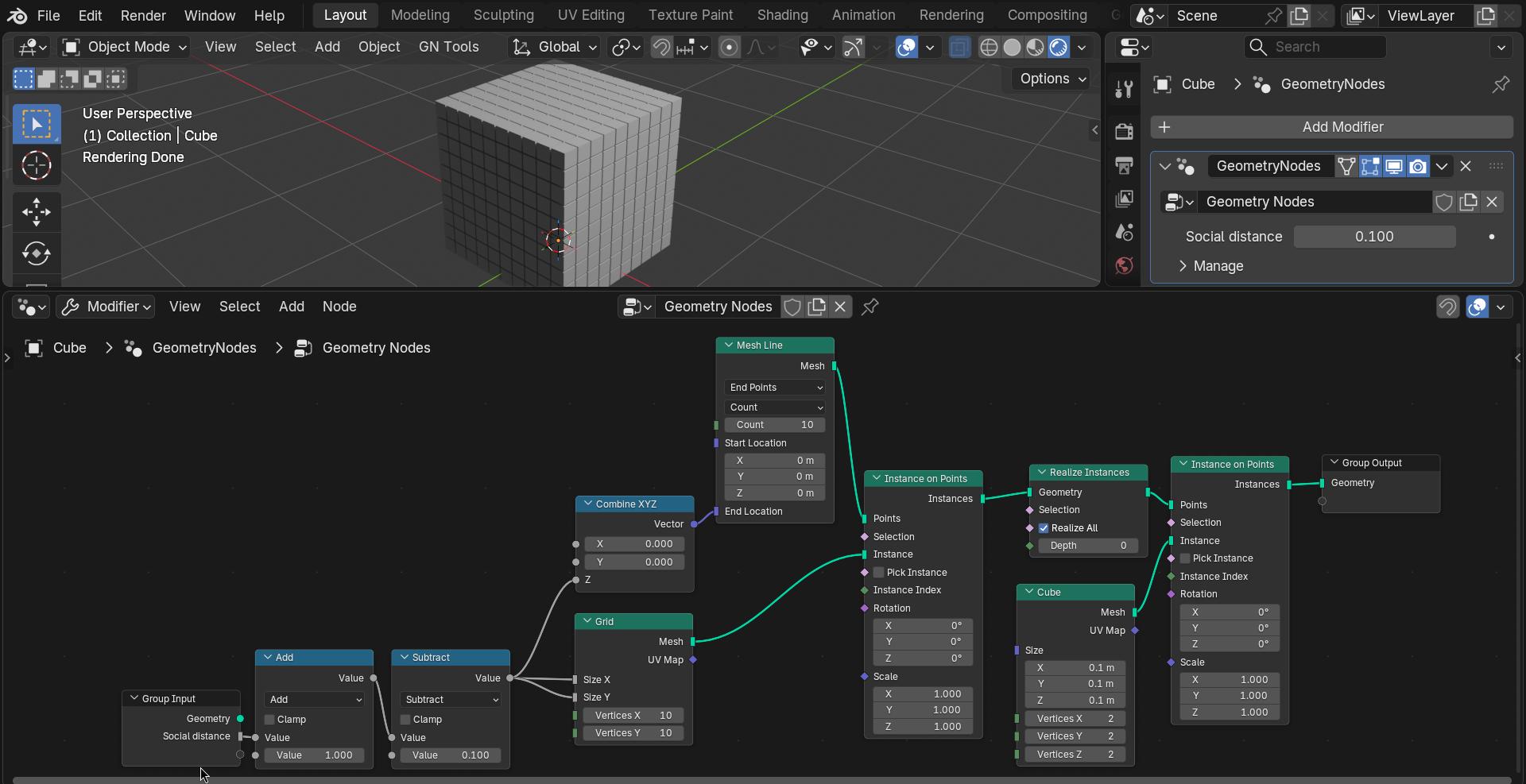
My goal is to add small, uniform gaps between the cubes, but I want to keep the original image 100% intact—no scaling of the actual mesh or distortion of the UV projection.
I want the cubes to simply “push apart” from their original positions while keeping their size and texture exactly as they are. Is there a way to do this using Geometry Nodes or other methods?
Welcome …
Hmm… when you scale for example all cubes (via Pivot Point → Individual Origins) to 99% and then do the same for the UV’s… in fact when settings the (top right) Options: Transform Correct Face Attributes then they will scale accordingly automatically… so some any other scale should do too.
Thanks for the tip! Correct Face Attributes is a great feature, but my goal is slightly different. Instead of shrinking the cubes themselves to create gaps, I want to keep the original size of each cube 100% intact.
What I’m looking for is a way to make the cubes uniformly move away from each other (like increasing the padding or margin between them) while maintaining their scale and the alignment of the projected texture. I want the cubes to ‘social distance’ from their original positions in a uniform fashion. Does anyone know a procedural way or a setting to achieve this spacing without scaling the meshes?
This will naturally be done when using UV mapping… (or i didn’t understood what you meant )…
Hmm procedurally… i guess using a 3D grid in th efirst place and instancing the cubes on that so you can scale the grid would do… but the UV’s have to eb “computed”… have to think about that…

 …
… in fact when settings the (top right) Options: Transform Correct Face Attributes then they will scale accordingly automatically… so some any other scale should do too.