Hi all
I am facing from yesterday a really tricky problem. I have created a logo on blender and I’m trying now to export it into an .eps file because this is a vector format commonly used (with the ability for the people that will receive the logo to play on the vectors). However, I cannot find any option into Blender to export or convert my file into an .eps file. Is there anyone that already had the same problem as me?
Thanks for sharing your ideas and help me
Blender cannot export the render as a vector format. Can you not use an external application to convert a raster image to a vector image.
Or most logically use a vector program from the start to make the vector logo.
OK - I found it For those in crisis - script that export bezier curve into SVG file.
Download blender 2.49, download script, open blender, open script in blender in blender’s text editor window, append your curve from 2.6x blend file, select curve and with mouse over text editor window Run script (Alt+P), save.
Note: Curve is generated from active camera view.
Dear Herbert123
Thanks a lot for your suggestions but I still have a small problem. I have dowloaded the script as required and read the “read.txt” file. But there is a problem with the first instruction which is as follow:
“1. Enable Freestyle in the Freestyle tab in the Render buttons.”
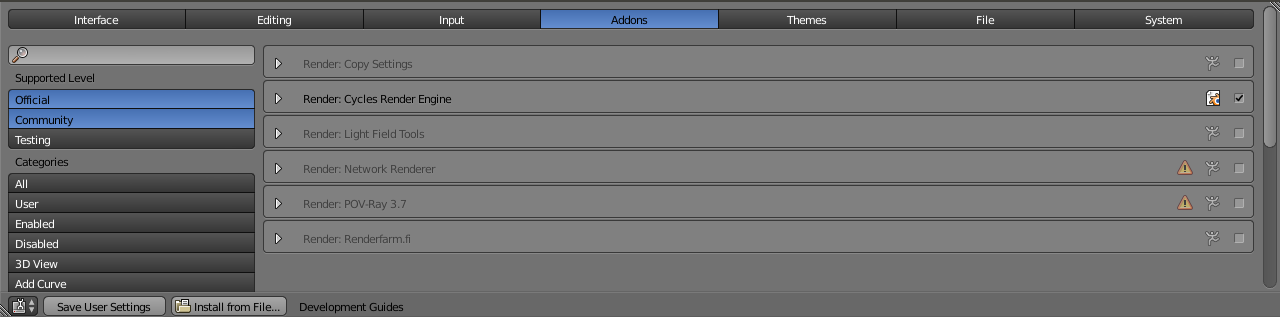
I have 2.67 version andwhen I go to the render buttons, in the “postprocessing” tab, there is no “Freestyle” option possible: nothing! Do you have 2.67 version as well? Thanks for your answer
Hi Vklidu, thanks for your answer but still a question: if I follow your recommandations, if - for instance - I draw a blue sphere on Blender, the blue color will be also saved in the SVG file? Or the SVG file only save the geometrical characterics, getting rid of textures, colors, … ?Thans for your answer
Vib
Freestyle - to make the freestyle panel visible you have to switch to Blender Internal Render engine (not Cycles)
About colors - I don’t understand your question too much. If your question is related to the “Bezier Export” script for 2.4x build - you can’t export sphere (like NURBS object). Script exports only bezier curves. Anyway my needs were export only curve, so what I tried to export now - script exported only geometry.
It could be easier and faster to help you, if you can post blend file or screen (or sample file) to see what kind of object you need to export. Thanks
Hi:)
Sorry again, I have switched to Blender Internal render engine but still no “freestyle” option (see the screenshots). Is that because I’m using Blender 2.66a? Concerning the other question, I agree that I cannot export a sphere with the svg format, but only Bezier curves. However, as you can see on the screenshot, the sphere is blue and shaded. Will the svg format save the blue color and the shade (in more that the geometry of course) or does it only save the spherical shape?
Thanks,
Vib
I can’t see freestyle in 2.66 too, it is still in develop so better search on Graphicall.org for fresh build.
Anyway I can see Freestyle in official release of 2.67.
But there is a “nice” bug or trick I see … you need to switch in Render panel from “supported” to “experimental” when cycles engine is selected. Than switch to blender internal engine.
I never used freestyle so I never noticed that, its killing combination
Never mind, if you need to export smooth sphere - forgot it
My link to Bezier Export script works only for curves. Liero’s script exports object based od mesh faces (as you can see from examples on his thread). And link, that Herbert123 provided, I never tried, but from his example it doesn’t seem the script generates shading (hard to say, on that webpage I can’t see any examples or gallery).
(From Herbert123 sample a can see that his result has not any handles, curves are just a lot of short strait lines.)
It seems to me, you will spent too much time finding a way around - how to.
Doesnt it better to rework logo in any vector editor? Most of them use some 3D tools.
For result you asking for I saw in the same 2.4x history some script that support shading and colors, but generated shape was quite terrible for complex render. I just remember there was a bulb as a logo for this script.
Basically you look for “rendering to svg” not for export.
Hi,
Ok, no worries: I will wait for Freestyle in official release of Blender 2.67. However, I’m still convinced that having the ability to export a 3D render from blender to a SVG format (where everything is vextorized by bezier curves) would be a very very good idea. Because, with softwares such as inkscape it is very hard to build nice logos. I mean, Inkscape is infinitely more limited than Blender. Anyway, thanks a lot for your advices. Have a nice weekend