I desperately need to convert a cloth simulation animation i did for a short video* into keyframes, so that i can get it to work in unity for the AR work i do.
Is this possible? If so, please help me
*(the video is of letters and paper and magazines falling onto a doormat and for three of the magazines i used cloth sim to animate it to make it more realistic)
This will convert a cloth sim into keyframes. I recommend saving a new version to try this on.
Make sure your scale, location and rotation are applied on the cloth object. (ctrl-A)
In user pref, add-ons, type ‘light’ and enable ‘import:export Lightwave Objects’ (check the checkbox)
Then type ‘new’ and enable ‘import:export NewTek mdd format’
Save your prefs.
With your cloth object selected, choose File-Export-‘Lightwave point cache (mdd)’ Give it a filename (same as the blend is good)
Delete the cloth sim on you cloth object, in physics.
With the cloth object still selected, choose File-Import-'Lightwave point cache (mdd) . Choose the .mdd file you saved.
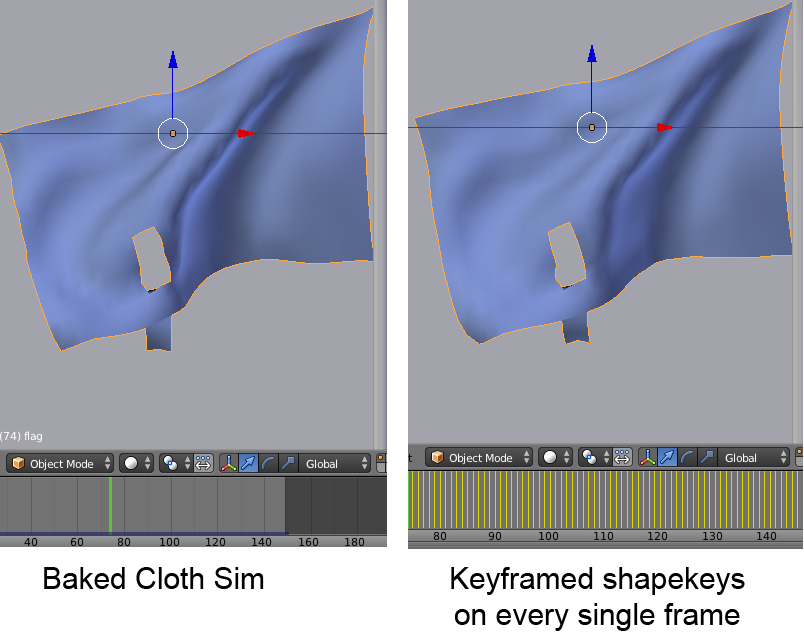
The cloth is now keyframed, with a shapekey on every single frame. Sometimes you need to scrub the timeline to refresh the initial loading of the keys in the viewport, but it’s there. I have no idea if this will work in the game engine however.
At first i followed your instructions and i couldnt figure out why it didnt work, my animation was going crazy messing up, however, after a few tests i realised it was because i had to first apply the subsurf modifier i had above the cloth one and then do your process again and it worked- hurray!
The thing with a cloth sim is that the mesh will deform and those deformations must be accounted for somehow. The steps I outlined rely almost entirely on shapekeys and I can’t see a way around them. As I mentioned I have never continued down the export workflow you are doing and I really don’t know.
Perhaps you could put a simple 3 or 4 bone armature on the magazine and use the cloth sim as a side by side to recreate the look and timing of it falling.
Or do the same with a lattice?
You might want to start a new thread in rigging/animation and outline your goal. There is always a way. I’m just not sure what that way is here. :no: (Edit: just saw that you did)
This should by now be a standard feature built into Blender. Or at least an add-on. In complex scenes its brilliant to be able to create things like simulations in new blend files and bring them into the main scene as keyframed shape key sequences.