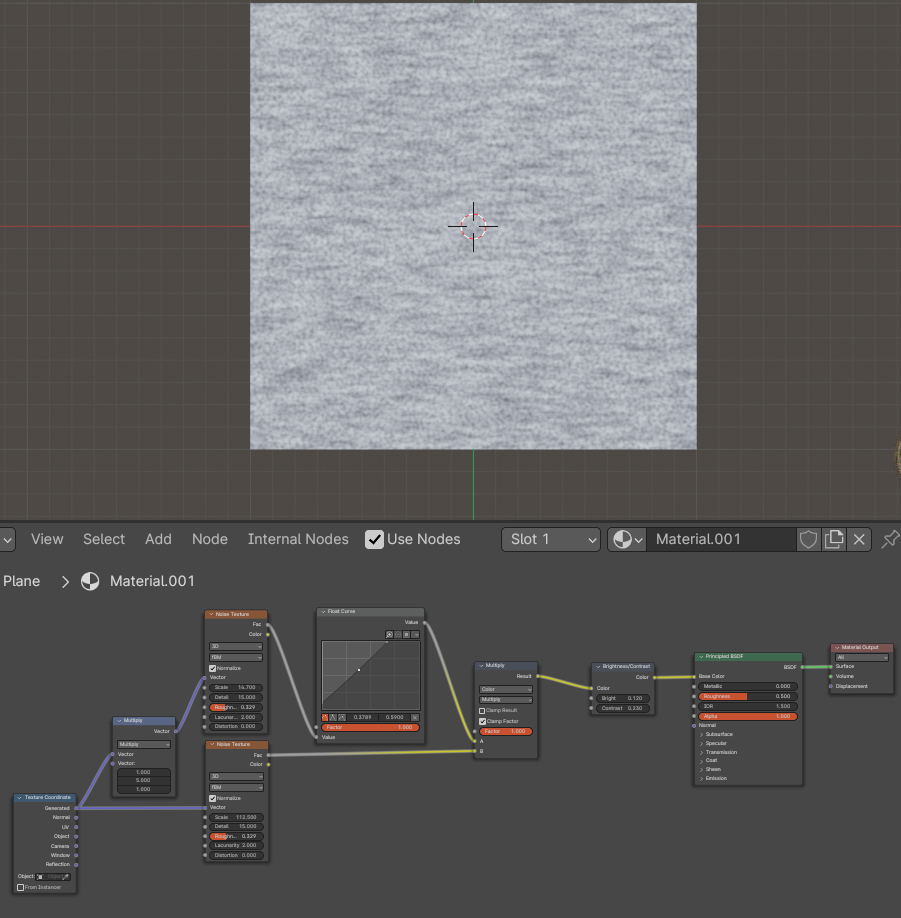
How to create heather gray as a color for an object?

I am currently making a mockup for a t-shirt, and was planning on using heather gray for the color of the shirt. I already have a model that I am using with texture and stuff but can only choose a solid color. I have been playing around to see if I can create a heather gray look but I am not great with the shader editor.

Any help would be greatly appreciated, Thanks! And I will attach a picture of heather gray for reference.

Hi,
it could be SO helpful if you share some image of node tree you are using. e.g. If you can choose solid color i assume that your texture is not connected to color socket of principlied bsdf. Is it connected to roughness? or to normal?
I doubt you can receive some useful help with so few details from you.

What I normally do if a specific color is needed is to look up the Hex code for the named color ( there are many variations of Heather Grey)

I then create a shader specific to the object using the hex code in the color tab…


Heather Grey- Hex #99A196
Combined with a white variation and a bump node…for the roughness

Hi,
Sorry I didn’t put a lot of information. I am fairly new to blender and do not know a lot about creating shaders and materials.

I have attached a screenshot the shader for the shirt I am using and a screenshot of what goes into the setting shader node.


Hi,
Thank you for sending this I am currently trying to integrate these nodes into the shader I already am using. I attached a screenshot of the shader and a screenshot of what goes into the setting node.


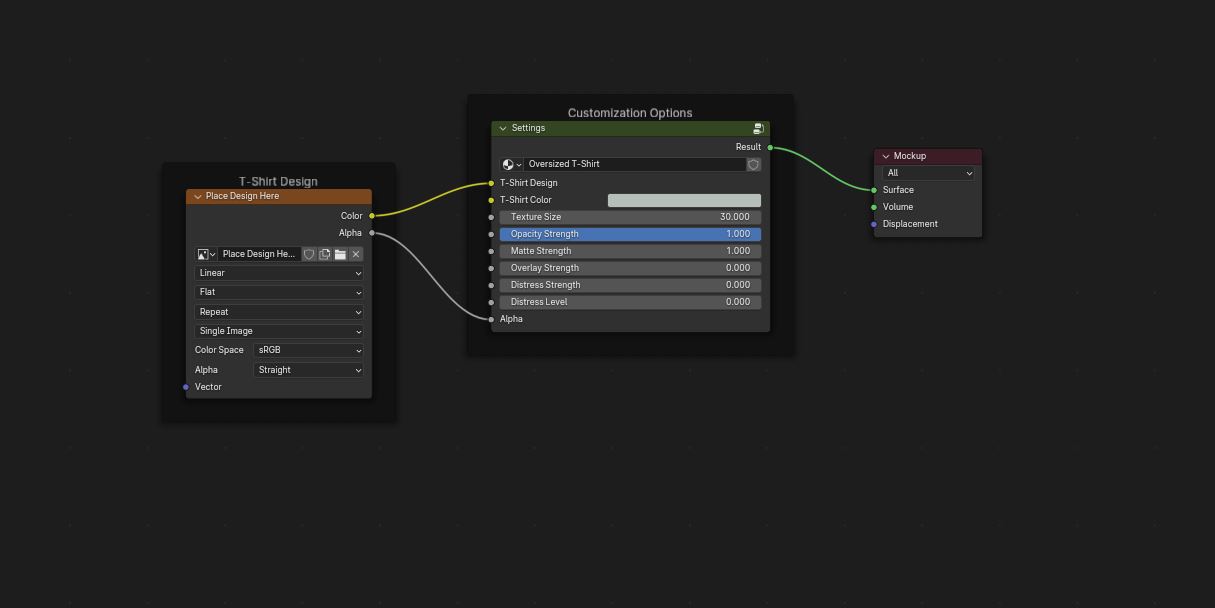
Theres not much visible of the shaders real logic, hard to help you. You may have to post the other 3 green nodes aswell.

But perhaps is it enough if you feed a noise texture into the tshirt color socket.

Here’s my version from some days back. Didnt post it cause when I read it again I thought you really WANT just a single color.