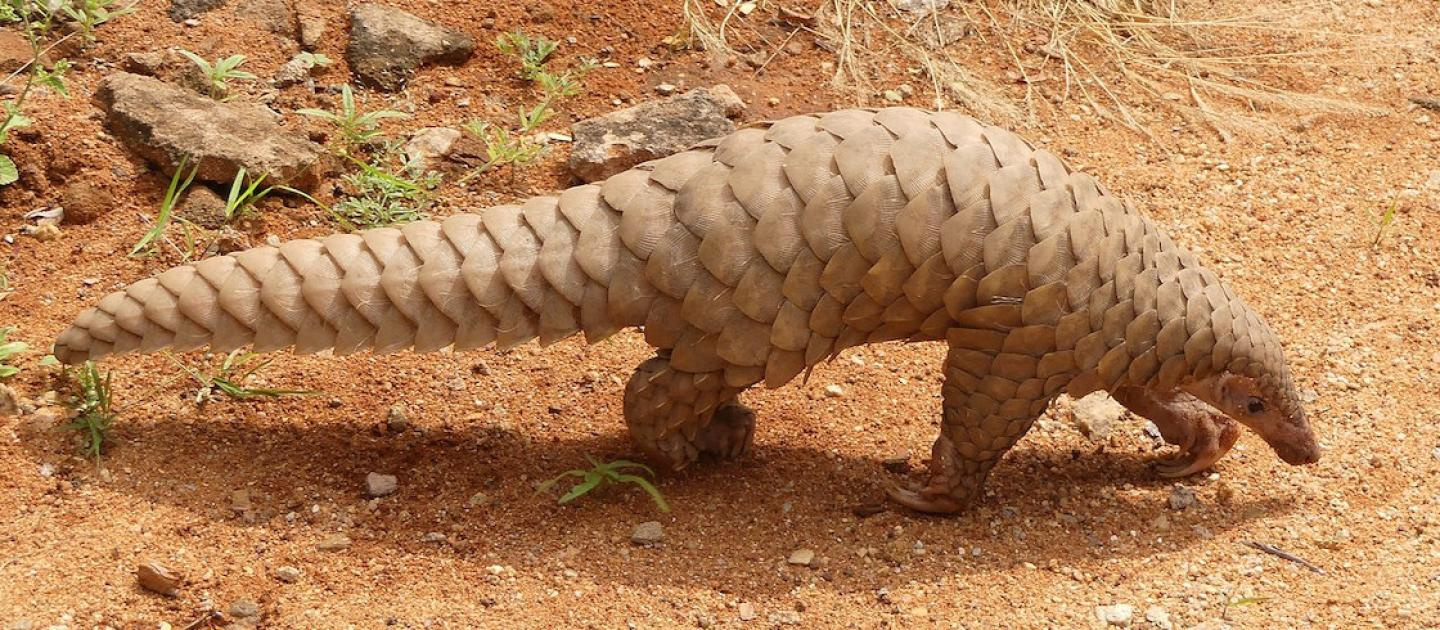
I would just manually apply them duplicating in the reference it’s plates go one direction, on the human its gonna have a turn or it will join in the centre of the back, you might need control of that, probably is a way in particles maybe some knows .
Yeah, that’s what I did with the original version of this character. I’m trying to find a better way to do it since it’s so time consuming to do it all manually.
Controlling the orientation is easy. You just need to comb the hair. The object will be automatically oriented to along the comb direction. Particle edit can help to fix other issues, too, like floating above the surface or intersections, but how to automatically arrange them, I don’t have a solution either. Emission can be controlled by textures, but I guess that wouldn’t be of much help in this case. I guess such patterns could be created with a phys sim (if there were a suitable one available in Blender).
An alternative would be to use Duplifaces. Create a simplified mesh of your character, such that the faces are arranged like you wish the scales to be, and subdivided such to the right the size of the scales, and use that for creating Duplis. The additional advantage would be, that for the following manual adjustments you have to full power of the mesh editor available, probably saving quite a bit of work.